Introduction
This manual provides comprehensive instructions for the setup, operation, and maintenance of your Eversolo DMP-A6 Master Gen 2-Black Hi-Fi Music Streamer. Please read this manual thoroughly before using the device to ensure optimal performance and longevity.
The Eversolo DMP-A6 Master Gen 2-Black is an advanced Hi-Fi music streamer designed for high-fidelity audio playback. It features an upgraded Op-amp Chip OPA1612 for enhanced sound output and a newly designed linear power supply for ultra-low noise operation. It supports a wide range of audio formats and streaming services, offering versatile connectivity options for integration into various audio systems.
Коопсуздук маалыматы
Түзмөккө зыян келтирбөө же жеке жаракат алууну алдын алуу үчүн ар дайым төмөнкү коопсуздук көрсөтмөлөрүн аткарыңыз:
- Аппаратты сууга же ашыкча нымдуулукка дуушар кылбаңыз.
- Ашыкча ысып кетүүнүн алдын алуу үчүн туура желдетүүнү камсыз кылыңыз. Вентиляция тешиктерин жаап албаңыз.
- Берилген кубат кабелин жана аксессуарларды гана колдонуңуз.
- Аппаратты өзүңүз ачууга же оңдоого аракет кылбаңыз. Бардык тейлөөлөрдү квалификациялуу кызматкерлерге тапшырыңыз.
- Түзмөктү түз күн нурунан, жылуулук булактарынан жана күчтүү магнит талааларынан алыс кармаңыз.
- Түзмөктү жумшак, кургак чүпүрөк менен тазалаңыз. Абразивдүү тазалоочу каражаттарды же эриткичтерди колдонуудан алыс болуңуз.
Пакеттин мазмуну
Таңгакта бардык буюмдар бар экенин текшериңиз:
- Eversolo DMP-A6 Master Gen 2-Black Unit
- Электр кабели
- USB кабели
- Screwdriver (for internal storage installation, if applicable)
- Колдонуучунун Колдонмосу (бул документ)
- Триггер кабели
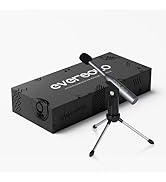
Image: Illustration of the Eversolo DMP-A6 Master Gen 2-Black package contents.
Жайгашуу
1. Физикалык жайгаштыруу
Place the DMP-A6 Master Gen 2-Black on a stable, flat surface with adequate ventilation. Ensure there is sufficient space around the unit for airflow, especially at the rear and sides where heat dissipation occurs.
2. Power Connection
Connect the provided power cable to the AC inlet on the rear of the unit and then to a suitable power outlet. Ensure the power switch is in the OFF position before connecting.
3. Аудио байланыштары
The DMP-A6 Master Gen 2-Black offers various audio input and output options:
- Аналогдук чыгуулар: Use XLR or RCA outputs to connect to active speakers or power ampаман калгандар.
- Санарип чыгышы: Optical, Coaxial, and HDMI (for audio only, no video output).
- Санарип киргизүү: Coaxial, Optical, Type-C USB, and HD Bluetooth for connecting external digital audio sources.
- HDMI ARC: Connect your TV's HDMI ARC port to the DMP-A6's HDMI ARC input to transmit TV audio directly.

Image: Rear panel connections of the DMP-A6 Master Gen 2-Black.
4. Тармакка кошулуу
Connect the unit to your network via Ethernet cable for the most stable connection, or use the built-in Wi-Fi for wireless connectivity. A stable network connection is essential for streaming services and firmware updates.
5. Баштапкы күйгүзүү
After all connections are made, switch on the power. The device will boot up, and the 6-inch LCD color touchscreen will display the initial setup wizard.
Иштөө нускамалары
1. User Interface and Control
The DMP-A6 Master Gen 2-Black can be controlled via its integrated 6-inch LCD color touchscreen or through the dedicated mobile application for Android and iOS devices.

Image: Front panel and touchscreen display.
2. Мобилдик колдонмо
Download the official Eversolo mobile application from your device's app store. The app provides comprehensive control over the streamer, including music playback, settings adjustment, and personalized playlist management.

Image: Eversolo mobile application interface.
3. Music Playback and Streaming
The device supports a wide array of music services and streaming protocols:
- Интеграцияланган кызматтар: Access Amazon Music, TIDAL, Qobuz, HIRESAUDIO, Deezer, Tuneln Radio, and more directly from the device.
- Зымсыз агым: Compatible with Roon Ready, TIDAL Connect, and DLNA for seamless streaming from compatible devices and servers.
- Local/Network Playback: Музыка ойнотуу files from local drives (USB) or network storage (NAS). The device supports cross-platform addition of music files.
- Колдоого алынган форматтар: Plays almost all ultra-high sampling master recording formats, including FLAC, WAV, APE, DSD512 (dsf/.dff/.iso/.dst) stereo/multichannel, and MQA.
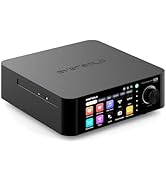
Image: Supported music services and streaming platforms.
4. Өркүндөтүлгөн функциялар
- EOS Audio Engine: Utilizes an innovative audio processing engine that bypasses SRC limitations for high-resolution audio direct output.
- HDMI ARC & TRIGGER: HDMI ARC allows direct TV audio transmission. The TRIGGER function enables linked devices to automatically power on/off with the streamer.
- Professional EQ: Fine-tune your audio output with the built-in professional equalizer.
- OPA1612 Op-amp Чип: Features an upgraded Op-amp chip for a warmer voice output and improved audio quality.
- Ultra-Low Noise Linear Power Supply: Ensures a clean audio signal with noise levels below 40uV.

Image: Key technical features and specifications.
Техникалык тейлөө
1. Тазалоо
Regularly clean the exterior of the unit with a soft, dry, lint-free cloth. Do not use liquid cleaners, aerosols, or solvents, as they may damage the finish or internal components.
2. Микропрограмманы жаңыртуу
Eversolo frequently releases firmware updates to improve performance, add features, and fix bugs. It is recommended to keep your device's firmware up to date. Updates can typically be performed directly through the device's settings menu when connected to the internet.
3. Сактоо
If storing the device for an extended period, disconnect it from power and store it in a cool, dry place, away from direct sunlight and extreme temperatures.
Проблемаларды чечүү
| Көйгөй | Мүмкүн себеп | Чечим |
|---|---|---|
| Күч жок | Электр кабели туташкан эмес; Кубат өчүргүч өчүрүлгөн; Розеткада көйгөй бар. | Ensure power cable is securely connected. Check power switch. Test power outlet with another device. |
| Үн чыгышы жок | Туура эмес аудио чыгышы тандалды; Кабелдер туура туташтырылган эмес; Ampкөтөргүч/динамик көйгөйү. | Verify correct output in settings. Check all audio cable connections. Test amplifier/speakers with another source. |
| Тармакка туташпай жатат | Incorrect Wi-Fi password; Router issue; Ethernet cable disconnected. | Wi-Fi сырсөзүн кайра киргизиңиз. Роутерди кайра иштетүү. Ethernet кабелинин байланышын текшериңиз. |
| Агым кызматтары жүктөлбөй жатат | Poor internet connection; Service outage; App issue. | Check internet speed. Verify service status online. Restart the streamer and the app. |
| Түзмөк жооп бербей жатат | Убактылуу программалык ката. | Perform a soft reset by holding the power button, or disconnect power for 30 seconds and reconnect. |
If the problem persists after attempting these solutions, please contact Eversolo customer support.
Техникалык шарттар
| Өзгөчөлүк | Деталь |
|---|---|
| Модель аты | DMP-A6 Master Gen 2-Black |
| Өлчөмдөрү (L x W x Y) | 10.63 x 7.36 x 5.34 дюйм (болжол менен) |
| Салмагы | 9.24 фунт |
| Операция системасы | Android 11 (deeply tailored system) |
| Дисплей | 6-inch LCD Color Touchscreen |
| RAM | 4 ГБ |
| Байланыш | Bluetooth, Ethernet, HDMI, IR |
| Аудио киргизүү | Coaxial, Optical, Type-C USB, HD Bluetooth |
| Аудио чыгуулар | HDMI (audio only), USB, Optical, Coaxial, XLR, RCA |
| Колдоого алынган агым кызматтары | Amazon Music, Deezer, HIRESAUDIO, Qobuz, Tidal, Tuneln Radio, Roon Ready, TIDAL Connect, DLNA |
| Колдоого алынган аудио форматтары | FLAC, WAV, APE, DSD512, MQA, PCM768kHz/32Bit |
| Өзгөчөлүктөр | Professional EQ, Roon Ready, Squeezelite, TIDAL Connect, HDMI ARC, TRIGGER, OPA1612 Op-amp, Ultra-Low Noise Linear Power Supply |
Кепилдик жана колдоо
Кепилдик маалымат
The Eversolo DMP-A6 Master Gen 2-Black typically comes with a 1 жылдык чектелген кепилдик сатып алынган күндөн тартып. Бул кепилдик өндүрүштүн кемчиликтерин жана нормалдуу колдонуудагы чеберчиликти камтыйт. Кепилдик дооматтары үчүн сатып алганыңыздын далилин сактап коюңуз.
The warranty does not cover damage caused by misuse, accident, unauthorized modification, improper installation, or natural disasters. For detailed warranty terms and conditions, please refer to the official Eversolo webсайтка же кардарларды тейлөөгө кайрылыңыз.
Кардарларды колдоо
For technical assistance, troubleshooting, or warranty inquiries, please contact Eversolo customer support through their official channels. You can typically find contact information on the Eversolo website, including support forums, email addresses, or phone numbers.
Eversolo aims to provide monthly firmware updates and encourages users to submit comments or questions via their official service channels (webсайттын форуму, Facebook, Instagram, or email) for prompt responses.


