Introduction
The 4DRC V17 RC Airplane Fighter Jet is designed for both kids and adults, offering an engaging and dynamic flying experience. Crafted from durable EPP material, this remote control airplane features advanced flight capabilities including 360-degree flips, gravity sensing, and colorful LED lights for enhanced visibility and fun.
Its intuitive controls make it accessible for beginners, while its robust design ensures resilience against minor impacts. This manual provides essential information to help you set up, operate, and maintain your 4DRC V17 RC Airplane for countless hours of enjoyment.
Пакеттин мазмуну
Сиздин пакетте бардык компоненттер бар экенин текшериңиз:
- 4DRC V17 RC Airplane Fighter Jet
- Алыстан башкаруу
- Заряддалуучу батареялар (2 камтылган)
- USB заряддоо кабели
- Spare Propellers (4 included)
- Көрсөтмө (бул документ)

Image: The 4DRC V17 RC Airplane Fighter Jet with its full set of accessories, including the remote control, two batteries, a USB charging cable, and four spare propellers.
Орнотуу колдонмосу
1. Батареяны орнотуу жана заряддоо
The 4DRC V17 comes with two C batteries for the aircraft. Ensure they are fully charged before first use.
- Учак батареясы: Locate the battery compartment on the underside of the aircraft. Insert the provided rechargeable battery, ensuring correct polarity. Secure the compartment cover.
- Charging Aircraft Batteries: Connect the USB charging cable to the battery. Plug the USB end into a compatible USB power source (e.g., computer, wall adapter). The indicator light on the battery will show charging status (e.g., red light for charging, light off when fully charged). Charging time may vary.
- Алыстан башкаруу батареялары: The remote control requires its own batteries (not specified in product data, typically AA or AAA). Open the battery compartment on the back of the remote and insert the required batteries, observing polarity.

Image: A visual representation of the modular battery system and its installation into the aircraft, highlighting the strong battery power supply.

Image: This image illustrates the two included batteries and the low battery alert system, emphasizing the extended 40-minute play time provided by both batteries.
2. Алыстан башкарууну жупташтыруу
To establish a connection between the aircraft and the remote control:
- Учакты тегиз, түз жерге коюңуз.
- Turn on the aircraft. The LED lights on the aircraft will blink.
- Алыстан башкарууну күйгүзүңүз.
- Push the throttle stick (left stick) all the way up, then all the way down. The remote control will beep, and the aircraft's LED lights will become solid, indicating successful pairing.
Иштөө нускамалары
Flight Controls and Features
The 4DRC V17 offers multiple control options and exciting features:
- Бир ачкыч менен учуп чыгуу/конуу: With a simple press of a button on the remote, the aircraft can automatically take off or land, simplifying initial flight and recovery.
- Тартылуу сезими: The remote control features gravity-sensing technology, allowing for intuitive control by tilting the remote. This enables mid-air pirouettes, daring rolls, and swift ascents by moving the controller left and right with your wrist or up and down.
- 360° оодаруу жана абадан трюктар: Perform impressive aerobatic rolls, air circling, and 360-degree flips with ease.
- Башсыз режим: In headless mode, the aircraft's orientation is relative to the pilot, making it easier to control regardless of which way the front of the aircraft is facing.
- Ылдамдык режимдери: Adjust the flight speed with multiple settings (Slow, Medium, Fast) to match your skill level and flying environment.
- Түстүү LED жарык: Equipped with bright LED lights, the aircraft is highly visible, especially during evening flights, adding a spectacular visual element.

Image: This image highlights the ease of use with features like Gravity Sensor for intuitive control, Headless Mode for simplified orientation, and One Key Take-off/Landing for effortless flight initiation and conclusion.

Image: The aircraft is depicted performing a 360-degree circle flight stunt, showcasing its acrobatic capabilities controlled by the remote.

Image: This image demonstrates the aircraft executing 3D flips and indicates the availability of three distinct speed modes: Slow, Medium, and Fast, allowing for varied flight experiences.

Image: A child is shown interacting with the gravity sensor remote control, which allows for intuitive flight maneuvers by tilting the controller, with the aircraft flying in the background.

Image: The 4DRC V17 RC Airplane is shown with its vibrant LED lights activated, highlighting its visual appeal, especially in low-light conditions.
Important Flight Considerations
- Always fly in open areas free from obstacles, people, and animals.
- Avoid flying in strong winds, as the lightweight design can be affected.
- Monitor battery levels. The aircraft will provide a low battery alert.
Техникалык тейлөө
Proper maintenance ensures the longevity and performance of your 4DRC V17 RC Airplane:
- Тазалоо: Gently wipe the aircraft with a soft, dry cloth after each use to remove dust and debris. Avoid using harsh chemicals or excessive moisture.
- Пропеллерди алмаштыруу: If a propeller is damaged or bent, replace it with a spare propeller from the package. Carefully remove the damaged propeller and snap the new one into place, ensuring it is securely fitted.
- Батареяга кам көрүү: Always fully charge the batteries before storage if not used for an extended period. Do not overcharge or completely drain the batteries. Store batteries in a cool, dry place away from direct sunlight.
- Сактагыч: Store the aircraft and remote control in a safe place, away from extreme temperatures and direct sunlight, to prevent damage to the EPP material and electronic components.
Проблемаларды чечүү
If you encounter issues with your 4DRC V17 RC Airplane, refer to the following common problems and solutions:
| Көйгөй | Мүмкүн себеп | Чечим |
|---|---|---|
| Aircraft does not respond to remote control. | Not paired; low battery in remote or aircraft; out of range. | Re-pair the aircraft and remote. Ensure all batteries are charged. Fly within the specified range (2.4GHz / 984 ft). |
| Aircraft is difficult to control or drifts. | Uncalibrated; strong wind; damaged propeller. | Perform calibration as per remote instructions. Fly in calm conditions. Check and replace any damaged propellers. |
| Кыска учуу убактысы. | Батарея толук заряддалган эмес; эски батарея; үзгүлтүксүз жогорку ылдамдыктагы учуу. | Ensure batteries are fully charged before each flight. Consider replacing old batteries. Use lower speed modes for longer flight times. |
| Aircraft crashes frequently. | Pilot inexperience; flying in confined spaces. | Practice in open areas. Start with slow speed mode. Utilize gravity sensing and headless mode for easier control. |
Техникалык шарттар
| Өзгөчөлүк | Деталь |
|---|---|
| Продукциянын өлчөмдөрү | 11 x 9 x 3 дюйм |
| Элемент Салмагы | 12 унция |
| Сунушталган Жаш | 14 жаш жана андан жогору |
| Батареялар | 2 C батарейкалар талап кылынат (кошулган) |
| Учуу убактысы | Ар бир батарея үчүн 20 мүнөткө чейин (2 батарея менен жалпысынан 40 мүнөт) |
| Control Frequency | 2.4 ГГц |
| Башкаруу диапазону | 984 футка чейин |
| Материал | EPP көбүгү |
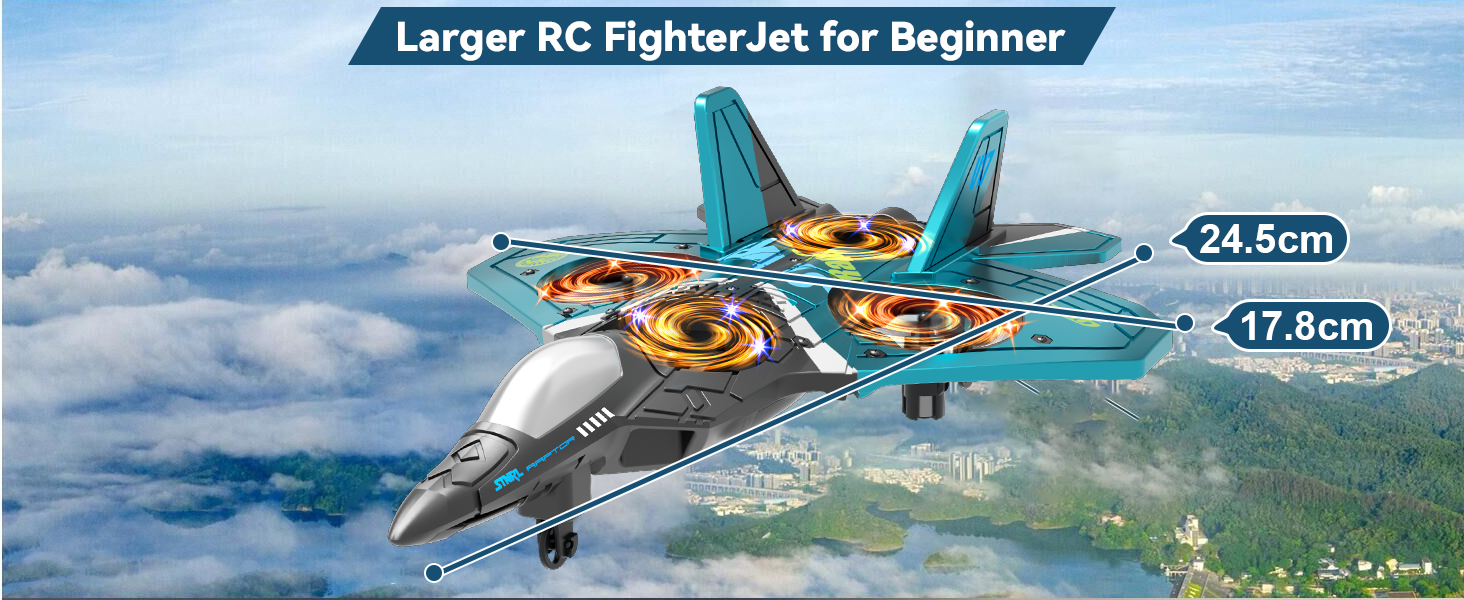
Image: A visual representation of the 4DRC V17 RC Airplane with its key dimensions (24.5cm length, 17.8cm width) highlighted, indicating its size for beginners.
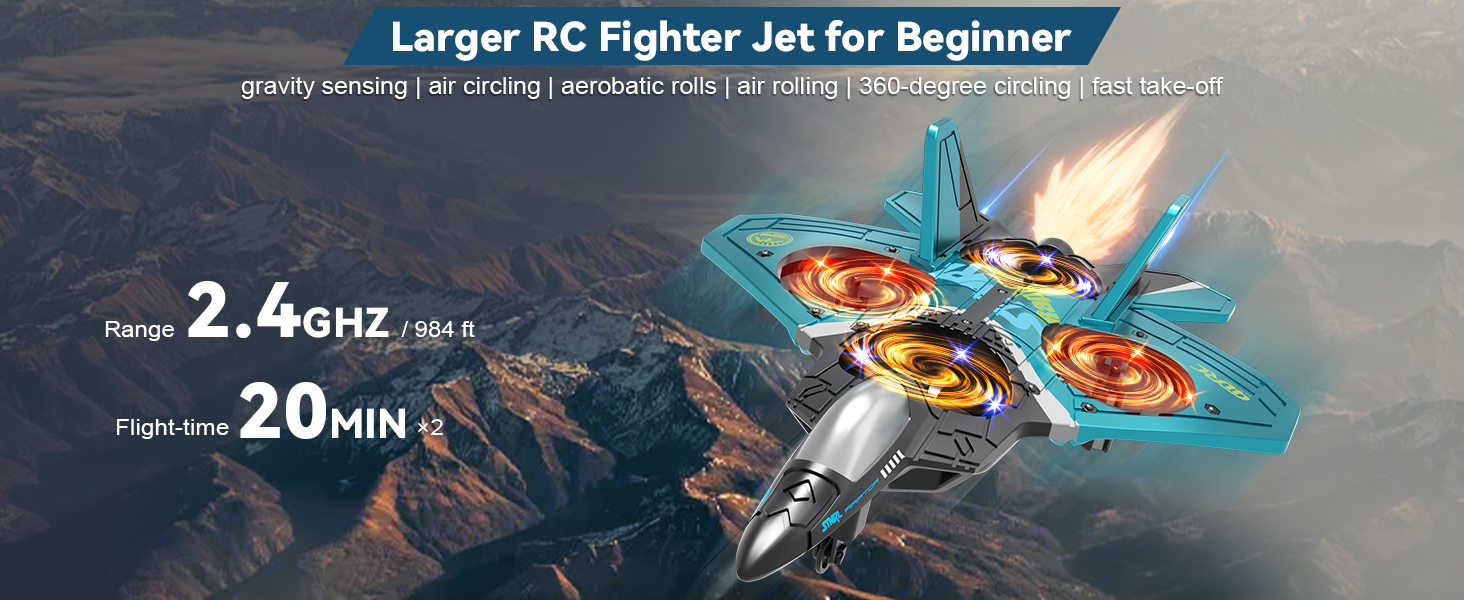
Image: This image displays the aircraft along with its operational range of 2.4GHz / 984 ft and a total flight time of 40 minutes (20 minutes per battery, with two batteries included).
Кепилдик жана колдоо
For warranty information, technical support, or any inquiries regarding your 4DRC V17 RC Airplane, please refer to the contact details provided on the product packaging or visit the official 4DRC webсайт. Сатып алуу квитанциясын кепилдик дооматтары үчүн сатып алуунун далили катары сактаңыз.


