Introduction
The PRISMXR Vega T1 Wireless Gaming Earbuds are designed to provide a low-latency audio experience for gaming across various platforms, including Meta Quest, PlayStation, Steam Deck, and PC. Featuring dual connectivity (2.4GHz wireless via USB-C dongle and Bluetooth), these earbuds offer high-fidelity sound and clear communication capabilities. This manual provides detailed instructions for setup, operation, maintenance, and troubleshooting to ensure optimal performance.
Кутуда эмне бар
Кутудан чыгарууда бардык компоненттер бар экенин текшериңиз:
- PRISMXR Vega T1 Wireless Gaming Earbuds (Left and Right)
- Заряддоо кутусу
- USB-C Dongle
- USB-C - USB-A адаптер
- USB-C заряддоо кабели
- Eartips (3 pairs: S, M, L)
- Колдонуучунун Колдонмосу (бул документ)

Image: All components included in the PRISMXR Vega T1 package.
Продукт бүттүview
The Vega T1 earbuds are engineered for immersive audio and seamless connectivity. Key features include:
- VegaBlast Tech: Utilizes PU+bionic fiber layers and high-purity copper coils for enhanced bass and a wide soundstage.
- ZeroDrag Tech: Achieves ultra-low latency of 25ms for synchronized audio during gaming and media consumption.
- Кош байланыш: Supports 2.4GHz wireless via USB-C dongle for gaming and Bluetooth for mobile devices.
- Super Passthrough Charge: Allows 27W fast charging through the dongle, keeping your device powered while in use.
- Clear Microphone Sound: Equipped with two microphones per earbud and beamforming technology for noise-cancelling calls.
- Universal Plug and Play: Compatible with a wide range of devices including Meta Quest, PS4/PS5, Steam Deck, PC, and mobile phones.

Image: The PRISMXR Vega T1 earbuds and their accompanying USB-C dongle.

Сүрөт: жарылган view diagram highlighting the internal audio components of the Vega T1 earbuds, showcasing VegaBlast Tech.
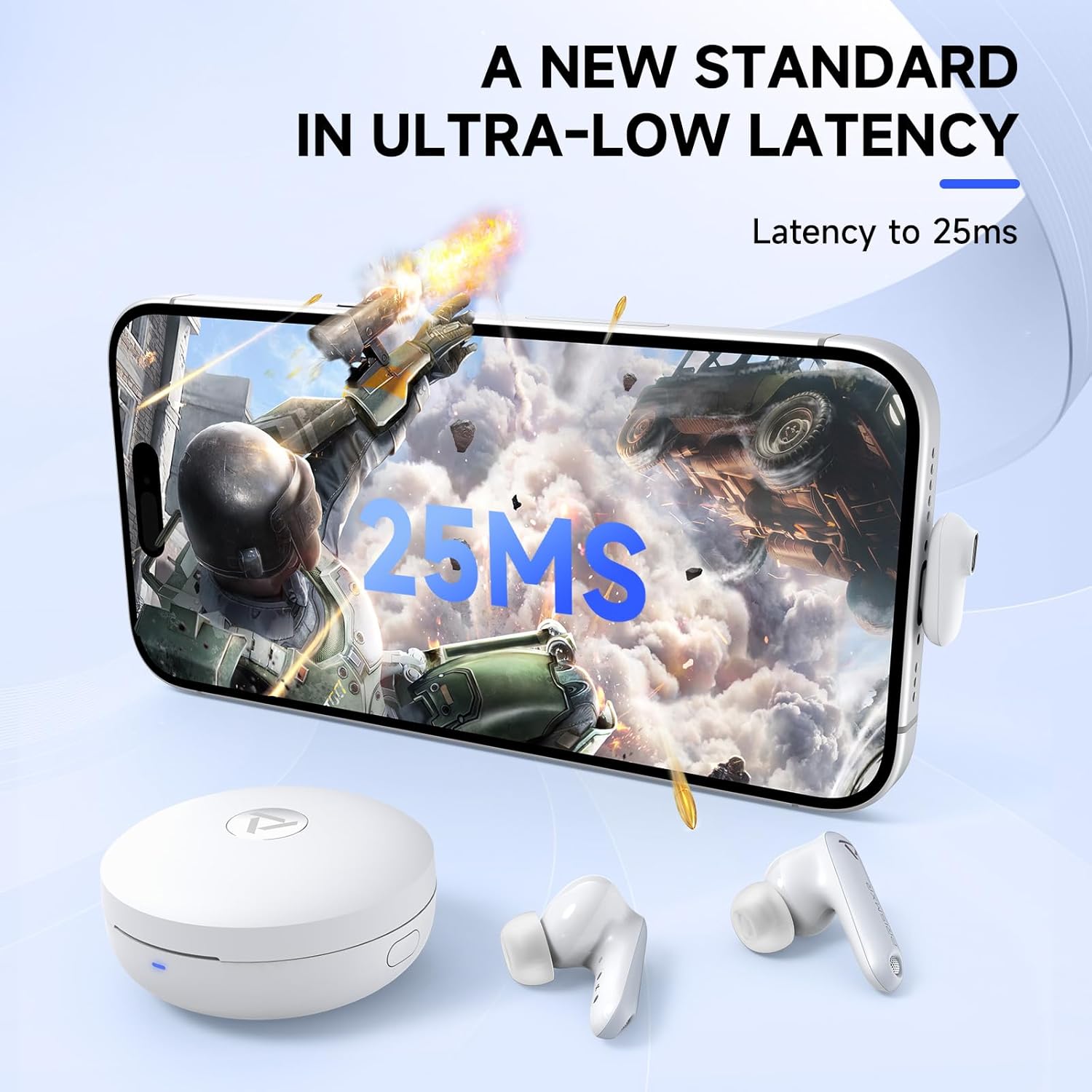
Image: A smartphone screen showing a game with "25ms" latency displayed, indicating the low-latency performance of the earbuds.
Жайгашуу
1. Баштапкы заряддоо
Before first use, fully charge the earbuds and the charging case. Place the earbuds into the charging case and connect the USB-C charging cable to the case and a power source. The indicator lights on the case will show charging status.
2. Connecting via 2.4GHz Wireless (Dongle)
- Insert the USB-C dongle into a compatible port on your gaming device (e.g., Meta Quest, PS5, Steam Deck, PC). If your device only has a USB-A port, use the provided USB-C to USB-A adapter.
- Ensure the earbuds are in the charging case and the case is open, or the earbuds are out of the case and powered on.
- The earbuds will automatically attempt to connect to the dongle. A successful connection is indicated by a stable light on the dongle.
- On your device, select the Vega T1 as the audio output device if it does not switch automatically.
Important Note for PS4/PS5: Do not plug the dongle into the controller or into the back of the PS4/PS5 console. Use a front USB port. Do not attempt to connect to PS4/PS5 via Bluetooth, as this is not supported for gaming audio.

Image: Illustration demonstrating the correct method for connecting the Vega T1 dongle to a PS4 or PS5 console.
3. Bluetooth аркылуу туташуу
- Ensure the earbuds are out of the charging case.
- On your mobile device, open Bluetooth settings.
- Select "PRISMXR Vega T1" from the list of available devices to pair.
- Үн менен билдирүү ийгиликтүү жупташууну тастыктайт.
Bluetooth connection is primarily for mobile devices and voice chat (e.g., Discord on smartphone) while simultaneously using the dongle for game audio.
Иштөө нускамалары
Кулакчын башкаруу элементтери
The Vega T1 earbuds feature touch controls for various functions:
| Акция | Функция |
|---|---|
| Бир таптоо (Сол/Оң) | Ойнотуу/тындыруу, Чалууга жооп берүү/аяктоо |
| Эки жолу таптаңыз (солго) | Үндү төмөндөтүү |
| Эки жолу таптаңыз (оңго) | Үндү көтөрүү |
| Үч жолу таптап (солго) | Мурунку трек |
| Үч жолу таптап (оңго) | Кийинки трек |
| Узак басуу (2сек) | Чалууну четке кагуу, Үн жардамчысын иштетүү |
Simultaneous Play and Chat
The Vega T1 allows you to receive game audio via the 2.4GHz dongle and simultaneously connect to your smartphone via Bluetooth for voice chat applications like Discord. This enables uninterrupted communication during gameplay.

Image: A user playing a VR game while simultaneously engaging in a voice chat, demonstrating the dual connectivity feature.
Using the PrismXR App
Download the PrismXR app from your device's app store to personalize your listening experience. The app allows for custom equalizer settings, control remapping, and firmware updates.

Image: Screenshots of the PrismXR mobile application, illustrating options for custom equalizer adjustments and earbud control settings.
Техникалык тейлөө
- Тазалоо: Regularly clean the earbuds, eartips, and charging contacts with a soft, dry, lint-free cloth. Do not use abrasive cleaners or solvents.
- Наушниктер: Ensure eartips are properly seated on the earbuds. Use only original or compatible eartips to ensure proper charging and sound quality.
- Сактагыч: Колдонулбаганда, кулакчындарды коргоо жана кубаттоо үчүн кубаттоочу кутучага сактаңыз.
- Суу каршылык: The earbuds are rated IPX4 water-resistant, meaning they are protected against splashing water from any direction. They are not designed for submersion.
Проблемаларды чечүү
| Маселе | Мүмкүн себеп | Чечим |
|---|---|---|
| Кулакчындардан үн чыкпайт | Earbuds not charged, not connected, or incorrect audio output selected. | Ensure earbuds are charged. Re-pair with dongle/Bluetooth. Check device's audio output settings. |
| High latency/Audio delay | Interference, dongle placement, or simultaneous VR connections. | Ensure dongle is not obstructed and is at least 8 inches from metal. Avoid simultaneous VR connections if experiencing issues. |
| Микрофон иштебей жатат | Microphone muted, incorrect input device selected, or obstruction. | Check device's microphone input settings. Ensure earbuds are clean and not obstructed. |
| Кулакчындар заряддалбай жатат | Charging contacts dirty, cable faulty, or case battery low. | Кулакчындардагы жана корпустагы заряддоо контакттарын тазалаңыз. Башка USB-C кабелин колдонуп көрүңүз. Ишти айыптаңыз. |
| Cannot connect to PS4/PS5 | Incorrect dongle port used or attempting Bluetooth connection. | Plug dongle into a front USB port on the console. Do not use Bluetooth for PS4/PS5 gaming audio. |
Техникалык шарттар
| Өзгөчөлүк | Деталь |
|---|---|
| Модель аты | P1201022 |
| Байланыш технологиясы | 2.4GHz Wireless (Dongle), Bluetooth |
| Кечигип калуу | 25ms (via 2.4GHz dongle) |
| Noise Control | Пассивдүү ызы-чууну жокко чыгаруу |
| Микрофон | 2 per earbud, Beamforming technology |
| Сууга туруктуулук деңгээли | IPX4 |
| Импеданс | 16 Ом |
| Батареянын кубаттуулугу | 570 мАч |
| Power Input (Passthrough) | 27W (charging only, no data transfer) |
| Шайкештик | Meta Quest 3S/3/2, PS4, PS5, Steam Deck, PC, Laptops, Phones (via USB-C dongle or Bluetooth). Not compatible with Switch 2 or Xbox series. |
| Камтылган компоненттер | Earbuds, Charging Case, USB-C Dongle, USB-C to A Adapter, USB-C Charging Cable, Eartips (3 pairs), User Manual |
Кепилдик жана колдоо
Кепилдик жөнүндө маалымат жана техникалык колдоо алуу үчүн, расмий PRISMXR сайтына кайрылыңыз website or contact their customer service. Details can typically be found on the product packaging or the brand's online store.
PRISMXR Store: Visit the PRISMXR Store on Amazon


