Introduction
This manual provides detailed instructions for the setup, operation, and maintenance of your AULA F3061 Anti-ghosting Gaming Keyboard and Mouse Combo. Please read this manual thoroughly before using the product to ensure optimal performance and longevity.
Пакеттин мазмуну
- AULA F3061 Wired Gaming Keyboard
- AULA Wired Gaming Mouse
- User Manual
Орнотуу нускамалары
Follow these steps to connect your AULA F3061 Gaming Keyboard and Mouse Combo to your computer:
- Баскычтопту туташтыруу: Locate an available USB port on your computer. Insert the USB connector of the AULA F3061 keyboard into the USB port.
- Чычканды туташтыруу: Locate another available USB port on your computer. Insert the USB connector of the AULA gaming mouse into the USB port.
- Драйверди орнотуу: The keyboard and mouse are plug-and-play devices. Your operating system (Windows, macOS) will automatically detect and install the necessary drivers. This process may take a few moments.
- Текшерүү: Once drivers are installed, the keyboard and mouse will be ready for use. Test functionality by typing and moving the mouse.
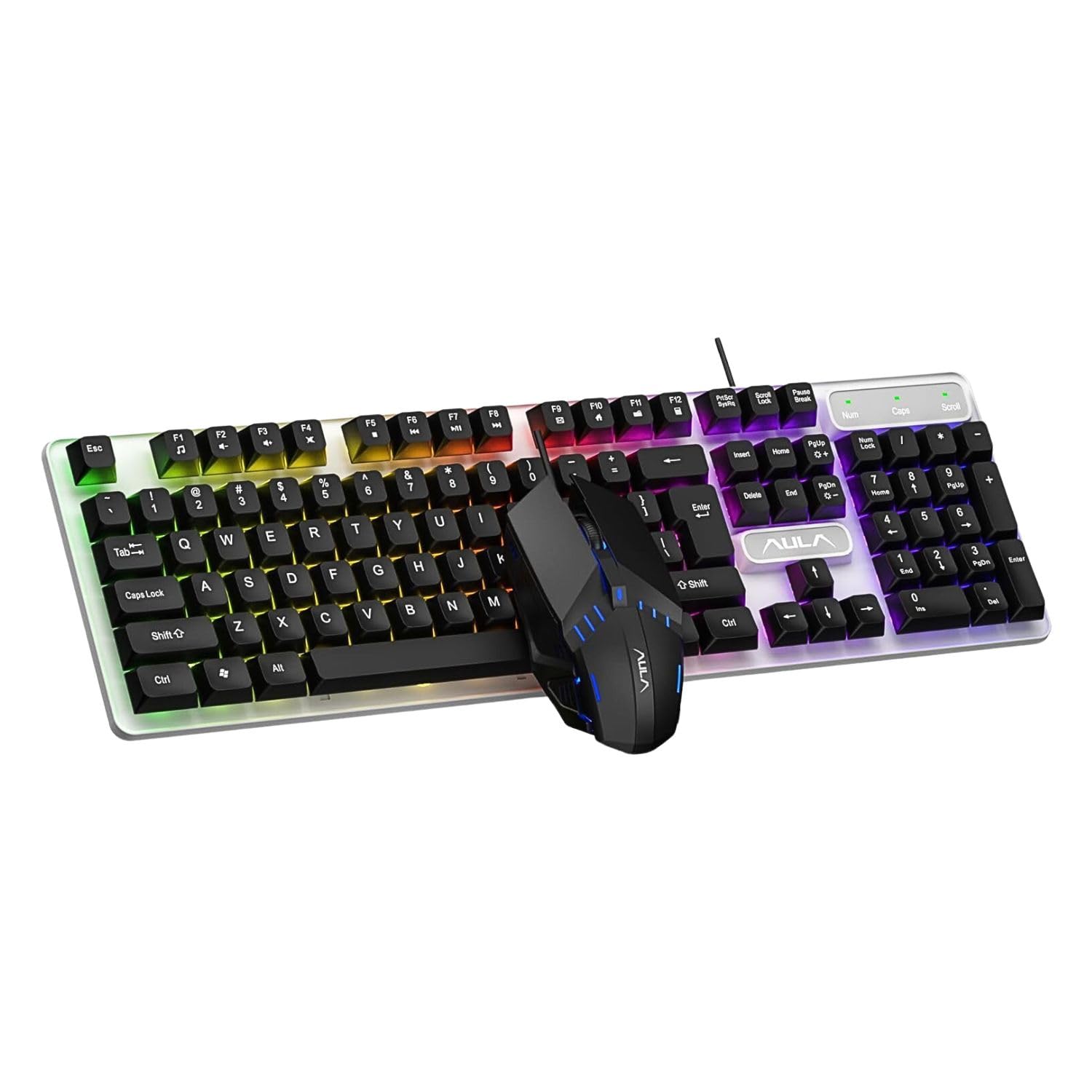
Image: The AULA F3061 wired gaming keyboard and mouse combo, ready for connection to a computer.
Иштөө нускамалары
Баскычтоптун функциялары
- Multimedia & Backlight Control: This wired membrane keyboard features dedicated shortcut keys for media control. You can switch between 3 different lighting effects or adjust the backlight brightness and speed using specific key combinations. Refer to the keyboard's keycap legends for exact functions.
- Арбактарга каршы: The keyboard supports 26-key rollover anti-ghosting technology, allowing multiple keys to be pressed simultaneously without conflicts, which is beneficial for gaming.
- Win кулпу функциясы: A dedicated Win lock function is included to prevent accidental presses of the Windows key during gaming or typing, minimizing interruptions.

Image: Close-up of the AULA F3061 keyboard showcasing its breathable color backlight with adjustable brightness.

Image: Detail of the AULA F3061 keyboard's bass-suspended keycaps, designed for quick snap-back response.
Чычкан функциялары
- DPI: The gaming mouse features a 1200 DPI sensor, providing precise tracking for various applications, including gaming and general computer use.
- Эргономикалык дизайн: The mouse is designed with an overall streamlined appearance to fit the curvature of the hand, aiming for comfortable use during extended periods.
- Anti-slip Material: Constructed with 3D anti-slip rubber material, the mouse offers enhanced grip and wear resistance.

Image: The AULA gaming mouse, highlighting its streamlined appearance designed for hand comfort.

Image: A close-up of the AULA gaming mouse, showing its 3D anti-slip rubber material for improved grip and durability.
Техникалык тейлөө
To ensure the longevity and proper functioning of your AULA F3061 combo, follow these maintenance guidelines:
- Тазалоо: Use a soft, dry cloth to wipe down the keyboard and mouse surfaces. For stubborn dirt, slightly dampчүпүрөктү суу же жумшак тазалоо эритмеси менен жууп салыңыз. Катуу химиялык заттардан же абразивдүү материалдардан алыс болуңуз.
- Чаңды тазалоо: Use compressed air to remove dust and debris from between the keyboard keys and mouse crevices.
- Суюктуктардан алыс болуңуз: Do not spill liquids on the keyboard or mouse. If accidental spillage occurs, immediately disconnect the device and allow it to dry completely before reconnecting.
- Сактагыч: Store the devices in a cool, dry place away from direct sunlight and extreme temperatures when not in use for extended periods.
Проблемаларды чечүү
If you encounter issues with your AULA F3061 Gaming Keyboard and Mouse Combo, refer to the following common solutions:
- Түзмөк жооп бербейт:
- USB кабелдери компьютердин USB портторуна бекем сайылганын текшериңиз.
- Try connecting the devices to different USB ports.
- Компьютериңизди өчүрүп күйгүзүңүз.
- Арткы жарык иштебей жатат/туура эмес:
- Check if the backlight function is enabled using the designated shortcut keys (refer to keycap legends).
- Adjust brightness and speed settings using the appropriate key combinations.
- Чычкан курсору секирет же туура эмес:
- Clean the mouse sensor area with a soft cloth.
- Чычканды ылайыктуу жерде (мисалы, чычкан аянтчасында) колдонуп жатканыңызды текшериңиз.
- Катталбаган ачкычтар:
- Клавиатура туура туташтырылганын текшериңиз.
- Кысылган аба менен жабыркаган ачкычтардын айланасындагы таштандыларды тазалаңыз.
Продукт спецификациялары
| Өзгөчөлүк | Спецификация |
|---|---|
| Модель номери | F3061 Combo |
| Продукциянын өлчөмдөрү | 44.5 x 13.3 x 3.6 см |
| Элемент Салмагы | 687 г |
| Байланыш | Зымдуу USB |
| Баскычтоптун түрү | Membrane, Anti-ghosting (26-key rollover) |
| Баскычтоптун арткы жарыгы | Rainbow LED, Adjustable Brightness/Speed |
| Чычкан DPI | 1200 DPI |
| Шайкештик | Windows XP / Vista / Win7 / Win8 / Win10 / MacOS, PC, Laptop, Google TV, Smart TV, PS4 / Xbox One |
| Келип чыккан өлкө | Кытай |
Кепилдик жана колдоо
This AULA product is covered by a standard manufacturer's warranty against defects in materials and workmanship. The specific terms and duration of the warranty may vary by region. Please retain your proof of purchase for warranty claims.
For technical support, warranty inquiries, or further assistance, please refer to the contact information provided with your product packaging or visit the official AULA webсайт.


