1. Киришүү
Thank you for choosing the GOLDCHAMP 990B SMD Tweezers Meter. This device is designed for precise measurement of surface-mount device (SMD) components, offering functions such as resistance, capacitance, diode, and continuity testing. Its compact design and automatic features make it an ideal tool for electronics repair, manufacturing, and DIY projects.
This manual provides essential information for the safe and effective operation of your 990B SMD Tweezers Meter. Please read it thoroughly before use and retain it for future reference.

Figure 1: GOLDCHAMP 990B SMD Tweezers Meter and included accessories.
2. Коопсуздук маалыматы
To ensure safe operation and prevent damage to the meter, please observe the following safety precautions:
- Always inspect the meter for any damage before use. Do not use if damaged.
- Колдонбоңуз томtage exceeding the maximum input rating (36V DC/AC) to the test pins.
- Ensure the device under test is de-energized before performing resistance, capacitance, or continuity measurements.
- Avoid touching the metal parts of the test pins during measurements to prevent electric shock.
- Батареянын аз көрсөткүчү так көрсөткүчтөрдү камсыз кылуу үчүн батарейкаларды дароо алмаштырыңыз.
- Do not operate the meter in explosive atmospheres or in the presence of flammable gases or dust.
- Аппаратты кургак жана таза кармаңыз.
3. Продукт бүтүп калдыview
The GOLDCHAMP 990B SMD Tweezers Meter features a clear LCD display and intuitive controls for efficient component testing. Below is a diagram illustrating the key components of the device.

Figure 2: Structure of the GOLDCHAMP 990B SMD Tweezers Meter.
Негизги компоненттер:
- LCD дисплей: Өлчөө көрсөткүчтөрүн жана көрсөткүчтөрүн көрсөтөт.
- HOLD баскычы: Дисплейдеги учурдагы окууну токтотот.
- FUNC баскычы: Selects measurement functions (Resistance, Capacitance, Diode, Continuity, LED/Semiconductor Test).
- Функция которуу: Rotary switch for selecting primary measurement modes (R/D/C, DC 36V, LED/Semiconductor Test).
- Test Pins (Gold-plated): Used to contact SMD components for measurement. Gold plating ensures better conductivity and durability.
- Pin Holder: Connects to external test leads for larger components or traditional multimeter use.
4. Орнотуу
4.1 Батареяны орнотуу
The GOLDCHAMP 990B is powered by 1.5V (AAA) batteries. To install or replace batteries:
- Батарея уясынын капкагын эсептегичтин арткы жагында табыңыз.
- Капкакты жылдырыңыз.
- Туура полярдуулукту (+/-) камсыз кылуу менен батарейкаларды салыңыз.
- Батарея уясынын капкагын бекем жабыңыз.
4.2 Баштапкы күйгүзүү
To turn on the meter, rotate the Function Switch to any desired measurement mode. The LCD display will illuminate, indicating the meter is ready for use. The meter features an auto power-off function after 15 minutes of inactivity to conserve battery life.

Figure 3: Package contents including the meter, case, test leads, and batteries.
5. Иштөө нускамалары
The 990B SMD Tweezers Meter offers various measurement modes and smart functions for efficient testing.
5.1 Өлчөө режимдери
The meter can perform the following tests:
- Каршылык: Measures resistance from 400Ω to 40MΩ.
- Сыйымдуулугу: Measures capacitance from 5.12nF to 200µF.
- Диод сыноо: Алдыга карай көлөмдү текшеретtagдиоддордун төмөндөшү.
- Үзгүлтүксүздүктү текшерүү: Indicates continuity with an audible buzzer if resistance is below a certain threshold (<30Ω).
- LED/Semiconductor Test: Tests LEDs and other semiconductors.

Figure 4: The 990B meter displaying its various measurement capabilities.
5.2 Өлчөөлөрдү жүргүзүү
- Функцияны тандоо: Rotate the Function Switch to the desired primary mode (R/D/C for Resistance, Diode, Capacitance, or LED/Semiconductor Test). Use the FUNC button to cycle through specific functions within that mode.
- Contact Component: Gently pinch the SMD component with the gold-plated test pins. Ensure good contact for accurate readings.
- Окуу дисплей: The measurement will be shown on the LCD display. The meter features auto-ranging, so it will automatically select the appropriate range.
- Окууну токтотуңуз: басыңыз БЕРҮҮ Учурдагы көрсөткүчтү дисплейде тоңдуруу үчүн баскычты басыңыз. Бошотуу үчүн кайра басыңыз.

5-сүрөт: Мисamples of Resistance Measurement, Diode Test, Auto Range Test, and LED Test.
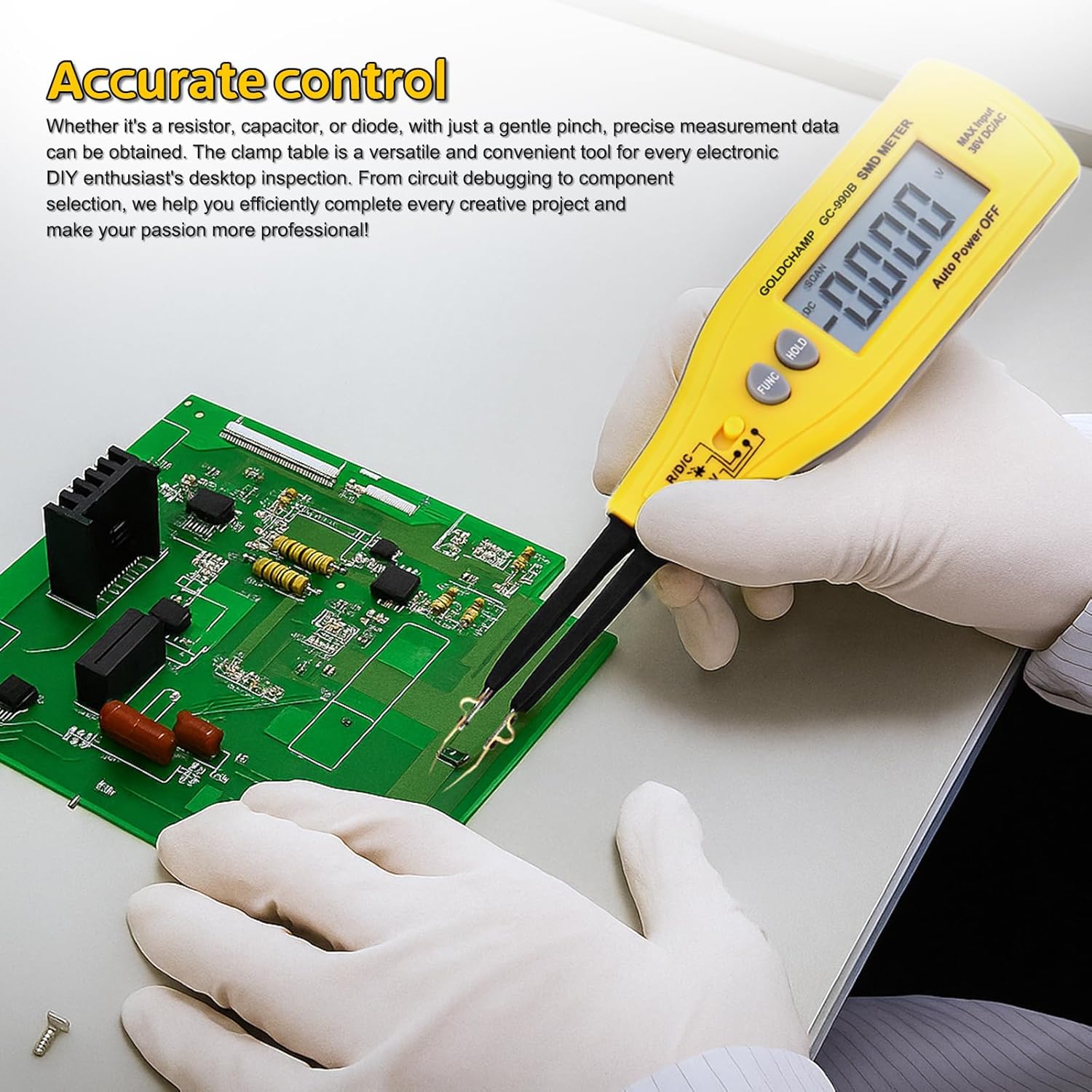
Figure 6: Using the 990B for accurate control and testing on a circuit board.
5.3 Акылдуу функциялар
- Auto-Range: The meter automatically selects the correct measurement range, eliminating the need for manual range selection.
- Авто өчүрүү: The meter will automatically power off after 15 minutes of inactivity to save battery power.
- Relative Value Measurement: This function allows you to measure the difference between a stored reference value and the current measurement.
6. Техникалык тейлөө
6.1 Тазалоо
To maintain the accuracy and longevity of your meter:
- Wipe the meter with a soft, damp кездеме. Абразивдүү тазалагычтарды же эриткичтерди колдонбоңуз.
- Keep the test pins clean and free of debris to ensure good electrical contact.
6.2 Батареяны алмаштыруу
When the low battery warning appears on the display, replace the batteries as described in Section 4.1. Always use fresh 1.5V (AAA) batteries.
6.3 Сактоо
When not in use for extended periods, remove the batteries to prevent leakage. Store the meter in its protective case in a cool, dry place, away from direct sunlight and extreme temperatures.
7. Кыйынчылыктарды
| Көйгөй | Мүмкүн себеп | Чечим |
|---|---|---|
| Эсептегич күйбөйт. | Өлүк же туура эмес орнотулган батарейкалар. | Батареянын полярдуулугун текшериңиз же жаңылары менен алмаштырыңыз. |
| Low battery warning displayed. | Батареялары аз. | Батареяларды дароо алмаштырыңыз. |
| "OL" (Overload) indicator. | Өлчөө өлчөгүчтүн диапазонунан ашып кетти. | Ensure the component value is within the meter's specifications for the selected range. |
| Туура эмес же туруксуз окуулар. | Poor contact with component, dirty test pins, or environmental interference. | Ensure firm contact, clean test pins, and perform measurements in a stable environment. |
| Auto power-off too soon. | Meter inactive for 15 minutes. | This is a normal function to save battery. Reactivate by pressing a button or rotating the switch. |
8. Техникалык шарттар
The following table outlines the technical specifications of the GOLDCHAMP 990B SMD Tweezers Meter:
| Өзгөчөлүк | Спецификация |
|---|---|
| Эсептерди көрсөтүү | 4000 |
| Каршылык диапазону | 400Ω - 40MΩ |
| Кубаттуулук диапазону | 5.12nF – 200μF |
| Diode Test Voltage | 1.5V |
| Үзгүлтүксүздүктү текшерүү | <30Ω (audible buzzer) |
| DC Voltage Test (via Pin Holder) | 36V (макс.) |
| Auto колому | Ооба |
| Авто өчүрүү | 15 мүнөт |
| Ашыкча жүктөн коргоо | Yes (OL indicator) |
| Батареянын аздыгы жөнүндө эскертүү | Ооба |
| Электр камсыздоо | 1.5V (AAA) battery |
| Өлчөмдөр | 207 × 36 × 24 мм (8 x 2.8 x 1.3 дюйм) |
| Салмагы | 50г (2.4 унция) |
| Материал | ABS |

Figure 7: Comparison of GOLDCHAMP 990A and 990B models.
9. Кепилдик жана колдоо
9.1 Кепилдик маалыматы
The GOLDCHAMP 990B SMD Tweezers Meter comes with a 365-day warranty from the date of purchase, covering manufacturing defects. This warranty does not cover damage caused by misuse, accidents, unauthorized modifications, or improper operation.
9.2 Кардарларды колдоо
If you have any questions regarding the operation, maintenance, or troubleshooting of your GOLDCHAMP 990B SMD Tweezers Meter, please do not hesitate to contact our customer support team. We are committed to providing assistance and ensuring your satisfaction.


