Introduction
This manual provides essential information for setting up, operating, and maintaining your Motorola Moto G85 5G smartphone. Please read this guide thoroughly to ensure proper use and to maximize your device's capabilities.
Кутуда эмне бар
Your Motorola Moto G85 5G package includes the following items:
- Motorola Moto G85 5G Smartphone (Model XT2427-1)
- Accessories (e.g., charging cable, power adapter, SIM ejector tool - specific accessories may vary)
Note: As this is a renewed device, specific accessories may vary. Please check the packaging contents upon receipt.
Түзмөк бүттүview
Familiarize yourself with the physical components of your Moto G85 5G.
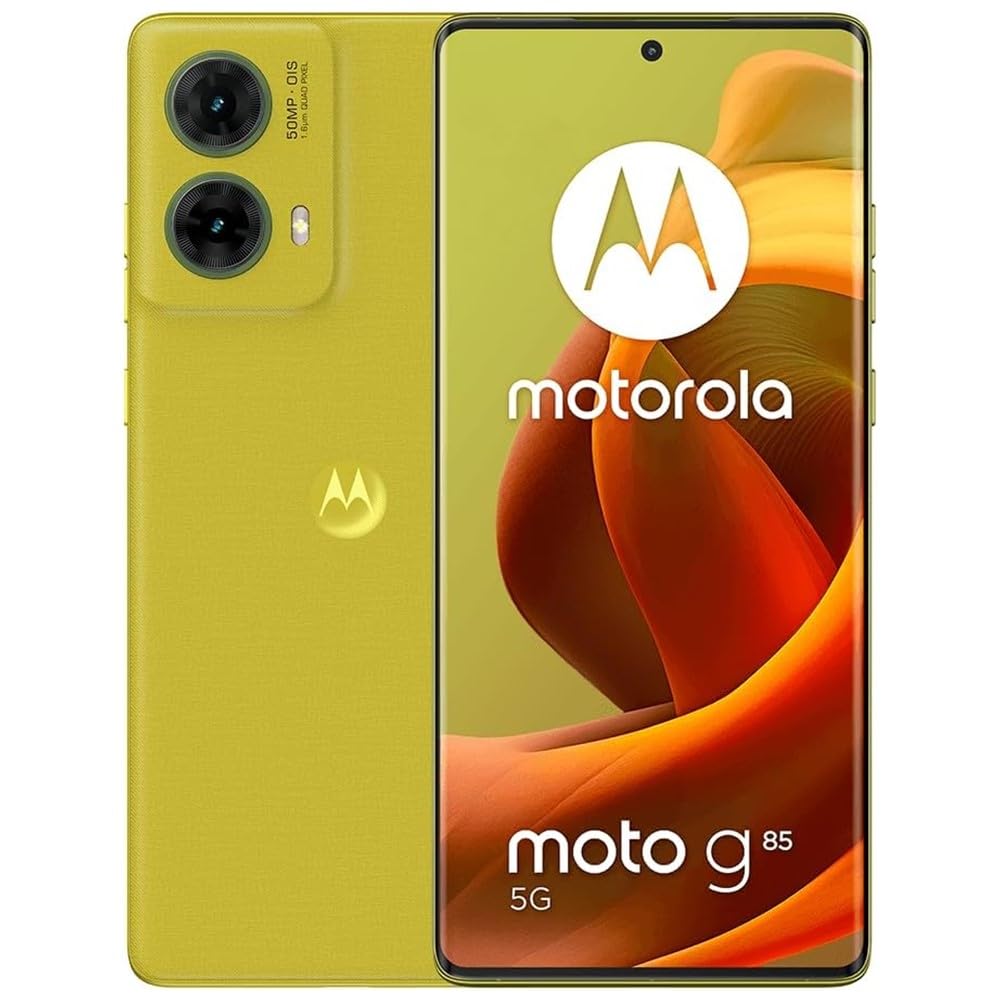
Сүрөт: Фронт view Motorola Moto G85 5G, көрсөтүүasing its 3D curved pOLED display and front camera.
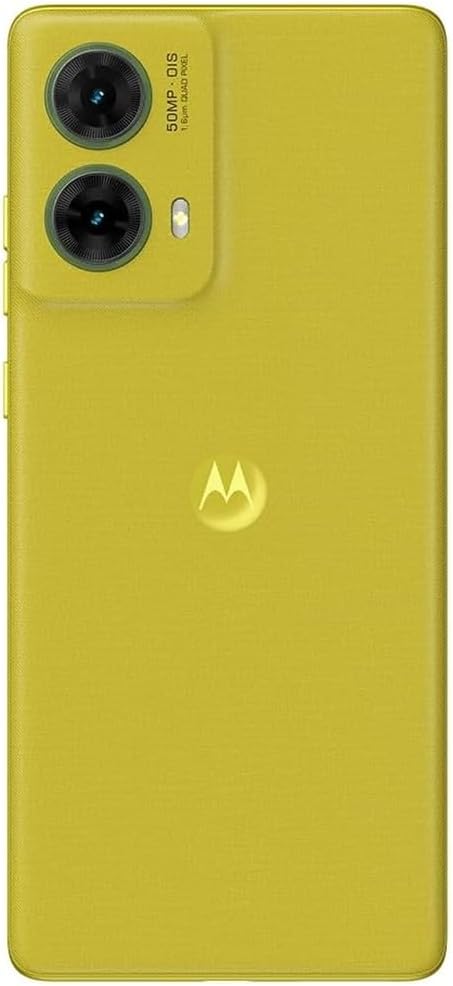
Сүрөт: Арткы view of the Motorola Moto G85 5G, highlighting the dual camera system and Motorola logo.
- Алдыңкы дисплей: 6.67-inch 3D Curved pOLED display.
- Алдыңкы камера: Дисплейдин жогорку борборунда жайгашкан.
- Арткы камералар: Dual camera system with 50MP main and 8MP ultrawide lenses.
- Кубат баскычы: Адатта оң жагында.
- Үн баскычтары: Адатта оң жагында, кубат баскычынын үстүндө.
- USB-C порту: Төмөндө жайгашкан заряддоо жана маалыматтарды берүү үчүн.
- SIM лоток: Location may vary, usually on the side.
- Баяндамачылар: Stereo speakers, typically located at the top and bottom edges.
Жайгашуу
1. SIM картаны орнотуу
- Түзмөгүңүздүн капталындагы SIM салгычты табыңыз.
- SIM чыгаруучу аспапты ачуу үчүн SIM лотоктогу кичинекей тешикке киргизиңиз.
- Place your Nano-SIM card(s) into the tray with the gold contacts facing down. This device supports Dual SIM (Nano-SIM + eSIM).
- Аспап менен бирдей болмоюнча, лотокту кылдаттык менен кайра оюкка түртүңүз.
2. Баштапкы күйгүзүү
- Motorola логотиби чыкканга чейин телефондун капталындагы Кубат баскычын басып, кармап туруңуз.
- Тилди, аймакты тандап, шарттарды жана эрежелерди кабыл алуу үчүн экрандагы көрсөтмөлөрдү аткарыңыз.
3. Негизги орнотуу
- Wi-Fi'га туташуу: Select your preferred Wi-Fi network and enter the password to connect to the internet.
- Google аккаунту: Sign in with your existing Google account or create a new one. This is essential for accessing the Google Play Store, Gmail, and other Google services.
- Коопсуздук: Set up a screen lock (PIN, pattern, password, or fingerprint). The Moto G85 5G features an under-display optical fingerprint sensor.
- Маалыматтарды өткөрүү: If you are upgrading from another Android device, you may have the option to transfer your data during setup.
Түзмөгүңүздү иштетүү
1. Навигация
- Жаңсоолор: The Moto G85 5G primarily uses gesture navigation. Swipe up from the bottom to go home, swipe up and hold for recent apps, and swipe from the left or right edge to go back.
- Баскычтар: The Power button turns the screen on/off and can be configured for other functions. Volume buttons adjust media and call volume.
2. Дисплей өзгөчөлүктөрү

Сүрөт: The 6.7-inch pOLED display of the Moto G85 5G, illustrating its vibrant color reproduction and immersive viewтажрыйбасы.
- pOLED Display: Enjoy vibrant colors and deep blacks on the 6.67-inch 3D Curved pOLED display.
- 120Hz жаңыртуу ылдамдыгы: Experience smooth scrolling and fluid animations. Adjust the refresh rate in Орнотуулар > Дисплей for battery optimization if needed.
3. Камераны колдонуу
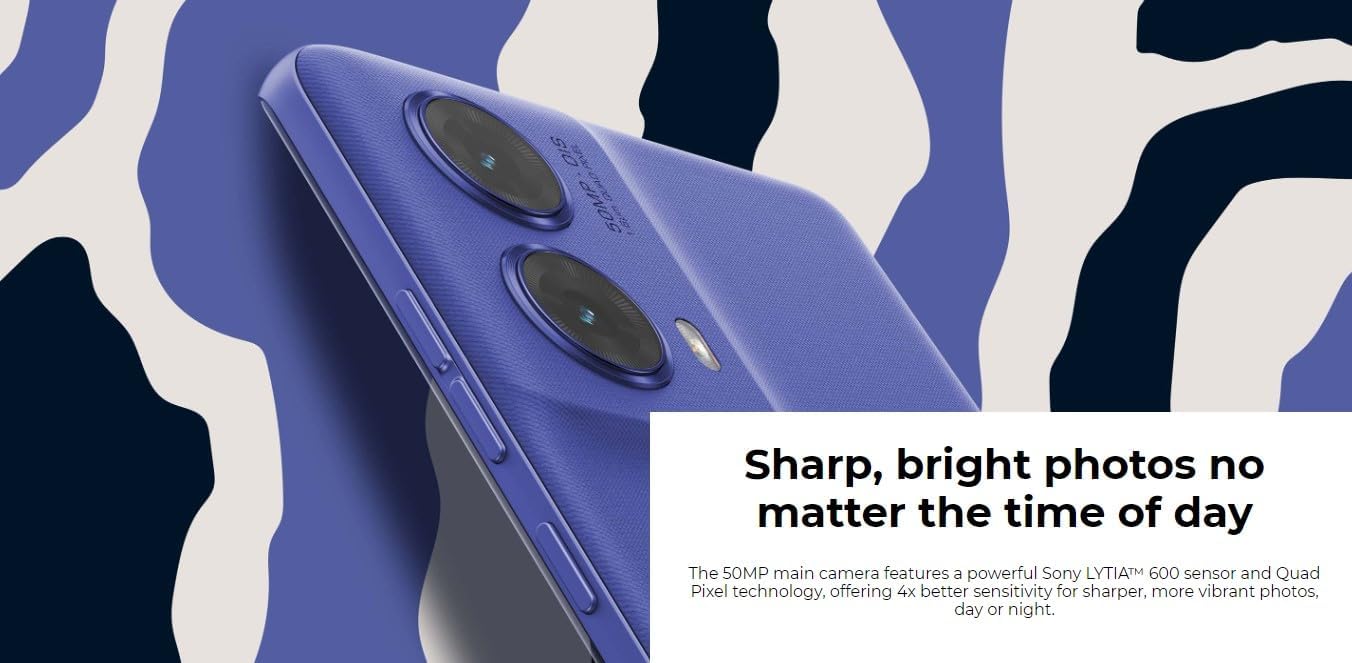
Сүрөт: Деталдаштырылган view of the Moto G85 5G's rear camera system, featuring the 50MP main sensor with OIS and an ultrawide lens.
- Камераны ишке киргизүү: Open the Camera app from your home screen or by a quick gesture (e.g., double-twist the phone).
- Негизги камера (50 мегапиксель): Utilizes a Sony LYTIA 600 sensor and Quad Pixel technology for high-resolution photos in various lighting conditions.
- Өтө кең камера (8 МП): Switch to the ultrawide lens for expansive landscape shots or group photos.
- Макро режими: Use the macro feature for detailed close-up photography.
- Алдыңкы камера (32 мегапиксел): Селфи жана видео чалуулар үчүн.
- Photo Optimization: The integrated Auto Adjust feature with Google Photos can enhance colors and lighting post-capture.
4. Аудио
- Стерео динамиктер: Enjoy enhanced audio clarity and richness from the dual stereo speakers.
- Dolby Atmos: Activate Dolby Atmos in Settings > Sound & Vibration for an immersive audio experience with richer bass and surround sound effects.
5. Аткаруу жана сактоо

Сүрөт: The Moto G85 5G being charged, alongside an illustration of the Snapdragon processor, highlighting its fast charging and optimized performance.
- Процессор: Powered by a Snapdragon 6s Gen 3 (6nm) Octa-core processor for efficient multitasking and gaming.
- RAM: 8GB RAM ensures smooth operation of multiple applications.
- Сактагыч: 256GB of internal storage provides ampколдонмолор, сүрөттөр жана видеолор үчүн бош орун.
- Эстутумду кеңейтүү: Utilize the Memory Expansion feature in settings to temporarily convert a portion of storage into virtual RAM for increased speed.
6. Батареяны башкаруу
- Батарея сыйымдуулугу: The 5,000 mAh battery is designed for all-day usage.
- TurboPower Charging: Use the 33W TurboPower charger for rapid recharging. Ensure you use compatible charging accessories.
- Батареяны үнөмдөгүч: Батареяны үнөмдөө режимин иштетүү Орнотуулар > Батарея to extend battery life when needed.
Техникалык тейлөө
1. Программалык камсыздоону жаңыртуу
Түзмөгүңүздө эң акыркы функциялар, коопсуздук жаңыртуулары жана иштеши жакшыртылганын текшерүү үчүн программалык камсыздоо жаңыртууларын дайыма текшерип, орнотуп алыңыз. барыңыз Орнотуулар> Система> Тутум жаңыртуулары.
2. Аппаратыңызды тазалоо
- Телефондун экранын жана корпусун акырын сүртүш үчүн жумшак, түксүз чүпүрөктү колдонуңуз.
- Катуу химиялык заттарды, абразивдүү материалдарды же аэрозолдук спрейлерди колдонуудан алыс болуңуз.
- Порттор чаңдан жана таштандыдан таза болушун камсыз кылыңыз.
3. Сактагычты башкаруу
To optimize performance, periodically review жана түзмөгүңүздүн сактагычын башкарыңыз. Керексизин жок кылыңыз files, uninstall unused apps, and clear app caches. You can check storage usage in Орнотуулар > Сактагыч.
Проблемаларды чечүү
Бул жерде сиз кабылышы мүмкүн болгон жалпы маселелерди чечүү жолдору бар:
- Түзмөк күйбөй жатат: Батарея заряддалганын текшериңиз. Заряддоочуга кеминде 15 мүнөт туташып, анан кайра күйгүзүп көрүңүз.
- Колдонмолор бузулуп же катып жатат:
- Колдонмону өчүрүп күйгүзүңүз.
- Колдонмонун кэшин тазалоо (Орнотуулар > Колдонмолор > [Колдонмонун аты] > Сактагыч жана кэш > Кэшти тазалоо).
- Телефонду кайра күйгүзүңүз.
- Батареянын иштөө мөөнөтү начар:
- Экран жарыктыгын азайтыңыз.
- Disable unused features like Bluetooth, GPS, or Wi-Fi when not needed.
- Батареянын колдонулушун текшериңиз Орнотуулар > Батарея кубатка муктаж колдонмолорду аныктоо үчүн.
- Батареяны үнөмдөө режимин иштетүү.
- Тармакка туташуу көйгөйлөрү:
- Учак режимин күйгүзүү жана өчүрүү.
- Аппаратты кайра иштетиңиз.
- SIM картаңыз туура салынганын текшериңиз.
- Verify your mobile data or Wi-Fi settings.
- Манжа изинин сенсору иштебей жатат:
- Манжаңыз менен сенсор таза жана кургак экенин текшериңиз.
- Манжа издериңизди кайра каттаңыз Settings > Security & privacy > Device unlock > Fingerprint.
Эгерде көйгөйлөр чечилбесе, заводдук жөндөөлөргө кайтарууну карап көрүңүз (Орнотуулар > Система > Параметрлерди баштапкы абалга келтирүү > Бардык дайындарды тазалоо (деск. баштапкы абалга келтирүү)). Эскертүү: Бул телефонуңуздагы бардык дайындарды жок кылат. Улантуудан мурун маанилүү маалыматтардын камдык көчүрмөсүн сактаңыз.
Техникалык шарттар
Key technical specifications for the Motorola Moto G85 5G (Model XT2427-1):
| Өзгөчөлүк | Деталь |
|---|---|
| Модель номери | XT2427-1 |
| Дисплей | 6.67-inch 3D Curved pOLED, 2400x1080 FHD+, 120Hz Refresh Rate, 395 ppi |
| Процессор | Qualcomm Snapdragon 6s Gen 3 (6nm) Octa-core |
| RAM | 8 ГБ |
| Ички сактагыч | 256 ГБ |
| Арткы камера | 50MP (wide, f/1.9) + 8MP (ultrawide, f/2.2) |
| Алдыңкы камера | 32 МП (кең, f/2.4) |
| Батарея | 5000 mAh, 33W TurboPower charging |
| Операция системасы | Android 14 |
| Байланыш | 5G, 4G LTE, 3G, Wi-Fi, Bluetooth 5.1, GPS |
| SIM түрү | Dual SIM (Nano-SIM + eSIM) |
| Коопсуздук | Under-display optical fingerprint sensor |
| Өлчөмдөр | 6 x 4 x 2 дюйм (Өнүмдүн өлчөмдөрү) |
| Салмагы | 6.1 унция (173 грамм) |
Кепилдик жана колдоо
As this is a renewed device, it typically comes with a specific warranty from the seller or the Amazon Renewed program. Please refer to your purchase documentation for exact warranty terms and duration.
- Amazon жаңыртылган кепилдик: Your purchase is eligible for Amazon Renewed coverage in conjunction with Amazon's Return Policy and the A-to-z Guarantee. This typically includes a 90-day refund or replacement policy.
- Өндүрүүчү колдоо: For general product information or technical assistance, you may visit the official Motorola support webсайт.
- Сатуучуну колдоо: For issues related to your specific renewed device purchase, contact the seller (YamWireless) directly through your Amazon order history.
For more details on Amazon Renewed products and their conditions, please refer to the Amazon Renewed program information.


