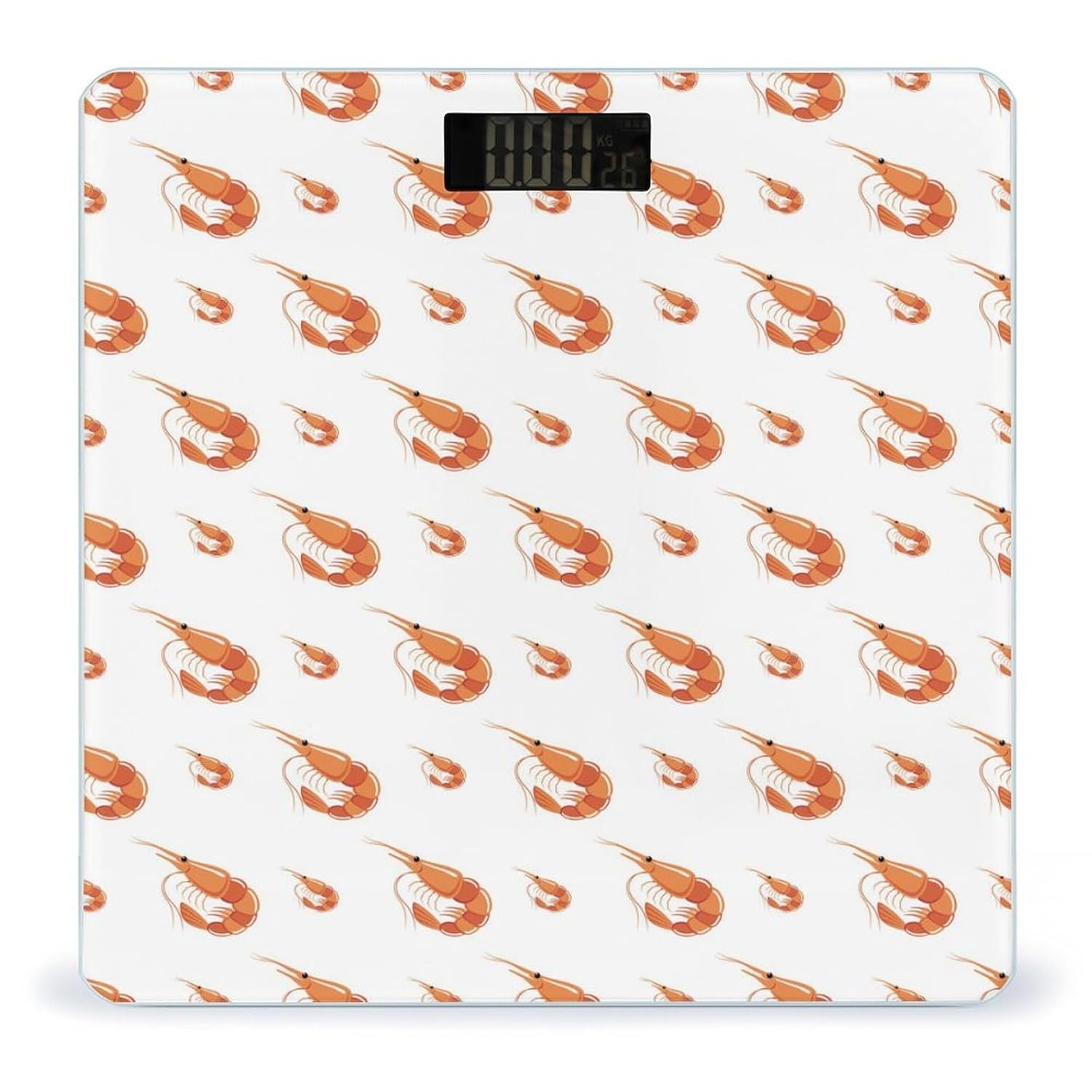
Novastar No.901

Novastar Shrimp №901 Санарип дене салмагынын колдонуучу колдонмосу

Модель: №901

Introduction

The Novastar Shrimp No.901 Digital Body Weight Scale is designed for accurate and consistent weight tracking in a home environment. Featuring a durable tempered glass surface and an ultra-bright LCD display, this scale provides reliable measurements for monitoring your health and fitness progress. Its user-friendly design includes automatic power on/off, zero-reset, and calibration functions for a seamless experience.

Жайгашуу

  1. Таразаны таңгактан чыгаруу: Анын таңгагынан таразаны кылдаттык менен алып салыңыз.
  2. Батареяны орнотуу: Open the battery compartment located on the underside of the scale. Insert the required batteries (typically AAA, not included) according to the polarity indicators. Close the compartment securely.
  3. Жайгашкан жери: Таразаны катуу, жалпак жана туруктуу бетке коюңуз. Килемдерден же тегиз эмес полдон алыс болуңуз, анткени бул тактыкка таасир этиши мүмкүн.
  4. Баштапкы калибрлөө: For first-time use or after moving the scale, gently step on the scale until the display shows a reading, then step off. The scale will display '0.0' or 'CAL' and then turn off, indicating it is calibrated and ready for use.
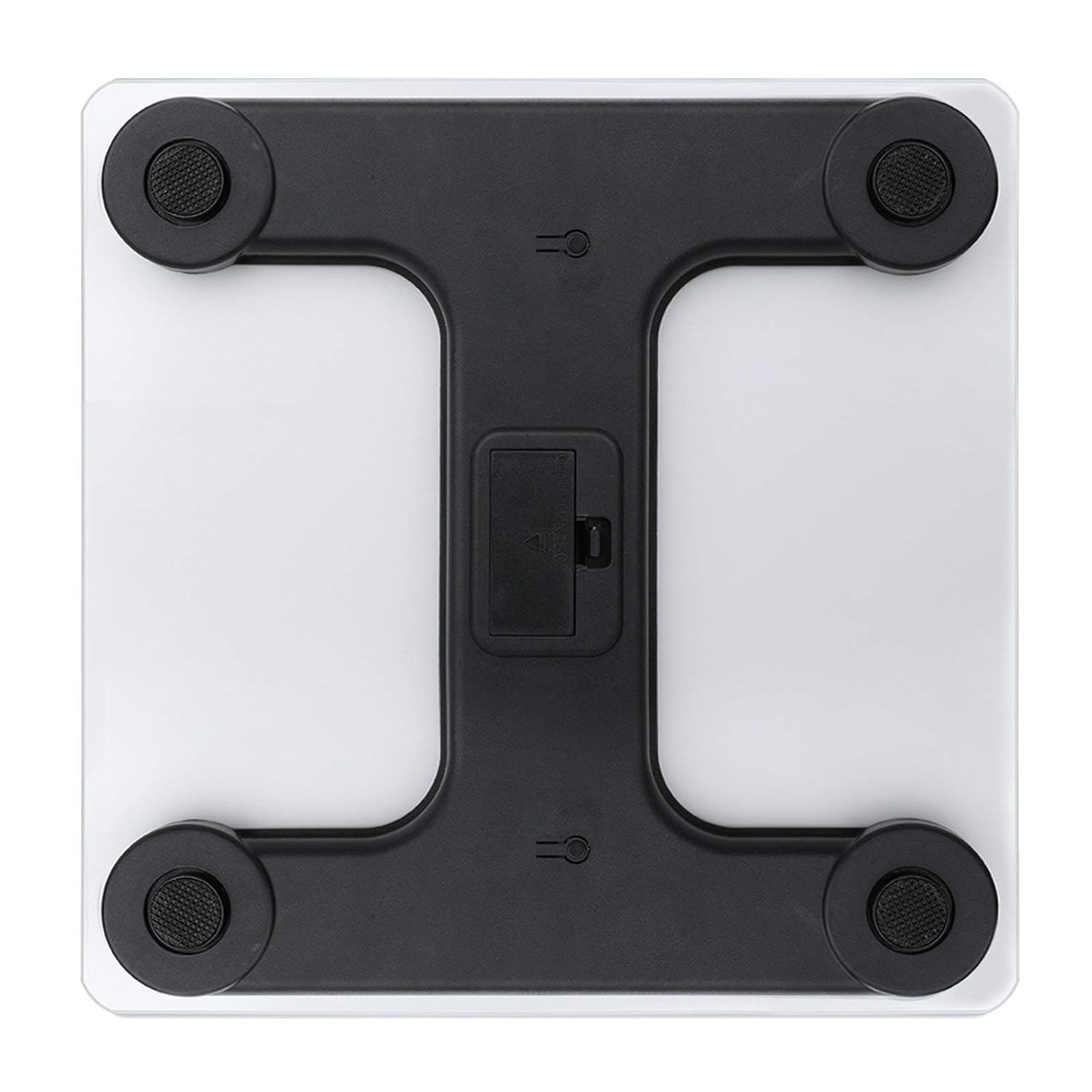
Underside of the Novastar Shrimp No.901 Digital Body Weight Scale showing the battery compartment and four sensor pads.
1-сүрөт: астыңкы жагы view of the scale, highlighting the battery compartment and sensor pads. Ensure batteries are correctly inserted and the scale rests on a flat surface for accurate readings.

Иштөө нускамалары

  1. Кадамдык активдештирүү: Gently step onto the center of the scale platform with bare feet. The scale will automatically turn on.
  2. Reading Your Weight: Stand still on the scale. Your weight will be displayed on the ultra-bright LCD screen within a few seconds.
  3. Бирдикти айландыруу: If your scale supports unit switching (e.g., kg/lb), there may be a button on the underside or side of the scale to toggle between units. Refer to the specific markings on your device.
  4. Автоматтык түрдө өчүрүү: Батареянын иштөө мөөнөтүн үнөмдөө үчүн тараза бир нече секунд аракетсиз болгондон кийин автоматтык түрдө өчөт.
A person standing on the Novastar Shrimp No.901 Digital Body Weight Scale, with the digital display showing a weight reading.
Figure 2: User demonstrating proper stance on the scale for an accurate weight measurement. Stand still and centered for best results.
Close-up of the Novastar Shrimp No.901 Digital Body Weight Scale's LCD display showing a weight reading in kilograms.
Figure 3: The scale's bright LCD display showing a weight reading. The display is designed for clear visibility in various lighting conditions.

Кароо жана тейлөө

  • Тазалоо: Жарнама менен масштабдын бетин сүртүңүзamp кездеме жана жумшак жуугуч. Абразивдүү тазалагычтарды колдонбоңуз же таразаны сууга салбаңыз.
  • Сактагыч: Store the scale in a cool, dry place. Avoid extreme temperatures or high humidity.
  • Батареяны алмаштыруу: If the display shows a 'Lo' indicator or becomes dim, replace the batteries promptly.
  • Таасирден качуу: While the tempered glass is sturdy, avoid dropping heavy objects on the scale or subjecting it to strong impacts.

Проблемаларды чечүү

  • Туура эмес окуулар:
    • Таразанын катуу, тегиз жана туруктуу бетте турганын текшериңиз.
    • Re-calibrate the scale by stepping on and off once before weighing.
    • Батареянын деңгээлин текшериңиз жана керек болсо алмаштырыңыз.
  • 'Lo' Display: Indicates low battery. Replace batteries.
  • 'Err' or Overload Display: Indicates the maximum weight capacity has been exceeded. Step off the scale immediately.
  • Дисплей жок: Check if batteries are correctly installed or need replacement.

Техникалык шарттар

ӨзгөчөлүкДеталь
МоделNo.901
БрендNovastar
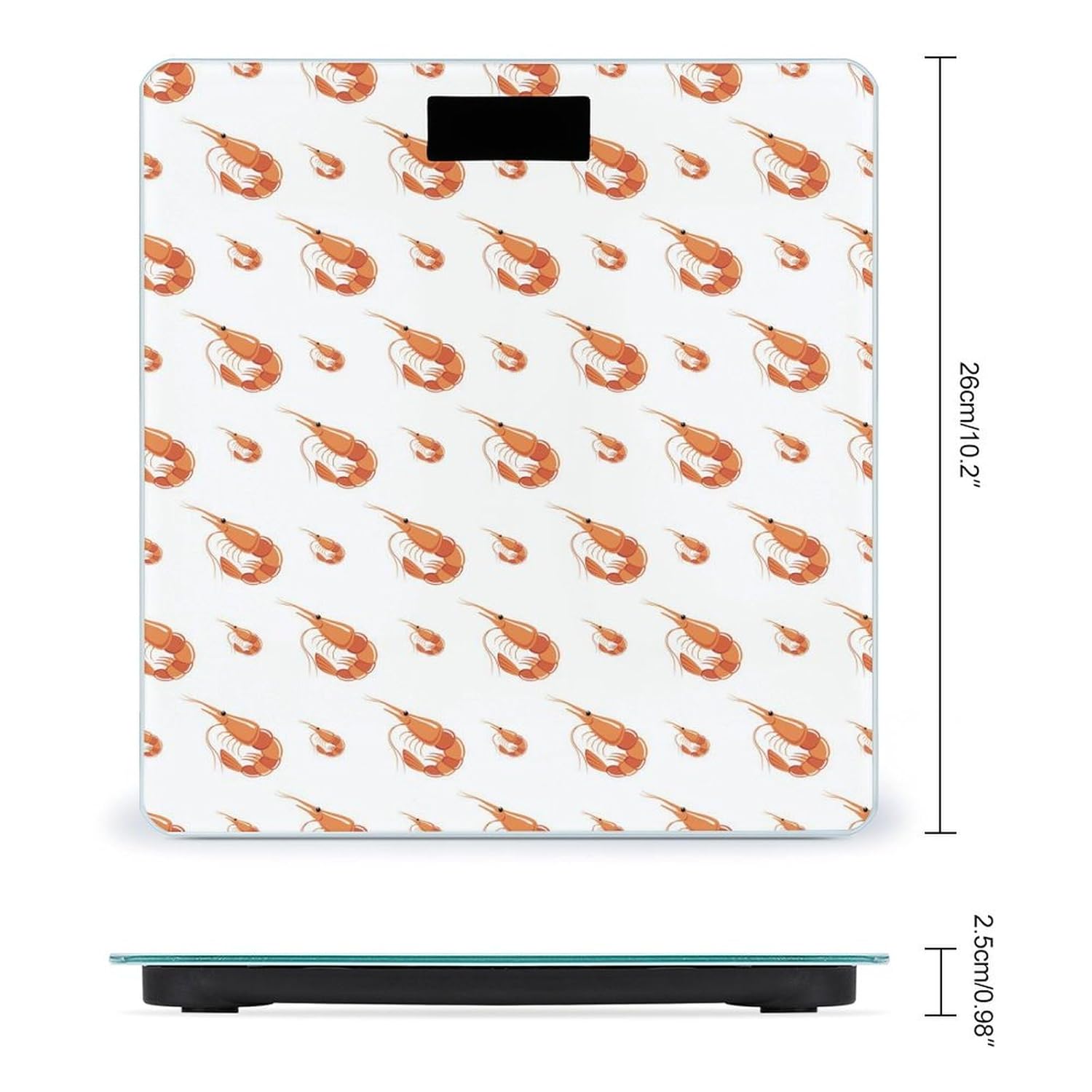
Продукциянын өлчөмдөрү10.2 x 10.2 x 0.98 дюйм (26 x 26 x 2.5 см)
МатериалЖылууланган айнек бети
Сенсорлор4 High-Sensitivity Sensors
ДисплейUltra-Bright LCD
ФункцияларAutomatic On/Off, Zero-Reset, Calibration, Unit Switching (kg/lb)
ӨндүрүүчүНОВАСТАР
Diagram showing the dimensions of the Novastar Shrimp No.901 Digital Body Weight Scale: 26cm/10.2 inches in length and width, and 2.5cm/0.98 inches in height.
Figure 4: Dimensional diagram of the scale, illustrating its compact size for easy placement in various spaces.
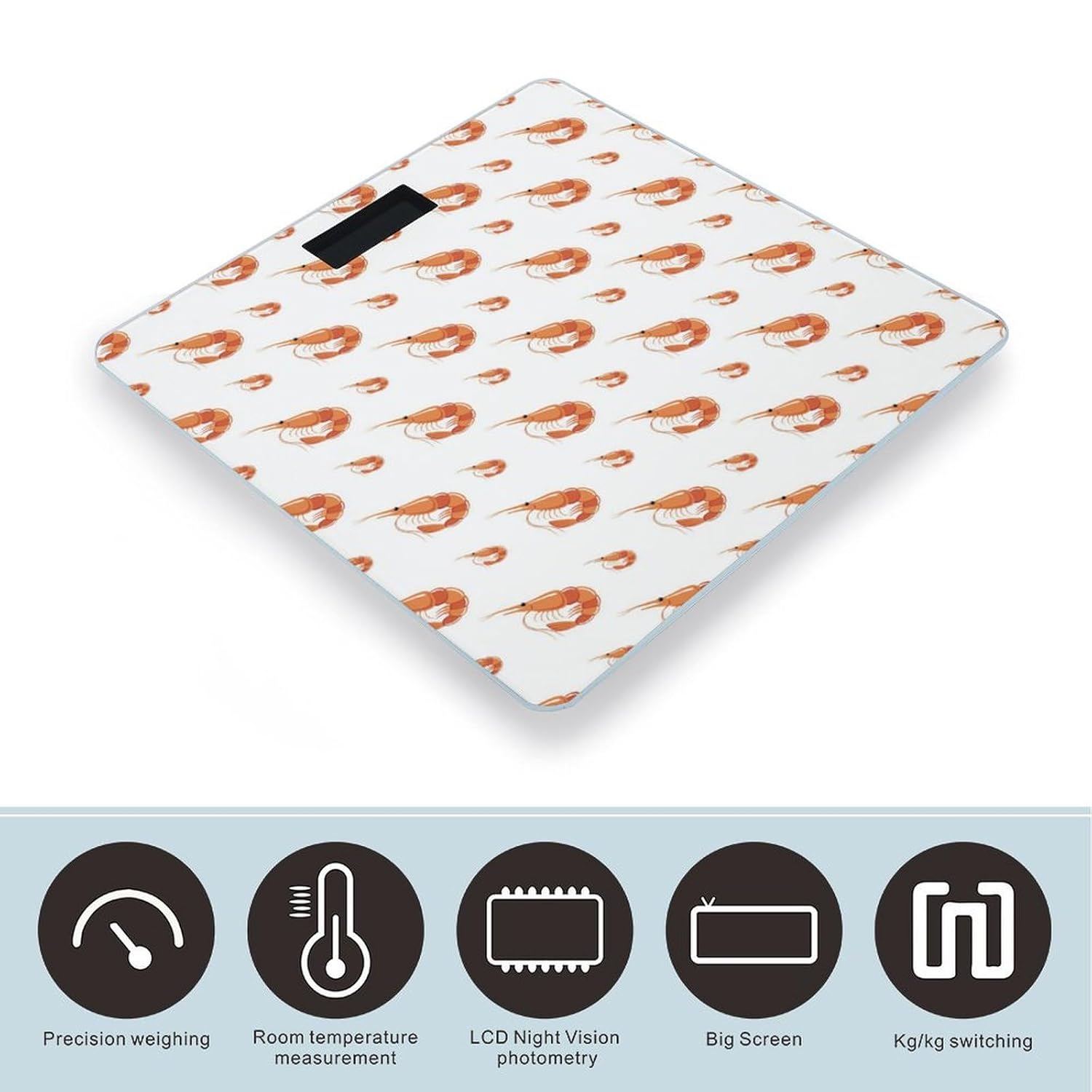
Icons representing key features of the Novastar Shrimp No.901 Digital Body Weight Scale: Precision weighing, Room temperature measurement, LCD Night Vision photometry, Big Screen, and Kg/kg switching.
Figure 5: Visual representation of the scale's core features, including precision, display clarity, and unit conversion capabilities.

Кепилдик маалымат

Specific warranty details for the Novastar Shrimp No.901 Digital Body Weight Scale are not provided in this manual. Please refer to the product packaging or contact the retailer/manufacturer for warranty terms and conditions.

Кардарларды колдоо

For further assistance, technical support, or inquiries regarding your Novastar Shrimp No.901 Digital Body Weight Scale, please contact Novastar customer service through their official webсайт же сатып алуу менен камсыз болгон байланыш маалыматы.

Тектеш документтер - No.901

Preview NovaStar TB50 Мультимедиа ойноткучтун мүнөздөмөлөрү
NovaStar TB50 Мультимедиа ойноткучунун деталдуу мүнөздөмөлөрү, анын өзгөчөлүктөрүн, киргизүү/чыгарууну, аткарууну, сырткы көрүнүшүн, тутумдук программалык камсыздоону, медианы чечмелөө мүмкүнчүлүктөрүн жана шайкештик маалыматын камтыйт.
Preview NovaStar MCTRL660 LED дисплей контроллери Колдонуучунун колдонмосу | Функциялар, операциялар, спецификациялар
NovaStar MCTRL660 LED дисплей контроллери үчүн комплекстүү колдонуучу колдонмо. Бул колдонмо аппараттын өзгөчөлүктөрүн, сырткы көрүнүшүн, алдыңкы жана арткы панелдин интерфейстерин, тиркемелерди, каскаддык мүмкүнчүлүктөрүн, үй экранынын интерфейсин, меню операцияларын, гамманы тууралоо жана микропрограмманы жаңыртуу үчүн компьютерге туташуу мүмкүнчүлүгүн жана техникалык мүнөздөмөлөрдү кеңири камтыйт. кесиптик LED экран башкаруу үчүн иштелип чыккан.
Preview NovaStar TU40 Pro LED Playback Control Processor Specifications
Detailed specifications for the NovaStar TU40 Pro, an advanced LED playback control processor integrating Android, sending card, and video processing functions for professional LED screen applications. Features include high load capacity, wireless mirroring, advanced image processing, and extensive connectivity.
Preview NovaStar MX40 Pro LED дисплей контроллери Колдонуучунун колдонмосу
NovaStar MX40 Pro LED дисплей контроллери үчүн комплекстүү колдонуучу колдонмосу, профессионалдуу LED дисплейди башкаруу үчүн орнотууларды, конфигурацияларды, иштөөнү жана спецификацияларды чагылдырат.
Preview NovaStar MX30 LED дисплей контроллери Колдонуучунун колдонмосу
NovaStar MX30 LED дисплей контроллери үчүн комплекстүү колдонуучу колдонмосу, анын өзгөчөлүктөрүн, тышкы көрүнүшүн, тиркемелерди, UI киришин, конфигурациясын, дисплей тууралоолорун, түзмөктү башкарууну, тутум орнотууларын, спецификацияларын жана жүктөө жөндөмдүүлүгүн камтыйт.
Preview NovaStar сатуудан кийинки тейлөө жана чет элдик продуктуларды оңдоонун спецификациясы
Кепилдик саясаттарын, оңдоо жол-жоболорун жана четтетүүлөрдү деталдаштырып, материктик Кытайдан тышкары сатылган NovaStar өнүмдөрү үчүн комплекстүү сатуудан кийинки тейлөө жана оңдоо спецификациясы.