1. Продукт бүтүп калдыview
The WVX Gaming Laptop R9-6900HX (Model A02) is a high-performance portable computer designed for demanding tasks such as gaming, content creation, and multitasking. It features an AMD Ryzen 9 6900HX processor, AMD Radeon 680M integrated graphics, and fast DDR5 memory.
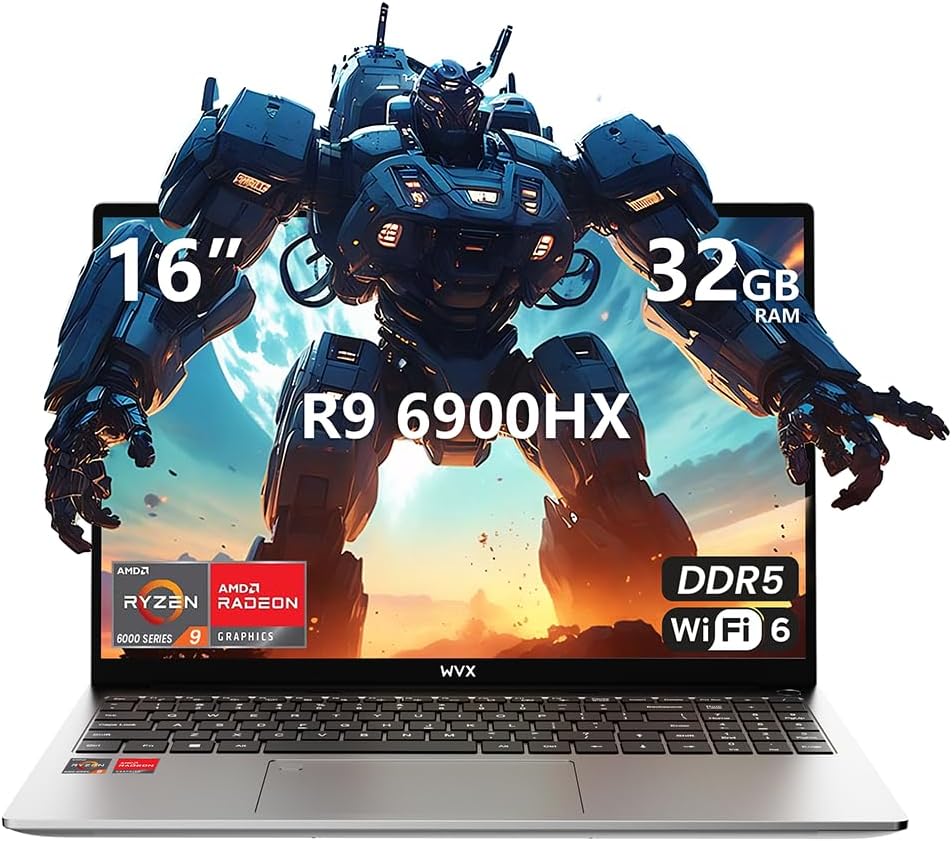
Image 1.1: WVX Gaming Laptop R9-6900HX
Негизги өзгөчөлүктөрү:
- Жогорку өндүрүмдүү CPU: AMD Ryzen 9 6900HX with 8 cores and 16 threads, up to 4.9 GHz.
- Интегралдык графика: AMD Radeon 680M, delivering strong visual performance.
- Fast Memory: 32GB DDR5 RAM, expandable up to 64GB.
- AmpСактагыч: 512GB SSD, expandable up to 2TB.
- Жандуу дисплей: 16-inch Full HD (1920x1200) screen.
- Өркүндөтүлгөн байланыш: Wi-Fi 6 жана Bluetooth 5.2.
- Операция системасы: Windows 11 Pro менен алдын ала орнотулган.
2. Орнотуу
2.1 Кутудан чыгаруу жана алгачкы текшерүү
Carefully remove the laptop and its accessories from the packaging. Ensure all components listed in the 'What's in the Box' section are present and undamaged.
- R9-6900HX laptop
- PD100W adapter (charger)
2.2 Кубат адаптерин туташтыруу
Connect the PD100W adapter to the laptop's power input port and then plug it into a power outlet. It is recommended to fully charge the laptop before its first use.
2.3 Алгачкы жүктөө жана Windows орнотуу
Press the power button located on the laptop. The system will guide you through the initial Windows 11 Pro setup process. Follow the on-screen instructions to configure your language, region, network, and user account.
3. Иштөө нускамалары
3.1 Баскычтоп жана сенсордук такта
The laptop features a full-size keyboard with a numeric keypad and a responsive touchpad. The keyboard is backlit for comfortable use in low-light conditions. The touchpad supports multi-touch gestures for enhanced navigation.

Image 3.1: Laptop keyboard and touchpad layout.
3.2 Дисплей жана графика
The 16-inch FHD display offers a resolution of 1920x1200 pixels, providing clear and vibrant visuals. The AMD Radeon 680M graphics processor handles demanding visual tasks efficiently.

Image 3.2: Display features including 300 nits brightness, IPS, and low blue light.
3.3 Порттар жана туташуу
Ноутбук тышкы түзүлүштөр жана байланыш үчүн ар кандай порттор менен жабдылган:
- 4x USB 3.0 порттору
- HDMI порту
- Full-function Type-C Port (supports charging, data transfer, external 4K monitor)
- 3.5 мм гарнитура уячасы
- SD Card Reader
For wireless connectivity, the laptop supports Wi-Fi 6 for high-speed internet and Bluetooth 5.2 for connecting peripherals.
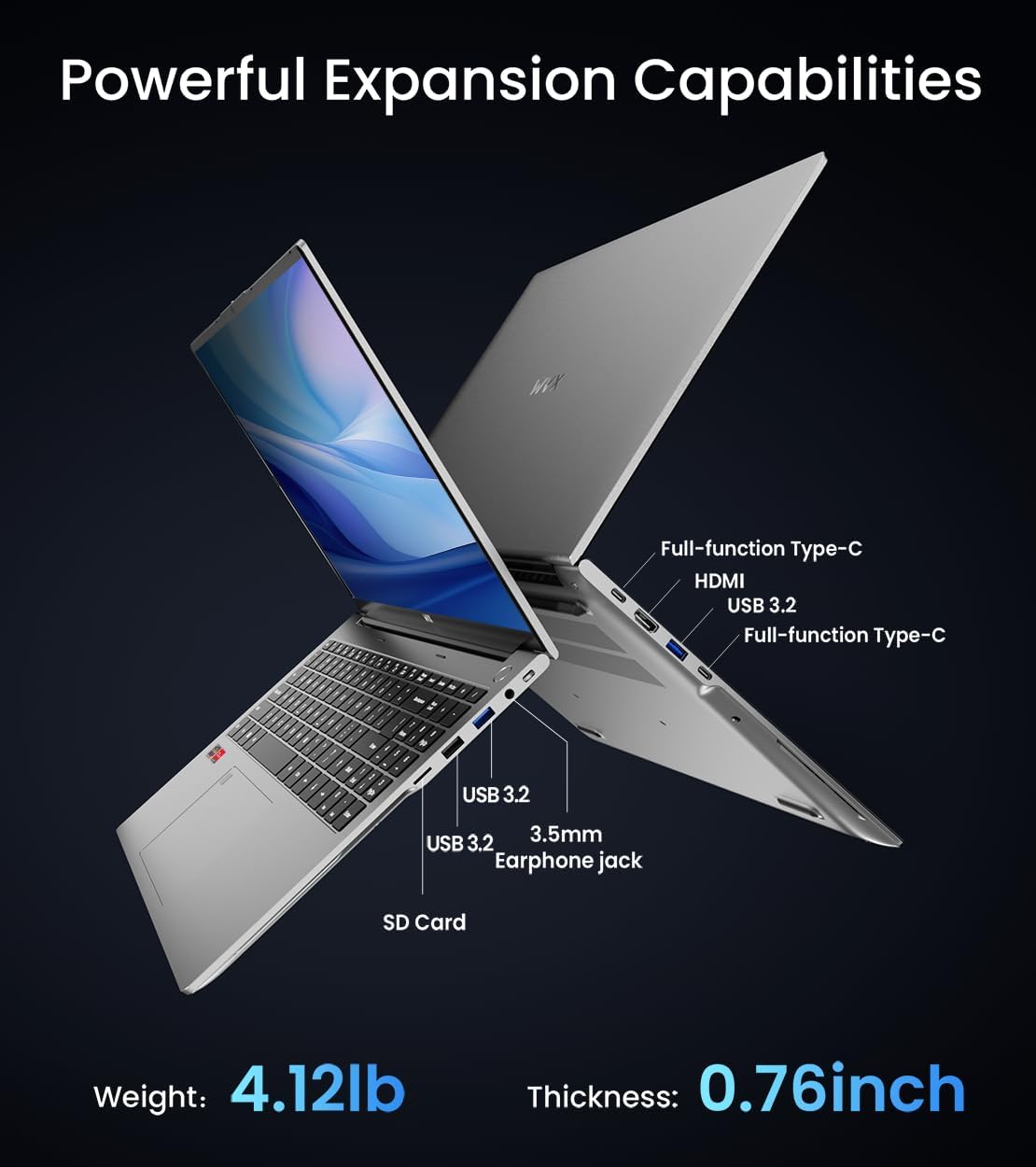
Сүрөт 3.3: Бүттүview of available ports and physical dimensions.
4. Техникалык тейлөө
4.1 Тазалоо
To maintain optimal performance and appearance, regularly clean your laptop. Use a soft, lint-free cloth for the screen and exterior. For stubborn smudges, a slightly dampсуу менен чүпүрөк же атайын экран тазалоочу колдонсо болот. Катуу химиялык заттардан алыс болуңуз.
4.2 Программалык камсыздоо жаңыртуулары
Regularly update your Windows operating system and drivers to ensure system stability, security, and optimal performance. Windows Update can be accessed through the Settings menu.
4.3 Сактоо жана эстутум жаңыртуу
The laptop's RAM can be upgraded to a maximum of 64GB, and the SSD storage can be expanded up to 2TB. Consult a qualified technician for hardware upgrades to avoid voiding your warranty.

Image 4.1: Illustration of memory and storage upgrade capabilities.
5. Кыйынчылыктарды
5.1 Электр энергиясы маселелери
- Ноутбук күйбөй жатат: Кубат адаптери бекем туташып турганын жана батарейканын заряды жетиштүү экенин текшериңиз. Башка электр розеткасын колдонуп көрүңүз.
- Батарея кубатталбай жатат: Verify the power adapter is functioning correctly. Check the charging port for any obstructions.
5.2 Дисплей көйгөйлөрү
- Бош экран: Көйгөй ноутбуктун дисплейинде экенин текшерүү үчүн тышкы мониторду туташтырыңыз. Ноутбукту өчүрүп-күйгүзүңүз.
- Жаркылдаган экран: Update graphics drivers. Adjust display refresh rate in Windows settings.
5.3 Ишти аткаруу маселелери
- Жай аткаруу: Close unnecessary applications. Check for malware. Ensure sufficient free storage space.
- Ашыкча ысып кетүү: Ensure ventilation vents are clear. Consider using a cooling pad.

Image 5.1: Illustration of the laptop's cooling system with pure copper heat pipes and fan speed.
6. Техникалык шарттар
| Өзгөчөлүк | Спецификация |
|---|---|
| Бренд | WVX |
| Модель аты | R9-6900HX (A02) |
| Процессор | AMD Ryzen 9 6900HX (4.9 GHz, 8 Cores, 16 Threads) |
| Графикалык сопроцессор | AMD Radeon 680M |
| RAM | 32 ГБ DDR5 (макс. 64 ГБ) |
| Катуу диск | 512 GB SSD (Max 2TB) |
| Screen Size | 16 дюйм |
| Max Screen Resolution | 1920x1200 пиксел |
| Операция системасы | Windows 11 Pro |
| Зымсыз түрү | 802.11ax (Wi-Fi 6) |
| Bluetooth | 5.2 |
| USB 3.0 порттордун саны | 4 |
| Продукциянын өлчөмдөрү | 14 x 9.7 x 0.78 дюйм |
| Элемент Салмагы | 5.89 фунт |
| Батарея | 58Wh |
| Өзгөчөлүктөр | Backlit Keyboard, Fingerprint Reader, HD Audio |
7. Кепилдик жана колдоо
WVX offers comprehensive support for your laptop:
- Техникалык колдоо: Enjoy unlimited technical support.
- Оңдоо кызматы: 12 months of repair service for all customers.
- Жооп убактысы: Online connection within 24 hours for inquiries.
For any questions or concerns, please reach out to the WVX support team.

Сүрөт 7.1: Бүттүview of WVX customer support services.
8. Расмий продукт Video
Видео 8.1: Расмий видео көрсөтүүasing the WVX R9 6900HX Laptop, highlighting its features and design.


