1. Киришүү
The Eonon GMX6S is an advanced 8-inch QLED car stereo system designed to seamlessly integrate with select Chevrolet, GMC, and Buick vehicles. This unit enhances your driving experience with its powerful Qualcomm QCM6225 Octa-core processor, ample memory (6GB RAM + 64GB ROM), and a suite of modern features including wireless Apple CarPlay, Android Auto, 4G LTE connectivity, and superior DSP audio processing. Its plug-and-play design ensures straightforward installation while retaining many original equipment manufacturer (OEM) functionalities.
2. Колдонулуучу моделдер
The GMX6S head unit is compatible with the following vehicle models:
- Chevrolet: Silverado (2007-2013), Avalanche (2007-2013), Tahoe (2007-2014), Impala (2006-2013), Traverse (2008-2012), Suburban (2007-2012), Express Van (2008-2019), Equinox (2007-2009), Monte Carlo (2006-2007), HHR (2006-2011), Silverado 1500 (2007-2013), Silverado 2500HD (2007-2013), Silverado 3500HD (2007-2013)
- GMC: Sierra (2007-2013), Yukon (2007-2014), Acadia (2007-2012), Savana (2008-2019)
- Буик: Enclave (2008-2012)
- Hummer: H2 (2008-2009)
Эскертүү: If you wish to retain the original rear entertainment system, an Eonon A0595 video output adapter (not included) may be required. Please verify your car's radio plug type for compatibility; the unit is not suitable if your car radio plug matches the 'Not Fit' example shown in the image below.
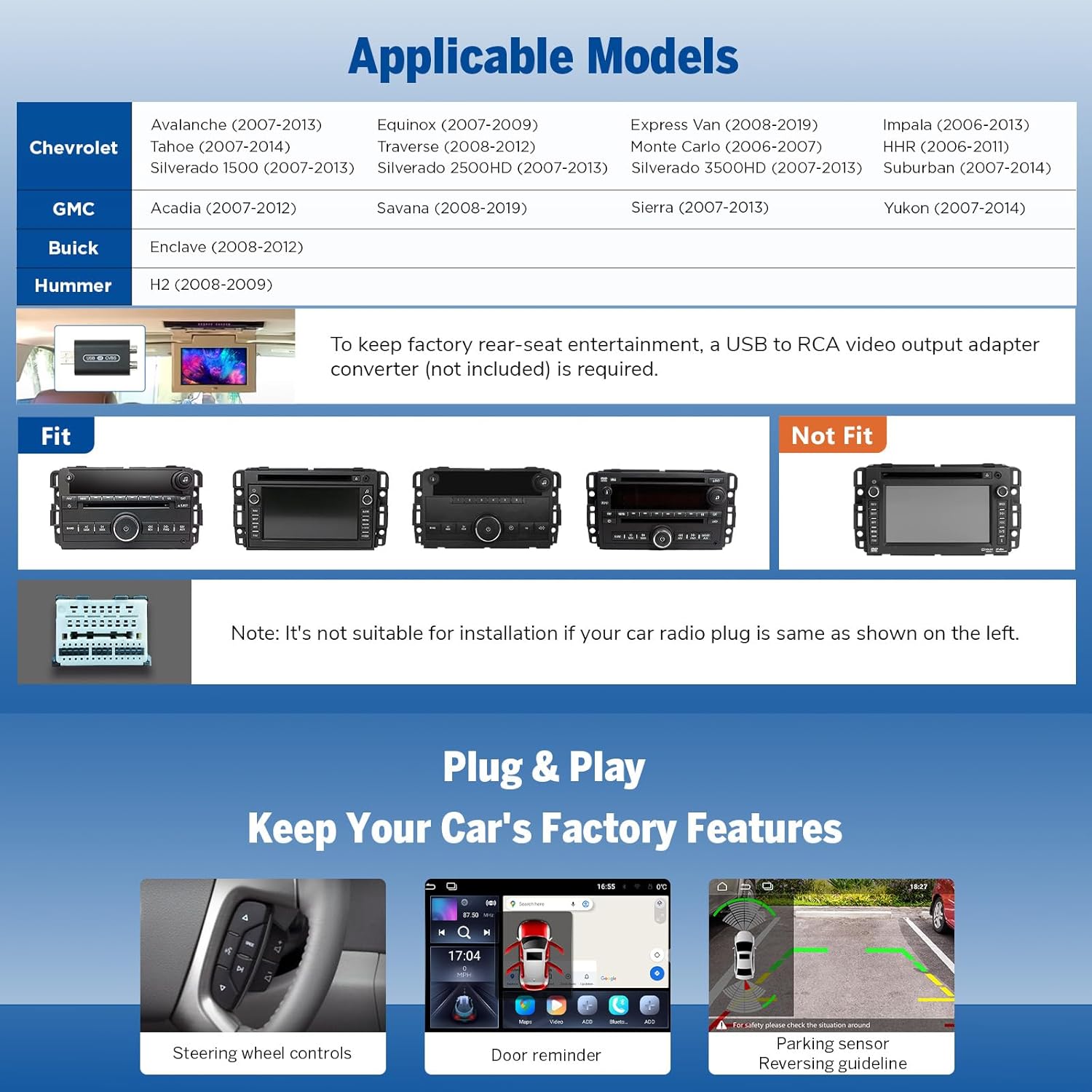
Image: Compatible and incompatible car stereo models for installation.
3. Пакеттин мазмуну
Пакетти ачканда, төмөнкү компоненттердин бардыгы бар экенине ынаныңыз:
- GMX6S Head Unit (x1)
- A0127 Reversing Camera (x1)
- Кубат кабели (x1)
- GPS антеннасы (x1)
- 4G антенна (x1)
- USB Adapter Cable (x2)
- Audio/Video Adapter Cable (x2)
- Reverse Video Input Cable (x1)
- 15A Fuse (x1)
- SIM Card Holder (x1)
- External Microphone (x1)
- CANBUS Decoder (x1)
- Колдонуучунун колдонмосу (x1)
- Double-sided Adhesive Sticker (x1)
- Radio Antenna Adapter (x1)
- Динамик (x1)

Image: All components included in the Eonon GMX6S package.
4. Продукциянын өзгөчөлүктөрү
- 8-Inch QLED Display: Experience vibrant colors, brighter visuals, and higher contrast with a 1280*720 HD resolution and a wide 178° viewбурч.
- Жогорку аткаруу: Powered by a Qualcomm QCM6225 Octa-core processor (6nm LPP technology) with 6GB RAM and 64GB ROM, ensuring smooth operation and fast response times.
- Built-in DSP Audio: Digital Signal Processing (DSP) with a RHOM 32107 chip and 48-band graphic equalizer provides enhanced sound quality and precision, including 4x48W max output power and optical/coaxial HD audio output.
- Зымсыз CarPlay & Android Auto: Effortlessly connect your iPhone or Android device for seamless wireless CarPlay (via Bluetooth) and full-featured Android Auto (via Bluetooth and USB).
- Экранды чагылдыруу: Project content from your mobile phone onto the large screen for an immersive entertainment experience.
- Bluetooth 5.1 & 4G LTE: Features an independent Bluetooth module with an extra antenna for quick and stable connections, along with built-in 4G LTE and Wi-Fi 6 readiness for robust connectivity.
- OEM Features Retention: Retains factory features such as steering wheel controls, door information display, and driving data display.
- Over-the-Air (OTA) Updates: Keep your car stereo up-to-date with software fixes and security enhancements via OTA updates. Note that these updates are for software and do not upgrade the Android system version.
- Ыңгайлаштырылган UI: Choose from 3 built-in UI themes and personalize button colors, boot logos, and wallpapers to match your preference.

Image: Features of the 8-inch QLED display.

Image: Qualcomm QCM6225 8-Core processor details.

Image: Built-in DSP and audio output capabilities.
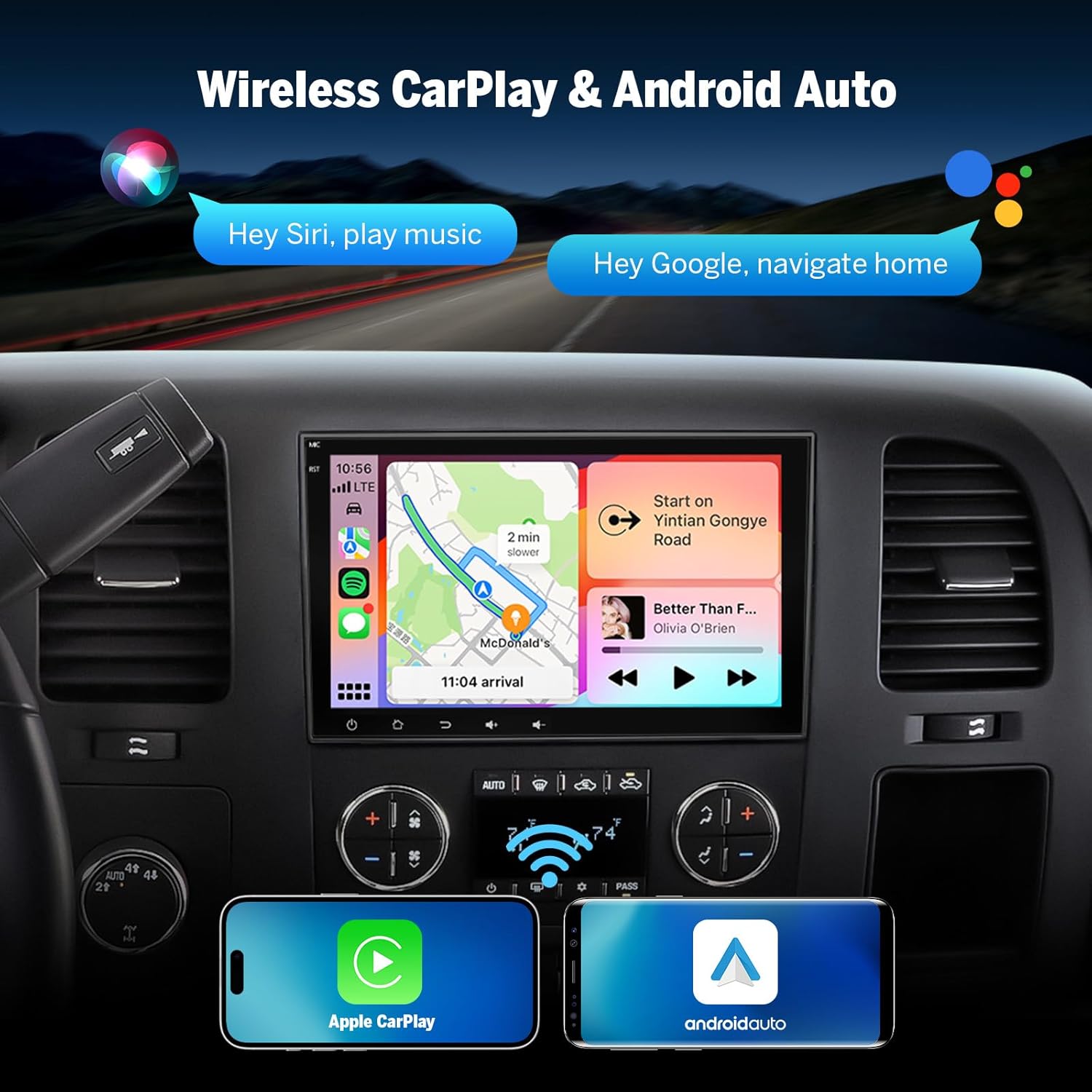
Image: Wireless CarPlay and Android Auto in action.

Image: Bluetooth 5.1 and backup camera features.

Image: Retained OEM features.

Image: Over-the-air firmware update capability.

Сүрөт: UI ыңгайлаштыруу параметрлери.
5. Орнотуу жана орнотуу
The Eonon GMX6S is designed for a straightforward plug-and-play installation, requiring no cutting, splicing, or soldering of wires. The process typically involves:
- Carefully remove the trim panel surrounding your factory radio.
- Unscrew the four bolts securing the original radio on each side.
- Gently pull out the factory radio and disconnect all existing wires.
- Connect the provided wiring harnesses from the GMX6S to your vehicle's existing connections. Ensure all connections are secure.
- Slide the new GMX6S head unit into place and secure it with the bolts.
- Reattach the trim panel.
The unit comes with a comprehensive wiring diagram to assist with connections. The CANBUS system ensures compatibility with your vehicle's existing features, such as door information and gear recognition.
Image: Detailed wiring diagram for the GMX6S.
6. Иштөө нускамалары
The Eonon GMX6S features an intuitive Android-based interface with a responsive QLED touchscreen. Upon starting your vehicle, the unit boots up quickly and automatically connects to configured devices.
- Зымсыз CarPlay & Android Auto: Once configured, your smartphone will automatically connect wirelessly. The interface will display familiar apps like Phone, Maps, Messages, Music, and more. You can customize the layout of these apps as desired.
- Колдонмого мүмкүндүк алуу: As an Android-based system, you can download and install compatible applications from the Google Play Store, including navigation apps, streaming services (e.g., YouTube, Netflix), and vehicle diagnostic tools (e.g., Torque).
- Бөлүнгөн экранда көп тапшырмалуулук: Utilize the split-screen function to view and use two applications simultaneously, such as navigation and music playback.
- Жарыктык режимдери: The unit offers three brightness modes (Light, Dark, and Auto) for a safer and more comfortable driving experience, especially at night.
- Bluetooth функциялары: The upgraded built-in Bluetooth system supports hands-free calls, contact synchronization, and music playback. An external microphone is included for clear call quality.
- GPS навигациясы: Supports both offline and online GPS navigation.
- Радио: Includes RDS/FM radio functionality.
- Рулдун башкаруу элементтери: Retains compatibility with your vehicle's original steering wheel controls for convenient operation.
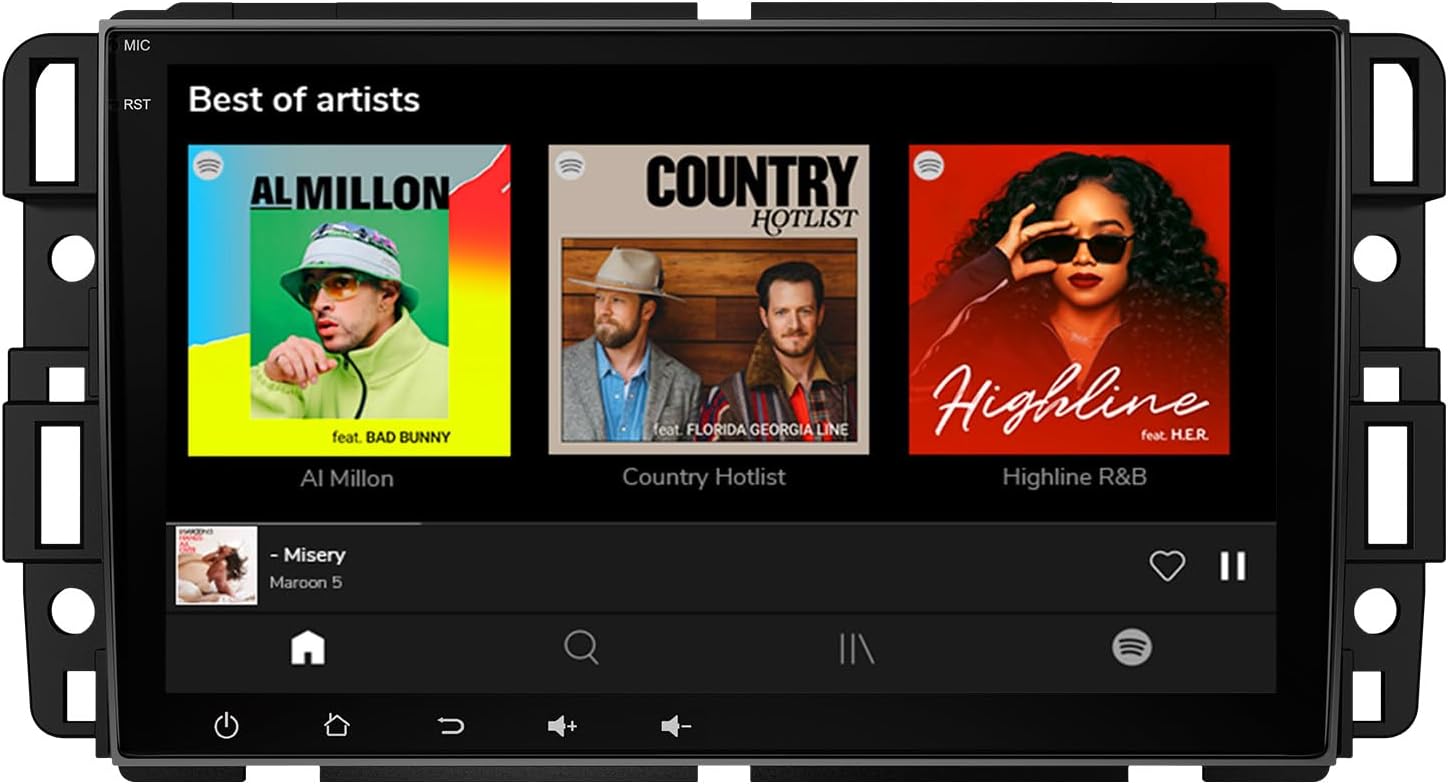
Image: Eonon GMX6S main interface.
7. Техникалык тейлөө
To ensure the longevity and optimal performance of your Eonon GMX6S car stereo, consider the following maintenance tips:
- Тазалоо: Regularly wipe the QLED touchscreen with a soft, lint-free cloth. Avoid abrasive cleaners or harsh chemicals that could damage the screen.
- Программалык камсыздоо жаңыртуулары: Periodically check for and install Over-the-Air (OTA) software updates. These updates provide bug fixes, performance improvements, and security enhancements. Access the update feature through the unit's settings menu.
- Экологиялык шарттар: Avoid exposing the unit to extreme temperatures or direct sunlight for prolonged periods when the vehicle is parked.
- Кабелдик байланыштар: Үзгүлтүктүү көйгөйлөрдү болтурбоо үчүн бардык кабелдердин бекем туташтырылганын текшериңиз.
8. Кыйынчылыктарды
If you encounter issues with your Eonon GMX6S, try the following troubleshooting steps:
- Кубат жок: Check the power cord connection and the 15A fuse. Ensure the vehicle's ignition is on.
- Аудио жок: Verify speaker connections and audio output settings. Check DSP settings and equalizer bands.
- CarPlay/Android Auto туташуу көйгөйлөрү: Ensure Bluetooth and Wi-Fi are enabled on both the head unit and your smartphone. Re-pair the devices if necessary. For Android Auto, try both Bluetooth and USB connections.
- Жоопсуз сенсордук экран: Perform a soft reset of the unit (refer to the full manual for specific reset procedures). Ensure the screen is clean and free of debris.
- GPS сигналын жоготуу: GPS антеннасы туура орнотулганын жана асманга даана көрүнүп турганын текшериңиз.
- Колдонмонун аткаруу маселелери: If an app is slow or crashing, try clearing its cache or reinstalling it from the Play Store. Ensure sufficient storage space is available.
- OEM Feature Malfunction: Verify the CANBUS connection. If issues persist, consult the full user manual or Eonon support.
- Verify Specifications: If you suspect discrepancies in performance or specifications, Eonon recommends using verification tools to confirm the unit's hardware and software details.
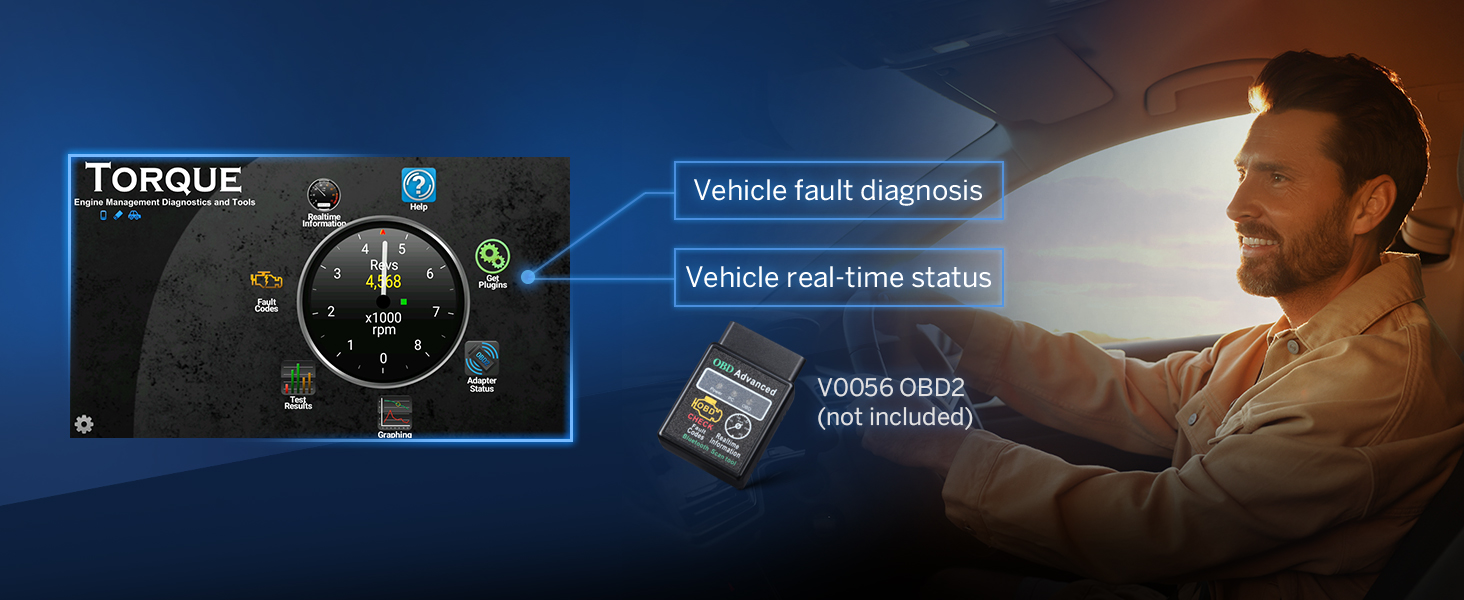
Image: Verification of device specifications.
9. Техникалык шарттар
| Өзгөчөлүк | Спецификация |
|---|---|
| Модель номери | GMX6S-U |
| Screen Size | 8 дюйм |
| Дисплей түрү | QLED Touch Screen |
| Резолюция | 1280*720 HD |
| Процессор | Qualcomm QCM6225 Octa-core (6nm LPP) |
| RAM | 6 ГБ |
| ROM | 64 ГБ |
| GPU | Adreno 610 |
| Операция системасы | Android 13 |
| Зымсыз байланыш | Wireless CarPlay, Android Auto, 4G LTE, WiFi 6 (2.4/5 GHz) |
| Bluetooth версиясы | 5.1 |
| Аудио чыгаруу | DSP, 4x48W Max Output, Optical + Coaxial + RCA |
| Өлчөмдөрү (L x W x Y) | 7.91" x 1.26" x 4.72" |
| Элемент Салмагы | 3.3 фунт |

Image: Detailed specifications comparison.
10. Кепилдик жана колдоо
Eonon products are designed for reliability and performance. For specific warranty details, including coverage period and terms, please refer to the warranty card included in your product packaging or visit the official Eonon website. For technical support, troubleshooting assistance, or any inquiries regarding your GMX6S car stereo, please contact Eonon customer service through their official channels. Keep your purchase receipt as proof of purchase for warranty claims.
Акыркы маалымат жана колдоо ресурстары үчүн, сураныч, төмөнкү дарекке кириңиз EONON Store.


