1. Маанилүү коопсуздук нускамалары
Бул чуркоо жолун колдонуудан мурун бардык көрсөтмөлөрдү кунт коюп окуп чыгыңыз. Бул колдонмону келечекте колдонуу үчүн сактап коюңуз.
- Чуркоо жолун ар дайым тегиз, туруктуу бетке коюңуз.
- Чуркоо жолунда жетиштүү боштук бар экенин текшериңиз (артынан кеминде 2 метр жана эки тарабынан 0.6 метр).
- Иш учурунда балдарды жана үй жаныбарларын чуркоо жолунан алыс кармаңыз.
- ылайыктуу спорттук бут кийим жана кийим кийүү.
- Эгерде чуркоо жолунун шнуру же сайы бузулуп калса, же ал туура иштебей жатса, аны иштетпеңиз.
- Колдонуучунун максималдуу салмагы: 130 кг.
- Always use the safety key. Attach it to your clothing before starting your workout.
2. Продукт бүтүп калдыview
The TOPUTURE 2-in-1 Treadmill is designed for both walking and light running, offering a versatile fitness solution for home or office use. It features a powerful yet quiet motor, manual incline adjustment, and smart app connectivity.

Image: Two individuals demonstrating the TOPUTURE 2-in-1 Treadmill in use, highlighting its dual functionality for walking while working and running.
3. Орнотуу жана чогултуу
This TOPUTURE 2-in-1 Treadmill features a space-saving design that requires minimal assembly. It is ready for use almost immediately out of the box.
3.1 Пакеттен чыгаруу
- Чуркоо жолун таңгагынан этияттык менен чыгарыңыз.
- Check all components against the packing list to ensure everything is present.
3.2 Орнотуу
- Place the treadmill on a firm, level surface.
- Ensure the power cord is easily accessible and not obstructed.
3.3 Кол менен жантайыңкылыкты жөндөө
The treadmill offers manual incline settings to increase workout intensity. The original incline is 2°, and can be adjusted to 4.7° (9% incline rate).
- Locate the incline adjustment bolts at the rear of the treadmill.
- Pull out the bolt and turn the slope block to the desired position.
- Insert the bolt into the upper hole to secure the incline.

Image: A visual guide illustrating the two-step process for manually adjusting the treadmill's incline.
4. Иштөө нускамалары
Your treadmill can be controlled via its LED display, remote control, or a smart application.
4.1 Күйгүзүү/өчүрүү
- Электр шнурын ылайыктуу розеткага туташтырыңыз.
- Flip the main power switch located on the treadmill base to the 'ON' position.
- To turn off, flip the main power switch to 'OFF' and unplug the unit.
4.2 LED дисплейди жана алыстан башкарууну колдонуу
The multi-functional LED display shows real-time data including speed, distance, time, and calories burned. The remote control allows for easy adjustment of speed and modes.

Image: The treadmill's clear LED display provides real-time workout metrics, complemented by a convenient remote control for adjustments.
- Баштоо/Токтоо: Press the 'Start' button on the display or remote to begin. Press 'Stop' to pause or end your workout.
- Ылдамдыкты жөндөө: Use the '+' and '-' buttons on the remote or display to increase or decrease speed (1-10 km/h).
- Программалар: Select from 12 preset programs for varied workout routines.
- Temporary Pause: Use the 'Pause' button to temporarily stop your workout without losing data.
4.3 Акылдуу тиркемелердин туташуусу
Connect your treadmill to fitness apps like 'FITSHOW' via Bluetooth (Bluetooth name: TP3) for enhanced training courses and data tracking.
- Мобилдик түзмөгүңүздө Bluetooth иштетилгенин текшериңиз.
- Open the 'FITSHOW' app (or compatible app) and search for 'TP3'.
- Pair your device with the treadmill.
- Follow the app's instructions to access various training courses and monitor your progress.

Image: The treadmill connects to fitness apps, allowing users to engage with virtual training courses and track their performance.
5. Техникалык тейлөө
Үзгүлтүксүз тейлөө сиздин чуркоо жолуңуздун узак мөөнөттүү жана оптималдуу иштешин камсыз кылат.
5.1 Тазалоо
- Тазалоодон мурун чуркоо тилкесин розеткадан ажыратыңыз.
- Wipe down the display and exterior surfaces with a damp кездеме. Абразивдүү тазалагычтардан алыс болуңуз.
- Regularly vacuum under the treadmill to prevent dust buildup.
5.2 Курду майлоо
The running belt requires periodic lubrication to reduce friction and extend its lifespan. Use silicone-based treadmill lubricant.
- Lift the edge of the running belt.
- Apply a small amount of lubricant to the center of the deck, underneath the belt.
- Run the treadmill at a low speed for a few minutes to distribute the lubricant evenly.
- Refer to the lubricant manufacturer's instructions for frequency, typically every 3-6 months depending on usage.
5.3 Белди тууралоо
Эгерде чуркоо куру бир тарапка жылып кетсе же тайгаланып кетсе, аны тууралоо керек болушу мүмкүн.
- Consult the detailed instructions in the full product manual for specific belt tension and alignment procedures.
6. Кыйынчылыктарды
Эгерде сиз чуркоо жолунда көйгөйлөргө туш болсоңуз, төмөнкү кеңири таралган көйгөйлөрдү жана чечимдерди караңыз.
| Көйгөй | Мүмкүн себеп | Чечим |
|---|---|---|
| Чуркоо тилкеси күйбөйт. | Power cord not plugged in, main switch off, safety key not in place. | Check power connection, ensure main switch is ON, insert safety key. |
| Чуркап бара жаткан белдемчи. | Кур өтө бош, майлоо жетишсиз. | Adjust belt tension (refer to full manual), lubricate the belt. |
| Иш учурунда адаттан тыш ызы-чуу. | Loose parts, belt friction, motor issue. | Check for loose bolts, lubricate belt, contact customer support if motor noise persists. |
| Колдонмо туташуусу катасы. | Bluetooth off, app not updated, incorrect pairing. | Ensure Bluetooth is on, update app, re-pair with 'TP3'. |
If the problem persists after attempting these solutions, please contact TOPUTURE customer support.
7. Техникалык шарттар
| Өзгөчөлүк | Спецификация |
|---|---|
| Бренд | TOPUTURE |
| Мотор күчү | 2.5 HP (Peak 3.0 HP) |
| Ылдамдык диапазону | 1 - 10 км/саат |
| Эңкейүү | Manual (0%, 5%, 10% equivalent to 2° and 4.7°/9%) |
| Running Surface | 1000 x 400 мм (болжол менен 39.4 x 15.7 дюйм) |
| Колдонуучунун максималдуу салмагы | 130 кг (болжол менен 286 фунт) |
| Ызы-чуу деңгээли | < 45 дБ |
| Продукциянын өлчөмдөрү | 120.8 x 52.6 x 12.5 см (болжол менен 47.6 x 20.7 x 4.9 дюйм) |
| Продукт Салмагы | 21.69 кг (болжол менен 47.8 фунт) |
| Байланыш | Bluetooth (TP3) for APP control |
| Программалар | 12 алдын ала коюлган программа |
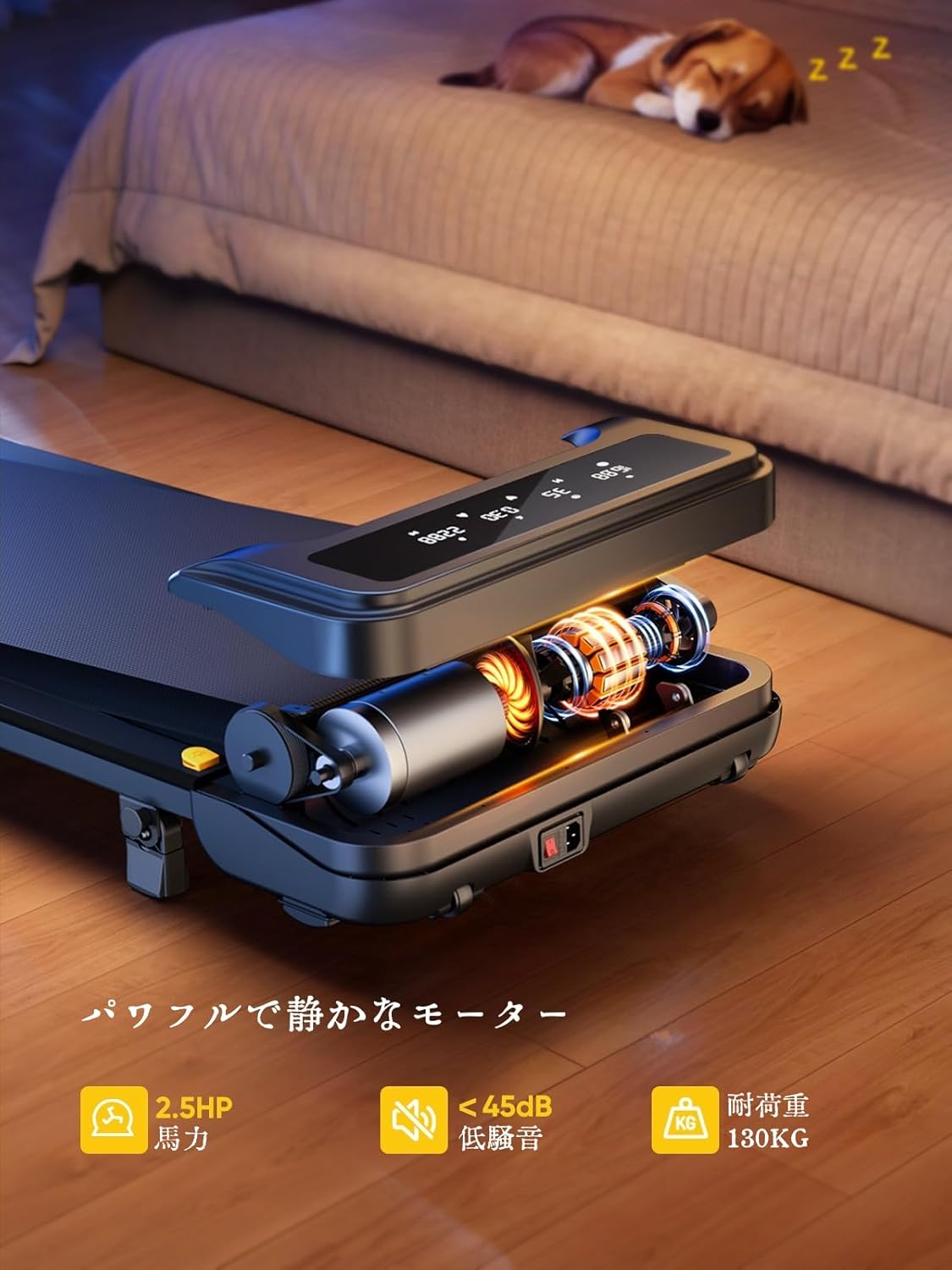
Image: The treadmill features a powerful 2.5 HP motor, operates quietly below 45dB, and supports users up to 130 kg.

Image: The compact design of the treadmill, highlighting its running surface dimensions for space efficiency.
8. Сактоо жана көчмөлүүлүк
The TOPUTURE 2-in-1 Treadmill is designed for easy storage and portability, making it ideal for small spaces.
- The treadmill is lightweight (18.5 kg / 40.7 lbs) and features built-in wheels for effortless movement.
- It can be stored upright or flat under a bed or sofa when not in use, saving valuable space.
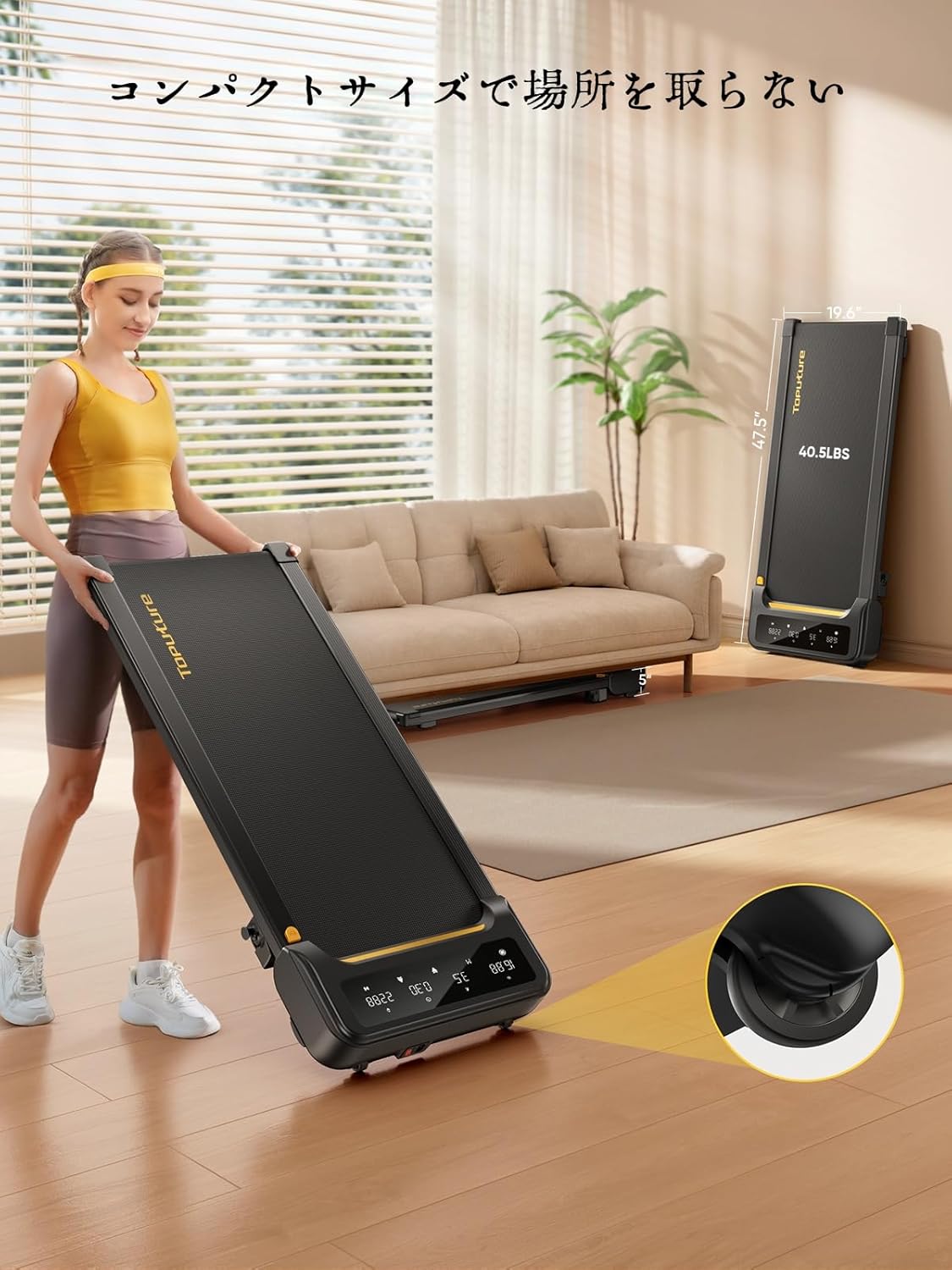
Image: A woman demonstrates the ease of moving the treadmill, highlighting its portability with integrated wheels.
9. Кепилдик жана колдоо
TOPUTURE provides a warranty for this product. Please refer to your purchase documentation for specific warranty terms and conditions.
9.1 Кардарларды колдоо
For any questions, technical assistance, or warranty claims, please contact TOPUTURE customer support through the retailer where you purchased the product or visit the official TOPUTURE webсайт.
- Онлайн колдоо: Visit the TOPUTURE brand store on Amazon or the official webКөп берилүүчү суроолор жана байланыш маалыматы үчүн сайт.
- Электрондук почта колдоо: Refer to your product packaging or warranty card for the customer service email address.


