1. Киришүү
Thank you for choosing the UPERFECT 18.4-Inch 4K UHD Portable Monitor. This manual provides essential information for setting up, operating, and maintaining your new monitor. Please read this manual thoroughly before use to ensure proper functionality and to maximize your viewтажрыйбасы.
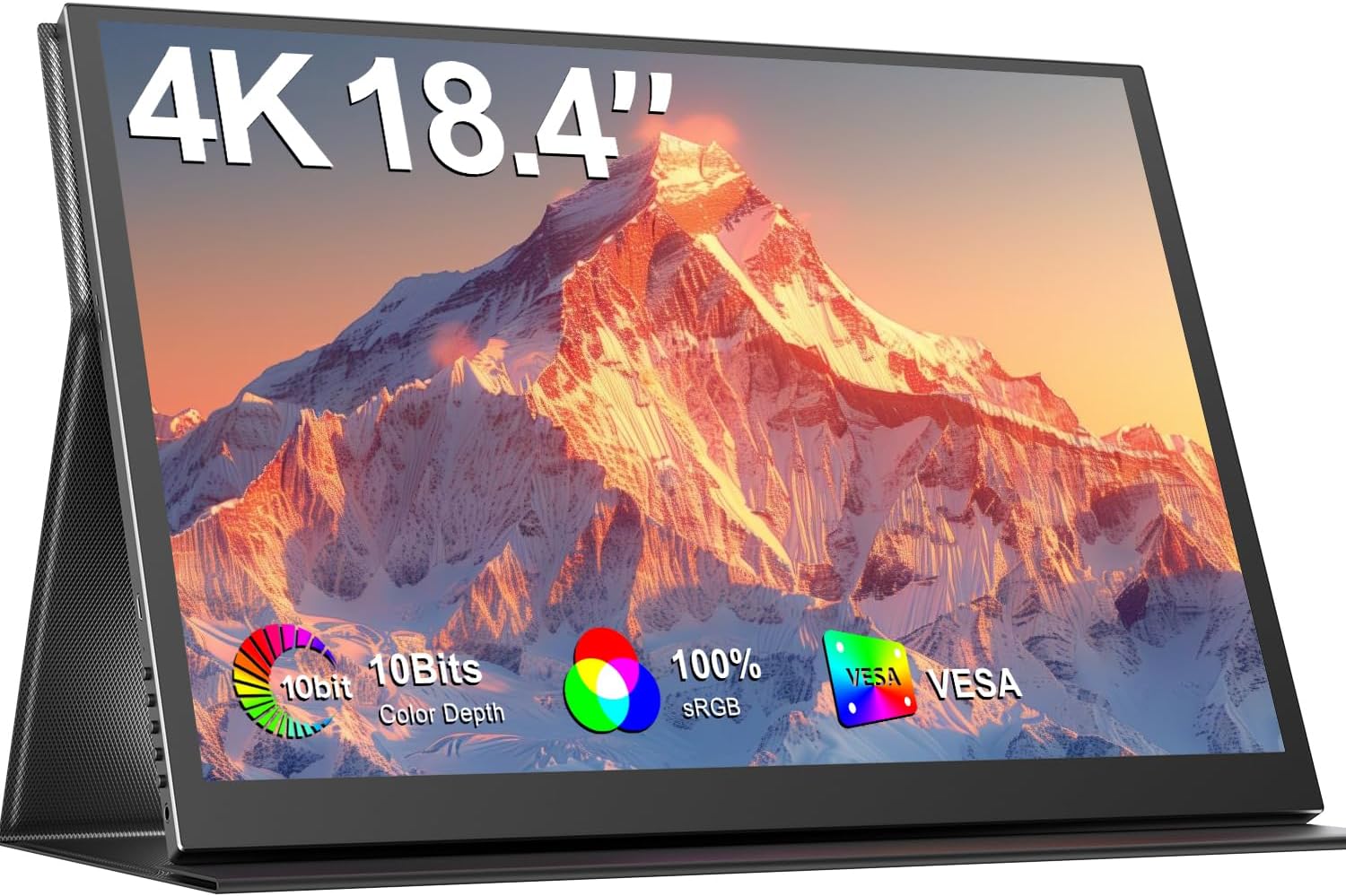
Image 1.1: The UPERFECT 18.4-Inch 4K UHD Portable Monitor, showcasinанын дисплейи жана ичке дизайны.
2. Продукт бүтүп калдыview
2.1 Негизги өзгөчөлүктөрү
- Large 18.4-Inch 4K UHD Display: Features a 3840x2160 resolution IPS panel for detailed visuals.
- Vivid 10-Bit Color & HDR: Offers 10-bit color depth, 100% sRGB coverage, and HDR support for accurate and vibrant images.
- VESA орнотулган: Equipped with 75mm VESA holes for flexible mounting options.
- Кеңири түзмөк шайкештиги: Connects via USB-C and Mini HDMI ports to various devices including laptops, smartphones, and gaming consoles.
- Портативдик дизайн: Slim, lightweight, and includes a protective leather cover for travel and use as a stand.
- Интегралдык аудио: Features built-in speakers and a headphone jack.
- Көзгө кам көрүүнүн өзгөчөлүктөрү: Includes Blue Light Filter and Flicker-Free technology.

Image 2.1: Visual comparison illustrating the larger display area of the 18.4-inch monitor compared to a 15.6-inch model, enhancing productivity.
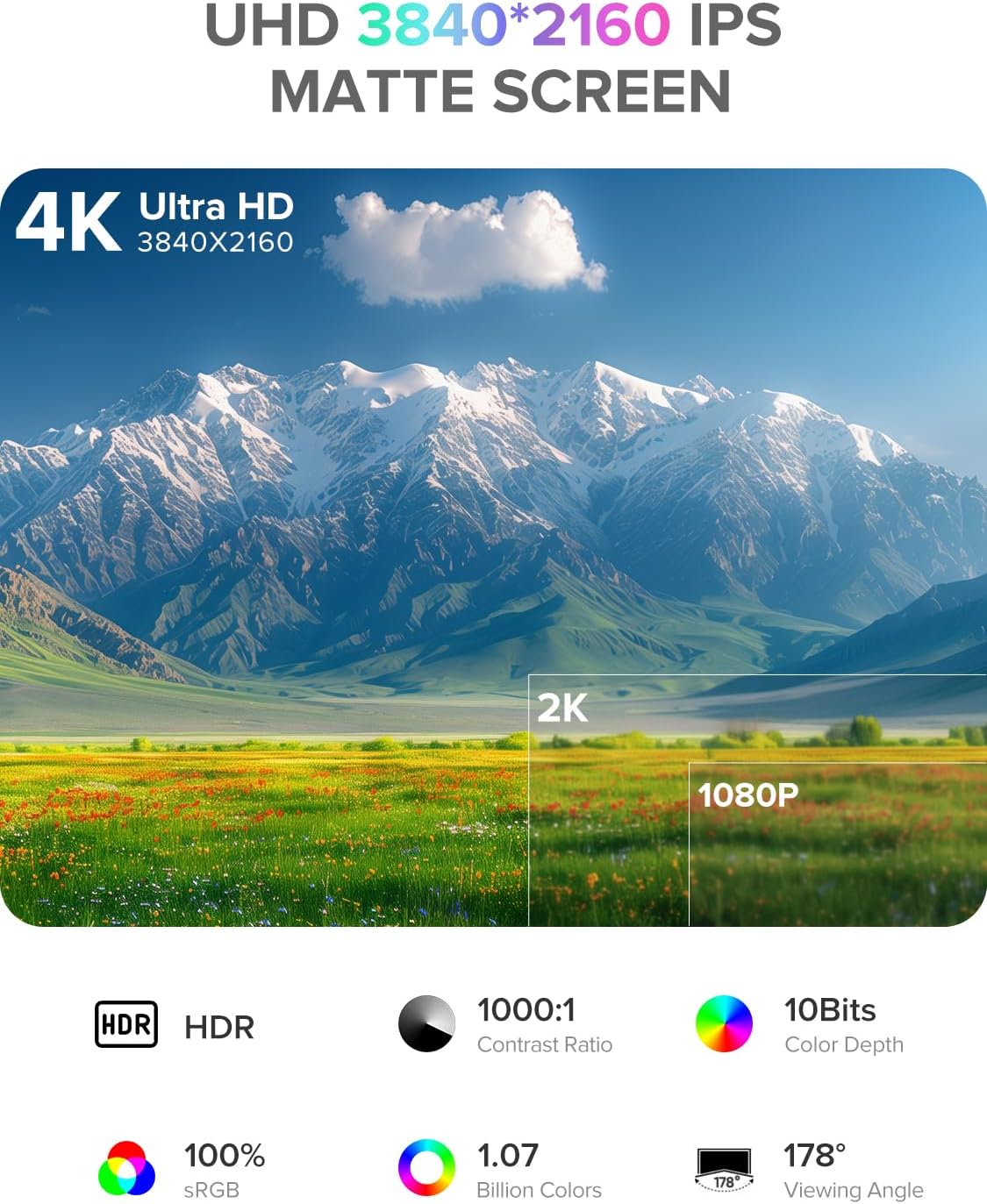
Image 2.2: Details of the monitor's 4K UHD (3840x2160) IPS matte screen, highlighting HDR, 1000:1 contrast ratio, 10-bit color depth, 100% sRGB, 1.07 billion colors, and 178° viewбурч.

Image 2.3: Illustration of 10-bit color depth, demonstrating smoother color transitions compared to 8-bit, resulting in 1.07 billion colors.
2.2 Пакеттин мазмуну
Сураныч, пакетте төмөнкү нерселерди текшериңиз:
- UPERFECT 18.4-Inch 4K UHD Portable Monitor
- Protective Leather Cover (doubles as a stand)
- USB-C to USB-C Cable (for power and video)
- Mini HDMI to HDMI Cable (for video)
- Кубат адаптери (USB-C)
- User Manual
3. Орнотуу нускамалары
Follow these steps to set up your portable monitor:
- Таңылганын ачуу: Мониторду жана бардык аксессуарларды таңгактан этияттык менен алып чыгыңыз.
- Кызмат орду: Place the monitor on a stable, flat surface. You can use the included leather cover as a stand by folding it appropriately.
- Туташуу кубаты: Connect the provided power adapter to a power outlet and then to one of the USB-C ports on the monitor. An external power source is recommended for optimal performance, especially when connecting to devices that do not provide sufficient power or when using the monitor at high brightness.
- Түзмөккө туташуу:
- USB-C туташуу: If your device (laptop, smartphone, tablet) has a full-featured USB-C port that supports DisplayPort Alternate Mode and power delivery, connect it to the monitor using the provided USB-C to USB-C cable. This single cable can transmit video, audio, and power.
- Mini HDMI туташуу: If your device uses HDMI, connect it to the monitor's Mini HDMI port using the provided Mini HDMI to HDMI cable. In this setup, you will also need to connect the monitor to an external power source via USB-C.
- Күйгүзүү: Аны күйгүзүү үчүн монитордогу кубат баскычын басыңыз.
4. Иштөө нускамалары
Монитордо ар кандай жөндөөлөрдү тууралоо үчүн экрандагы дисплей (OSD) менюсу бар.
4.1 Башкаруу
The control buttons are typically located on the side of the monitor.
- ON/OFF баскычы: Press to power the monitor on or off.
- Меню баскычы: OSD менюсуна кирүү үчүн басыңыз.
- Navigation Buttons ("-" / "+"): Use these buttons to navigate through the OSD menu options and adjust values.
- Кайтаруу баскычы: Used to go back to the previous menu level or exit the OSD.
4.2 Экрандык менюнун навигациясы
- басыңыз Меню OSD менюсун ачуу үчүн баскычты басыңыз.
- колдонуу "-" or "+" buttons to navigate between menu categories (e.g., Picture, Color, OSD Settings).
- басыңыз Меню button again to enter a selected category.
- колдонуу "-" or "+" buttons to select an option within the category and adjust its value.
- басыңыз Кайтуу button to exit the current menu or the OSD entirely.
4.3 Жалпы орнотуулар
- Жарыктык/Контраст: Жарык жана караңгы аймактардын жалпы жарыктыгын жана айырмасын тууралаңыз.
- Түс температурасы: Select predefined color temperature settings or customize RGB values.
- HDR режими: Шайкеш келген мазмун үчүн Жогорку динамикалык диапазонду иштетүү же өчүрүү.
- Аспект катышы: Choose between 16:9, 4:3, or other available aspect ratios.
- Көлөмү: Adjust the output volume for the built-in speakers or connected headphones.
- Киргизүү булагы: Manually select between USB-C and Mini HDMI inputs if auto-detection fails.
5. Байланыш
The UPERFECT portable monitor offers versatile connectivity options to suit various devices.

Сүрөт 5.1: Жакын пландан view of the monitor's ports, including Mini HDMI, Type-C 3.1, Micro-USB OTG, and audio jack, along with icons illustrating compatibility with phones, pads, laptops, MacBooks, Switch, PS4, PS5, and PCs.
- USB-C (Full-featured): Two USB-C ports are available. These ports support video, audio, and power delivery. Connect to compatible laptops, smartphones, and tablets with a single USB-C cable.
- Мини HDMI: For devices with an HDMI output, use the Mini HDMI port for video and audio transmission. An additional USB-C connection for power is required when using Mini HDMI.
- Micro-USB OTG: This port allows you to connect peripherals such as a keyboard or mouse directly to the monitor, expanding its functionality.
- 3.5 мм аудио уячасы: Connect headphones or external speakers for private listening or enhanced audio.
Important Note on Power: For optimal brightness and stable operation, especially when using Mini HDMI or connecting to devices with limited power output, always connect the monitor to an external power source using the provided USB-C power adapter.
6. VESA орнотуу
The monitor is VESA compatible, allowing for flexible mounting on monitor arms or wall mounts.

Image 6.1: The portable monitor mounted on a VESA arm, demonstrating its ability to transition between landscape and portrait modes. The VESA size is 75x75 mm, and the recommended screw size is M4x4 mm.
- VESA стандарты: The monitor supports the 75mm x 75mm VESA mounting standard.
- Бурама өлчөмү: Use M4x4 mm screws for mounting. Ensure screws are not too long to avoid damaging internal components.
- Орнотуу: Attach the VESA mount adapter (if included or purchased separately) to the monitor, then secure it to your desired VESA-compatible arm or stand.
7. Техникалык тейлөө
Proper care will extend the life and performance of your monitor.
- Экранды тазалоо:
- Turn off the monitor and unplug all cables.
- Gently wipe the screen with a soft, lint-free cloth (e.g., microfiber cloth).
- өжөр белгилери үчүн, жеңил гampчүпүрөккө суу же электроника үчүн атайын иштелип чыккан экранды тазалоо эритмеси. Суюктукту экранга түз чачпаңыз.
- Катуу химиялык заттарды, спиртти же абразивдүү тазалагычтарды колдонуудан алыс болуңуз.
- Тазалоо Casing: Мониторду сүртүңүз casing жумшак, кургак чүпүрөк менен.
- Сактагыч: When not in use, store the monitor in its protective leather cover to prevent scratches and dust accumulation.
- Колдонуу: Avoid applying excessive pressure to the screen or dropping the monitor.
8. Кыйынчылыктарды
Мониторуңузда көйгөйлөргө туш болсоңуз, төмөнкү жалпы көйгөйлөрдү жана чечимдерди караңыз.
| Көйгөй | Мүмкүн чечим |
|---|---|
| Сигнал жок / Кара экран |
|
| Монитор күйбөйт |
|
| Дисплейдин жымыңдашы же туруксуздугу |
|
| Аудио жок |
|
9. Техникалык шарттар
| Өзгөчөлүк | Деталь |
|---|---|
| Бренд | МЫКТЫ |
| Модель номери | 184T02 |
| Screen Size | 18.4 дюйм |
| Display Resolution | 3840 x 2160 пиксель (4K UHD) |
| Панел түрү | IPS |
| Түс тереңдиги | 10-бит |
| Түс гаммасы | 100% sRGB |
| HDR колдоо | Ооба |
| Контраст катышы | 1000:1 |
| Жооп убактысы | 1 Миллисекунд |
| Жаңыртуу ылдамдыгы | 60 Гц |
| Аспект катышы | 16:9 |
| Screen Surface | Мт |
| Байланыш | 2x USB-C (Full-featured), 1x Mini HDMI, 1x Micro-USB OTG, 1x 3.5mm Audio Jack |
| VESA шайкештиги | 75mm x 75mm (M4x4 mm screws) |
| Өзгөчөлүктөр | Blue Light Filter, Built-In Speakers, Eye Care, Flicker-Free, Frameless |
| Түс | Кара |
10. Кепилдик жана колдоо
UPERFECT products are designed for reliability and performance. This monitor comes with a standard manufacturer's warranty. Please refer to the warranty card included in your package or visit the official UPERFECT webдеталдуу кепилдик шарттары жана шарттары үчүн сайт.
For technical assistance, troubleshooting, or any product-related inquiries, please contact UPERFECT customer support. Our support team is available to provide prompt and knowledgeable assistance.
You can typically find contact information on the UPERFECT official webсайты же продуктуну сатып алган сатуучу аркылуу.


