Introduction
Thank you for choosing the Focal FBATHYSMG Bluetooth® Headphones. These headphones are designed to provide an immersive and captivating audio experience with high-fidelity sound and active noise cancellation. This manual will guide you through the setup, operation, and maintenance of your new headphones.
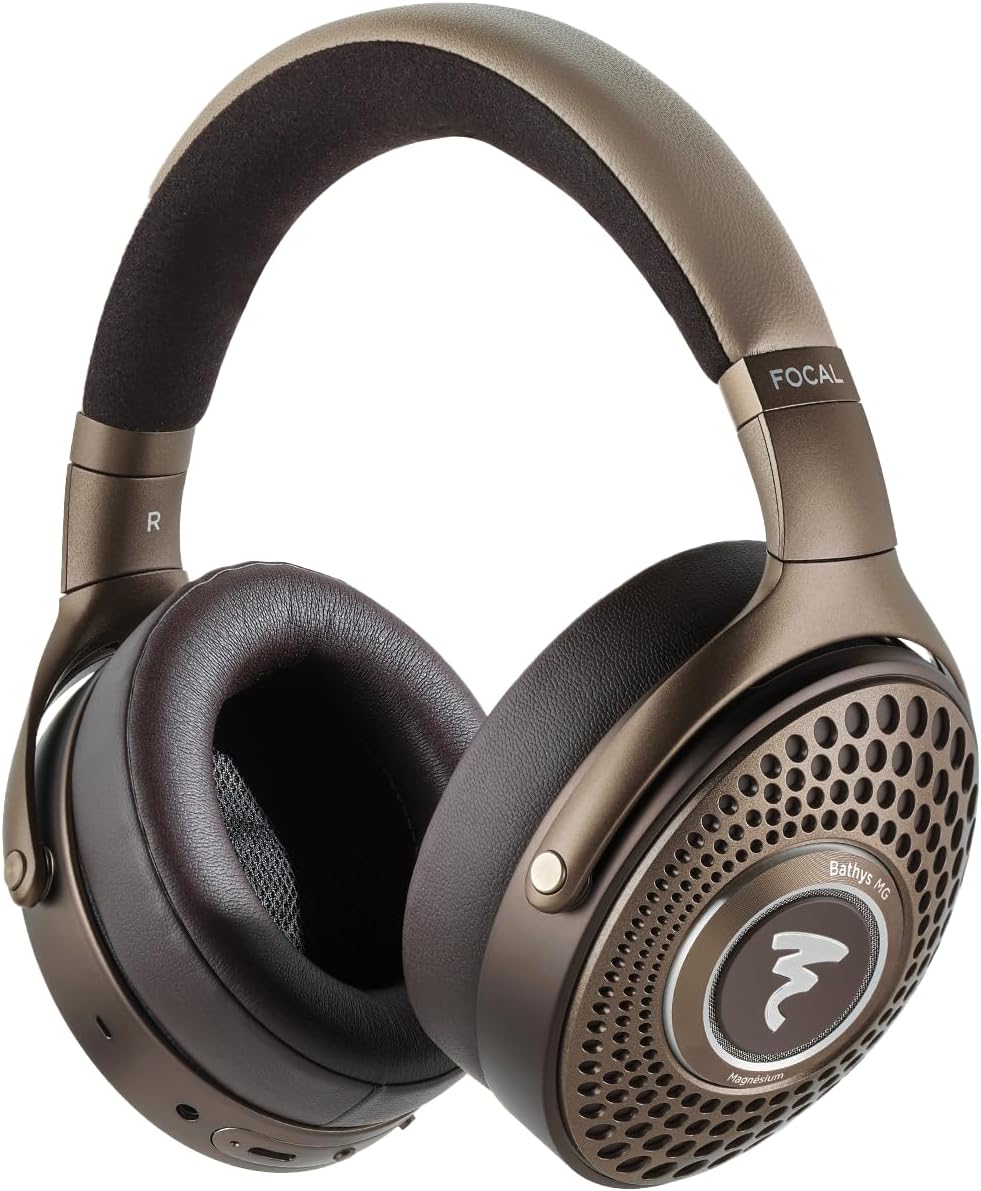
Image: Focal FBATHYSMG Bluetooth® Headphones, front view.
Кутуда эмне бар
Your Focal FBATHYSMG headphones package includes the following items:
- Focal FBATHYSMG Bluetooth® Headphones
- USB-C заряддоо кабели
- 3.5 мм аудио кабель
- Коргоочу куту
- Колдонуучунун Колдонмосу (бул документ)

Image: Included components: headphones, cables, and protective case.
Жайгашуу
1. Наушниктерди заряддоо
Before first use, fully charge your headphones. A full charge provides over 30 hours of battery life with Active Noise Cancellation (ANC) and Bluetooth on. A quick 15-minute charge can provide approximately 5 additional hours of use.
- Locate the USB-C port on the headphone earcup.
- Connect the provided USB-C charging cable to the headphone port.
- USB-C кабелинин экинчи учун туура келген USB кубат булагына туташтырыңыз (мисалы, дубал адаптери, компьютердин USB порту).
- The LED indicator on the headphone will show charging status (refer to the LED indicator section for details).
2. Bluetooth Жупташтыруу
Кулакчындарды түзмөккө зымсыз туташтыруу үчүн:
- Наушниктердин заряддалганын жана өчүрүлгөнүн текшериңиз.
- Жупташуу режимин көрсөтүүчү LED индикатору өчүп калганга чейин кубат баскычын басып, кармап туруңуз.
- Түзмөгүңүздө (смартфон, планшет, ноутбук) Bluetooth жөндөөлөрүнө өтүп, Bluetooth'ду иштетиңиз.
- Select "Focal FBATHYSMG" from the list of available devices.
- Туташтырылгандан кийин, LED индикатору туруктуу жарыкты көрсөтөт.
3. Зымдуу туташуу
The headphones can also be used with a wired connection for optimal audio quality or when battery is low.
- Using 3.5mm Audio Cable: Plug one end of the 3.5mm audio cable into the headphone's 3.5mm jack and the other end into your audio source.
- Using USB-C Cable (DAC Mode): Connect the USB-C cable to your headphones and a compatible device (e.g., computer, smartphone with adapter) to utilize the built-in DAC for high-resolution audio playback.

Сүрөт: каптал view of headphones with control buttons and ports.

Image: Focal app interface for device management.
Иштеп жатат
1. Башкаруу
The headphones feature intuitive controls for managing playback, calls, and noise control modes:
- Кубат баскычы: Күйгүзүү/өчүрүү үчүн басып туруңуз. Ойнотуу/тындыруу үчүн кыска басыңыз.
- Үн баскычтары: Үндү катуулатуу үчүн "+", ал эми үндү азайтуу үчүн "-" баскычын басыңыз.
- Көп функциялуу баскыч: Used for call management (answer/end), track skipping, and voice assistant activation.
- ANC/Transparency Switch: Toggles between Active Noise Cancellation, Transparency mode, and Off.
2. Активдүү ызы-чууну жокко чыгаруу (ANC) жана тунуктук режими
The FBATHYSMG headphones offer advanced noise control features:
- Активдүү ызы-чууну жокко чыгаруу (ANC): Reduces ambient noise, allowing for a more immersive listening experience. Ideal for travel or noisy environments.
- Ачыктык режими: Allows you to hear your surroundings without removing the headphones. Useful for announcements or conversations.
3. Focal App
Download the dedicated Focal app on your smartphone for additional customization options, including equalizer settings and firmware updates. The app enhances your control over the headphone's features.

Image: User wearing the headphones.
Техникалык тейлөө
Proper care will ensure the longevity and optimal performance of your Focal FBATHYSMG headphones.
1. Тазалоо
The headphones are constructed from premium materials including microfiber, leather, and metal. Use a soft, dry, lint-free cloth for general cleaning. For leather and microfiber parts, gently wipe with a slightly damp cloth if necessary, then dry immediately. Avoid using harsh chemicals, solvents, or abrasive materials.
2. Сактоо
When not in use, store your headphones in the provided protective carrying case. This will protect them from dust, scratches, and accidental damage, especially during travel.

Image: Protective carrying case.

Image: Close-up of earcup detail.
Проблемаларды чечүү
If you encounter any issues with your Focal FBATHYSMG headphones, please refer to the following common solutions:
| Көйгөй | Мүмкүн себеп | Чечим |
|---|---|---|
| Үн жок | Headphones not powered on, low battery, not paired, volume too low. | Ensure headphones are on and charged. Check Bluetooth connection. Increase volume on both headphones and device. |
| Bluetooth аркылуу жупташтыруу мүмкүн эмес | Headphones not in pairing mode, device Bluetooth off, interference. | Put headphones in pairing mode. Ensure device Bluetooth is on. Move closer to device. Try restarting both devices. |
| ANC эффективдүү эмес | ANC mode off, improper fit. | Ensure ANC is switched on. Adjust headphone fit to ensure a good seal around your ears. |
| Батареянын иштөө мөөнөтү кыска | Frequent use of ANC, high volume. | Fully charge headphones. Reduce volume. Limit ANC use if not needed. |
For more complex issues, please refer to the detailed troubleshooting section in the full user manual or contact Focal customer support.
Техникалык шарттар
Key technical specifications for the Focal FBATHYSMG Bluetooth® Headphones:
| Өзгөчөлүк | Спецификация |
|---|---|
| Модель аты | Focal Bathys MG Noise cancelling headphones |
| Noise Control | Активдүү ызы-чууну жокко чыгаруу |
| Байланыш технологиясы | Зымсыз, Bluetooth 5.2 |
| Зымсыз байланыш технологиясы | Bluetooth |
| Наушник уясы | 3.5 мм Джек |
| Материал | Microfiber, Leather, Metal |
| Элемент Салмагы | 12.3 унция (0.77 фунт) |
| Батареянын иштөө мөөнөтү | 30 саат |
| Bluetooth версиясы | 5.2 |
| Bluetooth диапазону | 15 метр |
| Жыштык диапазону | 20Гц - 20,000Гц |
| Импеданс | 80 Ом |
| Продукциянын өлчөмдөрү | 9.45 x 8.46 x 3.35 дюйм |
Кепилдик жана колдоо
Focal products are manufactured to the highest standards and come with a limited warranty. Please retain your proof of purchase for warranty claims.
For detailed warranty information, product registration, and technical support, please visit the official Focal webсайт же алардын Amazon дүкөнү:
Visit the Focal Store on Amazon
You may also find additional resources and FAQs on the product support page.


