1. Киришүү
Сатып алганыңыз үчүн рахматasing the Sofirn HS21 and D25S headlamps. These headlamps are designed for various outdoor activities, offering reliable illumination and convenient features. This manual provides detailed instructions for the safe and effective use, setup, operation, and maintenance of your new headlamps. Please read this manual thoroughly before use and retain it for future reference.
2. Коопсуздук нускамалары
- Жарыкты түз көзгө тийгизбеңиз. Күчтүү нур убактылуу көрүүнү начарлатышы же көзгө туруктуу зыян келтириши мүмкүн.
- Балдар жетпеген жерде сактаңыз.
- Башты ажыратпаңызamp. This may damage the device and void the warranty.
- Use only the recommended battery types. Improper battery use can lead to fire, explosion, or leakage.
- Башты ачыкка чыгаруудан алыс болуңузamp узак мөөнөткө экстремалдык температурага же түз күн нуруна.
- Ensure the USB-C charging port cover is securely closed when not charging to maintain water resistance.
3. Пакеттин мазмуну
- 1 x Sofirn HS21 Headlamp
- 1 x Sofirn D25S Headlamp
- 2 x Баш боолору
- 2 x USB-C заряддоо кабелдери
- 2 x Rechargeable Batteries (pre-installed or separate)
- 1 x User Manual
4. Продукт бүтүп калдыview
4.1 Sofirn HS21 Headlamp
The Sofirn HS21 is a versatile headlamp featuring a combination of spotlight, floodlight, and red light. It is equipped with a convenient rotary switch for easy mode selection and offers a wide 130° rotation adjustment for optimal illumination angle.

Image 1: Sofirn HS21 Headlamp showing its various light modes including red light, spotlight, and floodlight.

Image 2: The Sofirn HS21 headlamp demonstrating its 130-degree rotation capability for adjustable light direction.
4.2 Sofirn D25S Headlamp
The Sofirn D25S is a compact and powerful headlamp utilizing an SST40 LED, offering multiple brightness levels. It features a hidden USB-C charging port for convenient recharging and a simple user interface with memory mode.

Image 3: Sofirn D25S Headlamp highlighting its comfortable switch and simple user interface.
5. Орнотуу
5.1 Батареяны орнотуу
Both HS21 and D25S headlamps typically come with batteries pre-installed. If not, or if replacing batteries:
- Баштын куйрук капкагын бурап алыңызamp дене.
- Insert the rechargeable battery with the positive (+) terminal facing towards the head of the lamp.
- Туура тийүү жана сууга туруштук берүү үчүн куйрук капкагын кайра бекем буруңуз.
5.2 Заряддоо
Экөө тең башamps feature a built-in USB-C charging port.
For HS21:
- Баштын капталындагы USB-C заряддоо портун табыңызamp дене.
- Gently lift the protective rubber cover to expose the port.
- Берилген USB-C кабелин баш жагына туташтырыңызamp and to a USB power source (e.g., wall adapter, power bank, computer).
- The indicator light will show red during charging and turn green when fully charged.
- Once charging is complete, securely close the rubber cover to protect the port from dust and water.
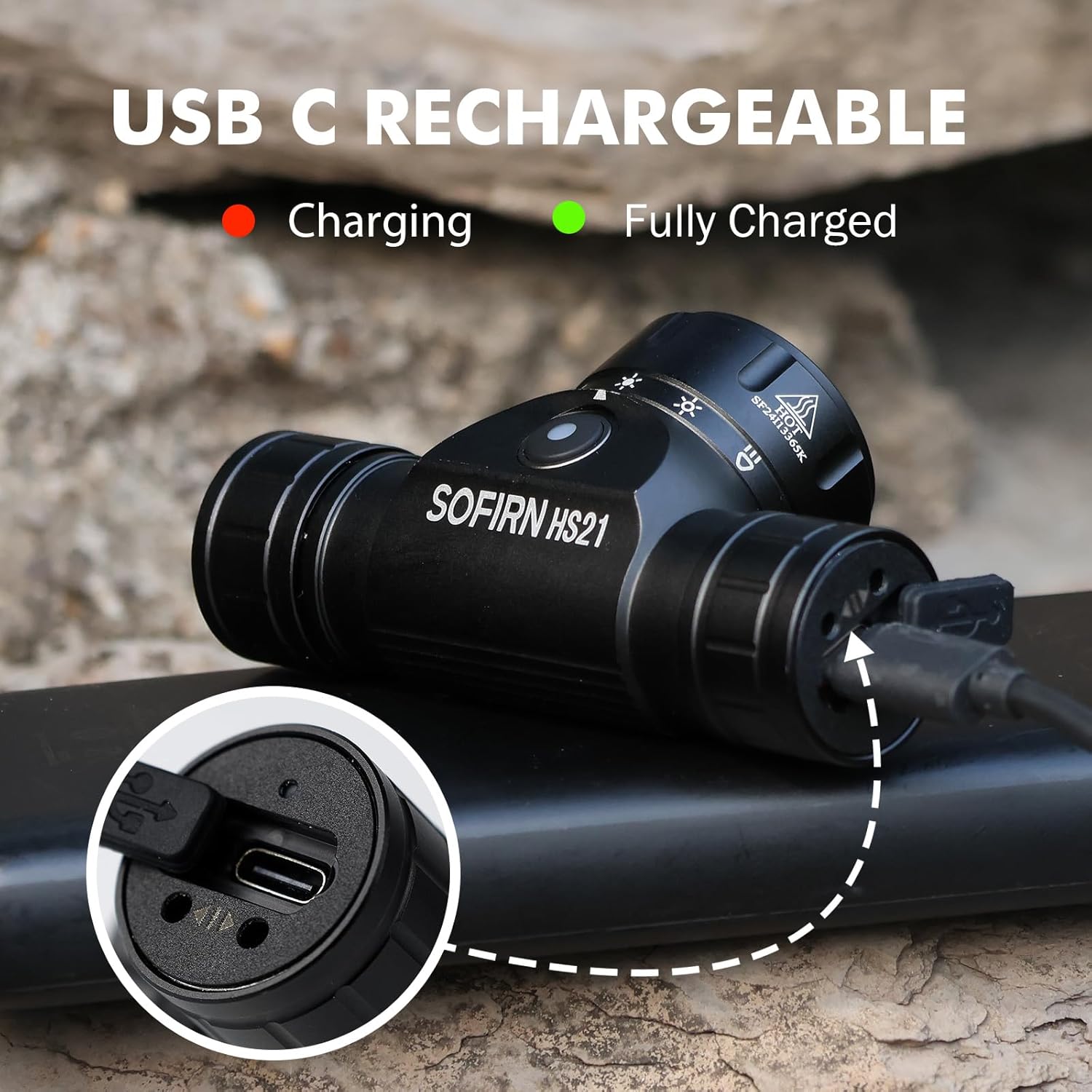
Image 4: Sofirn HS21 Headlamp connected to a USB-C charging cable, showing the charging indicator light.
For D25S:
- Unscrew the head of the D25S headlamp жашыруун USB-C кубаттоо портун көрсөтүү үчүн.
- Берилген USB-C кабелин баш жагына туташтырыңызamp and to a USB power source.
- The indicator light will show red during charging and turn green when fully charged.
- After charging, screw the head back on tightly to ensure water resistance.

Image 5: Sofirn D25S Headlamp with its head unscrewed, revealing the built-in USB-C charging port.
6. Иштөө нускамалары
6.1 Sofirn HS21 Headlamp Операция
The HS21 features a rotary switch for easy mode selection and a separate power button.
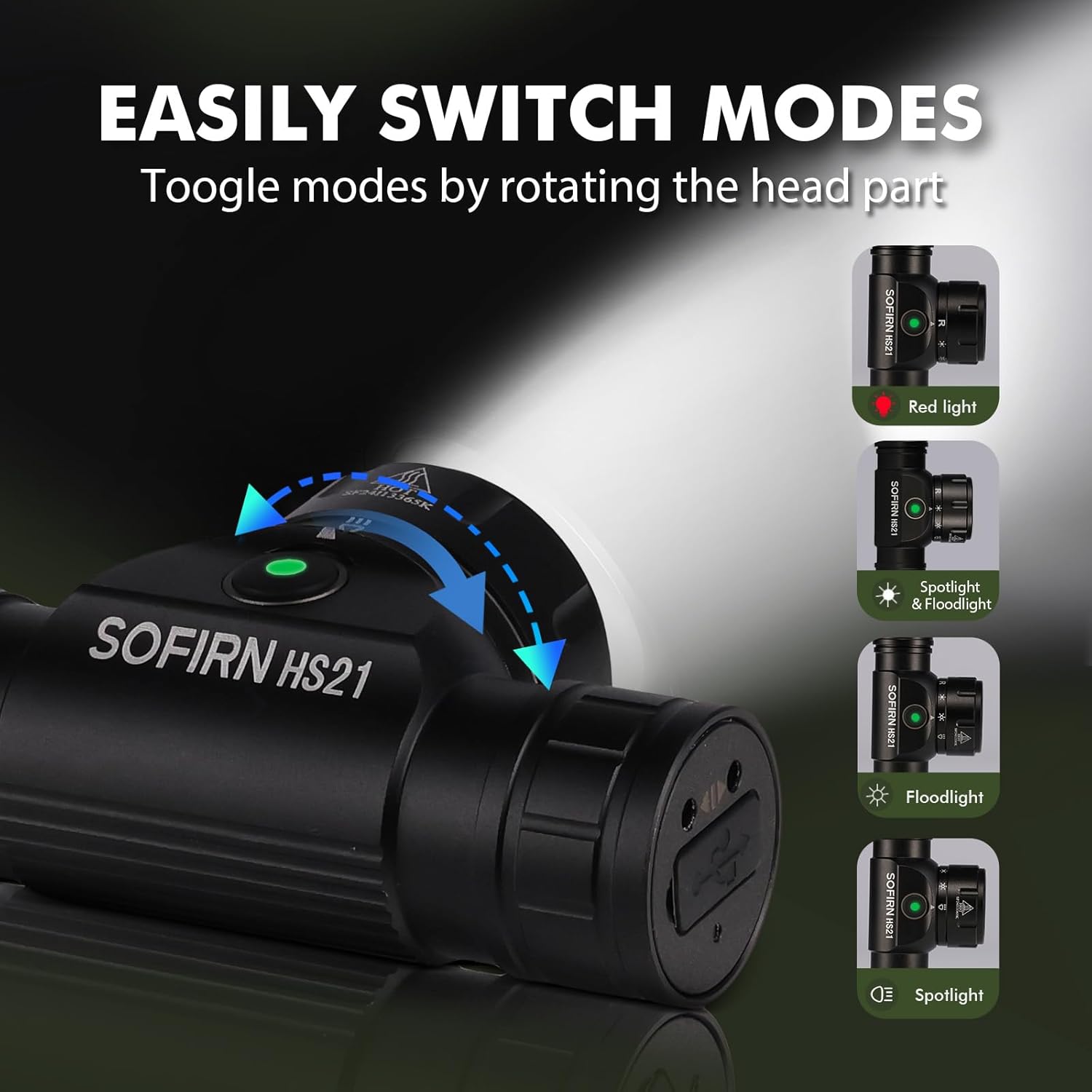
Image 6: Illustration of the Sofirn HS21's rotary switch mechanism for changing light modes.
- Күйгүзүү/өчүрүү: Башын айландыруу үчүн кубат баскычын бир жолу басыңызamp күйгүзүү же өчүрүү.
- Режим тандоо: Rotate the head part of the headlamp to cycle through the main light modes: Red Light, Spotlight, Floodlight, and Spotlight + Floodlight (combined).
- Жарыктыкты жөндөө: While a mode is active, press and hold the power button to cycle through brightness levels (Low, Medium, High). Release the button at your desired brightness.
- Red Light Activation: Rotate to the red light setting. Press and hold the power button for additional red light modes (e.g., red strobe, red beacon).
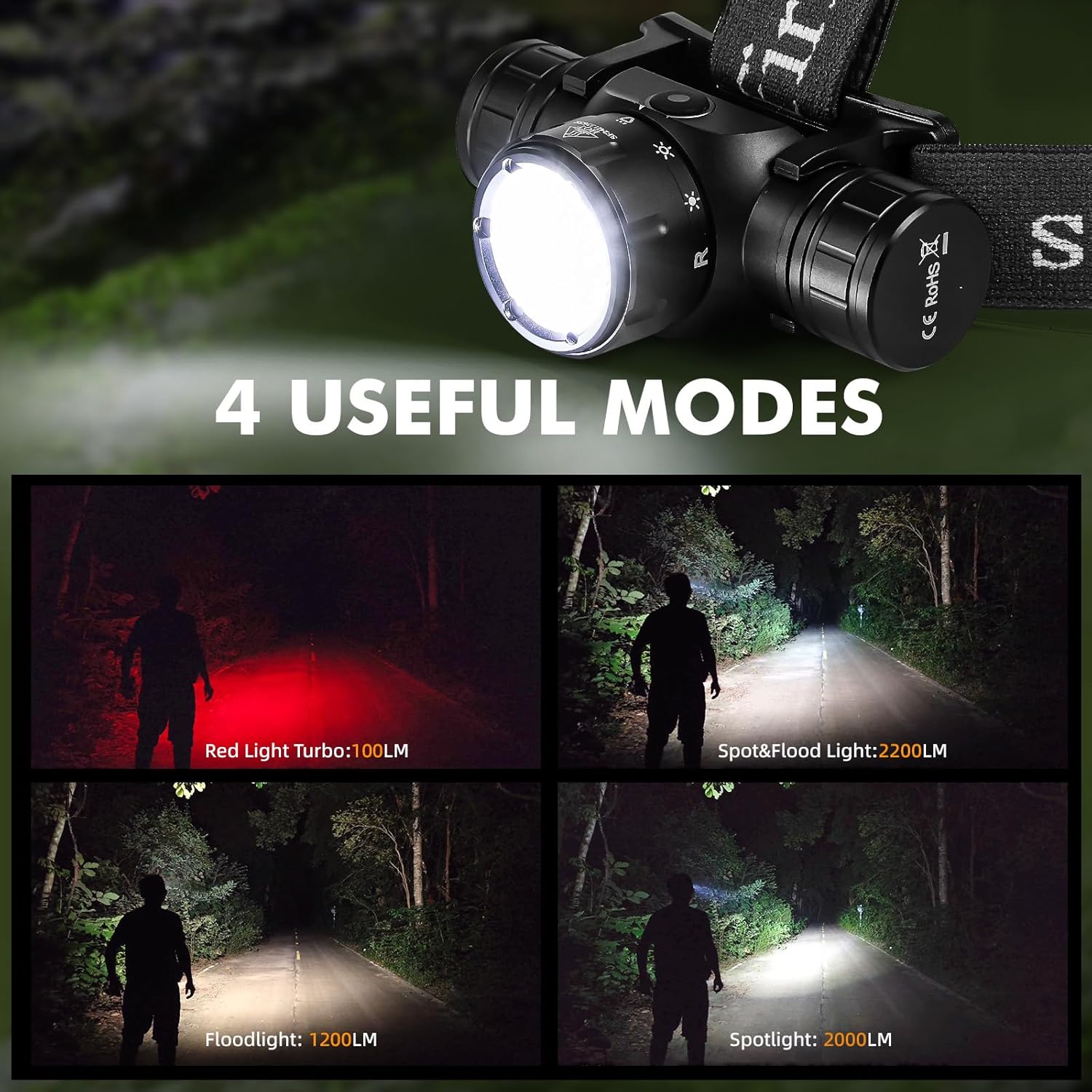
Image 7: The Sofirn HS21 headlamp displaying its four primary light modes: Red Light, Spot & Flood, Floodlight, and Spotlight.
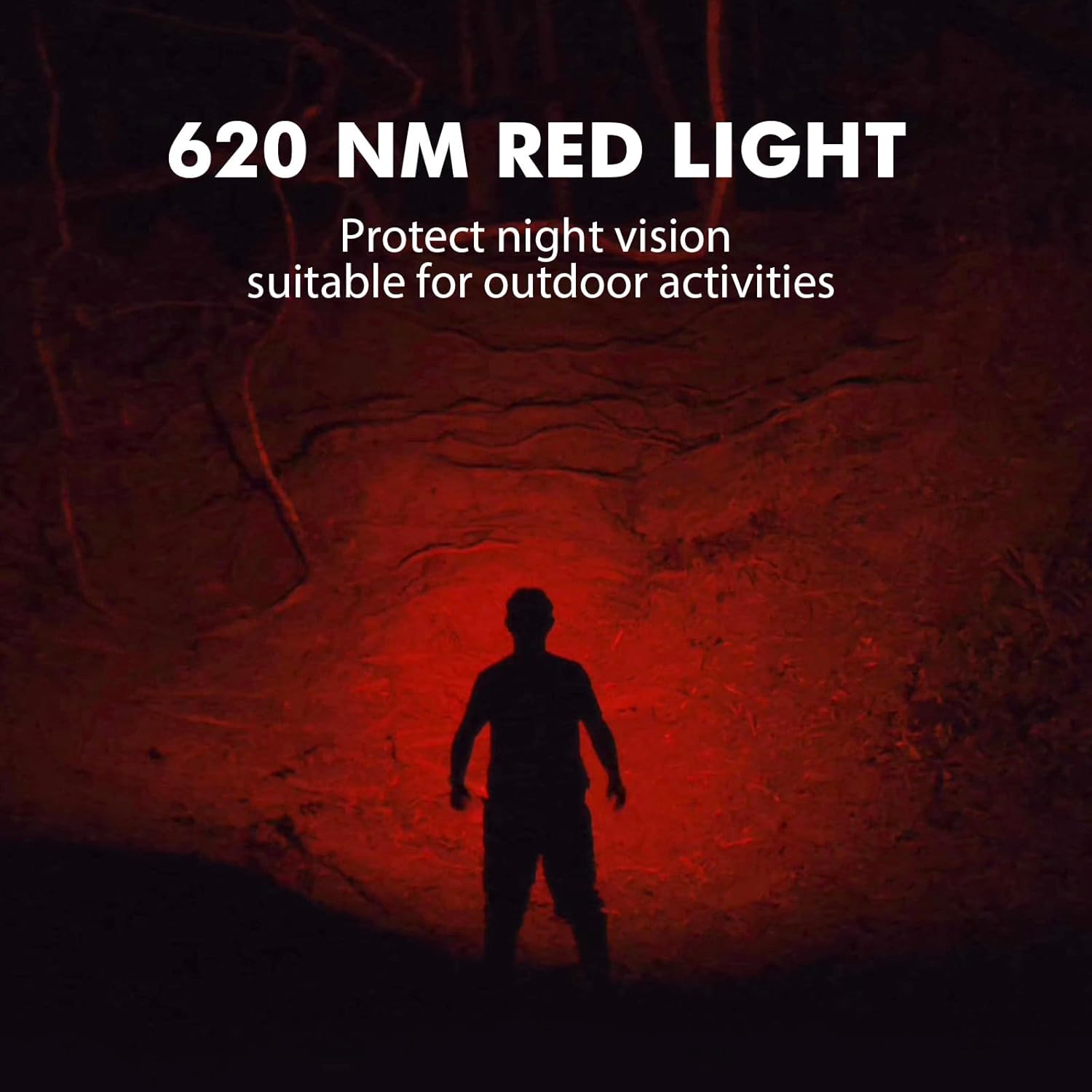
Image 8: The Sofirn HS21 headlamp emitting a 620 NM red light, suitable for preserving night vision.
6.2 Sofirn D25S Headlamp Операция
The D25S operates with a single button interface.
- Күйгүзүү/өчүрүү: Press the button once to turn the headlamp күйгүзүү же өчүрүү.
- Велосипед тебүү режими: баш болуп жаткандаamp is on, press and hold the button to cycle through brightness modes: Low → Medium 1 → Medium 2 → High. Release the button at your desired mode.
- Турбо режими: From any mode, double-click the button to activate Turbo mode. Double-click again to return to the previous mode.
- Эстутум функциясы: The D25S will remember the last used brightness level (excluding Turbo) and turn on in that mode.
7. Техникалык тейлөө
- Тазалоо: Башын сүртүңүзamp жумшак менен, гamp кездеме. Абразивдүү тазалагычтарды же эриткичтерди колдонбоңуз.
- O-шакекчелер: Periodically check and lubricate the O-rings with silicone grease to maintain water resistance. Replace damaged O-rings.
- Батареяга кам көрүү: Эгерде башamp will not be used for an extended period, remove the battery to prevent leakage. Recharge batteries regularly to prolong their lifespan.
- Сактагыч: Башты сактаңызamp күн нурунан алыс салкын, кургак жерде.
8. Кыйынчылыктарды
| Көйгөй | Мүмкүн себеп | Чечим |
|---|---|---|
| Headlamp күйбөйт | Low battery; Battery incorrectly installed; Loose tail cap; Faulty battery. | Charge battery; Reinstall battery with correct polarity; Tighten tail cap; Replace battery. |
| Жарыктын чыгышы күңүрт | Low battery; Lens is dirty. | Charge battery; Clean the lens. |
| Заряддоо иштебей жатат | Cable not connected properly; Faulty cable or power source; Charging port obstructed. | Ensure secure connection; Try a different cable/power source; Clean charging port. |
| Суу кирүүдө | O-rings damaged or missing; Tail cap/charging port cover not sealed properly. | Check and replace O-rings; Ensure all caps are tightly sealed. |
9. Техникалык шарттар
9.1 Sofirn HS21 Headlamp
| Өзгөчөлүк | Деталь |
|---|---|
| Жарык булагы | LED (Spotlight, Floodlight, Red Light) |
| Max Output | 2200 Lumens (Spotlight + Floodlight) |
| Кызыл жарык толкун узундугу | 620 НМ |
| Которуу түрү | Rotary Switch + Push Button |
| Заряддоо | USB-C кайра заряддалуучу |
| Айлануу | 130° жөнгө салынуучу |
| Өлчөмдөр | 3.4 x 1.8 x 1.4 дюйм |
| Салмагы | 0.3 фунт (батареяны кошкондо) |
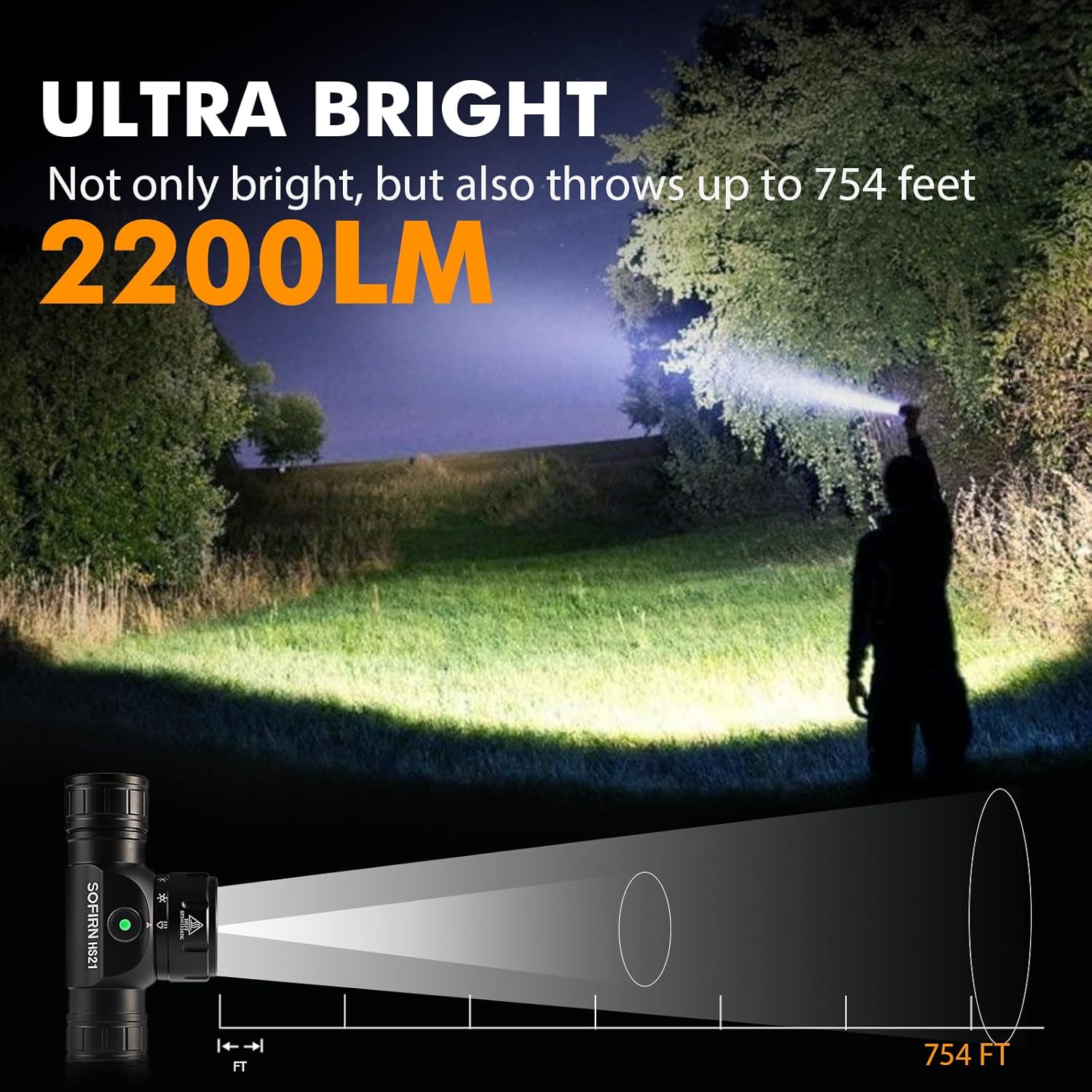
Image 9: The Sofirn HS21 headlamp demonstrating its ultra-bright output and beam distance of up to 754 feet.
9.2 Sofirn D25S Headlamp
| Өзгөчөлүк | Деталь |
|---|---|
| Жарык булагы | SST40 LED |
| Max Output | 1200 Lumens |
| Режимдер | Low, Medium 1, Medium 2, High, Turbo |
| Заряддоо | Hidden USB-C Rechargeable |
| Өзгөчөлүктөр | Memory Mode |
10. Кепилдик жана колдоо
Sofirn products are covered by a limited warranty. For specific warranty details, please refer to the warranty card included with your product or visit the official Sofirn website. For technical support, troubleshooting assistance, or warranty claims, please contact Sofirn customer service through the retailer where you purchased the product or via the contact information provided on the official Sofirn webсайт.


