Introduction
The TEEHO WiFi Smart Lock TE012W is an advanced keyless entry system designed to enhance home security and convenience. Featuring built-in Wi-Fi connectivity, fingerprint recognition, keypad access, and traditional key entry, this smart deadbolt offers multiple secure ways to manage access to your property. It integrates seamlessly with smart home ecosystems like Alexa and Google Assistant, providing remote control and monitoring capabilities.

1-сүрөт: TEEHO WiFi Smart Lock TE012W and its accompanying mobile application interface.
Коопсуздук маалыматы
- Орнотуудан жана колдонуудан мурун бардык нускамаларды кылдат окуп чыгыңыз.
- Кулпуну ажыратууга же өзгөртүүгө аракет кылбаңыз. Бул кепилдикти жокко чыгарып, коопсуздукту бузушу мүмкүн.
- Use only specified batteries (8 AA batteries, not included). Do not mix old and new batteries or different types of batteries.
- Физикалык ачкычтарды кулпудан алыс, коопсуз жерде сактаңыз.
- Regularly check battery levels and replace batteries when low battery alerts are issued.
- Ensure the door frame and door are in good condition and properly aligned for optimal lock performance.
- Protect your PIN codes and fingerprints from unauthorized access.
Пакеттин мазмуну
Орнотууну баштоодон мурун бардык компоненттер бар экендигин текшериңиз:
- 1 x Wifi Fingerprint Deadbolt Door Lock (Exterior and Interior Assemblies)
- 2 x Камдык ачкычтар
- 1 х орнотуу плитасы
- Бурамалар (орнотуу үчүн ар кандай өлчөмдөрдө)
- 1 x Латч
- 1 x Strike Plate
- 1 х Инструкция (бул документ)
- 1 x User Manual (additional guide)
Техникалык шарттар
| Өзгөчөлүк | Description |
|---|---|
| Бренд | ТЕЕХО |
| Модель аты | TE012W Wifi fingerprint smart lock |
| Кулпу түрү | Wifi fingerprint smart lock |
| Материал | Алюминий |
| Өлчөмдөрү (L x W x Y) | 5.12 x 2.95 x 1.3 дюйм |
| Элемент Салмагы | 2.01 фунт |
| Өзгөчөлүктөр | Anti-Peeping Password, Auto-Lock, Back-Lit Keypad, Battery Indicator, Break-in Detection, Fingerprint, One-Touch Unlock, Weather Resistant (IP55) |
| Башкаруу ыкмасы | App, Push Button, Remote, Voice (Alexa/Google) |
| Power Source | 8 АА батарейкалар (киргизилген эмес) |
| Байланыш | Built-in 2.4GHz Wi-Fi (no hub required) |
| Коопсуздук | AES128 encryption, Local data storage, BHMA certified |
Орнотуу
The TEEHO Smart Lock is designed for easy installation, typically taking about 15 minutes with no special tools required. Ensure your door meets the following specifications:
- Эшик калыңдыгы: 1-3/8" to 2" (35mm-50mm)
- Артка: 2-3/8" to 2-3/4" (60mm-70mm)
- Диаметри: 1" (25.4мм)
- Эшиктин диаметри: 1-1/2" же 2-1/8" (38мм же 54мм)

2-сүрөт: Key door measurements required for compatibility with the TE012W Smart Lock.
Орнотууга чейинки текшерүү
Before starting, confirm your door is not a Rim Cylinder, Mortise, or Integrated type, as these are not compatible. The lock fits standard 38mm or 54mm bore holes. If your door has a 1-1/2" (38mm) hole, you will need to remove the spacer from the lock's interior assembly.

3-сүрөт: Visual guide for preparing the lock for installation based on door hole diameter.
Орнотуу кадамдары (Ашыкчаview)
For detailed step-by-step instructions, please refer to the included Installation Manual (PDF) or the official installation video. The process generally involves:
- Install the Latch into the door edge.
- Install the Exterior Assembly onto the door.
- Install the Mounting Plate on the interior side.
- Connect the cable from the Exterior Assembly to the Interior Assembly.
- Install the Interior Assembly and secure it with screws.
- Батарея уясына 8 АА батарейканы салыңыз.
- Perform the door handing identification process.
Видео 1: An unboxing and installation overview of the TEEHO WiFi Smart Lock TE012W, demonstrating the product components and the general installation process.
Жайгашуу
1. Батареяны орнотуу
The lock requires 8 AA batteries (not included). Open the battery cover on the interior assembly and insert the batteries, ensuring correct polarity. The lock will provide low-battery alerts when replacement is needed.
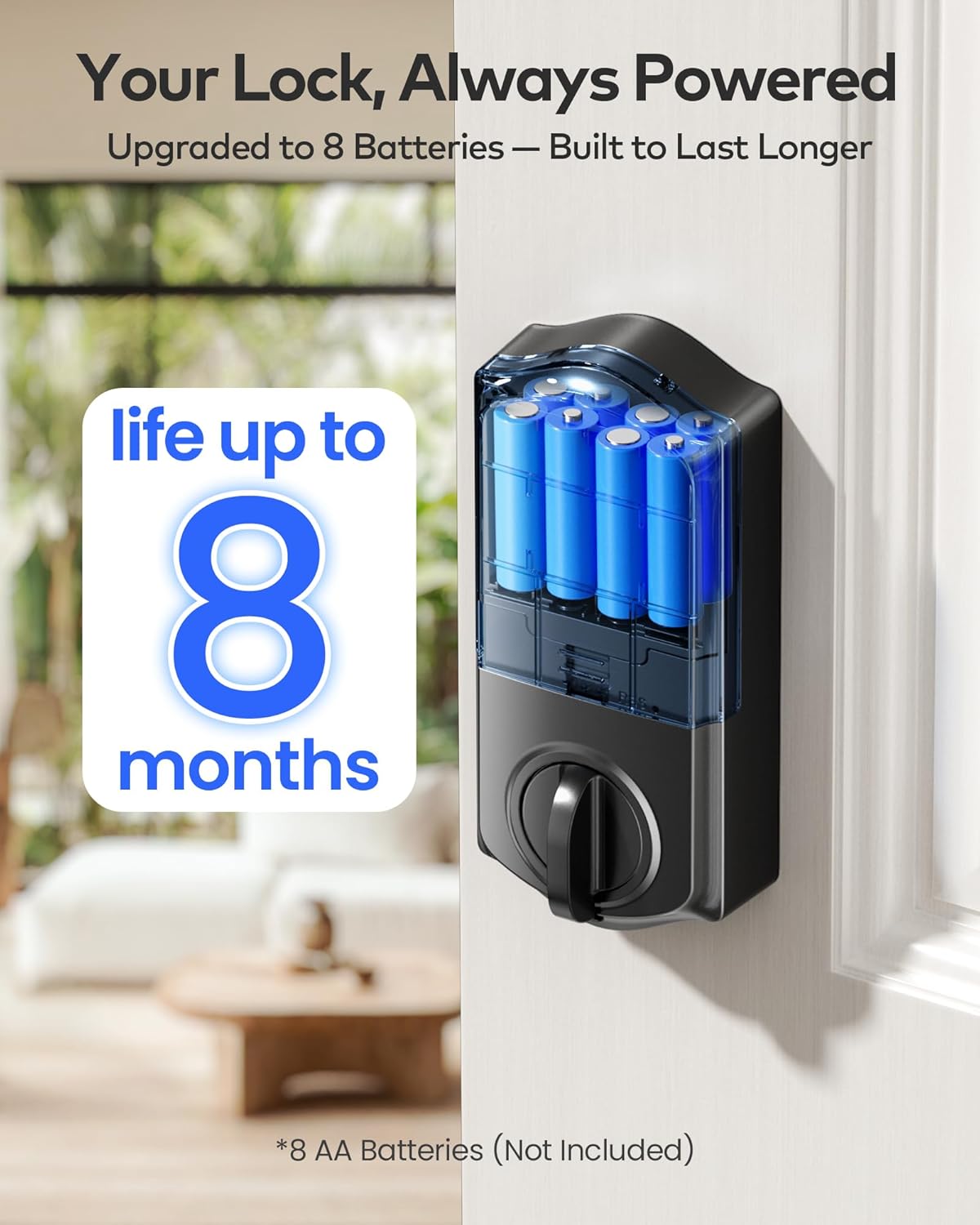
4-сүрөт: The battery compartment of the TE012W Smart Lock, designed for 8 AA batteries for extended life.
2. Колдонмону жүктөп алуу жана Wi-Fi туташуусу
Download the "KK Home App" from your smartphone's app store. Follow the in-app instructions to create an account and add your TE012W Smart Lock. The lock connects directly to your 2.4GHz Wi-Fi network, eliminating the need for an additional hub.

5-сүрөт: The TE012W Smart Lock features built-in Wi-Fi for remote control and monitoring.
3. User Management (Fingerprints & PIN Codes)
Through the KK Home App, you can easily manage users and access methods:
- Манжа издери: Store up to 20 unique fingerprints for quick and secure access.
- PIN Codes: Create up to 100 PIN codes, including Permanent, Recurring, Duration, or One-Time passcodes.
- Code Sharing: Share lock permissions and codes with family, friends, or temporary visitors directly from the app.
- Кирүү журналдары: Review access history to see who entered and when.

6-сүрөт: The KK Home App provides comprehensive control over your smart lock, including user and code management.
Иштөө нускамалары
Кулпуну ачуу жана бекитүү ыкмалары
The TEEHO TE012W Smart Lock offers five convenient ways to unlock and lock your door:
- KK Home App: Remotely lock or unlock your door from anywhere using the app.
- Манжа изи: Ыкчам жетүү үчүн катталган манжаңызды сенсорго коюңуз.
- ПИН код: Enter your personalized PIN code on the backlit keypad. The anti-peep feature allows you to enter random digits before or after your actual code for added security.
- Физикалык ачкычтар: Use the provided backup keys for traditional manual unlocking.
- Үн менен башкаруу: Integrate with Alexa or Google Assistant to lock or unlock your door using voice commands.

7-сүрөт: Multiple secure access options for the TE012W Smart Lock.
Автоматтык кулпу өзгөчөлүгү
Enable the auto-lock function via the KK Home App to automatically lock your door after a set period (e.g., 10 seconds, 40 seconds, 3 minutes). This ensures your home is always secure, even if you forget to lock it manually.

8-сүрөт: Configure the auto-lock timer through the KK Home App for enhanced security.
Away Mode and Vacation Mode
The lock supports various modes for different scenarios:
- Бөлөк режим: When activated, any attempt to unlock the door via mechanical key or thumb turn will trigger an alarm, enhancing security when you are away.
- Эс алуу режими: This mode can be set for extended periods when the property will be vacant, disabling all regular access methods until deactivated.

9-сүрөт: The TE012W Smart Lock offers robust features for various environmental conditions and security needs.
Техникалык тейлөө
Батареяны алмаштыруу
When the lock issues a low-battery alert, replace all 8 AA batteries promptly. Using fresh, high-quality alkaline batteries will ensure optimal performance and battery life of up to 8 months.
Тазалоо
Кулпунун сыртын жумшак, гamp кездеме. Абразивдүү тазалагычтарды же эриткичтерди колдонуудан алыс болуңуз, бул финишке же электрондук компоненттерге зыян келтирет.
Проблемаларды чечүү
For common issues and solutions, refer to the Troubleshooting Guide (PDF) provided with your product. Here are some general tips:
- Кулпу жооп бербей жатат: Check battery levels. Ensure batteries are inserted correctly.
- Манжа изи таанылган жок: Манжаңыздын таза жана кургак экенине ынаныңыз. Маселе чечилбесе, манжа изиңизди кайра каттаңыз.
- PIN код иштебей жатат: Verify the code is correct. Ensure the keypad is clean. Check for lockout mode after multiple failed attempts.
- Колдонмо туташуу көйгөйлөрү: Ensure your Wi-Fi network is 2.4GHz and stable. Restart your router and the lock if necessary.
- Door alignment: If the deadbolt struggles to extend or retract, check the door and frame alignment. Adjust the strike plate if needed.
Кепилдик жана колдоо
TEEHO offers a 1 жылдык кепилдик for the TE012W WiFi Smart Lock, covering product support from day one. Additionally, lifetime customer support is available to assist with any questions or issues you may encounter.
Колдоо кызматы менен байланышуу:
- Электрондук почта: 24/7 email service is available.
- Телефон: Monday to Friday, 9 AM to 5 PM PST.
For specific contact details, please refer to the contact information provided in your product packaging or the official TEEHO webсайт.


