Introduction
This user manual provides comprehensive instructions for the ZCMMF N9 Wireless GSM Listen Audio Bug Surveillance Device. It covers product features, setup, operation, maintenance, and troubleshooting to ensure optimal performance and safe use of your device. The N9 is a compact, quad-band GSM device designed for audio surveillance, featuring voice detection and alarm trigger capabilities.
Кутуда эмне бар
Пакетиңизде бардык буюмдар бар экенин текшериңиз:
- Digital satellite finder
- Колдонуучунун колдонмосу
- AV кабели
- Унаа заряддоочу кабель
- Адаптер
- Ташуу сумкасы
Note: The "Digital satellite finder" listed in the package contents refers to the main device, which is a Wireless GSM Listen Audio Bug Surveillance Device.
Продукт бүттүview
The N9 Wireless GSM Listen Audio Bug is a compact and discreet surveillance device. It operates on GSM quad-band frequencies, allowing for worldwide compatibility. Key features include:
- Супер мини өлчөмү: Easy to carry and conceal.
- Жеңил операция: Simply call the device's SIM number to listen to surrounding audio.
- GSM Quad Band: Supports 850/900/1800/1900Mhz for global use.
- Кош микрофондор: Ensures clear sound quality.
- Ойготкуч: Automatically dials a pre-set number when ambient sound exceeds 45dB within 4 meters.
- Pre-setting Number Support: Allows configuration of a specific number for alarm calls.
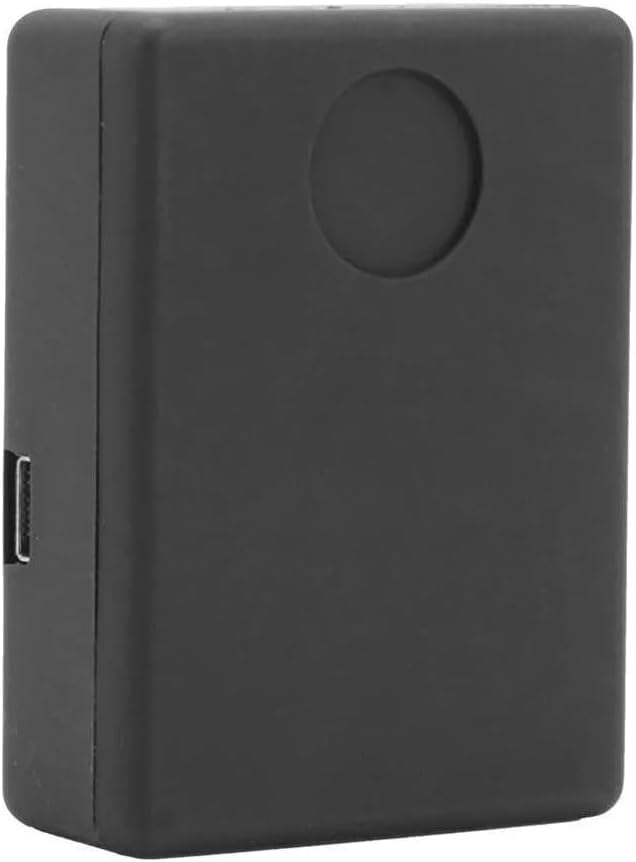
1-сүрөт: Фронт view of the N9 device. This image highlights the compact, rectangular design of the audio bug, featuring a smooth black finish and a subtle circular indentation on its top surface, likely indicating a microphone or indicator light.

2-сүрөт: SIM card installation area. This view shows the N9 device with its rear panel detached, exposing the internal components including the dedicated slot for inserting a SIM card and the underlying circuit board.

3-сүрөт: Device size and SIM card insertion. This image illustrates the compact dimensions of the N9 device, shown resting in the palm of a hand. Accompanying graphics depict the process of inserting a SIM card into the device's slot.
Жайгашуу
- Аппаратты заряддоо: Before first use, fully charge the N9 device using the provided adaptor and car charger cable. Connect the cable to the device's charging port and plug the adaptor into a power source. The device typically has an indicator light that changes color when fully charged.
- SIM картаны салыңыз:
- Open the back cover of the N9 device (refer to Figure 2).
- Carefully insert a standard GSM SIM card into the designated slot. Ensure the SIM card is active and has sufficient credit for calls if required.
- Арткы капкакты бекем жабыңыз.
- Күйгүзүү: The device typically powers on automatically once a SIM card is inserted and it receives power, or it may have a small power button. Refer to the device's physical layout for specific power-on instructions.
- Initial Test Call: From any phone, dial the number of the SIM card inserted into the N9 device. The device should automatically answer, allowing you to hear the surrounding audio. This confirms basic functionality.
- Set Pre-setting Number (for Alarm Trigger): To enable the voice-activated alarm feature, send an SMS message to the N9 device's SIM card number with the command to set the pre-setting number. The exact SMS command format is usually provided in a separate quick start guide or on the product packaging. This number will be dialed when the device detects sound above 45dB.
Иштөө нускамалары
Аудио мониторинг
To listen to the surrounding audio of the N9 device:
- Ensure the N9 device is powered on and has an active SIM card.
- From your mobile phone, dial the phone number of the SIM card inserted into the N9 device.
- The N9 device will automatically answer the call (without ringing or vibrating), allowing you to hear the audio from its vicinity.
- To end monitoring, simply hang up the call.
Voice-Activated Alarm Trigger
The N9 device can automatically dial a pre-set number when it detects sound above a certain threshold (approximately 45dB within 4 meters).
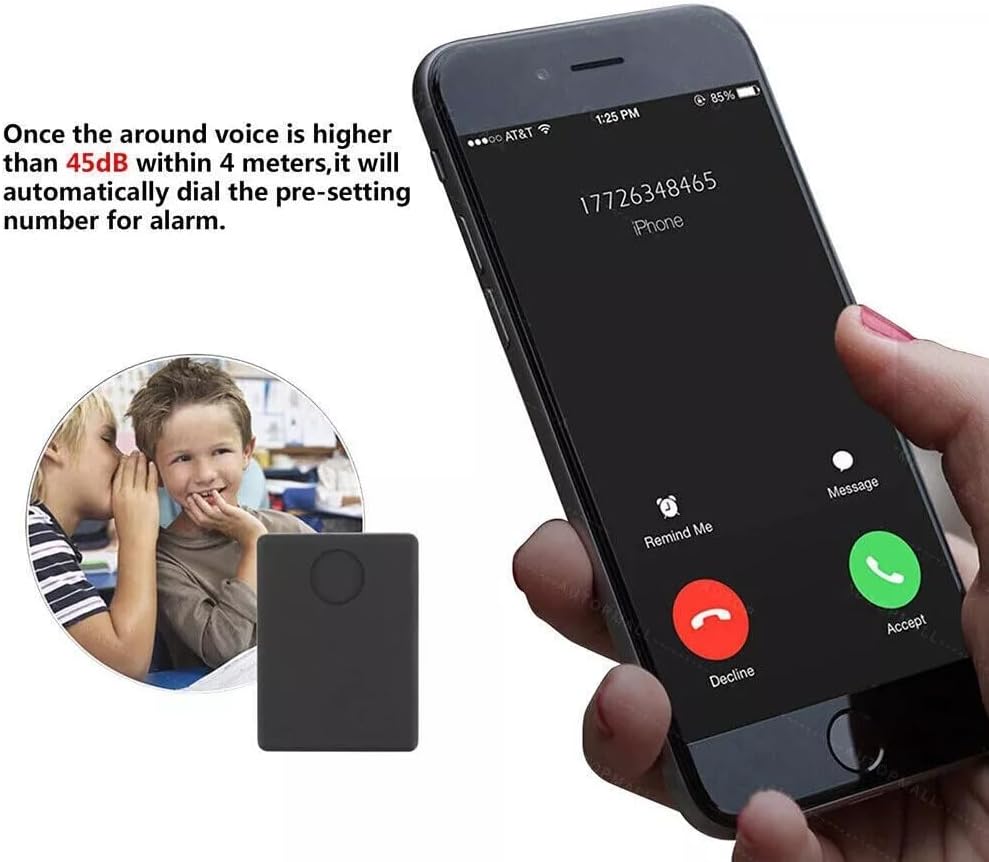
4-сүрөт: Voice-activated alarm function. This image depicts the N9 device's capability to initiate a call to a pre-set mobile number when the surrounding audio level surpasses 45dB within a 4-meter radius, illustrating the automatic dialing feature.
- Ensure you have configured the pre-setting number as described in the Setup section.
- Place the N9 device in the desired monitoring location.
- When the ambient sound level around the device exceeds 45dB, it will automatically dial the pre-set number.
- Answer the incoming call on your pre-set phone to listen to the audio.
To disable or change the voice-activated alarm, you will need to send specific SMS commands to the device. Refer to the device's specific command list for details.
Типтүү колдонуу учурлары

5-сүрөт: Versatile applications of the N9 device. This diagram illustrates various environments where the N9 device can be utilized for audio monitoring, including for children, the elderly, within a home, car, motorcycle, or attached to a bike.
The N9 device is suitable for various monitoring applications due to its compact size and voice detection capabilities. Common uses include:
- Monitoring children's safety.
- Ensuring the well-being of the elderly.
- General home security monitoring.
- Vehicle (car, motorcycle, bike) security.
Техникалык тейлөө
- Тазалоо: Аппаратты жумшак, кургак чүпүрөк менен сүртүңүз. Суюк тазалагычтарды же абразивдүү материалдарды колдонбоңуз.
- Сактагыч: Аппаратты колдонбогондо түз күн тийбеген жана өтө температурадан алыс салкын, кургак жерде сактаңыз.
- Батареяга кам көрүү: To prolong battery life, avoid fully discharging the device frequently. Recharge it regularly, even if not in constant use.
- SIM карта: Ensure the SIM card is clean and properly seated. If the device is not responding, check the SIM card connection.
Проблемаларды чечүү
| Көйгөй | Мүмкүн себеп | Чечим |
|---|---|---|
| Түзмөк күйбөйт. | Low battery; Device not charged; Faulty power button. | Charge the device fully. Ensure the charging cable and adaptor are working. If applicable, press and hold the power button for a few seconds. |
| Cannot hear audio when calling the device. | SIM card not inserted correctly; SIM card inactive or no credit; Device out of GSM network range; Device not powered on. | Reinsert the SIM card. Check SIM card status and credit with your mobile provider. Move the device to an area with better GSM signal. Ensure the device is powered on. |
| Voice-activated alarm does not trigger. | Pre-setting number not configured; Sound level too low; Device not powered on. | Ensure the pre-setting number is correctly configured via SMS command. Verify the sound level exceeds 45dB. Confirm the device is powered on. |
| Device not responding to SMS commands. | Incorrect SMS command format; SIM card issues; Device out of network range. | Double-check the SMS command syntax. Verify SIM card is active and has credit for SMS. Ensure device is in an area with good GSM signal. |
Техникалык шарттар
| Өзгөчөлүк | Деталь |
|---|---|
| Модел | N9 |
| Бренд | ZCMMF |
| Байланыш технологиясы | Cellular (GSM Quad Band: 850/900/1800/1900Mhz) |
| Өзгөчө өзгөчөлүк | Wireless, Voice-activated alarm trigger (45dB threshold) |
| Колдоого алынган колдонмо | Ойготкуч |
| Продукт үчүн атайын колдонуу | Көзөмөл |
| Элемент Салмагы | 3.19 унция |
| Пакеттин өлчөмдөрү | 4.8 x 4.1 x 1.1 дюйм |
| Өндүрүүчү | N9 TRACKER |
| Келип чыккан өлкө | Кытай |
| Дата биринчи жеткиликтүү | 21-май, 2016-жыл |
Кепилдик жана колдоо
Specific warranty information for the ZCMMF N9 Wireless GSM Listen Audio Bug Surveillance Device is not provided in the product details. Please refer to your point of purchase or the manufacturer's official website for any available warranty terms and conditions.
For technical support or further assistance, please contact the retailer or manufacturer directly. Keep your purchase receipt as proof of purchase.


