Introduction
Thank you for choosing the ADESSO Xtream T2 Bluetooth Wireless Earbuds. These earbuds are designed to provide a high-quality audio experience with features such as Active Noise Cancelling (ANC), a built-in microphone for calls, and convenient touch controls. This manual will guide you through the setup, operation, and maintenance of your new earbuds.
Кутуда эмне бар
- ADESSO Xtream T2 Wireless Earbuds (Left and Right)
- Зымсыз кубаттоо кутусу
- USB заряддоо кабели
- Кулак учтарынын бир нече өлчөмү (S, M, L)
- User Manual
Продукт бүттүview
The ADESSO Xtream T2 earbuds feature an ergonomic in-ear design for a secure and comfortable fit. The compact charging case not only protects your earbuds but also provides additional battery life and supports wireless charging.

Image: The ADESSO Xtream T2 wireless earbuds are shown resting inside their open white charging case. The case has the 'adesso' logo on the front and four small LED indicator lights below it. The earbuds are white with a sleek, minimalist design.

Сүрөт: жакын план view of the two white ADESSO Xtream T2 earbuds, showing their in-ear design and the small microphone openings. The left and right indicators are visible on the stems.
Жайгашуу
1. Кулакчындарды жана кутуну кубаттоо
Before first use, fully charge the earbuds and the charging case. Place the earbuds into the charging case. Connect the USB charging cable to the charging port on the case and to a power source. The LED indicators on the case will show the charging status. Alternatively, place the charging case on a compatible wireless charging pad.
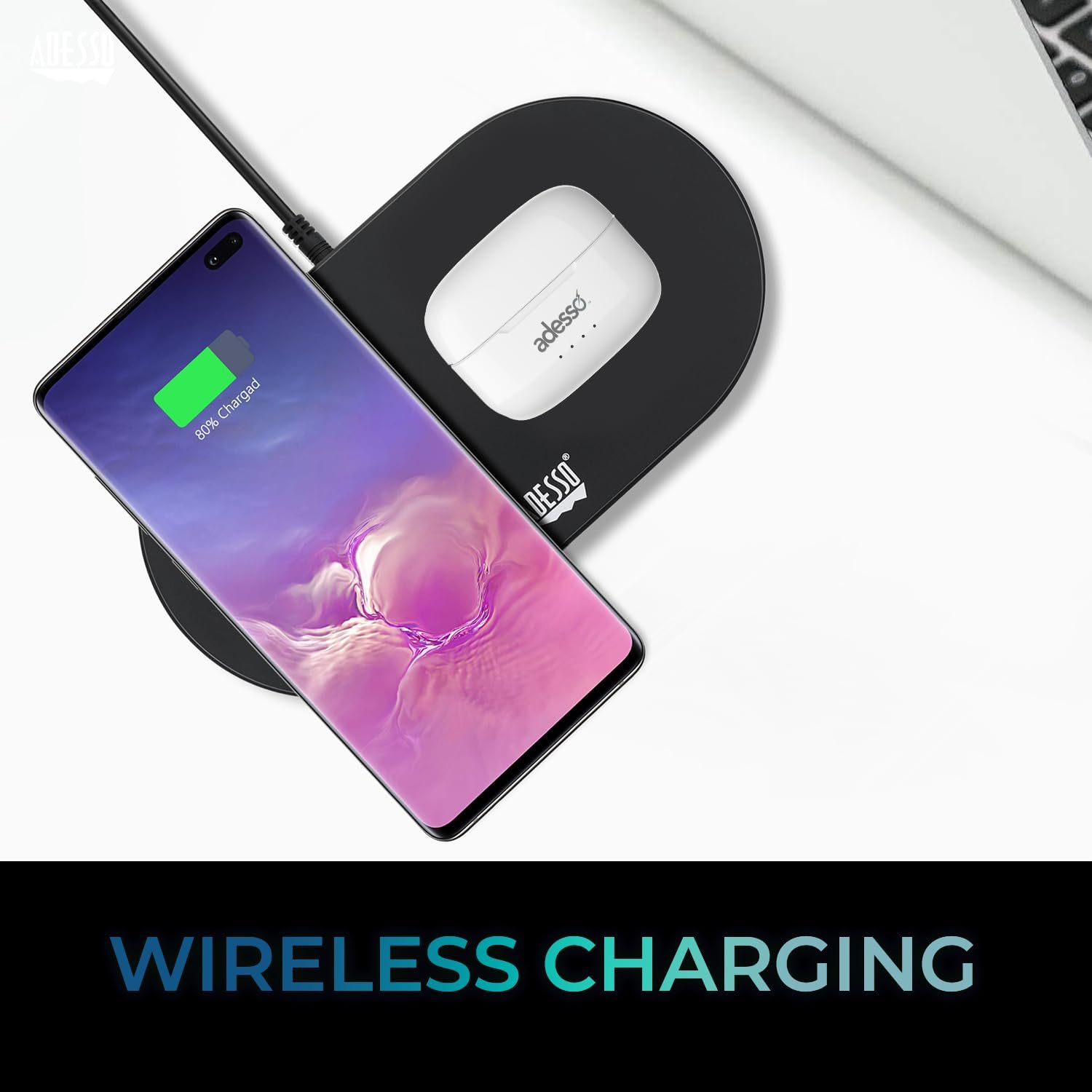
Image: The white ADESSO Xtream T2 charging case is placed on a black wireless charging pad next to a smartphone that is also wirelessly charging. This illustrates the wireless charging capability of the earbud case.
2. Bluetooth Жупташтыруу
- Кулакчындардын кубатталганын текшериңиз.
- Заряддоо кутучасын ачыңыз. Кулакчындар автоматтык түрдө жупташтыруу режимине өтөт, бул кулакчындарда күйүп турган LED жарыгы менен көрсөтүлөт.
- Түзмөгүңүздө (смартфон, планшет ж.б.) Bluetooth жөндөөлөрүнө өтүңүз.
- Издөө available devices and select "ADESSO Xtream T2" тизмеден.
- Once connected, the LED indicator on the earbuds will stop flashing, and your device will confirm the connection.
Эгер түзмөктө Bluetooth иштетилген болсо, кулакчындар кутудан чыгарылганда акыркы жупташтырылган түзмөккө автоматтык түрдө кайра туташат.

Image: A stylized image depicting a Bluetooth chip on a circuit board, with the ADESSO Xtream T2 earbuds in their charging case in the foreground. This visually represents the Bluetooth wireless connectivity feature.
Иштөө нускамалары
Touch Controls
The Xtream T2 earbuds feature intuitive touch controls on each earbud. The specific functions may vary slightly depending on the operating system of your connected device.

Image: A woman is shown gently touching the side of her white ADESSO Xtream T2 earbud, demonstrating the touch control feature. She is smiling and looking at her smartphone.
| Акция | Функция |
|---|---|
| Бир таптоо (Сол/Оң гарнитура) | Музыка ойнотуу/тындыруу, Чалууга жооп берүү/аяктоо |
| Эки жолу таптаңыз (оң кулакчын) | Кийинки трек |
| Эки жолу таптаңыз (Сол кулакчын) | Мурунку трек |
| Үч жолу таптап (оң кулакчын) | Үндү көтөрүү |
| Үч жолу таптап (сол кулакчын) | Үндү төмөндөтүү |
| Узак басуу (2 секунд) | Үн Жардамчысын жандырыңыз (Siri, Google Жардамчы) |
| Узак басуу (3 секунд) | ANC/Тунук режимин которуу |
| Incoming Call Long Press (2 seconds) | Чакырууну четке кагуу |
Активдүү ызы-чууну жокко чыгаруу (ANC)
The Xtream T2 earbuds feature Active Noise Cancelling technology to reduce ambient noise, allowing for a more immersive listening experience. To activate or deactivate ANC, long-press the touch sensor on either earbud for approximately 3 seconds until you hear an audible prompt.

Image: A graphic illustrating sound waves being blocked around the ADESSO Xtream T2 earbuds, with text indicating "30dB" and "Active Noise Cancelling." This highlights the noise reduction capability.
Батареянын иштөө мөөнөтү жана заряддоо
The earbuds provide approximately 6-7 hours of talk and listen time on a single charge. The charging case extends this duration by providing multiple recharges. For optimal performance, ensure both earbuds and case are regularly charged.

Image: A woman is using the ADESSO Xtream T2 earbuds while looking at her phone. A battery icon with a full charge is displayed, indicating "6-7 Hour Talk & Listen Time."
Техникалык тейлөө
Тазалоо
Үзгүлтүксүз тазалоо үндүн сапатын жана гигиенасын сактоого жардам берет:
- Кулакчындарды жана кубаттоочу кутуну сүртүү үчүн жумшак, кургак, түксүз чүпүрөктү колдонуңуз.
- Кичинекей, жумшак щетка же кебез тампонду колдонуп, кулактын учтары менен динамиктин торлорунан кандайдыр бир кулагын же калдыктарын акырын алып салыңыз.
- Абразивдүү тазалагычтарды, спиртти же химиялык эриткичтерди колдонбоңуз.
Сактагыч
Кулакчындарды колдонбогон учурда, чаңдан, бузулуудан коргоо жана кубатталган бойдон сактоо үчүн аларды кубаттоочу кутучасында сактаңыз.
Проблемаларды чечүү
| Көйгөй | Мүмкүн чечим |
|---|---|
| Кулакчындар жупташкан жок | Кулакчындардын кубатталганын текшериңиз. Түзмөгүңүздөгү Bluetooth'ду өчүрүп, күйгүзүңүз. Bluetooth жөндөөлөрүнөн түзмөктү унутуп, кайра жупташтырыңыз. |
| Бир гана кулакчын иштейт | Place both earbuds back in the case, close it, then open it again. Ensure both earbuds are charged. |
| Үн жок | Check device volume. Ensure earbuds are connected. Try playing audio from a different application or device. |
| ANC иштебейт | Ensure ANC is activated via touch control (long press). Check for proper earbud fit. |
| Заряддоо маселелери | Ensure charging cable is securely connected. For wireless charging, ensure the case is correctly placed on a compatible pad. Clean charging contacts on earbuds and case. |
Техникалык шарттар

Image: The ADESSO Xtream T2 earbuds and charging case are shown in front of various electronic devices including a smartphone, tablet, laptop, and desktop computer, illustrating their multi-platform compatibility.
| Өзгөчөлүк | Деталь |
|---|---|
| Модель аты | Xtream T2 |
| Байланыш технологиясы | Зымсыз (Bluetooth) |
| Bluetooth версиясы | 5.3 |
| Noise Control | Активдүү Шумду Жоюу (ANC) |
| Микрофон | Камтылган |
| Башкаруу түрү | Touch Control |
| Наушник формасы | In-Ear |
| Материал | Пластик, силикон |
| Элемент Салмагы | 37 Grams (earbuds and case) |
| Зымсыз заряддоо | Колдоого алынган |
| Шайкеш түзмөктөр | Смартфондор, планшеттер, ноутбуктар, рабочий компьютерлер, акылдуу динамиктер, телевизорлор, унаалар, мотоциклдер |
| UPC | 783750011013 |
Кепилдик жана колдоо
For warranty information and technical support, please refer to the warranty card included with your product or visit the official ADESSO website. You can also contact ADESSO customer service for assistance with any product-related inquiries.
Webсайт: www.adesso.com (Чыгampшилтеме, сураныч, чыныгы колдоону текшериңиз URL)


