1. Киришүү
The DREAME D20 Plus Robot Vacuum and Mop is designed to provide efficient and hands-free floor cleaning. This device combines powerful vacuuming with effective mopping capabilities, utilizing advanced navigation and smart features to maintain a clean home environment. This manual provides essential information for setting up, operating, maintaining, and troubleshooting your D20 Plus robot.
2. Кутуда эмне бар
Upon unboxing your DREAME D20 Plus, ensure all components are present:

Image: All components included in the DREAME D20 Plus package.
- Робот чаң соргуч (x1)
- Auto-Empty Base Station (x1)
- Main Brush & Brush Guard (x1, pre-installed)
- Каптал щетка (x1, алдын ала орнотулган)
- Dust Bag (x2, pre-installed x1)
- Dust Box (x1, pre-installed)
- Water Tank (x1, pre-installed)
- Швабра төшөгүч (1 даана, алдын ала орнотулган)
- Швабра төшөгүч кармагыч (x1)
- Базалык станция Рamp Узартуу пластина (x1)
- Колдонуучунун колдонмосу (x1)
- Ыкчам баштоо боюнча колдонмо (x1)
3. Негизги өзгөчөлүктөрү
3.1. 13,000Pa Vormax Suction with DuoBrush
Experience powerful cleaning with 13,000Pa Vormax suction, designed to pick up large particles, dust, and pet hair effectively. The anti-tangle DuoBrush minimizes hair entanglement, ensuring consistent performance.
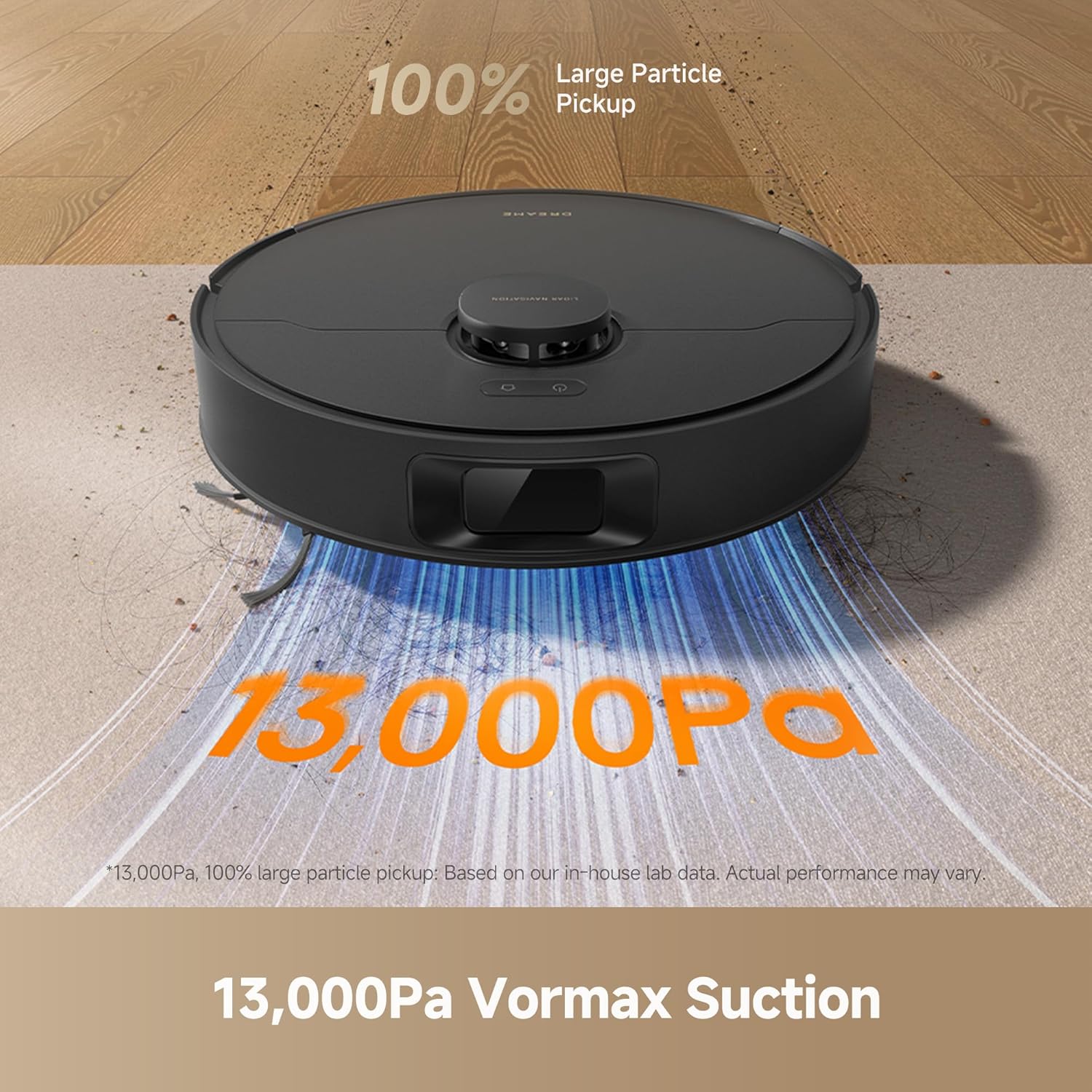
Сүрөт: робот вакуум көргөзмөсүasing its 13,000Pa suction capability.
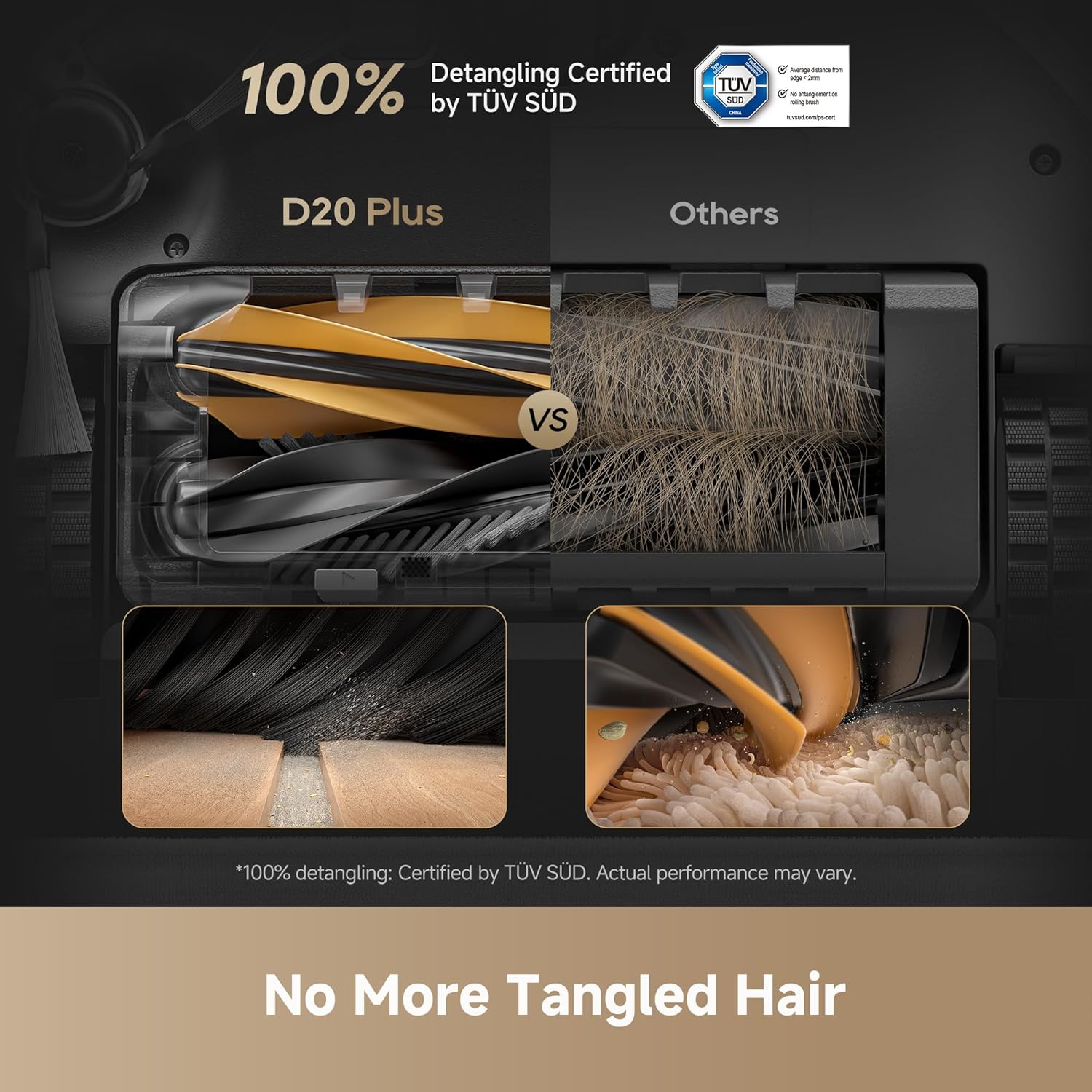
Image: Close-up of the DuoBrush designed to prevent hair tangles.
3.2. 150 Days Hands-Free Dust Emptying
The D20 Plus features an auto-empty base station with a 5L dust bag, allowing for up to 150 days of hands-free dust disposal. This reduces the frequency of manual bin emptying.
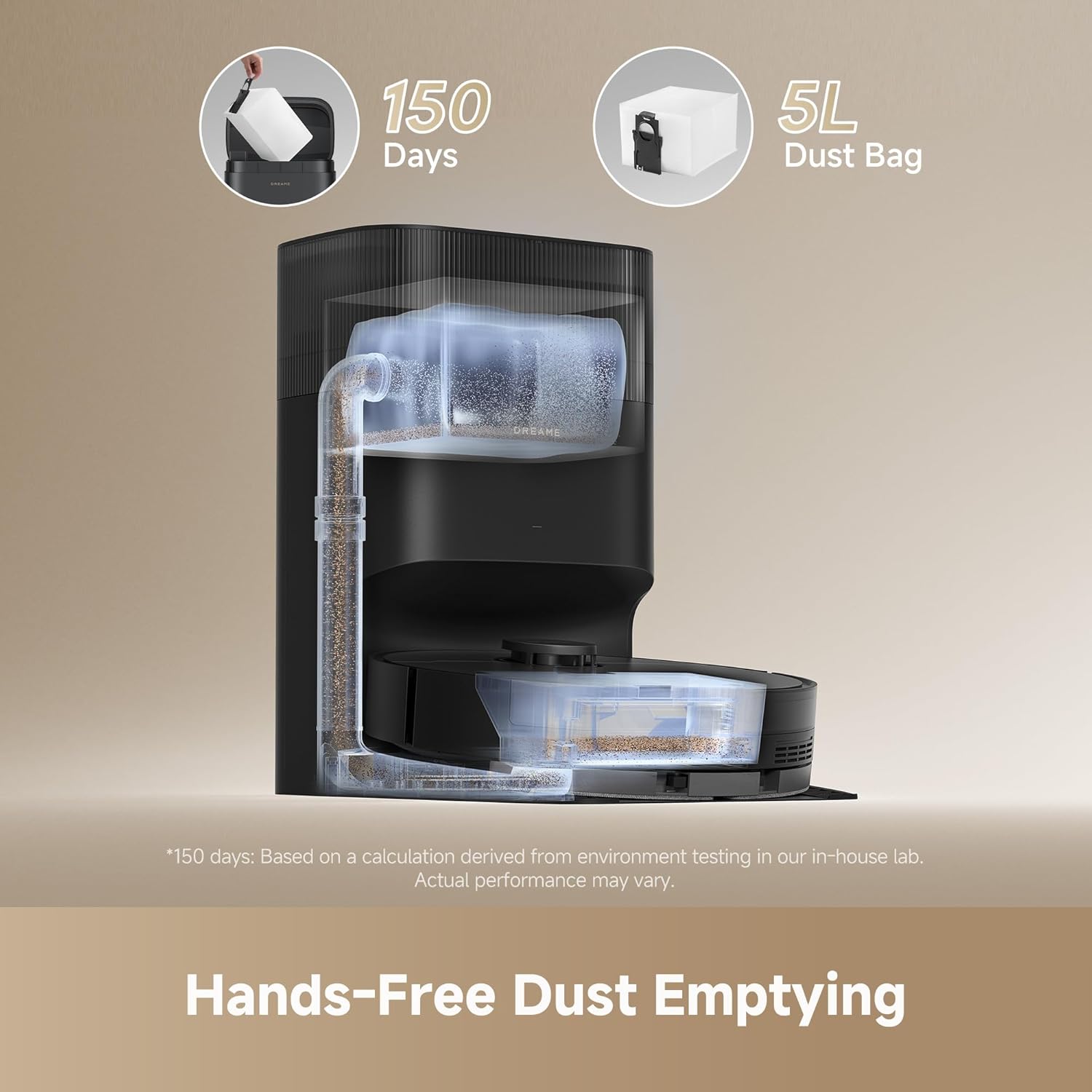
Image: Illustration of the robot's self-emptying function into the 5L dust bag.
3.3. 2-in-1 Vacuum & Mop Combo
This device offers simultaneous vacuuming and mopping. It includes a 500ml dustbin and a 350ml water tank, with 32 adjustable water levels to suit different floor types and cleaning needs.

Image: The robot vacuum and mop, highlighting its dual cleaning capabilities.
3.4. Smart Pathfinder Navigation
Equipped with advanced Pathfinder technology, the D20 Plus creates precise, editable maps of your home. This enables efficient cleaning paths, multi-floor mapping, and the ability to set no-go zones.

Image: The robot demonstrating its smart path routing and mapping.
3.5. Flexible App and Voice Control
Control your robot vacuum and mop conveniently through the dedicated app or via voice commands using Amazon Alexa, Google Home, or Siri. Schedule cleanups, adjust settings, and monitor cleaning progress remotely.

Image: The mobile app interface for personalized cleaning control.
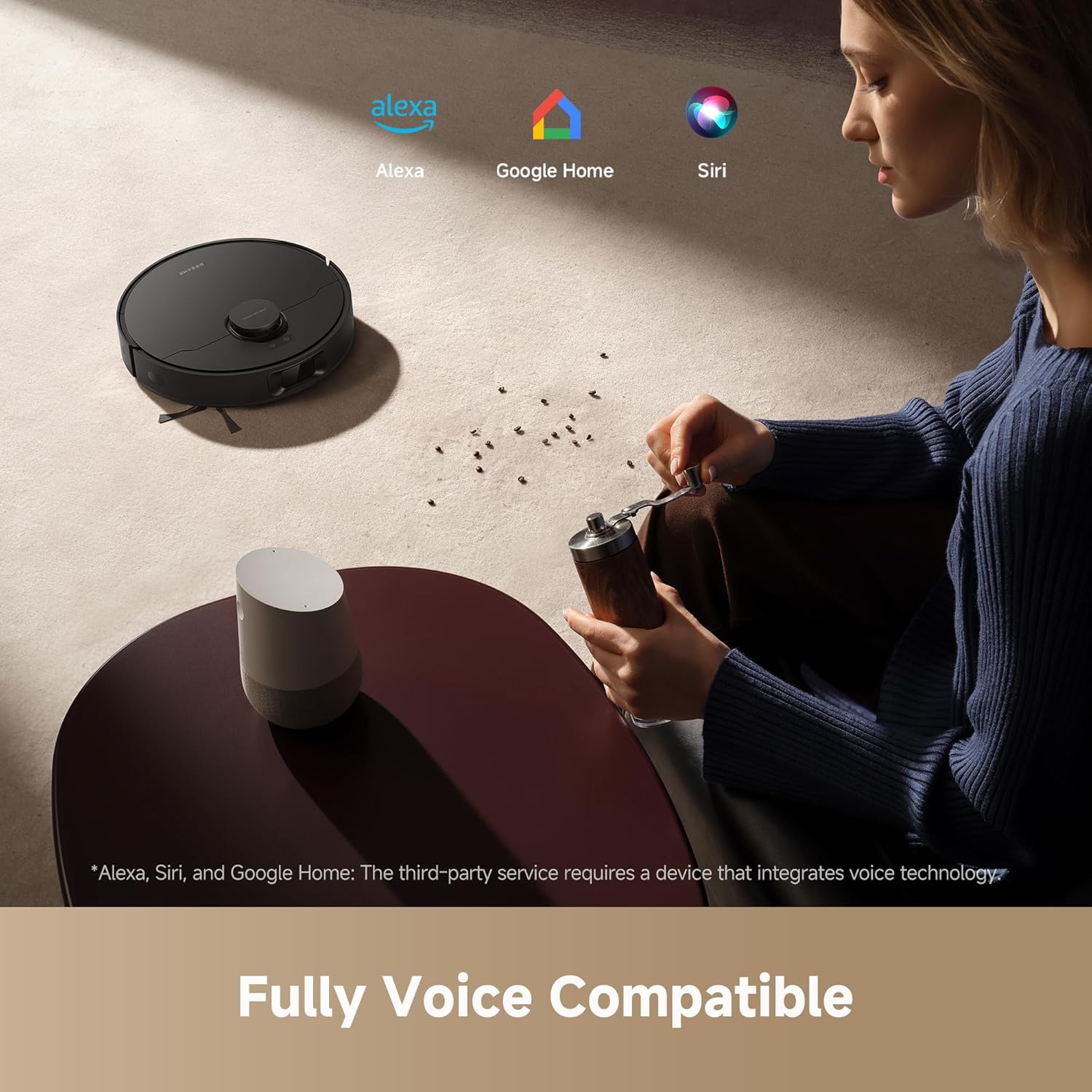
Image: The robot vacuum is compatible with voice assistants like Alexa, Google Home, and Siri.
3.6. Узартылган батареянын иштөө мөөнөтү
The D20 Plus is equipped with a 5,200mAh battery, providing up to 285 minutes of runtime in Vac & Mop Mode. The robot automatically returns to its base station to recharge when power is low and resumes cleaning once sufficiently charged.

Image: Visual representation of the robot's extended battery life and auto-recharge function.
4. Орнотуу
4.1. Initial Placement and Charging
Place the auto-empty base station against a wall in an open area, ensuring there are no obstacles within 1.5 meters (5 feet) in front and 0.5 meters (1.6 feet) on either side. Connect the power cord to the base station and plug it into a power outlet. Ensure the robot is placed on the base station to charge fully before its first use. The indicator lights on the robot will show its charging status.
4.2. Колдонмону орнотуу жана туташуу
Download the 'Dreamehome' app from your device's app store (iOS or Android). Follow the in-app instructions to create an account and add your D20 Plus robot. Ensure your mobile device is connected to a 2.4GHz Wi-Fi network during the setup process, as the robot only supports this frequency.
Video: A detailed guide on setting up the DREAME D20 Plus using the mobile application.
4.3. Баштапкы карта
After connecting to the app, initiate a 'Fast Mapping' session. The robot will navigate your home to create a detailed map without cleaning. This map can then be customized with room partitions, no-go zones, and floor material preferences.
5. Операция
5.1. Тазалоо режимдери
The D20 Plus offers various cleaning modes accessible via the app:
- Вакуум гана: кургак калдыктарды жок кылуу үчүн.
- Швабра гана: For wet cleaning without vacuuming.
- Чаң соргуч: Бир эле учурда кургак жана нымдуу тазалоо.
- Customized Room Cleaning: Тазалоо үчүн белгилүү бир бөлмөлөрдү же зоналарды тандаңыз.
5.2. Suction Power and Wetness Levels
Adjust the suction power (Quiet, Standard, Turbo, Max) and mopping wetness (Slightly Dry, Moist, Wet) through the app to optimize cleaning for different surfaces and levels of dirt.
5.3. Scheduled Cleanups
Set daily, weekly, or custom cleaning schedules through the app. You can specify cleaning tasks (all, room, zone) and preferred times.
5.4. Map Customization
Utilize the app's map editing features to:
- Room Partition: Merge, divide, or hide rooms.
- Өтүүгө тыюу салынган зоналар/Виртуалдык дубалдар: Define areas the robot should avoid for vacuuming, mopping, or both.
- Пол материалы: Specify floor types for tailored cleaning.
- Cleaning Sequence: Reorder the sequence in which rooms are cleaned.
Video: Instructions on how to use and customize map settings within the DREAME app.
5.5. Үн менен башкаруу
Integrate your D20 Plus with Amazon Alexa, Google Home, or Siri for convenient voice-activated cleaning commands.
6. Техникалык тейлөө
Regular maintenance ensures optimal performance and extends the lifespan of your DREAME D20 Plus. Refer to the app's 'Accessory Usage' section for remaining service life of consumables.
Video: A guide to performing routine maintenance on your DREAME D20 Plus robot vacuum.
6.1. Таштанды челек жана чыпка
- Боштоо: The auto-empty base station handles dust disposal into a 5L bag. Replace the dust bag when full (approximately every 150 days).
- Таштанды кутусун тазалоо: Remove the dustbin from the robot and empty its contents. Rinse the dustbin with water and allow it to air dry completely before reinserting.
- Фильтрди тазалоо: Remove the filter from the dustbin. Tap it gently to remove loose debris. Rinse the filter with water and allow it to air dry for at least 24 hours before reinserting. Do not use detergents.
6.2. Суу резервуары жана швабра
- Суу куюучу бак: Open the water tank cap, fill with clean water, and securely close the cap.
- Cleaning Mop Pad: Remove the mop pad from its holder. Hand wash or machine wash the mop pad. Allow it to air dry completely before reattaching.
6.3. Щеткалар
- Негизги щетка: Remove the main brush cover and then the main brush. Use the cleaning tool (if provided) to cut and remove any tangled hair or debris. Reinstall the brush and cover.
- Каптал щетка: Regularly check the side brush for tangled hair or debris. Remove any obstructions. If the brush is damaged, replace it.
6.4. Сенсорлор жана заряддоо контакттары
- Wipe all sensors (LDS navigation, cliff sensors, anti-collision sensors) and charging contacts on both the robot and the base station with a soft, dry cloth to ensure proper function.
7. Кыйынчылыктарды
If you encounter issues with your DREAME D20 Plus, refer to the following common solutions:
- Робот заряддалбай жатат: Ensure the charging contacts on both the robot and base station are clean and free of debris. Verify the base station is plugged in and receiving power.
- Робот тыгылып калган же жоголгон: Clear any obstacles around the robot. Check the app for its location and manually reposition if necessary. Ensure the environment is well-lit for optimal navigation.
- Начар тазалоо көрсөткүчтөрү: Check the dustbin for fullness and the filter for clogs. Clean or replace brushes if worn or tangled. Ensure the water tank has sufficient water for mopping.
- Wi-Fi туташуу көйгөйлөрү: Confirm your Wi-Fi network is 2.4GHz. Ensure the robot is within range of your router. Try resetting the robot's Wi-Fi connection via the app.
- Робот жооп бербей жатат: Try restarting the robot.
7.1. Restarting the Robot
If the robot is unresponsive or behaving unexpectedly, a simple restart can often resolve the issue. Press and hold the power button on the robot for a few seconds until it powers off, then press and hold again to power it back on.
Video: Step-by-step instructions on how to restart your DREAME D20 Plus robot vacuum.
8. Техникалык шарттар
| Өзгөчөлүк | Деталь |
|---|---|
| Бренд | Кыял |
| Модель аты | D20 Plus |
| Өзгөчөлүктөр | Anti-Collision, Automatic Dust Collection, LiDAR Navigation, Lightweight, Pet Hair Pick Up |
| Түс | Кара |
| Продукциянын өлчөмдөрү | 13.78"L x 3.88"W x 16.23"H |
| Камтылган компоненттер | Cleaning Pad, Collection Bag, Floor Brush, Instruction Guide, Water Tank |
| Чыпка түрү | Картридж |
| Батареянын иштөө мөөнөтү | 180 minutes (Vacuum Only), 285 minutes (Vac & Mop Mode) |
| Тtage | 110 вольт |
| Таштанды кутусунун сыйымдуулугу | 500 миллилитр |
| Суу резервуарынын сыйымдуулугу | 350 миллилитр |
| Power Source | Батарея менен иштейт |
| Башкаруу ыкмасы | Колдонмо |
| Шайкеш түзмөктөр | Amazon Echo, Google Home, Смартфондор, Акылдуу сааттар |
| Форма фактору | Робот |
| UPC | 810142561273 |
| Элемент Салмагы | 23.1 фунт |
| Элемент моделинин номери | RLD35GD |
| Surface Recommendation | Hard Floor, Carpet, Wood, Tile |
9. Кепилдик жана колдоо
DREAME жогорку сапаттагы продукцияларды жана кардарлардын канааттануусун камсыз кылууга умтулат.
9.1. Продукцияга кепилдик
The DREAME D20 Plus comes with a comprehensive warranty. Please refer to your purchase documentation for specific warranty terms and duration. Typically, DREAME offers up to a 3-year product warranty.
9.2. Returns Policy
Most purchases are eligible for a 30-day hassle-free return policy. Check with your retailer for their specific return guidelines.
9.3. Кардарларды колдоо кызматы
For any technical assistance, troubleshooting, or warranty claims, please contact DREAME customer support. You can find contact information on the official DREAME webсайтында же өнүмүңүздүн тез баштоо колдонмосунда.


