Introduction
Thank you for choosing the EWEADN S9 Pro Wireless Gaming Mouse. This manual provides detailed instructions on how to set up, operate, and maintain your new gaming mouse to ensure optimal performance. Designed for professional gamers, the S9 Pro offers advanced features including triple connectivity modes, a high-precision PAW3395 sensor, and a lightweight ergonomic design for extended comfort.
Пакеттин мазмуну
- EWEADN S9 Pro Wireless Gaming Mouse
- 8K Custom Receiver (USB Dongle)
- 1.5M Parachute Cord (USB-C to USB-A Cable)
- PE Bag Foot Pad (Extra Skates)
- Anti-slip Protection Sticker (Grip Tape)
- Instruction Manual
Продукт бүттүview
The EWEADN S9 Pro is engineered for peak gaming performance and user comfort. Key features include:
- Өркүндөтүлгөн сенсор: Equipped with the flagship PAW3395 optical sensor, offering up to 26000 DPI and 650 IPS tracking for precise, drift-free movement.
- Добуш берүүнүн жогорку көрсөткүчү: Supports 1K wired and 8K wireless polling rates for ultra-smooth, lag-free gaming.
- Туруктуу өчүргүчтөр: Features Kailh mechanical switches with a lifespan of over 100 million clicks, ensuring crisp and reliable performance.
- Үч эселенген байланыш: 2.4G зымсыз, Bluetooth 5.0 жана USB-C зымдуу режимдеринин ортосунда оңой которулуңуз.
- Ультра жеңил дизайн: Weighing only 59 grams, its ergonomic shape reduces fatigue during extended use.
- Батареянын узак иштөө мөөнөтү: Integrated 500mAh battery provides over 70 hours of usage on a single charge.
- Программалануучу: Customize buttons, DPI settings, macros, and more via dedicated software.

Figure 1: EWEADN S9 Pro Wireless Gaming Mouse, showcasing its ergonomic design and purple-to-black gradient finish.

Figure 2: Key performance features including 8K Polling Rate, PAW3395 sensor, and 500mAh battery capacity.

Figure 3: The mouse supports three connection modes: 2.4G wireless for blazing-fast speed, Bluetooth 5.0 for convenience, and USB-C wired for zero delay.
Жайгашуу
1. Чычканды заряддоо
Before first use, it is recommended to fully charge the mouse. Connect the supplied USB-C cable to the mouse's front port and the other end to a USB power source (e.g., computer USB port, USB wall adapter). The LED indicator will show charging status (red while charging, green when fully charged).

Figure 4: The mouse features a 500mAh battery for extended usage, rechargeable via the included USB-C cable.
2. Чычканды туташтыруу
The S9 Pro offers three connection modes: 2.4G Wireless, Bluetooth, and Wired.
2.1. 2.4G зымсыз режим
- Locate the 8K Custom Receiver (USB dongle) stored in the magnetic compartment on the underside of the mouse.
- USB жабдыгын компьютериңиздеги жеткиликтүү USB портуна сайыңыз.
- On the underside of the mouse, slide the switch to the "2.4G" position.
- Чычкан компьютериңизге автоматтык түрдө туташуу керек.

Figure 5: The mouse with its 2.4G USB dongle, which can be stored securely within the mouse body.
2.2. Bluetooth режими
- On the underside of the mouse, slide the switch to the "BT" position.
- The mouse will enter pairing mode (indicator light may flash).
- Компьютериңизде же түзмөгүңүздө Bluetooth жөндөөлөрүн ачып, жаңы түзмөктөрдү издеңиз.
- Select "EWEADN S9 Pro" from the list of available devices to pair.
2.3. Зымдуу режим
- Connect the USB-C end of the supplied cable to the mouse and the USB-A end to your computer.
- On the underside of the mouse, slide the switch to the "Wired" position.
- Чычкан зымдуу чычкан катары иштейт жана бир эле учурда заряддалат.
3. Программалык камсыздоону орнотуу (кошумча)
To unlock the full customization potential of your EWEADN S9 Pro mouse, download the official driver software from the EWEADN webсайт. Бул программа сизге мүмкүнчүлүк берет:
- Program buttons (remap functions, assign macros).
- Adjust DPI/IPS settings.
- Configure lift-off distance (LOD).
- Manage power settings, including sleep timer.
- Бир нече профессионал түзүңүз жана сактаңызfiles.
Note: Some users have reported issues with software detecting the device. Ensure the mouse is connected via wired mode or 2.4G wireless mode when attempting to connect with the software. Try restarting the software or your computer if detection issues persist.
Иштөө нускамалары
1. DPI тууралоо
The S9 Pro features 6 customizable DPI levels. By default, these are set to 800, 1600, 2400, 3200, 6400, and 26000 DPI. You can cycle through these settings using the dedicated DPI button located on the underside of the mouse or customize them via the software.
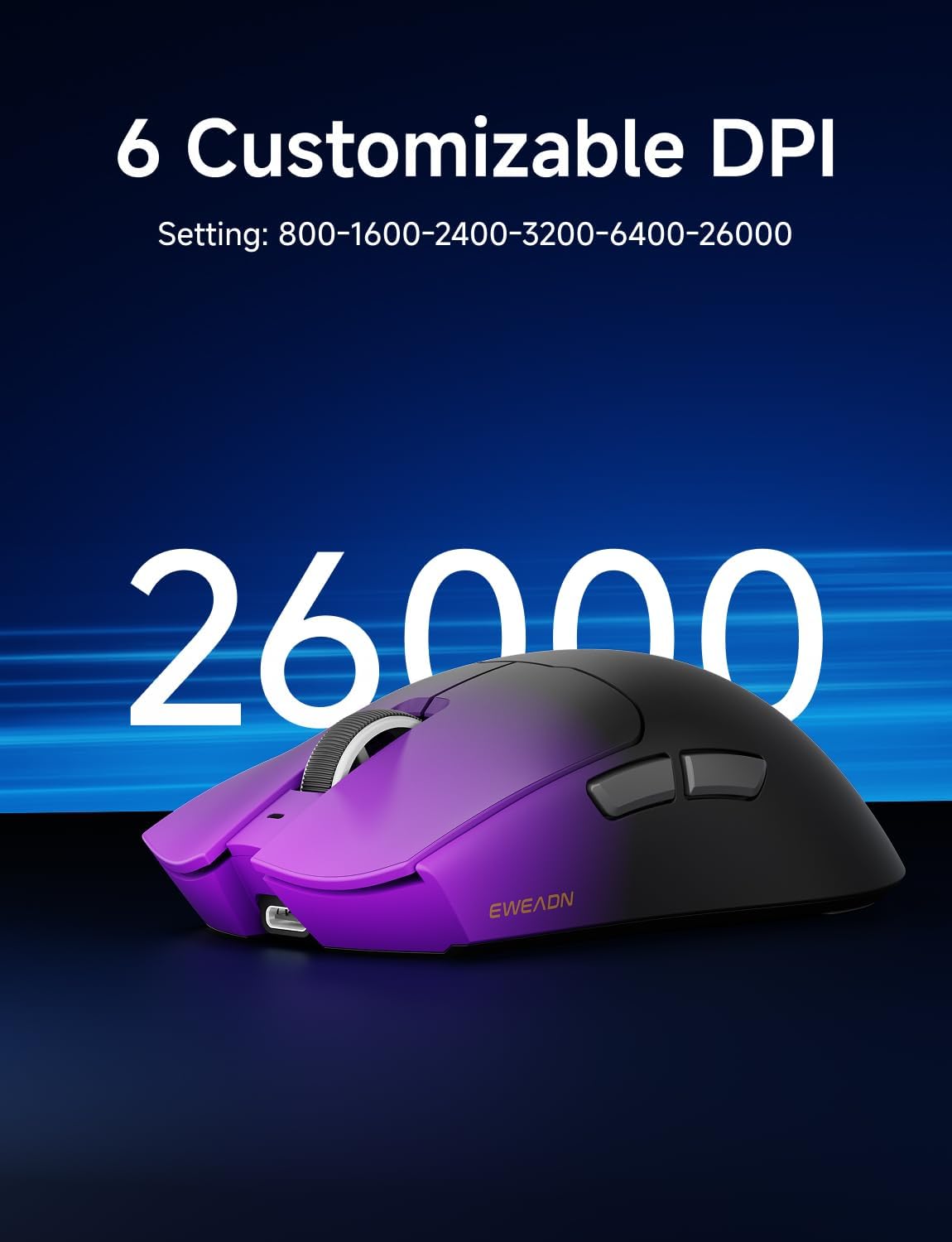
Figure 6: The mouse supports up to 26000 DPI, with 6 customizable settings for precise control.
2. Баскыч функциялары
The mouse has 5 programmable buttons:
- Сол чыкылдатуу баскычы
- Оң баскычты чыкылдатыңыз
- Scroll Wheel Click Button
- Side Button 1 (Forward)
- Side Button 2 (Backward)
All buttons can be remapped and assigned macros using the EWEADN software.
3. Grip Styles
The ergonomic design of the S9 Pro is suitable for medium to large hands and accommodates various grip styles, including palm, claw, and fingertip grips, ensuring comfort during long gaming sessions.

Figure 7: The mouse's design supports various grip styles for optimal comfort and control.
Техникалык тейлөө
1. Тазалоо
The S9 Pro features a Nano IceSkin Coating, which is sweat-proof and easy to clean. To clean your mouse:
- Чычканды компьютериңизден ажыратыңыз.
- Жумшак, түксүз кездемени жеңил колдонуңуз dampсуу же жумшак, абразивдик тазалоочу каражат менен тазалаңыз.
- Gently wipe the surface of the mouse.
- Ар кандай тешиктерге ным кирүүдөн сактаңыз.
- Allow the mouse to air dry completely before reconnecting.
2. Батареяга кам көрүү
- Батареянын иштөө мөөнөтүн узартуу үчүн бат-баттан толук зарядсыздануудан качыңыз.
- Чычканды узак убакытка колдонбогондо салкын, кургак жерде сактаңыз.
- Эгер чычкан көпкө колдонулбаса, сактоо алдында аны болжол менен 50% чейин заряддаңыз.
Проблемаларды чечүү
| Көйгөй | Мүмкүн себеп | Чечим |
|---|---|---|
| Чычкан жооп бербей жатат (Зымсыз) | Low battery; Dongle not plugged in; Incorrect mode selected; Interference. | Charge the mouse; Ensure dongle is securely plugged in; Switch to 2.4G or BT mode; Move closer to the receiver; Try a different USB port. |
| Чычкан жооп бербей жатат (Bluetooth) | Not paired; Bluetooth off on device; Low battery. | Ensure mouse is in BT pairing mode; Enable Bluetooth on your device; Re-pair the mouse; Charge the mouse. |
| Программа чычканды аныктабай жатат | Connection issue; Software glitch. | Ensure mouse is connected via wired or 2.4G mode; Restart the software; Restart your computer; Reinstall software. |
| Mouse goes to sleep too quickly | Default sleep timer setting. | Adjust the sleep timer setting in the EWEADN software. |
| Inaccurate tracking or erratic movement | Кир сенсор; Ылайыксыз бет; Батареянын заряды аз. | Clean the optical sensor with a soft cloth; Use on a clean, uniform mouse pad; Charge the mouse. |
Техникалык шарттар
| Өзгөчөлүк | Деталь |
|---|---|
| Модел | S9 Pro |
| Сенсор | PAW3395 оптикалык сенсор |
| DPI диапазону | 16 000 DPI чейин (Ыңгайлаштырылган) |
| Добуш берүү көрсөткүчү | 1K (Wired), 8K (Wireless) |
| Которгучтар | Kailh Micro Switches (100 Million Clicks) |
| Байланыш | 2.4Ghz Wireless, Bluetooth 5.0, USB-C Wired |
| Батарея сыйымдуулугу | 500mAh |
| Батареянын иштөө мөөнөтү | Approx. 70+ Hours |
| Салмагы | 59г (Ультра жарык) |
| Өлчөмдөр | Болжол менен 5 x 2.55 x 1.60 дюйм (12.7 x 6.48 x 4.06 см) |
| Шайкеш OS | Windows, macOS, Linux, Android |
| Материал | Металл пластик |
Кепилдик жана колдоо
EWEADN products are manufactured to the highest quality standards. This product is covered by a limited warranty from the date of purchase. Please refer to the warranty card included in your package or visit the official EWEADN webдеталдуу кепилдик шарттары жана шарттары үчүн сайт.
For technical support, troubleshooting assistance, or general inquiries, please visit the EWEADN support page on their official webсайтына кириңиз же алардын кардарларды тейлөө кызматына кайрылыңыз. Кепилдик талаптары үчүн сатып алуунун далили катары сатып алуу дүмүрчөгүңүздү сактап коюңуз.


