1. Киришүү
The Solity GP-6000BAK Premium Smart Door Lock is designed to provide advanced security and convenient access to your home. Manufactured by Solity Korea, this digital lock integrates multiple authentication methods including 3D Face Recognition, Fingerprint, PIN Code, RFID Card, and a backup Mechanical Key. With built-in Wi-Fi and Bluetooth, it offers remote management via the Solity Smart Home App, real-time alerts, and enhanced security features like auto-lock and intrusion alarms. This manual provides essential information for setup, operation, and maintenance of your smart door lock.
2. Продукциянын өзгөчөлүктөрү
- Premium Korean Brand: High-end smart lock design for superior security and ease of use.
- Advanced 3D Face Recognition: Instant, touchless unlock by 3D face scan.
- Манжа сенсор: High-speed biometric authentication for secure access.
- Көп жолдуу мүмкүндүк алуу ыкмалары: Supports Face ID, Fingerprint, PIN, RFID card, and mechanical key backup.
- Solity Smart Home App: Manage access, review entry logs, and control settings remotely.
- Камтылган Wi-Fi туташуусу: Control the lock from anywhere without additional devices.
- Auto Lock & Intrusion Alarm: Automatic door locking and alerts for unauthorized attempts.
- Эргономикалык жана бышык дизайн: Sleek black finish with a modern, user-friendly interface.
- Internal Double Lock Function: Disables external access for enhanced security from inside.
- Electric Shock Neutralization: Жогорку көлөмдөн коргооtagд түзмөктөр.

Figure 2.1: The Solity GP-6000BAK offers six authentication methods: Smart Solity App, Face Recognition, Wi-Fi, Passcode, RFID Card, Fingerprint, and Mechanical Key.
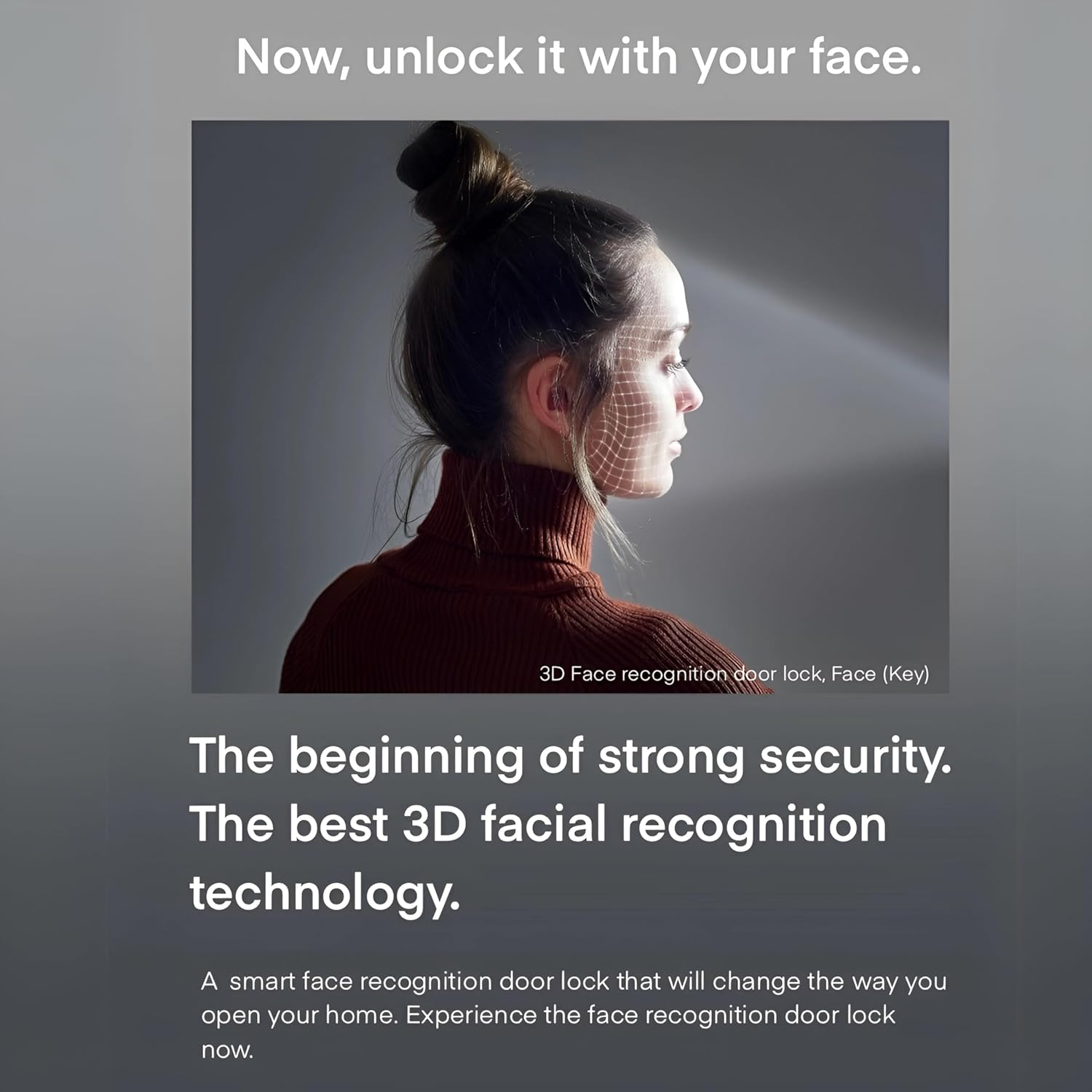
Figure 2.2: The advanced 3D facial recognition technology provides fast and secure touchless access.
3. Пакеттин мазмуну
Пакетте бардык компоненттер бар экенин текшериңиз:
- Solity GP-6000BAK Smart Door Lock (Main Unit and Sub Unit)
- Мортиза кулпу корпусу
- Mechanical Keys (2 pcs)
- RFID Cards (Quantity may vary, typically 2 pcs)
- Орнотуу бурамалары жана жабдыктары
- Колдонуучунун Колдонмосу (бул документ)

Figure 3.1: ашыкview of the Solity GP-6000BAK Smart Door Lock and its included accessories.
4. Орнотуу жана орнотуу
Professional installation is highly recommended for the Solity GP-6000BAK Smart Door Lock to ensure proper functionality and security. Refer to the detailed installation guide provided in the product packaging for step-by-step instructions.
4.1 Алдын ала орнотуу текшерүү тизмеси
- Ensure your door meets the required thickness and backset specifications.
- Пакеттин бардык мазмунунун бар экендигин текшериңиз.
- Prepare necessary tools (e.g., screwdriver, drill).
4.2 Батареяны орнотуу
The lock operates on standard AA batteries. Open the battery cover on the indoor unit and insert the specified number of AA batteries, ensuring correct polarity. Replace the cover securely. A low battery warning will be indicated when replacement is needed.
4.3 Баштапкы орнотуу жана каттоо
After physical installation, follow the on-screen prompts or refer to the quick start guide for initial setup, including setting up the master PIN code and connecting to your home Wi-Fi network via the Solity Smart Home App.
5. Иштөө нускамалары
5.1 Кулпуну ачуу ыкмалары
- Жүздү таануу: Stand approximately 30-50 cm in front of the lock. The 3D face recognition sensor will scan your face and unlock the door within 1 second if a registered face is detected.
- Манжа изи: Place your registered finger flat on the fingerprint sensor. The lock will unlock upon successful recognition.
- ПИН код: Enter your registered PIN code on the keypad, followed by the '*' or '#' key (refer to specific model instructions).
- RFID картасы: Tap your registered RFID card on the card reader area of the lock.
- Механикалык ачкыч: Шашылыш кырдаалда же батареянын заряды түгөнгөн учурда, механикалык ачкычты жашыруун тешигине салып, ачуу үчүн буруңуз.
- Solity Smart Home App: Open the app, select your lock, and tap the unlock icon. Ensure your phone has an internet connection or is within Bluetooth range.
5.2 Бөгөттөө ыкмалары
- Автоматтык кулпу: The lock will automatically engage after a set period (configurable via app) once the door is closed.
- Кол менен кулпулоо: Press the 'CLOSE' button on the indoor unit or use the app to manually lock the door.
5.3 Коопсуздук өзгөчөлүктөрү
- Fake Passcode Function: Enter random numbers before or after your actual PIN code to prevent exposure of your code to onlookers.
- Intrusion and Breakage Alarm: The lock will sound an alarm if forced entry or abnormal intrusion is detected.
- Anti-Thief Function: If an incorrect password or card key is entered 5 times consecutively, an alarm will sound, and all operations will be stopped externally for 1 minute.
- Internal Double Lock Function: When activated from the inside, this function prevents external unlocking, even with a valid passcode, enhancing indoor security.

Figure 5.1: Illustrates the Fake Passcode Function and Intrusion and Breakage Alarm features.

Figure 5.2: Details on Anti-thief, Internal Double Lock, and Electric Shock Neutralization functions.
5.4 Solity Smart Home App Usage
The Solity Smart Home App allows comprehensive control and monitoring of your lock.
- Колдонуучуну башкаруу: Add, modify, or delete user fingerprints, PINs, and RFID cards.
- Кирүү журналдары: View бардык кулпу жана ачуу окуяларынын тарыхы.
- Алыстан башкаруу: Lock or unlock your door from anywhere with an internet connection.
- Орнотуулар: Adjust auto-lock time, volume, alarm sensitivity, and Wi-Fi settings.
- Real-time Push Notifications: Receive alerts for door activity, low battery, or intrusion attempts.

Figure 5.3: The Solity Smart Home App provides comprehensive control and monitoring.
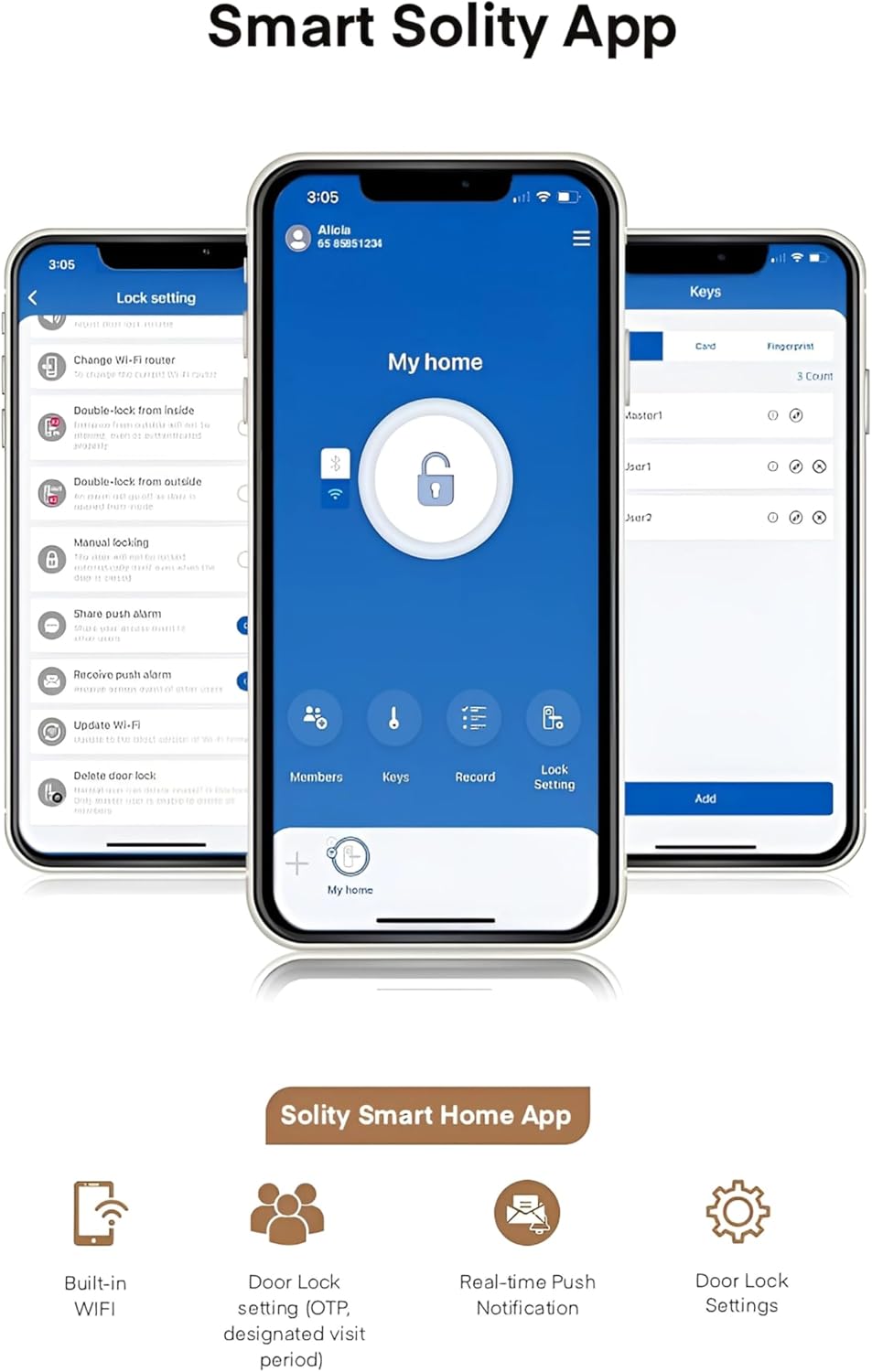
Figure 5.4: Key features of the Solity Smart Home App for enhanced smart home integration.
6. Техникалык тейлөө
6.1 Батареяны алмаштыруу
When the low battery indicator appears or you receive a notification via the app, replace all batteries with new ones of the specified type (typically AA). Do not mix old and new batteries.
6.2 Тазалоо
Wipe the lock's surface with a soft, dry cloth. Avoid using abrasive cleaners, solvents, or harsh chemicals, as these can damage the finish and electronic components. Keep the fingerprint sensor and face recognition lens clean for optimal performance.
6.3 Программалык камсыздоо жаңыртуулары
Periodically check the Solity Smart Home App for available firmware updates. Keeping your lock's software up-to-date ensures optimal performance, security, and access to new features.
7. Кыйынчылыктарды
- Кулпу жооп бербей жатат: Батареянын деңгээлин текшерип, зарыл болсо, алмаштырыңыз. Кулпунун туура орнотулганын жана бардык кабелдердин туташтырылганын текшериңиз.
- Authentication failure (Face/Fingerprint/PIN/RFID): Ensure your credentials are correctly registered. Clean the sensor/lens. Re-register if issues persist. For PIN, ensure correct sequence and use fake passcode function if needed.
- Ойготкуч күтүлбөгөн жерден угулду: Check for physical obstructions or tampering. Review alarm settings in the app.
- Колдонмо туташуу көйгөйлөрү: Ensure your lock is connected to Wi-Fi and your phone has internet access. Restart the app or your router if necessary.
- Эшик автоматтык түрдө кулпуланбайт: Verify the auto-lock setting in the app. Ensure the door sensor is not obstructed and the door closes completely.
For persistent issues, refer to the comprehensive troubleshooting guide on the Solity official webсайтка же кардарларды колдоо менен байланышыңыз.
8. Техникалык шарттар
| Спецификация | Деталь |
|---|---|
| Бренд | SOLITY |
| Модель номери | GP-6000BAK |
| Өндүрүүчү | SOLITY |
| Материал | Алюминий |
| Түс | КАРА |
| Элемент Салмагы | 2 килограмм |
| Продукциянын өлчөмдөрү | 2 x 9 x 38 см |
| Өзгөчөлүктөр | Жүздү таануу |
| Кулпу түрү | Biometric, Smart Lock |
| Камтылган компоненттер | Smart Lock, Mortise |
| Келип чыккан өлкө | Корея, Республикасы |
9. Кепилдик жана колдоо
The Solity GP-6000BAK Smart Door Lock comes with a manufacturer's warranty. Please refer to the warranty card included in your product packaging or visit the official Solity website for detailed warranty terms and conditions. For technical support, product inquiries, or service requests, please contact Solity customer service through their official channels.


