PLAUD AI үн жазгыч колдонуучусунун колдонмосу
Модель: NB-100
1. Киришүү
The PLAUD AI Voice Recorder is an advanced note-taking device designed to enhance productivity through intelligent audio recording, transcription, and summarization. Featuring dual-mode precision recording and AI-powered capabilities, it is ideal for lectures, meetings, and calls, providing clear audio and actionable insights.
2. Кутуда эмне бар
- 1 PLAUD NOTE Recording Device
- 1 Magnetic Dark Blue Case
- 1 Магниттик шакек
- 1 магниттик заряддоо кабели
- Complimentary 300 mins/month for advanced AI-powered transcription and summarization services (Starter Plan)

Figure 2.1: Included accessories with the PLAUD AI Voice Recorder.
3. Орнотуу
3.1 Алгачкы заряддоо
Before first use, fully charge your PLAUD NOTE device using the provided magnetic charging cable. Connect the magnetic end to the device and the USB-C end to a compatible power adapter (not included).
3.2 Device Activation and App Pairing
- Download the official PLAUD App from your device's app store.
- Каттоо эсебин түзүү же кирүү үчүн колдонмону ачып, экрандагы нускамаларды аткарыңыз.
- Activate your PLAUD NOTE device within the app. This will grant you access to the complimentary Starter Plan.
- Pair your PLAUD NOTE with your smartphone via Bluetooth as prompted by the app.
3.3 Attaching the Magnetic Ring and Case
The PLAUD NOTE comes with a magnetic dark blue case and a magnetic ring. The magnetic case allows for secure attachment to your smartphone, enabling seamless call recording. The magnetic ring can be used to enhance magnetic attachment if needed.
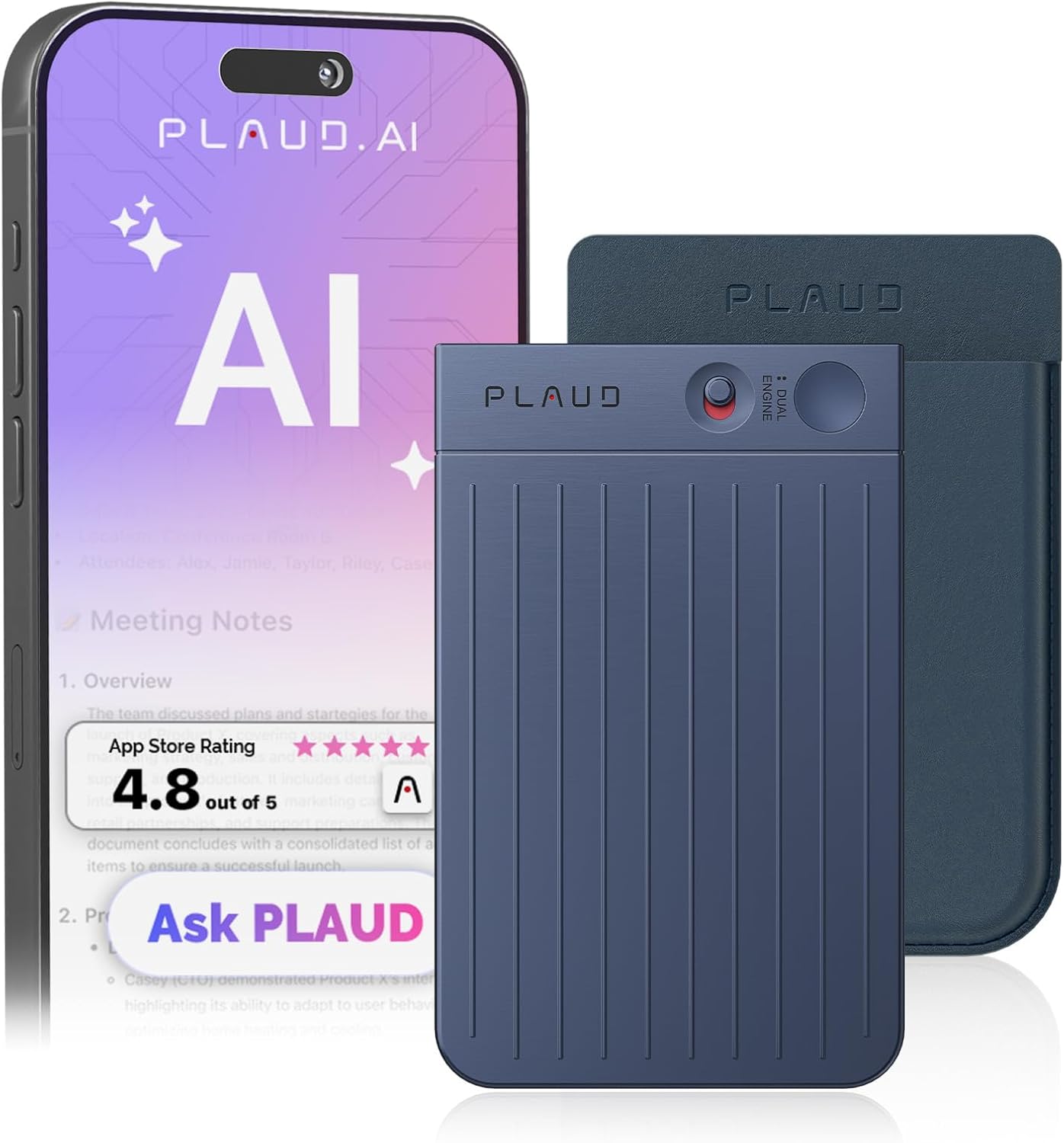
Figure 3.1: PLAUD NOTE attached to a smartphone for convenient use.
4. Иштөө нускамалары
4.1 Жазуу режимдери
The PLAUD NOTE features a dual recording engine:
- Аба өткөргүчтүк сенсору: Captures high-quality ambient sounds for meetings, lectures, and presentations.
- Вибрация өткөргүч сенсору (VCS): Ensures clear call recordings by capturing internal phone sounds when attached to your smartphone.

Figure 4.1: Illustration of dual recording modes for phone calls and general notes.
4.2 Бир басуу менен жаздыруу
To start recording, simply slide the switch on the device to the desired mode and press the record button. The device is designed for instant capture of voice anytime, anywhere.
4.3 PLAUD App Features
The PLAUD App provides comprehensive tools for managing your recordings:
- Транскрипция: Swift and accurate transcription in 112 languages.
- Жасалма интеллекттин кыскача баяндамасы: Developed on advanced AI models (GPT-4.1, Claude 4.0, o3-mini, Gemini 2.5 Pro), allowing creation of summaries, meeting minutes, and to-do lists.
- Аудиону кыркуу: Easily edit and remove unwanted segments from your recordings.
- Спикердин энбелгилери: Visually distinguish different speakers within your recordings.
- Аудио импорттоо: Option to import external audio files for transcription and summarization.
- Булуттагы сактагыч: Unlimited cloud storage via the PLAUD App and Web portal for easy management, sorting, and sharing of files.
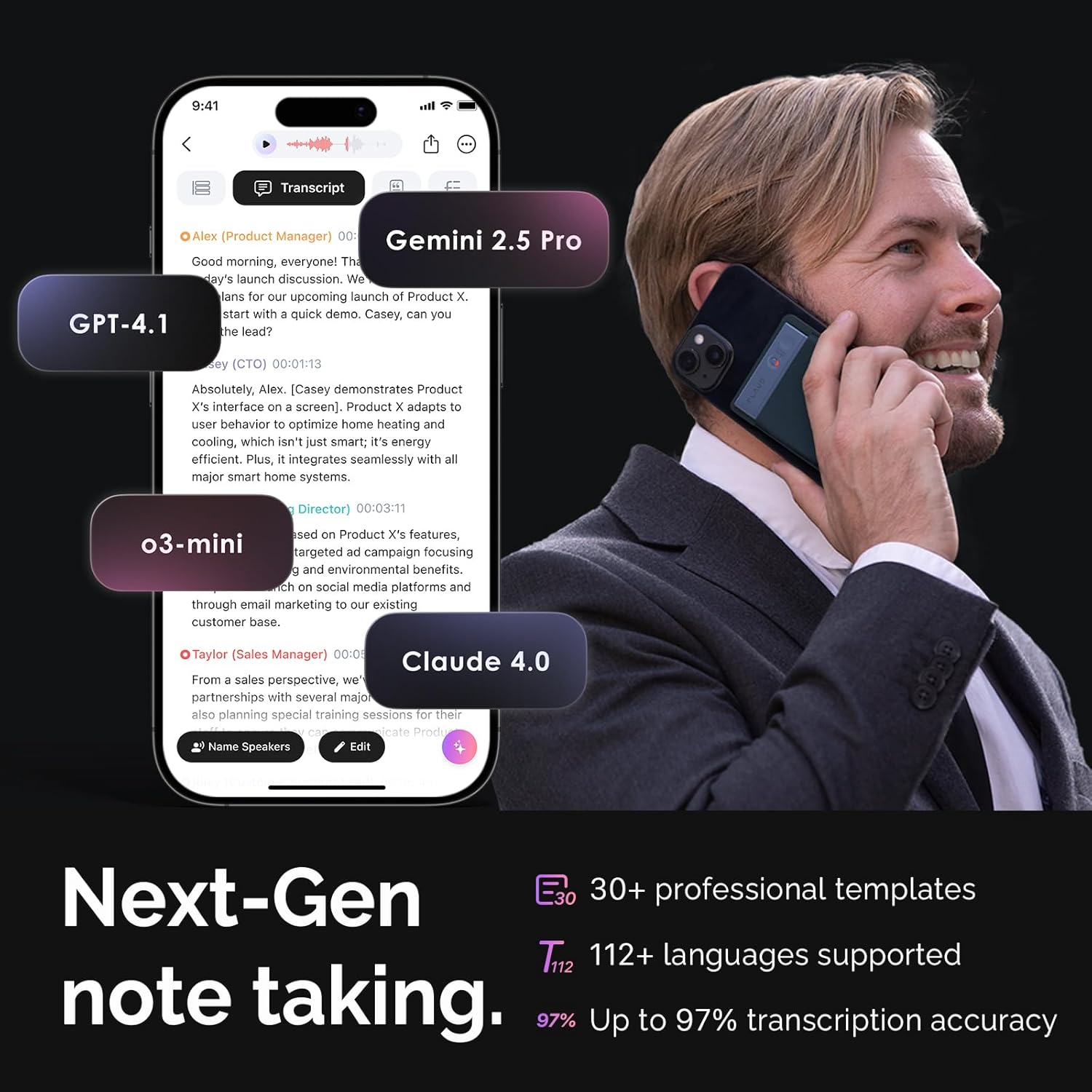
Figure 4.2: PLAUD App interface demonstrating transcription and summarization capabilities.
5. Өзгөчөлүктөрү жана артыкчылыктары
- Өркүндөтүлгөн AI технологиясы: Integrates cutting-edge AI for transcription and summarization across 112 languages.
- Компакт жана көчмө: Sleek 0.12" aluminum alloy build, weighing only 1.06 ounces (30g).
- Батареянын узак иштөө мөөнөтү: Up to 30 hours of continuous recording on a single charge, with 60 days of standby time.
- AmpСактагыч: 64GB internal storage, accommodating up to 480 hours of recordings.
- Privacy-Focused: Жергиликтүү маалыматтар шифрленген жана булут files are exclusive to you, with data processing only upon your authorization.

Figure 5.1: Key features of the PLAUD NOTE: Tiny, Mighty, Always Ready.
6. Техникалык шарттар
| Өзгөчөлүк | Деталь |
|---|---|
| Продукциянын өлчөмдөрү | 3.35 x 0.12 x 2.17 дюйм |
| Элемент Салмагы | 1.06 унция (30 грамм) |
| Модель номери | NB-100 |
| Батареялар | 1 CR5 батарейкасы талап кылынат (кошулган) |
| Шайкеш түзмөктөр | Смартфон |
| Аппараттык интерфейс | Bluetooth |
| Микрофон форма фактору | Камтылган |
| Формат | WAV |
| Наушник уясы | No headphones jack |
| Эстутум сактоо сыйымдуулугу | 64 ГБ |
7. Жазылуу пландары
Upon activation, you receive a complimentary Starter Plan. For extended features and increased transcription minutes, optional subscription plans are available:
- Starter Plan (Free): Includes 300 transcription minutes per month.
- Pro Plan: Offers 1200 minutes monthly AI transcription & summary time, plus more professional summary templates.
- Unlimited Plan: Provides unlimited AI transcription and summary time, along with all features from the Pro Plan.
Note: Prices for Pro and Unlimited plans may vary by region. Please refer to the PLAUD App or Web for current pricing details.

Figure 7.1: ашыкview of available PLAUD AI subscription plans.
8. Кыйынчылыктарды
If you encounter any issues with your PLAUD AI Voice Recorder, consider the following common solutions:
- Түзмөк жооп бербейт: Ensure the device is fully charged. Try restarting the device by holding the power button for 10 seconds.
- Жупташтыруу маселелери: Ensure Bluetooth is enabled on your smartphone and the PLAUD NOTE is within range. Try unpairing and re-pairing the device in the PLAUD App settings.
- Transcription Inaccuracy: Ensure the recording environment is quiet and the device is positioned optimally to capture clear audio. Check your internet connection for app-based transcription.
- Колдонмонун иштөө маселелери: Ensure your PLAUD App is updated to the latest version. Clear the app cache or reinstall the app if problems persist.
For more detailed troubleshooting or persistent issues, please refer to the official User Guide or contact customer support.
9. Кепилдик жана колдоо
PLAUD provides comprehensive support for its products.
- Колдонуучунун колдонмосу: For detailed instructions and information, please refer to the Расмий колдонуучу колдонмосу (PDF).
- Кепилдик маалыматы: Details regarding your product warranty can be found in the Кепилдик документи (PDF).
- Кардарларды колдоо: For any inquiries or assistance, please visit the PLAUD Official Store on Amazon же түздөн-түз кардарларды тейлөө менен байланышыңыз.


