1. Киришүү
Сатып алганыңыз үчүн рахматasing the MONODEAL T23 3-Speed Turntable. This manual provides essential information for the safe and correct operation of your device. Please read it thoroughly before use and retain it for future reference.
2. Коопсуздук маалыматы
- Өрт же электр тогуна урунуп калбаш үчүн аппаратты жамгырга же нымга тийгизбеңиз.
- Кабинетти ачпаңыз. квалификациялуу персоналды гана тейлөө билдирет.
- Ensure the power adapter matches your local power supply.
- Түзмөктү туруктуу, тегиз жерге, күндүн түз нурунан, жылуулук булактарынан жана ашыкча чаңдан же титирөөдөн алыс коюңуз.
- Балдар жетпеген жерде сактаңыз.
3. Пакеттин мазмуну
Пакетте бардык буюмдар бар экенин текшериңиз:
- 1 x MONODEAL T23 Record Player
- 1 x 5V 1.5A Power Cord
- 1 х Колдонуучунун колдонмосу (бул документ)
4. Продукт бүтүп калдыview
Familiarize yourself with the various parts and controls of your MONODEAL T23 Turntable.

4.1-сүрөт: Жогорку жана арткы View of the MONODEAL T23 Turntable with labeled components including Power Switch, Headphone Jack, Mode button, LED Light, USB Port, Power Adapter Input, RCA Output Jacks, 45 RPM Fixator, Tone Arm Raise Lever, Auto Stop Switch, LP Speed Switch, and Stylus.
- Power Switch/Volume Knob: Аппаратты күйгүзөт/өчүрүп, үнүн тууралайт.
- Гарнитура уячасы: Наушник менен жеке угуу үчүн.
- Режим баскычы: Switches between different input modes (e.g., Phono, Bluetooth, USB).
- LED жарык: Indicates power and mode status.
- USB порт: USB ойнотуу үчүн.
- Кубаттуу адаптердин кириши: Connects to the provided 5V 1.5A power cord.
- RCA чыгаруу уячалары (сол/оң): Сырткы байланышка туташат ampкөтөргүч же кубаттуу динамиктер.
- 45 RPM Fixator: Adapter for 7-inch records with large center holes.
- Тон кол көтөрүүчү рычаг: Lifts and lowers the tone arm gently.
- Автоматтык токтотуу которгучу: Автоматтык токтотуу функциясын иштетет же өчүрөт.
- LP Speed Switch: Selects playback speed (33, 45, or 78 RPM).
- Калем: The needle that reads the grooves of the record.
5. Орнотуу
- Пакеттен чыгаруу: Айланма табакты таңгагынан этияттык менен чыгарыңыз. Таңгакты келечекте ташуу же сактоо үчүн сактап коюңуз.
- Жайгашкан жери: Place the turntable on a stable, level surface. Ensure there is adequate ventilation around the unit.
- Кубат туташуу: Connect the provided 5V 1.5A power cord to the DC IN port on the back of the turntable and then plug it into a wall outlet.
- Чаң капкагы: The transparent dust cover can be opened or closed to protect the platter and stylus when not in use.
6. Иштөө нускамалары
6.1 Винил пластинкаларын ойнотуу
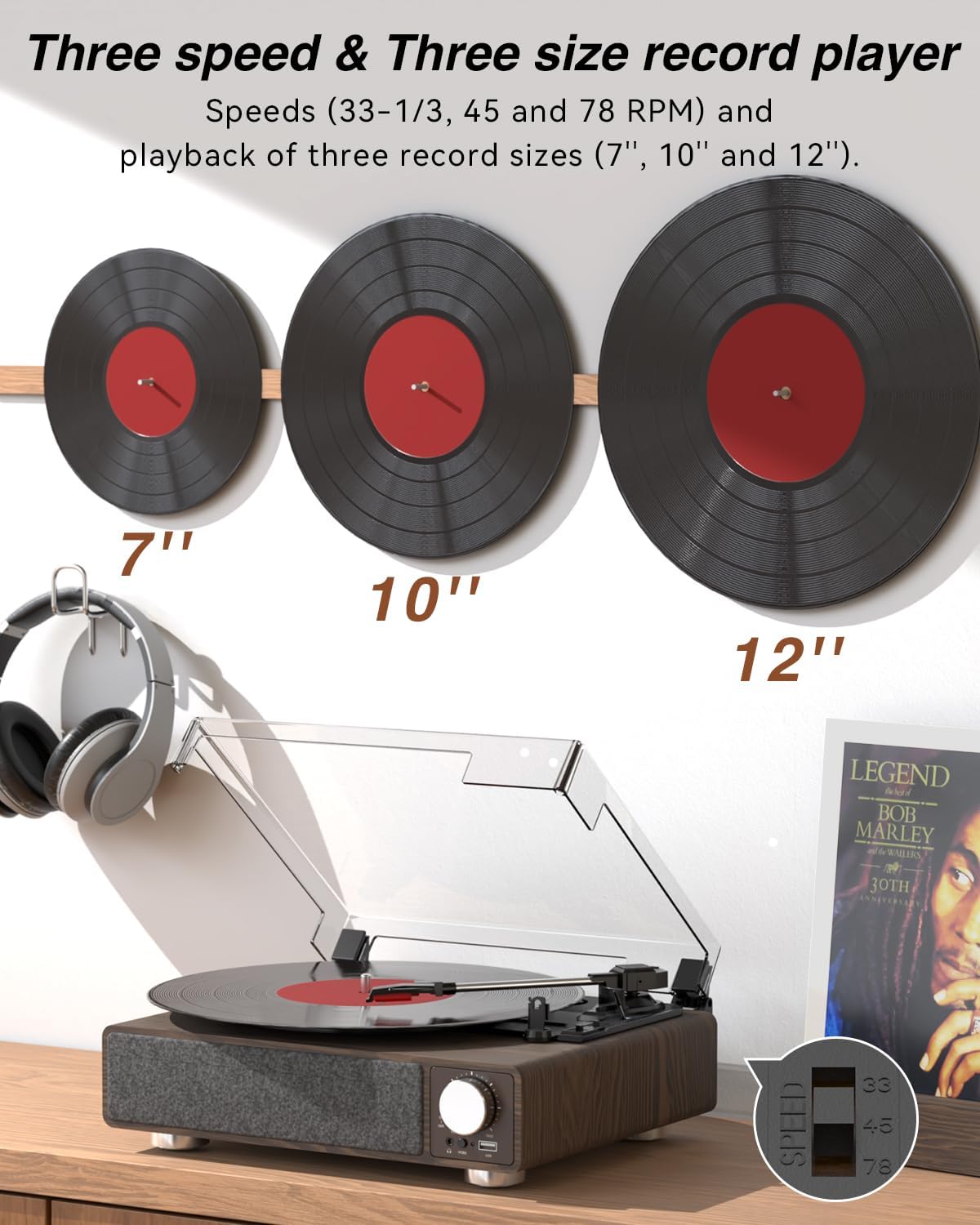
6.1-сүрөт: The MONODEAL T23 Turntable supports 3 speeds and 3 record sizes.
- Turn the Power Switch/Volume Knob clockwise to turn on the unit.
- Чаң капкагын көтөрүңүз.
- Place a vinyl record on the turntable platter. If playing a 7-inch record with a large center hole, place the 45 RPM fixator on the spindle first.
- Select the appropriate speed (33, 45, or 78 RPM) using the LP Speed Switch, matching the record you are playing.
- Push the Tone Arm Raise Lever up to lift the tone arm.
- Manually move the tone arm over the desired starting track of the record.
- Push the Tone Arm Raise Lever down to gently lower the tone arm onto the record. Playback will begin.
- Adjust the volume using the Power Switch/Volume Knob.
- Автоматтык токтотуу функциясы: If the Auto Stop Switch is set to ON, the turntable will automatically stop rotating when the record finishes playing. If set to OFF, it will continue to rotate.
- To stop playback, lift the tone arm using the lever and return it to the tone arm rest. Turn the Power Switch/Volume Knob counter-clockwise to turn off the unit.
6.2 Bluetooth Transmission (BT OUT)
This feature allows you to stream audio from the turntable to external Bluetooth speakers or headphones.

6.2-сүрөт: Bluetooth transmission from the turntable to external devices.
- Ensure the turntable is powered on and in Phono mode (playing a record).
- Press and hold the Mode button until the LED indicator flashes blue, indicating Bluetooth transmission pairing mode.
- Place your Bluetooth speaker or headphones in pairing mode.
- The turntable will automatically search for and connect to the nearest Bluetooth device. Once connected, the LED indicator will turn solid blue.
- Audio from the record will now play through your connected Bluetooth device.
6.3 Bluetooth Reception (BT IN)
This feature allows you to stream audio from your mobile device (phone, tablet) to the turntable's built-in speakers.
6.3-сүрөт: Bluetooth reception by the turntable from a smartphone.
- Айлануучу табакты күйгүзүңүз.
- Press the Mode button repeatedly until the LED indicator flashes blue, indicating Bluetooth reception pairing mode.
- On your mobile device, enable Bluetooth and search for available devices. Select "MONODEAL T23" from the list.
- Туташкандан кийин LED индикатору көк түскө айланат.
- Play audio on your mobile device, and it will sound through the turntable's speakers. Adjust volume using the turntable's volume knob or your mobile device.
6.4 USB ойнотуу
The turntable supports playing audio fileUSB флешкасынан.
- Insert a USB flash drive into the USB port on the front of the turntable.
- Press the Mode button to switch to USB mode. The LED indicator will change to reflect USB mode.
- The turntable will automatically begin playing audio files from the USB drive. Use the control buttons (if available, or refer to the specific model's USB control instructions) to navigate tracks.
6.5 RCA чыгаруу
Connect the turntable to an external amplifier or powered speakers for enhanced sound.

6.4-сүрөт: RCA output for external speakers and headphone jack for private listening.
- Ensure the turntable and your external audio system are turned off.
- Connect an RCA cable (not included) to the RCA Output Jacks (L/R) on the back of the turntable.
- Connect the other end of the RCA cable to the corresponding audio input on your ampкөтөргүч же кубаттуу динамиктер.
- Turn on both the turntable and your external audio system.
- Play a record as described in Section 6.1. Audio will be routed through your external system. Adjust volume on both devices as needed.
6.6 Наушник уячасы
For private listening, connect headphones to the 3.5mm headphone jack on the front of the unit.
- Plug your 3.5mm headphones into the Headphone Jack.
- Adjust the volume using the Power Switch/Volume Knob.
7. Техникалык тейлөө
7.1 Айланма табакчаны тазалоо
- Аппараттын сыртын жумшак, кургак чүпүрөк менен сүртүңүз. Абразивдүү тазалагычтарды же эриткичтерди колдонбоңуз.
- Чаңдын топтолушуна жол бербөө үчүн, колдонулбай турганда чаң капкагын жабык кармаңыз.
7.2 Стилуска кам көрүү
- Handle the stylus with extreme care. Avoid touching the stylus tip with your fingers.
- Стилусту мезгил-мезгили менен жумшак щетка менен, артынан алдыга карай акырын сүртүп тазалап туруңуз.
- A worn stylus can damage records and degrade sound quality. Replace the stylus when signs of wear appear (e.g., distorted sound, skipping).
7.3 Жазууларды тейлөө
- Always hold records by their edges or center label.
- Жазууларды салкын, кургак жерде, жеңдеринде тигинен сактаңыз.
- Чаңды жана статикалык электрди кетирүү үчүн атайын щетка же эритме менен пластинкаларды үзгүлтүксүз тазалап туруңуз.
8. Кыйынчылыктарды
| Көйгөй | Мүмкүн себеп | Чечим |
|---|---|---|
| Күч жок | Power cord not connected; Power outlet not working; Unit not turned on. | Ensure power cord is securely connected; Try a different outlet; Turn the Power Switch/Volume Knob clockwise. |
| Камтылган динамиктерден үн чыкпайт | Volume too low; RCA output connected; Bluetooth transmission active. | Increase volume; Disconnect RCA cables if not using external speakers; Ensure Bluetooth transmission is off if you want sound from built-in speakers. |
| Үн бурмаланып же секирип жатат | Record dirty or damaged; Stylus dirty or worn; Turntable not level; Excessive vibration. | Clean record; Clean or replace stylus; Place turntable on a stable, level surface; Ensure turntable is away from sources of vibration. |
| Bluetooth жупташтыруу ишке ашпай калды | Түзмөк өтө алыс; Түзмөк жупташтыруу режиминде эмес; Тоскоолдук бар. | Move devices closer; Ensure both devices are in pairing mode; Turn off other Bluetooth devices nearby. |
| Auto stop not working | Auto Stop Switch is OFF. | Set the Auto Stop Switch to ON. Note: Some records may stop prematurely or not at all due to variations in groove patterns. |
9. Техникалык шарттар
| Өзгөчөлүк | Спецификация |
|---|---|
| Модель аты | T23 |
| Бренд | MONODEAL |
| Продукциянын өлчөмдөрү | 11.81 x 9.84 x 4.31 дюйм (30 x 25 x 11 см) |
| Элемент Салмагы | 5.77 фунт (2.62 кг) |
| Материал | Жыгач |
| Ойнотуу ылдамдыгы | 33-1/3, 45, 78 RPM |
| Колдоого алынган жаздыруу өлчөмдөрү | 7", 10", 12" |
| Байланыш | Bluetooth (Reception & Transmission), USB, RCA Output, Headphone Jack |
| Power Source | Зымдуу электр (5V 1.5A) |
| Өзгөчөлүктөр | Built-in Stereo Speakers, Auto Stop, Belt-Drive System |
10. Кепилдик жана колдоо
MONODEAL products are designed and manufactured to the highest quality standards. For warranty information and technical support, please refer to the warranty card included with your purchase or visit the official MONODEAL website. Please have your model number (T23) and purchase date available when contacting support.


