1. Киришүү
This manual provides detailed instructions for the setup, operation, and maintenance of your iSinbox YG381 4K Outdoor Projector. Please read this manual thoroughly before using the product to ensure proper function and to extend its lifespan. Keep this manual for future reference.

Image 1.1: The iSinbox YG381 Projector on its adjustable stand.
2. Коопсуздук боюнча маанилүү маалымат
Электр тогуна урунуу, өрт чыгуу же жаракат алуу коркунучун азайтуу үчүн ар дайым төмөнкү коопсуздук чараларын сактаңыз:
- Вентиляция тешиктерин жаап албаңыз. Туура аба агымы үчүн проектордун айланасында жетиштүү мейкиндикти камсыз кылыңыз.
- Do not expose the projector to rain or moisture. Avoid placing liquids near the unit.
- Проектор менен берилген кубат шнурын гана колдонуңуз.
- Do not attempt to open or service the projector yourself. Refer all servicing to qualified personnel.
- l болгондо проектордун линзасына түздөн-түз көз тийбесинamp күйүк.
- Проектор кулап калбашы үчүн аны туруктуу, түз жерге коюңуз.
- Чагылган түшкөн учурда же узак убакыт бою колдонулбаган учурда проекторду розеткадан сууруп коюңуз.
3. Пакеттин мазмуну
Пакетиңизде бардык буюмдар бар экенин текшериңиз:
- iSinbox YG381 Projector
- Электр кабели
- Алыстан башкаруу пульту (AAA батарейкалары кошулган эмес)
- User Manual
4. Продукт бүтүп калдыview
4.1 Фронт View
Сүрөт 4.1: Алдыңкы view of the projector, highlighting the projection lens and various sensors for auto-adjustment features.
- Проекциялык линза: Сүрөттү чыгарат.
- Auto-Focus Sensor: Detects distance for automatic focus adjustment.
- AI Sensors: Used for auto keystone, obstacle avoidance, and screen alignment.
4.2 Арткы жана каптал Views (Порттор)
Проектордо туташуу үчүн ар кандай порттор бар:
- HDMI порту: For connecting external devices like gaming consoles, laptops, or streaming sticks.
- USB порттору: For media playback from USB drives or connecting peripherals.
- Аудио чыгышы: Тышкы аудио системаларды туташтыруу үчүн.
- Кубат киргизүү: Кубат адаптерин туташтыруу үчүн.
5. Орнотуу
5.1 Орнотуу
Position the projector on a stable surface. The YG381 features AI Auto Magic+ for automatic image adjustments, detecting front, rear, or ceiling placement and adjusting the image within 3 seconds. It also includes smart obstacle avoidance and screen alignment.

Image 5.1: The projector automatically adjusting focus, keystone, avoiding obstacles, and aligning the screen.
The adjustable stand allows for flexible projection angles, including ceiling projection. Digital zoom (50-100%) enables screen resizing without moving the projector.

Image 5.2: The portable design allows for easy setup in various environments, such as outdoor movie nights.
5.2 Кубат туташтыруу
Connect the supplied power cord to the projector's power input port, then plug the other end into a suitable electrical outlet.
5.3 Баштапкы күйгүзүү
Press the power button on the projector or the remote control to turn on the device. Follow the on-screen prompts for initial setup, including language selection and network configuration.
5.4 Тармакка туташуу (Wi-Fi)
To access online streaming services and updates, connect the projector to your Wi-Fi network:
- Navigate to the "Settings" menu on the home screen.
- "Тармак" же "Wi-Fi жөндөөлөрүн" тандаңыз.
- Тизмеден каалаган Wi-Fi тармагын тандаңыз.
- Экрандагы клавиатура аркылуу Wi-Fi сырсөзүн киргизип, ырастаңыз.

Image 5.3: The projector supports Wi-Fi 6 for stable and fast streaming, ideal for gaming and high-resolution content.
5.5 Bluetooth жупташтыруу
The projector supports Bluetooth 5.3 for connecting external audio devices or using the projector as a Bluetooth speaker:
- Go to "Settings" and select "Bluetooth".
- Bluetooth'ду иштетиңиз жана жеткиликтүү түзмөктөрдү издеңиз.
- Select your Bluetooth speaker or headphones from the list to pair.
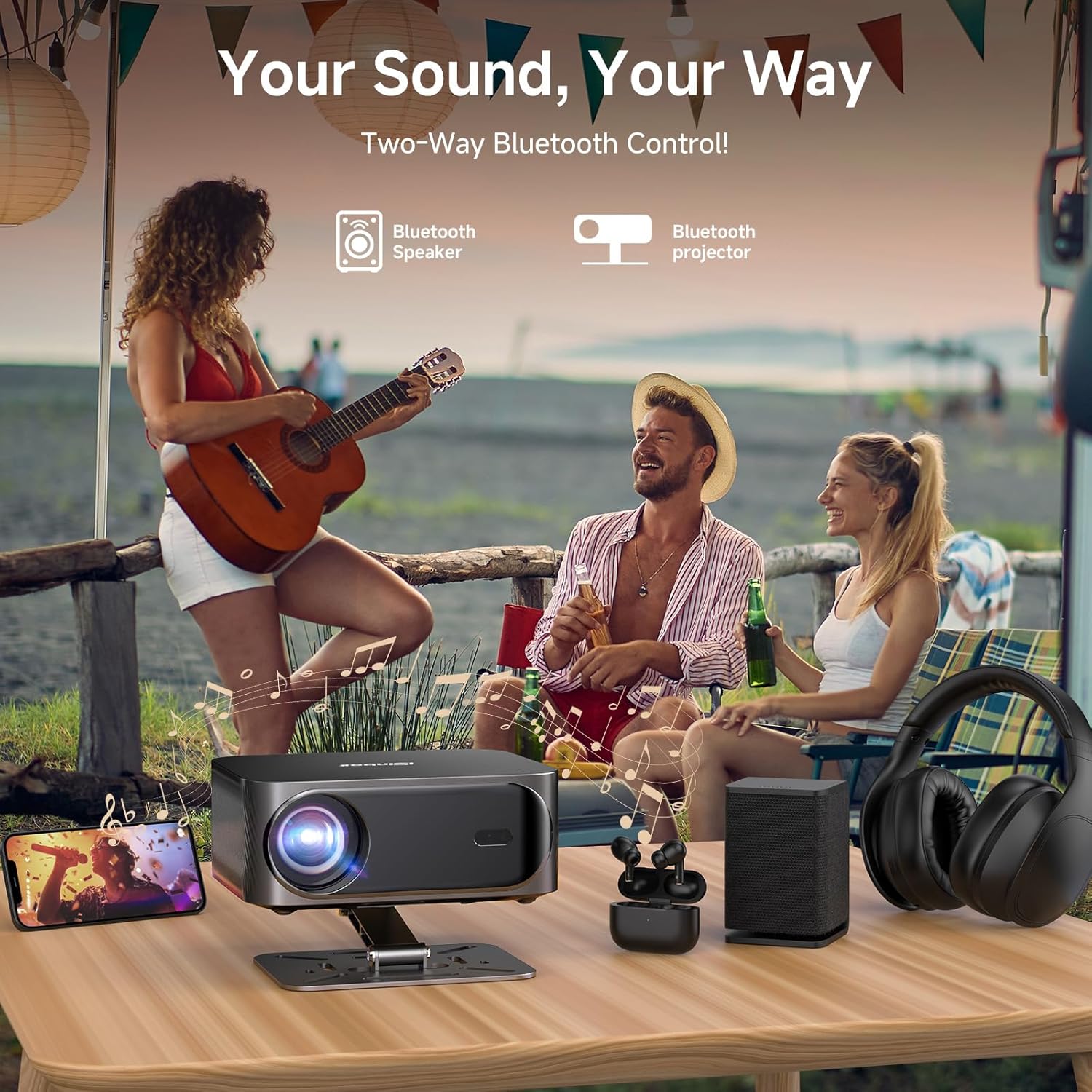
Image 5.4: The projector can connect to various Bluetooth audio devices, or function as a standalone Bluetooth speaker.
6. Операция
6.1 Navigating the Movin 2.0 Smart OS
The projector runs on the Movin 2.0 operating system. Use the remote control to navigate through menus, select applications, and adjust settings. The interface is designed for intuitive use, similar to a smart TV.

Image 6.1: The Movin 2.0 Smart OS offers enhanced fluidity, reliability, and intelligence compared to previous versions and other chips.
6.2 Камтылган тиркемелерди колдонуу
The projector comes with pre-installed applications such as Prime Video, YouTube, Disney+, TikTok, and Apple TV. Select the desired app from the home screen to begin streaming content. Ensure a stable internet connection for optimal performance.

Image 6.2: The Movin 2.0 OS provides direct access to popular streaming services.
6.3 Тышкы түзмөктөрдү туташтыруу
Use the HDMI port to connect devices like laptops, gaming consoles, or other media players. The projector supports 4K input and HDR10+ for enhanced visual quality.
- Connect an HDMI cable from your external device to the projector's HDMI input.
- Select the corresponding HDMI input source from the projector's input menu.
6.4 Аудио орнотуулары
The projector supports Dolby Audio and DTS Audio decoding. For external audio, use the Bluetooth pairing feature or the eARC HDMI port for lossless audio transmission to compatible sound systems.

Image 6.3: The projector integrates Dolby Audio and DTS for a rich sound experience.
6.5 Projection Adjustments
- Автофокус: The projector automatically adjusts focus. If needed, manual focus adjustment options are available in the settings.
- Автоматтык негизги ташты оңдоо: The projector automatically corrects trapezoidal distortion.
- Digital Zoom: Adjust the screen size from 50% to 100% via the settings menu without moving the projector.
- 360° Projection: The projector can be positioned for various projection angles, including ceiling projection.
7. Техникалык тейлөө
7.1 Тазалоо
- Объектив: Оптикалык линзалар үчүн атайын жасалган жумшак, түксүз кездемени колдонуңуз. Абразивдүү тазалагычтарды же эриткичтерди колдонбоңуз.
- Сырткы: Проектордун сыртын жумшак, кургак чүпүрөк менен сүртүңүз. өжөр белгилери үчүн, бир аз гamp кездеме, андан кийин кургак чүпүрөк колдонсо болот.
- Вентиляция тешиктери: Periodically check and gently clean the ventilation openings to prevent dust buildup, which can affect performance and lifespan. Use a soft brush or compressed air.
7.2 Сактоо
Узак мөөнөткө пайдаланылбаганда, проекторду салкын, кургак жерде, тике күн нурунан жана экстремалдык температурадан алыс сактаңыз. Чаңдын жана зыяндын алдын алуу үчүн оригиналдуу таңгагын же коргоочу капты колдонуңуз.
8. Кыйынчылыктарды
| Көйгөй | Мүмкүн себеп | Чечим |
|---|---|---|
| Сүрөт көрсөтүлгөн жок | Кубат кабели ажыратылган; Туура эмес киргизүү булагы; Линза капкагы жабык. | Ensure power cable is securely connected; Select correct input source (HDMI, App); Remove lens cap. |
| Сүрөт бүдөмүк | Out of focus; Projector moved. | Allow auto-focus to adjust; Manually adjust focus if needed via settings. |
| Үн жок | Volume too low; Muted; Incorrect audio output selected; Bluetooth device not connected. | Increase volume; Unmute; Check audio output settings; Re-pair Bluetooth device. |
| Wi-Fi туташуу маселелери | Туура эмес сырсөз; Роутер өтө алыс; Тармактык тоскоолдук. | Verify Wi-Fi password; Move projector closer to router; Restart router. |
| Пульт иштебей жатат | Batteries depleted; Obstruction between remote and projector. | Replace AAA batteries; Ensure clear line of sight to the projector's IR receiver. |
9. Техникалык шарттар
| Бренд | iSinbox |
| Модел | YG381 |
| Дисплей технологиясы | LCD |
| Сүрөттүн жарыктыгы | 1200 ANSI челинин |
| Native Resolution | 1920 x 1080 (Full HD) |
| Колдоого алынган резолюция | Up to 3840 x 2160 (4K) |
| Сүрөттүн карама-катышы | 20000:1 |
| Аспект катышы | 16:9, 4:3 |
| Өзгөчөлүктөр | Movin Smart Operating System (Movin 2.0), AI-Powered Visuals, 4K Support, HDR10+, Auto-Focus, 6D Keystone, Auto Screen Alignment, Dolby & DTS Audio, MTK9660 Chip, Wi-Fi 6, Bluetooth 5.3 |
| Байланыш технологиясы | Wireless (Wi-Fi 6, Bluetooth 5.3), HDMI |
| Шайкеш түзмөктөр | Gaming Console, Laptop, Smartphone, Tablet, Television |
| Ызы-чуу деңгээли | 32 децибел |
| Продукциянын өлчөмдөрү | 20 x 16 x 8 см |
| Элемент Салмагы | 2.09 кг (болжол менен 4.6 фунт) |
10. Кепилдик жана колдоо
The iSinbox YG381 Projector comes with a 1 жылдык акысыз алмаштыруу кепилдиги жана 3 years of technical support. For any product inquiries, technical assistance, or warranty claims, please contact iSinbox customer support. Refer to the contact information provided on the product packaging or the official iSinbox webсайт.
Please note that AAA batteries for the remote control are not included and should be purchased separately.


