1. Киришүү
Сатып алганыңыз үчүн рахматasing the IRRADIO IR-M5 Classic Portable Speaker. This manual provides essential information for the safe and efficient operation of your device. Please read it thoroughly before use and keep it for future reference.
2. Коопсуздук маалыматы
- Динамикти экстремалдык температурага же түз күн нуруна узак убакытка калтырбаңыз.
- Спикерди түшүрүүдөн же катуу таасирлерге дуушар кылуудан качыңыз.
- Түзмөктү өз алдынча бөлүктөргө бөлбөңүз, оңдобоңуз же өзгөртпөңүз. Квалификациялуу тейлөө кызматкерлерине кайрылыңыз.
- Динамикти медициналык шаймандардан алыс кармаңыз, анткени анын курамында магниттер бар.
- Заряддоо кабелин туташтыруудан мурун кубаттоо порту кургак экенин текшериңиз.
- This device is IPX7 water-resistant, meaning it can be submerged in up to 1 meter of water for 30 minutes. Do not intentionally submerge it for longer periods or deeper than specified.
3. Пакеттин мазмуну
Сураныч, пакетте төмөнкү нерселерди текшериңиз:
- IRRADIO IR-M5 Classic Portable Speaker
- USB заряддоо кабели
- User Manual
4. Продукт бүтүп калдыview
Спикердин компоненттери жана башкаруу элементтери менен таанышыңыз.

Сүрөт 4.1: Алдыңкы view of the IRRADIO IR-M5 Classic speaker, showing the speaker grille, IRRADIO logo, and RGB LED light bar.
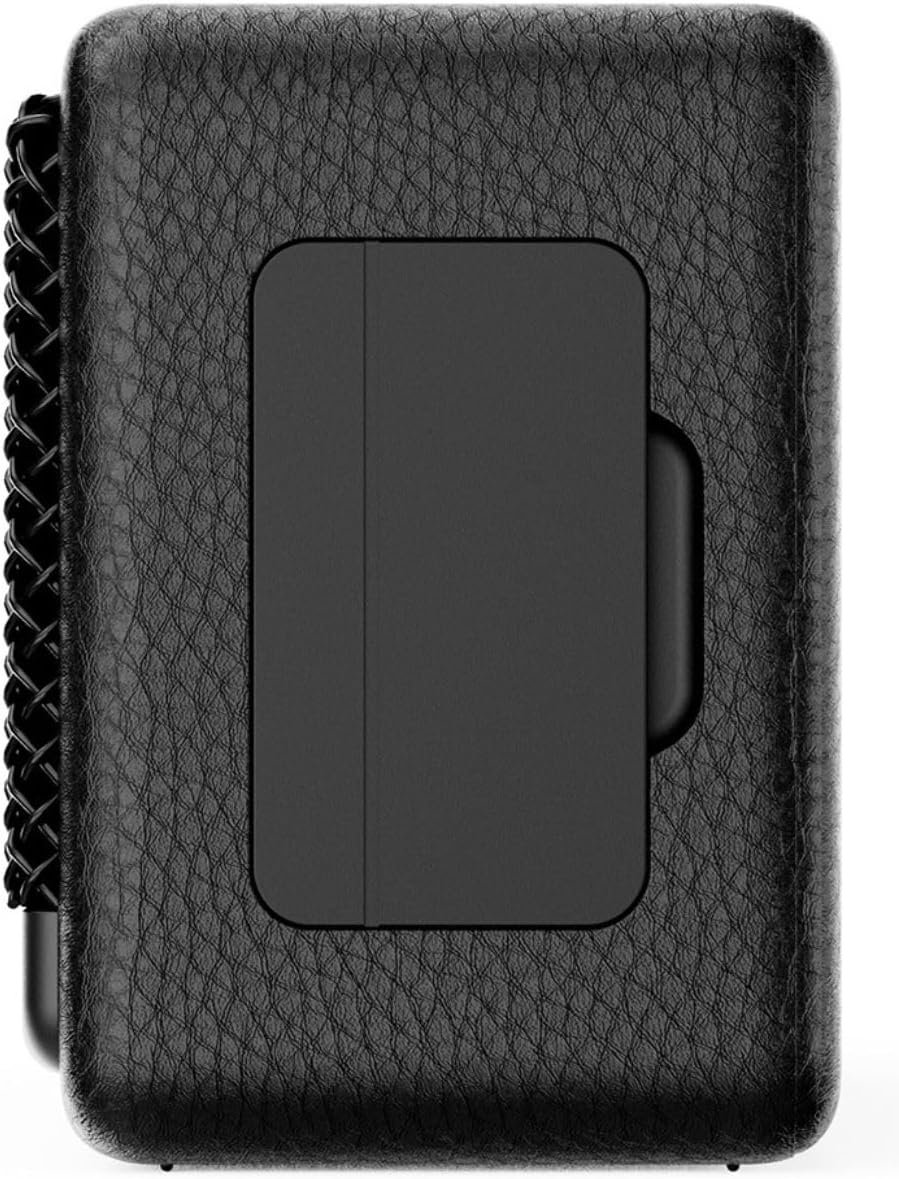
4.2-сүрөт: Артка view of the IRRADIO IR-M5 Classic speaker, highlighting the passive subwoofer panel.

4.3-сүрөт: Каптал view of the IRRADIO IR-M5 Classic speaker, showing the integrated strap for portability.
Башкаруу каражаттары жана порттор:
- Кубат баскычы: Күйгүзүү/өчүрүү үчүн басып туруңуз.
- Үндү жогорулатуу/Кийинки трек: Үнүн жогорулатуу үчүн кыска басыңыз, кийинки трекке узакка басыңыз.
- Үнүн азайтуу/Мурунку трек: Үндү азайтуу үчүн кыска басыңыз, мурунку трек үчүн көпкө басыңыз.
- Ойнотуу/Тындыруу/Чакыруу баскычы: Press to play/pause music or answer/end calls.
- Режим баскычы (M): Press to switch between Bluetooth and USB playback modes.
- RGB LED Button: Press to cycle through RGB lighting modes or turn off the lights.
- USB-C заряддоо порту: Динамикти заряддоо үчүн.
- USB-A порту: For external USB music playback.
- AUX Input (3.5mm Mini Jack): Зымдуу аудио туташуу үчүн.
5. Орнотуу
5.1 Динамикти заряддоо
Before first use, fully charge the speaker. Connect the provided USB charging cable to the USB-C port on the speaker and the other end to a compatible USB power adapter (not included).
- LED индикатору кубаттоо абалын көрсөтөт.
- Толук кубаттоо болжол менен 3.5 саатты талап кылат.
5.2 Күйгүзүү/өчүрүү
- To power on, press and hold the Power button until you hear an audible prompt.
- To power off, press and hold the Power button again until the speaker shuts down.
5.3 Bluetooth жупташтыруу
- Динамикти күйгүзүңүз. Ал автоматтык түрдө Bluetooth жупташтыруу режимине кирет, жаркыраган LED менен көрсөтүлгөн.
- Түзмөгүңүздө (смартфон, планшет, ноутбук) Bluetooth иштетиңиз жана жеткиликтүү түзмөктөрдү издеңиз.
- Select "IR-M5 Classic" from the list of devices.
- Once paired, the LED indicator will stop flashing and remain solid. You are now ready to play music.
6. Иштөө нускамалары
6.1 Музыканы ойнотуу
- Bluetooth режими: Ийгиликтүү жупташтыргандан кийин, туташкан түзмөгүңүздөн музыка ойнотуңуз.
- USB ойнотуу: Insert a USB drive with MP3/WAV files into the USB-A port. The speaker will automatically switch to USB mode and begin playback. Use the Mode button to switch if necessary.
- AUX режими: Connect an audio device using a 3.5mm AUX cable to the AUX input. The speaker will automatically switch to AUX mode.
6.2 Үндү башкаруу
- Press the Volume Up (+) button to increase volume.
- Press the Volume Down (-) button to decrease volume.
6.3 Track Navigation
- Long press the Volume Up (+) button for the next track.
- Long press the Volume Down (-) button for the previous track.
6.4 Чыныгы зымсыз стерео (TWS) функциясы
To pair two IR-M5 Classic speakers for a stereo experience:
- Эки динамик тең күйгүзүлгөнүн жана эч кандай Bluetooth түзмөгүнө туташкан эмес экенин текшериңиз.
- On one speaker, double-press the Play/Pause button. It will enter TWS pairing mode.
- The speakers will automatically connect to each other. You will hear a confirmation sound.
- Once TWS paired, connect your device to one of the speakers via Bluetooth as described in section 5.3. Both speakers will now play in stereo.
6.5 RGB LED жарыктандыруу
Press the RGB LED button to cycle through different lighting modes or to turn the lights off.
7. Техникалык тейлөө
- Динамикти жумшак, кургак чүпүрөк менен тазалаңыз. Абразивдүү тазалагычтарды же эриткичтерди колдонбоңуз.
- Колдонулбаганда динамикти салкын, кургак жерде сактаңыз.
- If the speaker will not be used for an extended period, charge it every 3 months to maintain battery health.
8. Кыйынчылыктарды
| Көйгөй | Мүмкүн себеп | Чечим |
|---|---|---|
| Динамик күйбөйт. | Батарея аз. | Динамикти толук заряддаңыз. |
| Bluetooth аркылуу жупташтыруу мүмкүн эмес. | Speaker is not in pairing mode or already connected to another device. | Ensure speaker is in pairing mode. Disconnect from other devices. Restart speaker and device. |
| Үн жок. | Үн өтө төмөн; туура эмес киргизүү режими; түзмөк ойнобой жатат. | Increase volume. Check input mode (Bluetooth/USB/AUX). Ensure source device is playing. |
| TWS жупташтыруу ишке ашпай калды. | Speakers are already connected to a device or each other. | Ensure both speakers are disconnected from all devices before initiating TWS pairing. |
9. Техникалык шарттар
| Өзгөчөлүк | Деталь |
|---|---|
| Модель аты | IR-M5 Classic |
| Бренд | IRRADIO |
| Чыгуу күчү | 20W (Rated), 28W (Music) |
| Айдоочулар | 2 x 50mm Full-Range, 1 x Passive Subwoofer |
| Frequency Response | 85Гц - 20кГц |
| Bluetooth версиясы | 5.4 |
| Зымсыз диапазон | 10 метрге чейин (тоскоолдуксуз) |
| Батарея сыйымдуулугу | 2000mAh (3.7V, 7.4 Wh) |
| Ойнотуу убактысы | Болжол менен 8 саат (50% үн менен) |
| Заряддоо убактысы | Болжол менен 3.5 саат |
| Суу каршылык | IPX7 |
| Өлчөмдөрү (L x W x Y) | 17.4 x 8 x 5.3 см (6.8 x 3.15 x 2.1 дюйм) |
| Салмагы | 506 грамм (0.506 кг) |
| Колдоого алынган аудио форматтары | MP3, WAV |
10. Кепилдик жана колдоо
This product comes with a standard manufacturer's warranty. For detailed warranty terms and conditions, please refer to the warranty card included in your package or contact your local distributor. For technical support or service inquiries, please visit the official IRRADIO webсайтка же кардарларды тейлөөгө кайрылыңыз.
Эскертүү: Продукциянын мүнөздөмөлөрү жана дизайны жакшыртуу үчүн эскертүүсүз өзгөртүлүшү мүмкүн.


