1. Киришүү
The GEEKVAPE SOUL 2 Pod Kit is an advanced vaping device designed for both Mouth-to-Lung (MTL) and Restricted Direct-Lung (RDL) vaping styles. It features a powerful built-in battery, adjustable output, and an innovative airflow system for a customizable experience. This manual provides detailed instructions for safe and effective use of your device.
Маанилүү: This product is a VAPE starter set. E-liquid is not included and must be purchased separately. This device is nicotine-free.
2. Пакеттин мазмуну
Сураныч, пакетте төмөнкү нерселерди текшериңиз:
- GEEKVAPE SOUL 2 Pod Kit Main Unit x1
- GEEKVAPE SOUL Pod (0.6Ω) x1
- GEEKVAPE SOUL Pod (1.0Ω) x1
- USB Type-C кабели x1
- Колдонуучунун колдонмосу x1
- Эскертүү картасы x1
- FlavorKitchen Original Mini Pouch x1

Image: GEEKVAPE SOUL 2 Pod Kit in black, shown with a FlavorKitchen pouch and other color variants of the device.
3. Продукт бүтүп калдыview жана Техникалык шарттар
3.1 Негизги өзгөчөлүктөрү
- Чоң кубаттуулуктагы батарея: Integrated 2100mAh battery for extended use.
- Жөнгө салынуучу чыгаруу: Max output of 35W, allowing for power customization.
- 0.99 дюймдук дисплей: Clear display for essential vaping information.
- Slider Airflow Adjustment: Precise control over airflow for tailored draw.
- New BOOST PODs: Enhanced flavor and vapor production with improved durability.
- Картридж шайкештиги: Backward compatible with previous GEEKVAPE Soul cartridges.
- Тез кубаттоо: Approximately 40 minutes for a full charge via USB Type-C.
- Dual Activation: Supports both auto-draw and button-activated vaping.

Image: GEEKVAPE SOUL 2 device highlighting its 2100mAh battery, long-life cartridge, and cartridge compatibility.

Image: GEEKVAPE SOUL 2 device showcasing its tobacco capsule compatibility, 2100mAh battery, 35W output, and second-generation Boost Pod.
3.2 Техникалык мүнөздөмөлөр
| Параметр | Нарк |
|---|---|
| Продукт аты | GEEKVAPE SOUL 2 |
| Өлчөмдөр | 108.49 мм × 33.67 мм × 23.50 мм |
| Батарея сыйымдуулугу | 2100 мАч (орнотулган) |
| Максималдуу чыгаруу | 35 Вт |
| Экранды көрсөтүү | 0.99 дюйм |
| Аба агымын башкаруу | Stepless Slider Adjustment |
| Compatible Resistance | 0.4Ω (Sold Separately) / 0.6Ω / 1.0Ω |
| Заряддоо порту | USB Type-C (5V/2A) |
| Заряддоо убактысы | Болжол менен 40 мүнөт |
| Активдештирүү ыкмасы | Auto-draw & Button-draw |
| Compatible Styles | MTL / RDL |
4. Баштоо
4.1 Алгачкы заряддоо
Before first use, fully charge your GEEKVAPE SOUL 2 device. Connect the provided USB Type-C cable to the charging port on the device and plug the other end into a suitable USB power source (e.g., wall adapter, computer USB port). The display will indicate charging status. A full charge takes approximately 40 minutes.

Image: Illustration showing the internal 2100mAh battery of the GEEKVAPE SOUL 2 device, emphasizing its large capacity and fast charging capability.
4.2 Подду толтуруу
- Түзмөктү аппараттан алып салыңыз.
- Подгондун капталындагы силикон тыгынды табыңыз.
- Carefully open the stopper and insert the nozzle of your e-liquid bottle into the filling port.
- Fill the pod with your desired e-liquid, ensuring not to overfill.
- Силикон тыгынды бекем жаап коюңуз.
- Маанилүү: If it's a new pod, let it stand for 5-10 minutes after filling to allow the coil to saturate with e-liquid. This prevents dry hits and extends coil life.
4.3 Installing the Pod
Толтурулган поддонду аппараттагы уячага тууралаңыз жана аны чыкылдатмайынча бекем түртүңүз. Магниттик туташуу капчыгайды бекемдейт.
5. Операция
5.1 Күйгүзүү/өчүрүү
Аппаратты буруш үчүн ON or ӨЧҮРҮҮ, rapidly press the fire button 5 times within 2 seconds.
5.2 Vaping
The GEEKVAPE SOUL 2 supports two vaping methods:
- Автоматтык түрдө тартуу: Аппаратты иштетип, буу чыгаруу үчүн жөн гана ооздуктан дем алыңыз.
- Баскыч менен иштетилген: Ооздуктан дем алып жатканда өрт баскычын басып, кармап туруңуз.

Image: A hand holding the GEEKVAPE SOUL 2 device, showing its display screen with wattage and resistance information.
5.3 Ватттын көлөмүн жөндөөtagд
The device allows for wattage adjustment up to 35W. Use the adjustment buttons (usually located near the display) to increase or decrease the wattage to your preferred level. Refer to the recommended wattage range for your installed pod (e.g., 0.6Ω pod, 1.0Ω pod) for optimal performance and coil longevity.
Эскертүү: To set output above 31W, a separately sold 0.4Ω pod is required.

Image: GEEKVAPE SOUL 2 device illustrating its maximum 35W output adjustment capability.
5.4 Аба агымын жөндөө
The GEEKVAPE SOUL 2 features a slider-type airflow adjustment. Locate the airflow slider on the device and move it to increase or decrease the airflow. Adjusting the airflow will change the tightness of your draw and the amount of vapor produced, allowing you to fine-tune your vaping experience from a tight MTL draw to a looser RDL draw.

Image: Diagrams showing the patented leak-proof design and the adjustable airflow control of the GEEKVAPE SOUL 2 pod.
6. Техникалык тейлөө
6.1 Pod Replacement
The pods are consumable parts and need to be replaced periodically. You will notice a decrease in flavor, vapor production, or a burnt taste when the coil needs replacement. To replace a pod:
- Remove the old pod from the device.
- Эски капсуланы жоопкерчилик менен жок кылыңыз.
- Fill a new GEEKVAPE SOUL Pod (0.6Ω or 1.0Ω) with e-liquid as described in Section 4.2.
- Install the new pod into the device.
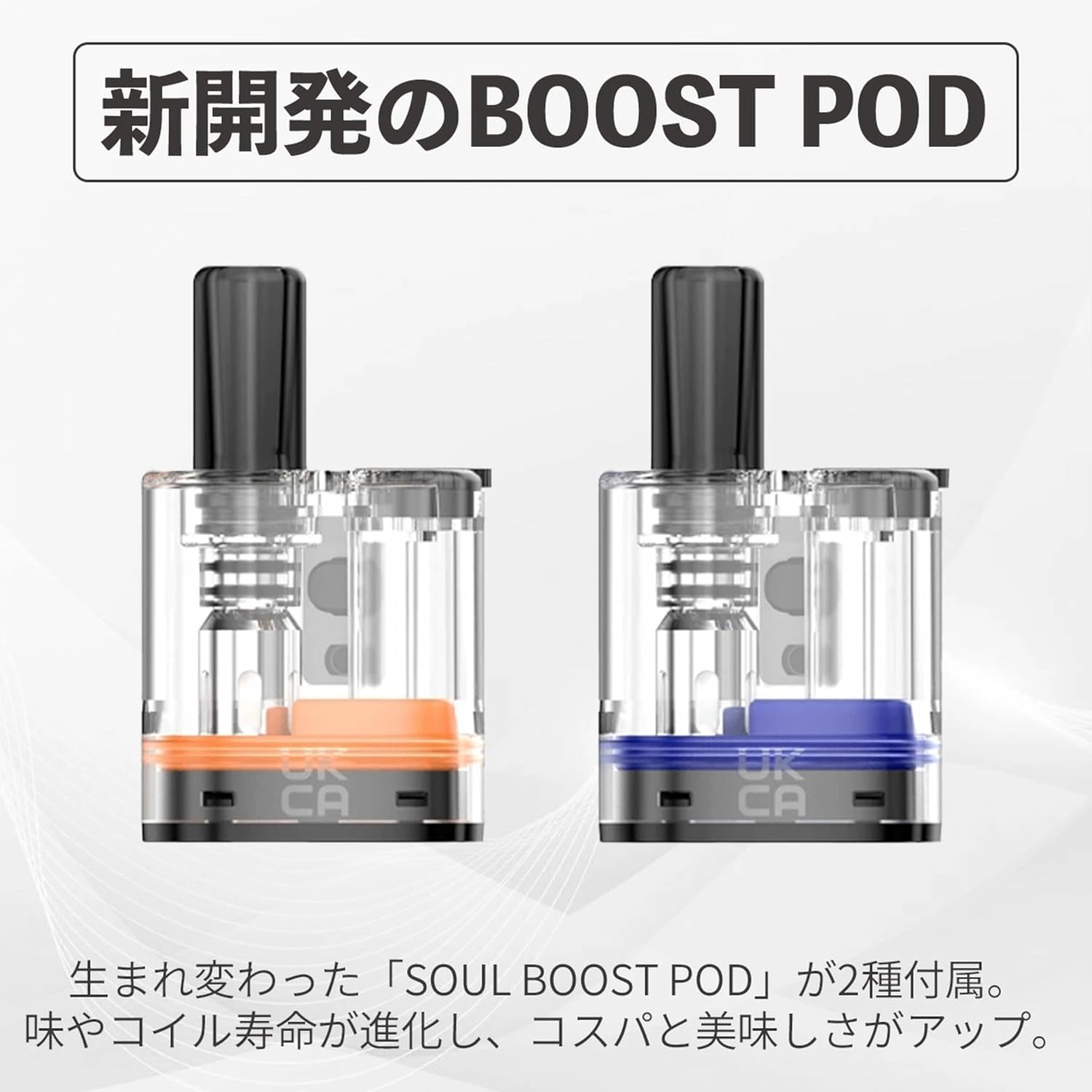
Image: Two newly developed GEEKVAPE SOUL BOOST PODs, highlighting their improved design for flavor and coil life.
6.2 Аппаратты тазалоо
Regularly clean the device, especially the pod connection area, to ensure optimal performance and prevent e-liquid residue buildup. Use a dry cloth or cotton swab to gently wipe away any condensation or e-liquid spills.
7. Кыйынчылыктарды
| Көйгөй | Мүмкүн себеп | Чечим |
|---|---|---|
| Буу өндүрүшү жок | Battery low; Pod not properly installed; No e-liquid; Device off. | Charge device; Reinstall pod; Refill pod; Turn device on (5 clicks). |
| Күйгөн даам | Coil dry/burnt; E-liquid level too low; High wattage жөндөө. | Replace pod; Refill pod; Lower wattage. |
| алсыз | Overfilled pod; Worn-out pod; Condensation. | Do not overfill; Replace pod; Clean condensation regularly. |
| Түзмөк заряддалбай жатат | Faulty cable/charger; Dirty charging port. | Try different cable/charger; Clean charging port. |
8. Коопсуздук чаралары
- Аппаратты балдар жана үй жаныбарлары жетпеген жерде сактаңыз.
- Аппаратты экстремалдык температурага, түз күндүн нуруна же сууга калтырбаңыз.
- Заряддоо үчүн берилген USB Type-C кабелин гана колдонуңуз.
- Бузулган батареяларды же заряддоо түзүлүштөрдү колдонбоңуз.
- Түзмөктү түшүрүп алуудан же катуу соккуга кабылтуудан алыс болуңуз.
- If the device malfunctions or emits unusual odors, discontinue use immediately.
- Электрондук таштандыларды жергиликтүү эрежелерге ылайык жоопкерчилик менен жок кылыңыз.
9. Расмий продукт Video
Video: An official promotional video for the GEEKVAPE SOUL 2, showcasing its design, features, and user experience in various settings.
10. Кепилдик жана колдоо
For warranty information and customer support, please refer to the warranty card included in your package or contact GEEKVAPE customer service directly through their official webсайт. Кепилдик дооматтар үчүн сатып алганыңыздын далилин сактаңыз.


