1. Киришүү
Thank you for choosing TOZO T6 Wireless Earbuds. This manual provides essential information for setting up, operating, maintaining, and troubleshooting your new earbuds. Please read it carefully before use and retain it for future reference.
2. Кутуда эмне бар
- TOZO T6 зымсыз кулакчындар
- Зымсыз кубаттоо кутусу
- Наушниктер (бир нече өлчөмдөгү)
- USB Aдан Cга чейин заряддоо кабели
- User Manual
3. Продукт бүтүп калдыview
The TOZO T6 earbuds are designed for an immersive audio experience with advanced features and comfortable wear.
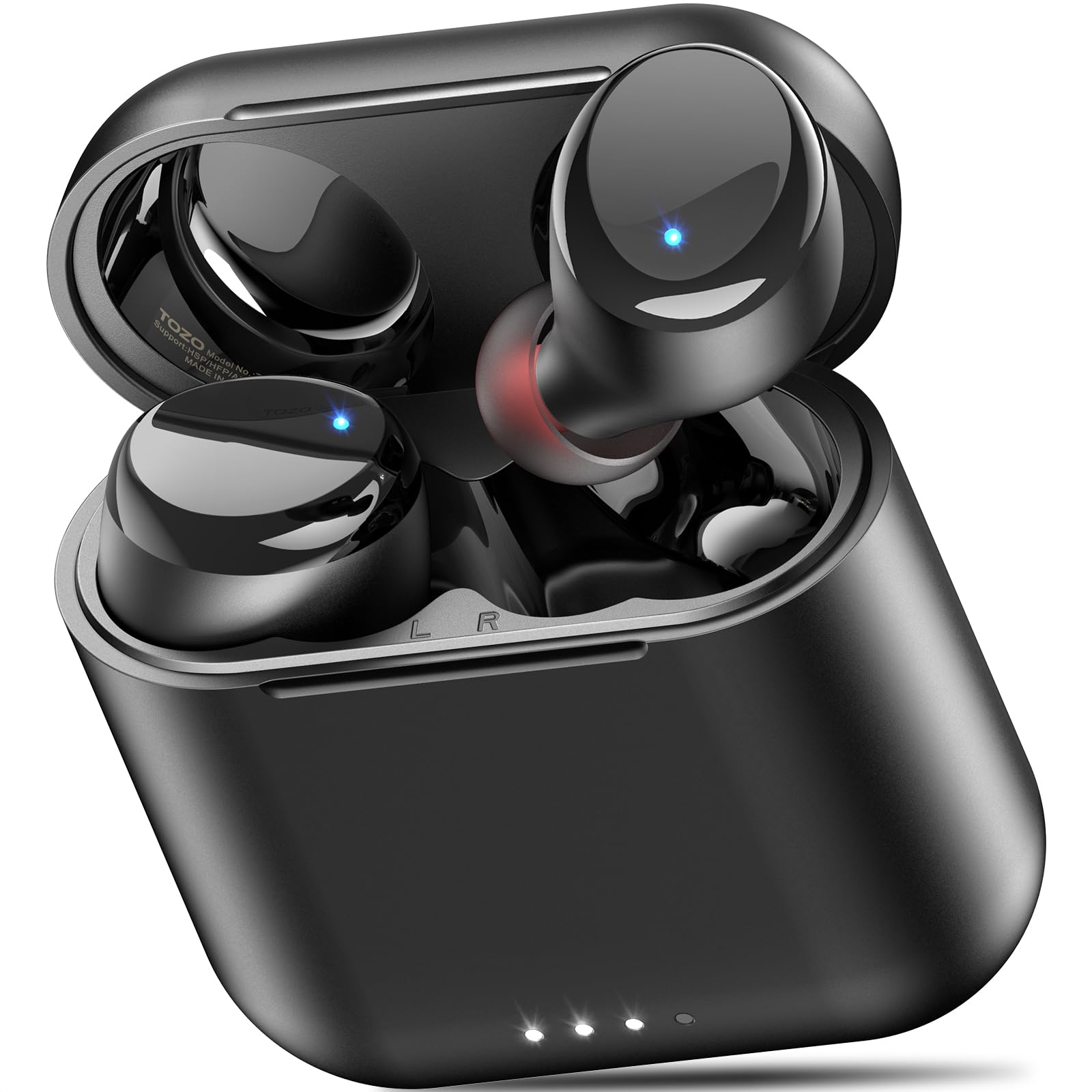
Figure 1: TOZO T6 Wireless Earbuds and Charging Case.

Figure 2: TOZO T6 Earbud highlighting OrigX 2.0 Acoustics for powerful bass and clear audio.

Figure 3: TOZO T6 Earbuds with a selection of ultra-soft silicone ear tips for a secure and comfortable fit.
4. Орнотуу
4.1. Баштапкы жупташтыруу
- Заряддоо кутучасын ачыңыз. Кулакчындар жупташтыруу режимине автоматтык түрдө кирет.
- Түзмөгүңүздө (смартфон, планшет ж.б.) Bluetooth иштетиңиз.
- Издөө "TOZO-T6" in the list of available Bluetooth devices and select it to connect.
- Туташкандан кийин, ийгиликтүү жупташтырууну ырастаган аудио сигналын угасыз.
4.2. Кулакчындарды орнотуу
For optimal sound quality and comfort, choose the correct ear tip size. The TOZO T6 comes with multiple sizes of silicone ear tips. Experiment to find the size that provides a snug fit and good seal in your ear canal.
- Наушникти кулак каналыңызга акырын киргизиңиз.
- Кулакчын коопсуз жана ыңгайлуу сезилгенге чейин аны бир аз буруңуз.
- Ensure a good seal to maximize bass response and noise isolation.
5. Иштөө нускамалары
5.1. Башкаруу элементтерине тийүү
The TOZO T6 earbuds feature intuitive touch controls for easy management of music and calls.

Figure 4: Visual guide to TOZO T6 Smart Touch Controls.
- Ойнотуу/тындыруу: Tap L or R earbud once.
- Көлөмү: Hold R earbud for 2 seconds.
- Үнүн азайтуу: Hold L earbud for 2 seconds.
- Кийинки ыр: Tap R earbud twice.
- Мурунку ыр: Tap L earbud twice.
- Чалууга жооп берүү/аяктоо: Tap L or R earbud once.
- Чакырууну четке кагуу: Hold L or R earbud for 2 seconds.
5.2. Заряддоо
The TOZO T6 earbuds and charging case offer both wireless and USB-C charging options.

Figure 5: The TOZO T6 charging case being charged wirelessly.
- Кулакчын кубаттоо: Place the earbuds into the charging case. They will automatically begin charging. The indicator lights on the earbuds will show their charging status.
- Case Charging (USB-C): Connect the provided USB A to C charging cable to the charging port on the case and a power source. The case fully charges in approximately 55 minutes.
- Case Charging (Wireless): Place the charging case on a compatible wireless charging pad. The case fully charges in under 2 hours wirelessly.
- Батареянын иштөө мөөнөтү: Enjoy up to 12 hours of listening time on a single charge, with a total of 50 hours using the charging case.
5.3. TOZO колдонмосунун шайкештиги
Enhance your audio experience by connecting your TOZO T6 earbuds to the TOZO app.

Figure 6: The TOZO App interface showing customizable EQ settings.
- Download the TOZO app from the App Store or Google Play.
- Connect your earbuds via the app to access 32 preset EQ modes or create your own custom sound profiles.
- The app also offers over 100 white noise tracks and AI-powered features for productivity.
6. Техникалык тейлөө
6.1. Тазалоо
Үзгүлтүксүз тазалоо оптималдуу аткарууну жана гигиенаны сактоого жардам берет.
- Кулакчындарды жана кубаттоочу кутуну жумшак, кургак, түксүз чүпүрөк менен сүртүңүз.
- Кулагынын учтарын алып салып, жумшак самын жана суу менен тазалаңыз, анан кайра кийер алдында жакшылап кургатып алыңыз.
- Gently clean any debris from the charging contacts on the earbuds and inside the case using a dry cotton swab.
6.2. Сууга туруктуулук (IPX8)
The TOZO T6 earbuds are IPX8 waterproof, offering protection against water immersion.

Figure 7: TOZO T6 Earbuds demonstrating IPX8 waterproof protection.
- IPX8 rating means the earbuds can withstand complete immersion in water under specific laboratory conditions (up to 1.5 meters for 30 minutes).
- They are designed to handle heavy sweat, rain, and daily water exposure.
- Кулакчындарды кайра заряддоо кутусуна коюудан мурун кургатылганын текшериңиз.
7. Кыйынчылыктарды
If you encounter any issues with your TOZO T6 earbuds, try the following steps:
- Үн жок: Ensure earbuds are paired correctly and volume is turned up on both the earbuds and your device. Check if the earbuds are charged.
- Жупташтыруу маселелери: Turn off Bluetooth on your device, then turn it back on. Reset the earbuds by placing them in the case, closing it, and then reopening. Try pairing again.
- Тең салмаксыз үн: Ensure both earbuds are properly seated in your ears and that the ear tips provide a good seal. Check for debris in the earbud nozzles.
- Заряддоо көйгөйлөрү: Ensure the charging cable is securely connected or the wireless charging pad is properly aligned. Clean the charging contacts.
- Сенсордук башкаруу жооп бербей жатат: Манжаларыңыздын таза жана кургак экенине ынаныңыз. Кулакчындарды баштапкы абалга келтирип көрүңүз.
For persistent issues, refer to the TOZO official webсайтка же кардарларды колдоо менен байланышыңыз.
8. Техникалык шарттар
| Өзгөчөлүк | Спецификация |
|---|---|
| Модель аты | T6 |
| Bluetooth версиясы | 5.3 |
| Bluetooth диапазону | 20 метр |
| Батареянын иштөө мөөнөтү (наушник) | 12 саатка чейин |
| Жалпы ойноо убактысы (Кеп менен) | 50 саатка чейин |
| Кубаттоо убактысы (USB-C аркылуу кутуча) | Болжол менен 55 мүнөт |
| Кубаттоо убактысы (зымсыз аркылуу кутуча) | 2 сааттан аз |
| Сууга туруктуулук рейтинги | IPX8 |
| Noise Control | Үн изоляциясы |
| Аудио драйверинин өлчөмү | 6 миллиметр |
| Элемент Салмагы | 0.2 унция |
9. Кепилдик жана колдоо
TOZO products are designed for durability and performance. For warranty information and customer support, please visit the official TOZO website or contact their customer service team. Keep your purchase receipt for warranty claims.
Кошумча ресурстар жана көп берилүүчү суроолор үчүн, төмөнкү дарекке кириңиз TOZO Brand Store.


