Introduction
The Baseus Picogo is an ultra-mini, Qi2 certified 15W MagSafe portable charger designed for convenience and efficiency. This 5000mAh magnetic battery pack features a built-in stand and offers both wireless and wired charging capabilities, ensuring your devices stay powered throughout the day.
Негизги өзгөчөлүктөрү:
- Ультра-мини өлчөмү: Compact dimensions (3.4" x 2.3" x 0.5") and lightweight (approx. 0.3lb) for easy portability.
- Qi2 Certified 15W Wireless Charging: Provides fast and efficient magnetic wireless charging.
- 20W Max USB-C Output: Supports wired fast charging for a variety of devices.
- 5000mAh кубаттуулугу: Offers reliable extra power for your smartphone.
- Integrated Aluminum Kickstand: Колдон эркин иштөөгө мүмкүндүк берет viewпортреттик жана пейзаждык багыттарда да.
- Күчтүү магниттик тиркеме: Equipped with 11N ultra-strong magnets for secure connection.
- Туруктуу курулуш: Features an aluminum alloy shell and fingerprint-resistant nano-coated silicone.
- Комплекстүү коопсуздук чаралары: Includes Over-Voltage, Under-Voltage, Over-Charge, Over-Discharge, NTC Temperature, Over-Current, Short Circuit, and Over-Power Protection.
Пакеттин мазмуну
Upon opening your Baseus Picogo Power Bank package, you should find the following items:
- Baseus Picogo 5000mAh Magnetic Power Bank
- USB-Cден USB-Cге чейин кубаттоочу кабель
- Колдонуучунун Колдонмосу (бул документ)
Продукт бүттүview
Familiarize yourself with the components of your Baseus Picogo Power Bank.
Фронт view of the Baseus Picogo Power Bank, showcasing анын компакттуу дизайны.

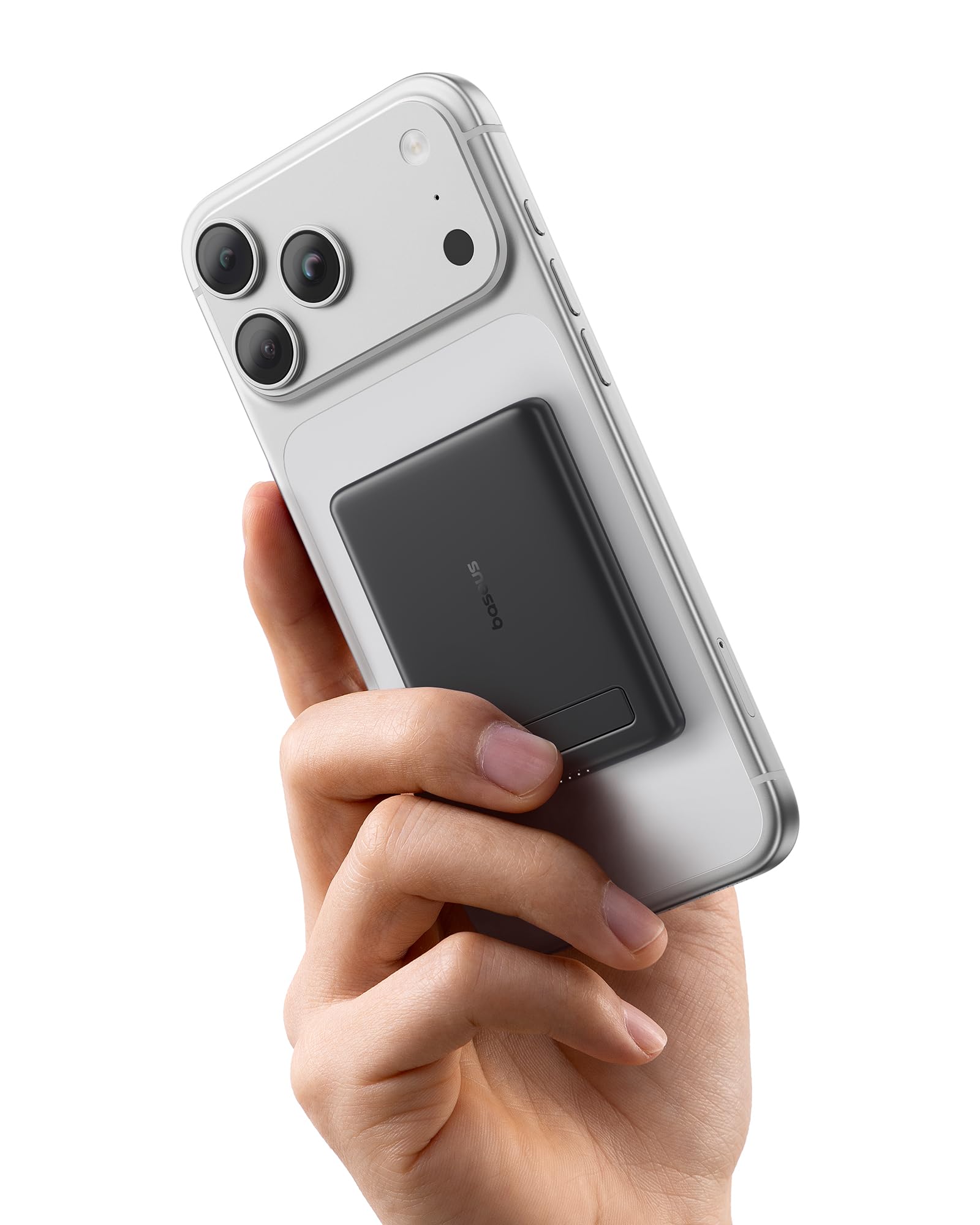
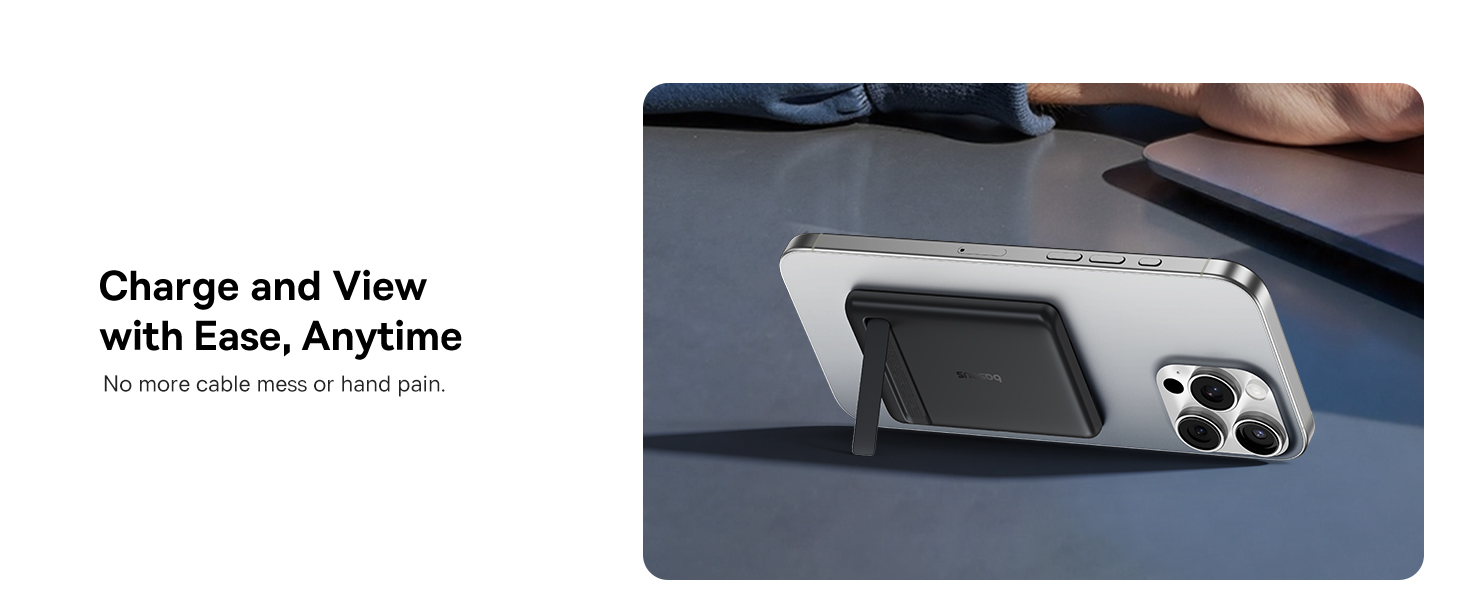
The Baseus Picogo Power Bank magnetically attached to an iPhone, with its integrated kickstand extended for hands-free viewing.
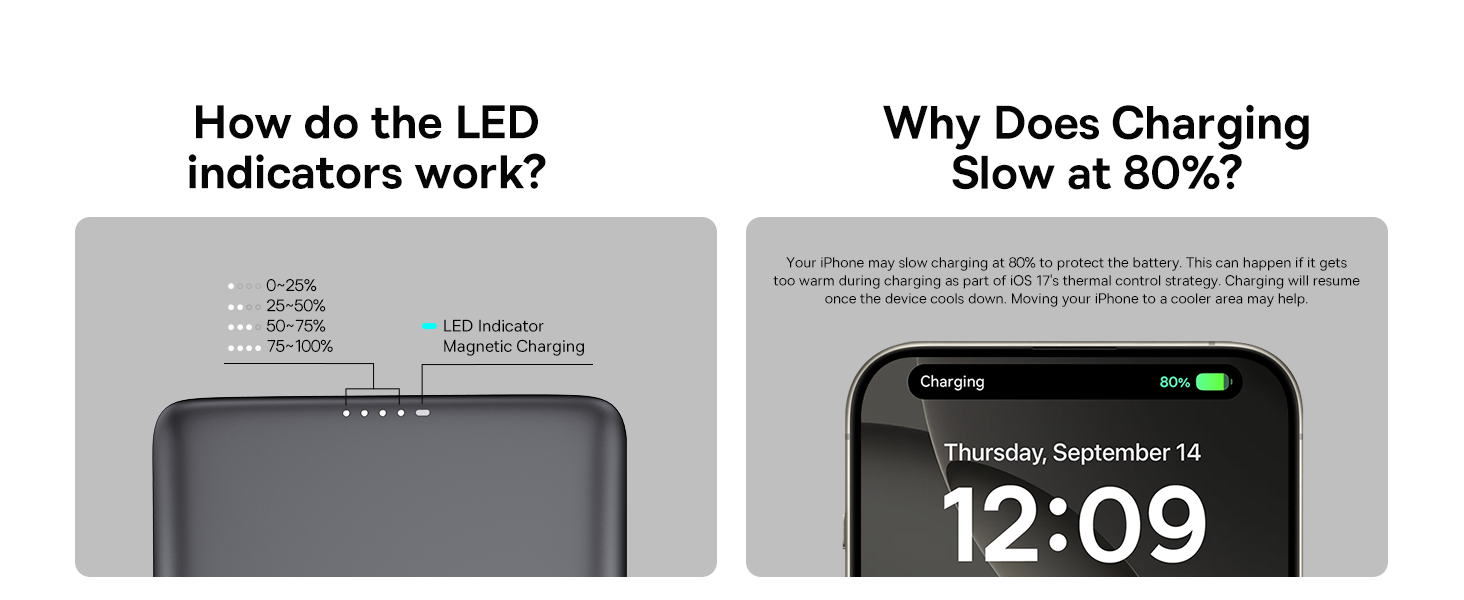
Diagram illustrating the LED power indicators and the magnetic charging area on the power bank.
Жайгашуу
1. Power банкын кубатталууда
Before initial use, fully charge your Baseus Picogo Power Bank.
- Connect the provided USB-C to USB-C cable to the USB-C port on the power bank.
- Connect the other end of the cable to a compatible USB-C power adapter (not included).
- The LED indicators on the power bank will illuminate to show the charging status. A full charge is indicated when all four LEDs are solid.
2. Attaching to Your Device
The Baseus Picogo Power Bank is designed for magnetic attachment to compatible devices.
- Ensure your device (e.g., iPhone 12 series or newer) has MagSafe capabilities or is using a MagSafe-compatible case.
- Align the power bank with the back of your device. The strong magnets will automatically snap it into place.
Size comparison of the Baseus Picogo Power Bank with an iPhone and a soda can, highlighting its ultra-mini design.
Иштөө нускамалары
1. Зымсыз заряддоо
For magnetic wireless charging:
- Кубат банкынын жетиштүү кубатталганын текшериңиз.
- Attach the power bank magnetically to your compatible device. Wireless charging will begin automatically.
- The power bank supports up to 15W Qi2 wireless charging.
2. Зымдуу заряддоо
For wired charging using the USB-C port:
- Connect your device to the USB-C port on the power bank using a compatible USB-C cable.
- Wired charging will begin. The USB-C port supports up to 20W output.
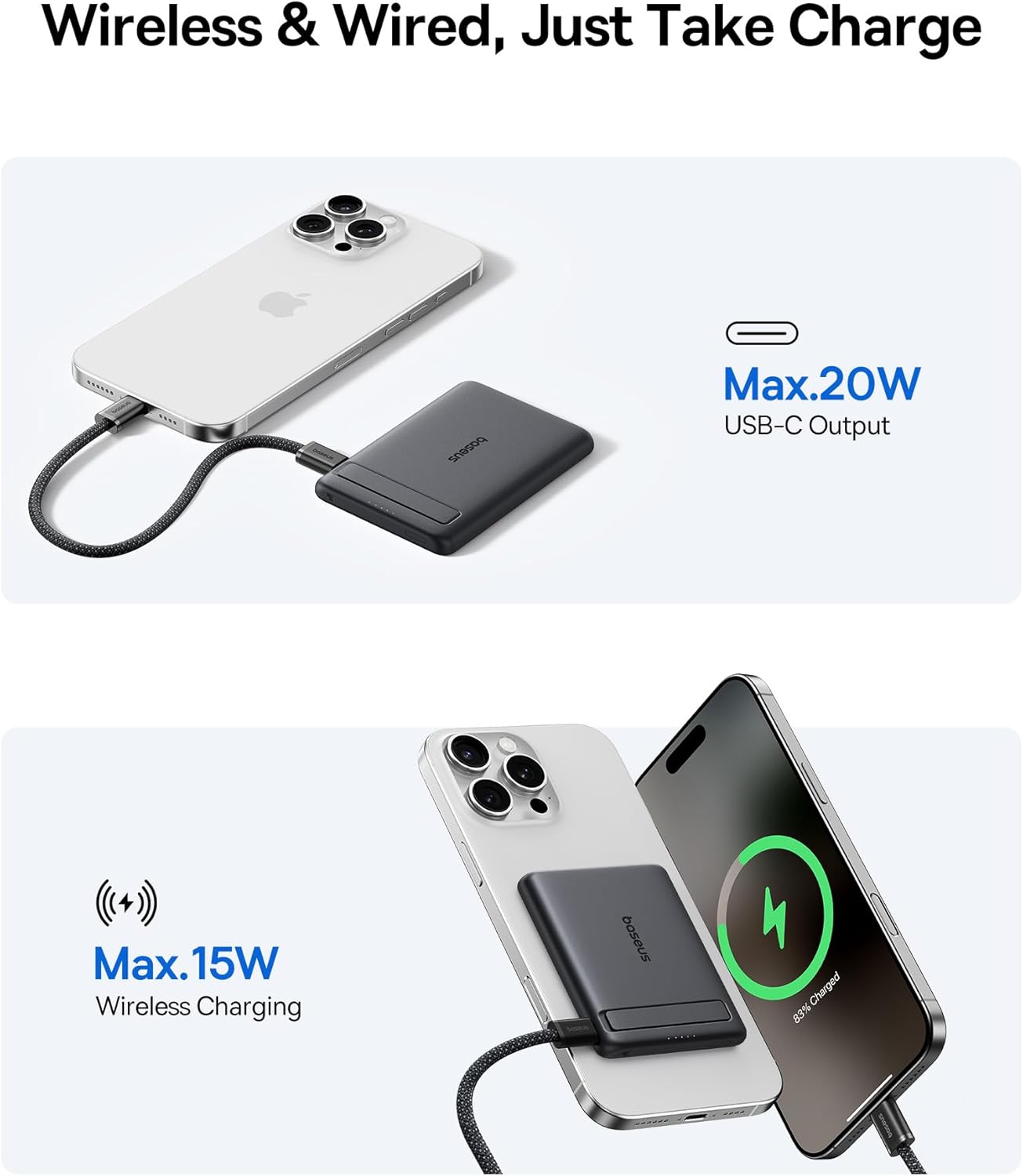
The power bank simultaneously charging an iPhone wirelessly and another device via its USB-C port, demonstrating both charging methods.
3. Using the Kickstand
The integrated aluminum kickstand allows for convenient hands-free viewing.
- Gently pull out the kickstand from the back of the power bank.
- Position your device with the attached power bank on a flat surface.
- Оптималдуу үчүн бурчту тууралаңыз viewing in either portrait or landscape mode.

A person holding an iPhone with the Baseus Picogo Power Bank attached, demonstrating comfortable one-handed use and the kickstand in action for hands-free viewing.
4. LED көрсөткүчтөрү
The LED lights on the power bank indicate the remaining battery level and charging status:
- Төрт катуу LED: 75-100% алынат
- Үч катуу светодиод: 50-75% алынат
- Эки катуу светодиод: 25-50% алынат
- Бир катуу LED: 0-25% алынат
- During charging, the active LED will blink.
Шайкештик
The Baseus Picogo Power Bank is broadly compatible with a range of devices:
- Apple түзмөктөрү: iPhone 12 series and newer (including iPhone 17 Pro Max/17 Air/16 Series), AirPods, Apple Watch, and other MagSafe-compatible accessories.
- Android түзмөктөрү: Galaxy S21-S24 Series and other smartphones supporting wireless charging or USB-C wired charging.
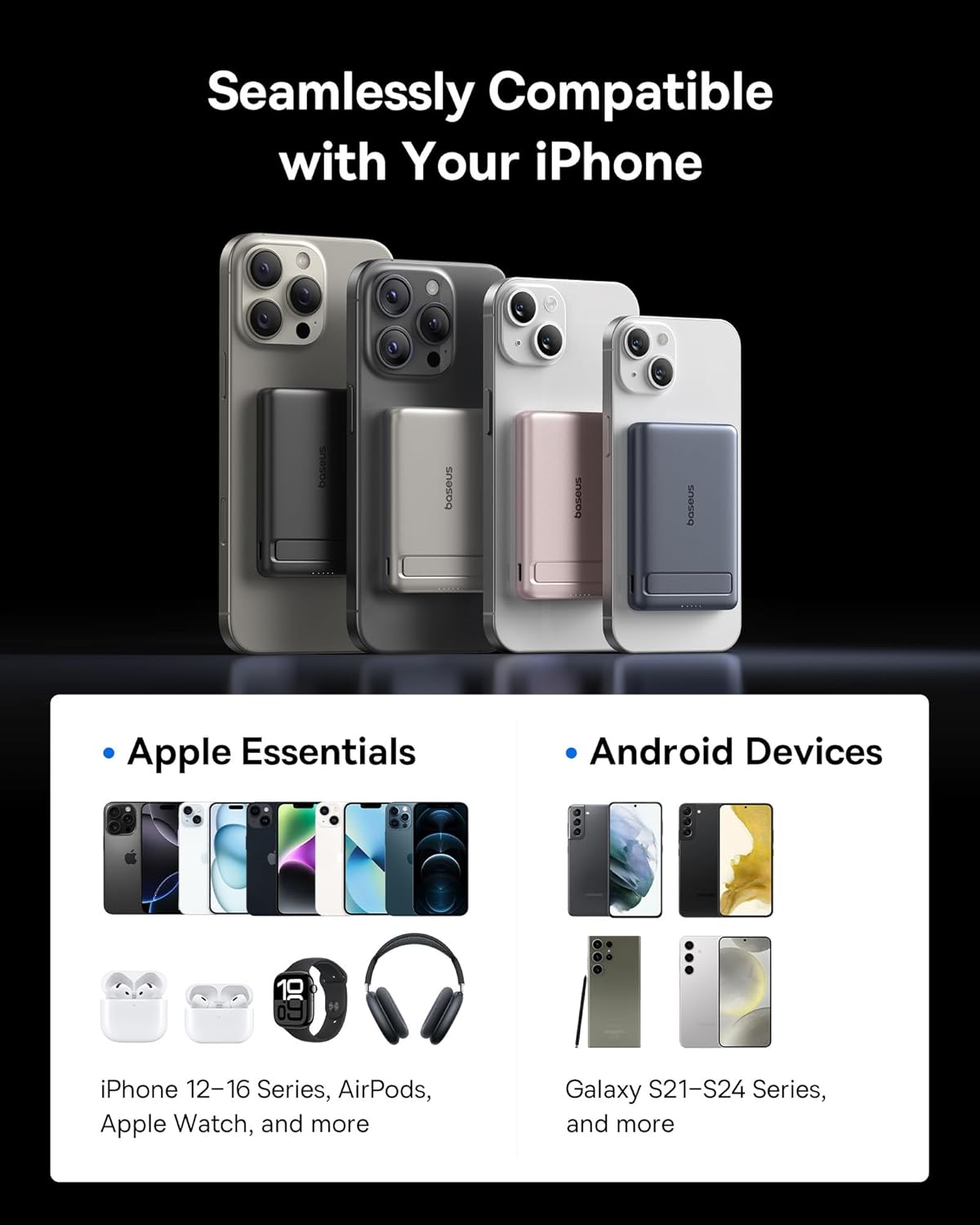
An image displaying the Baseus Picogo Power Bank's compatibility with multiple iPhone models (12-16 series) and various Android devices (Galaxy S21-S24 series).
Коопсуздук маалыматы
The Baseus Picogo Power Bank incorporates multiple safety features to protect your devices and ensure a long battery life:
- Ашык-томtage Коргоо
- Томдун астындаtage Коргоо
- Ашыкча кубаттан коргоо
- Ашыкча разряддан коргоо
- NTC температураны коргоо
- Ашыкча ток коргоо
- Кыска туташуулардан коргоо
- Ашыкча кубаттуулуктан коргоо
To maintain optimal performance and safety, avoid exposing the power bank to extreme temperatures, direct sunlight, or moisture. Do not disassemble or attempt to repair the device yourself.

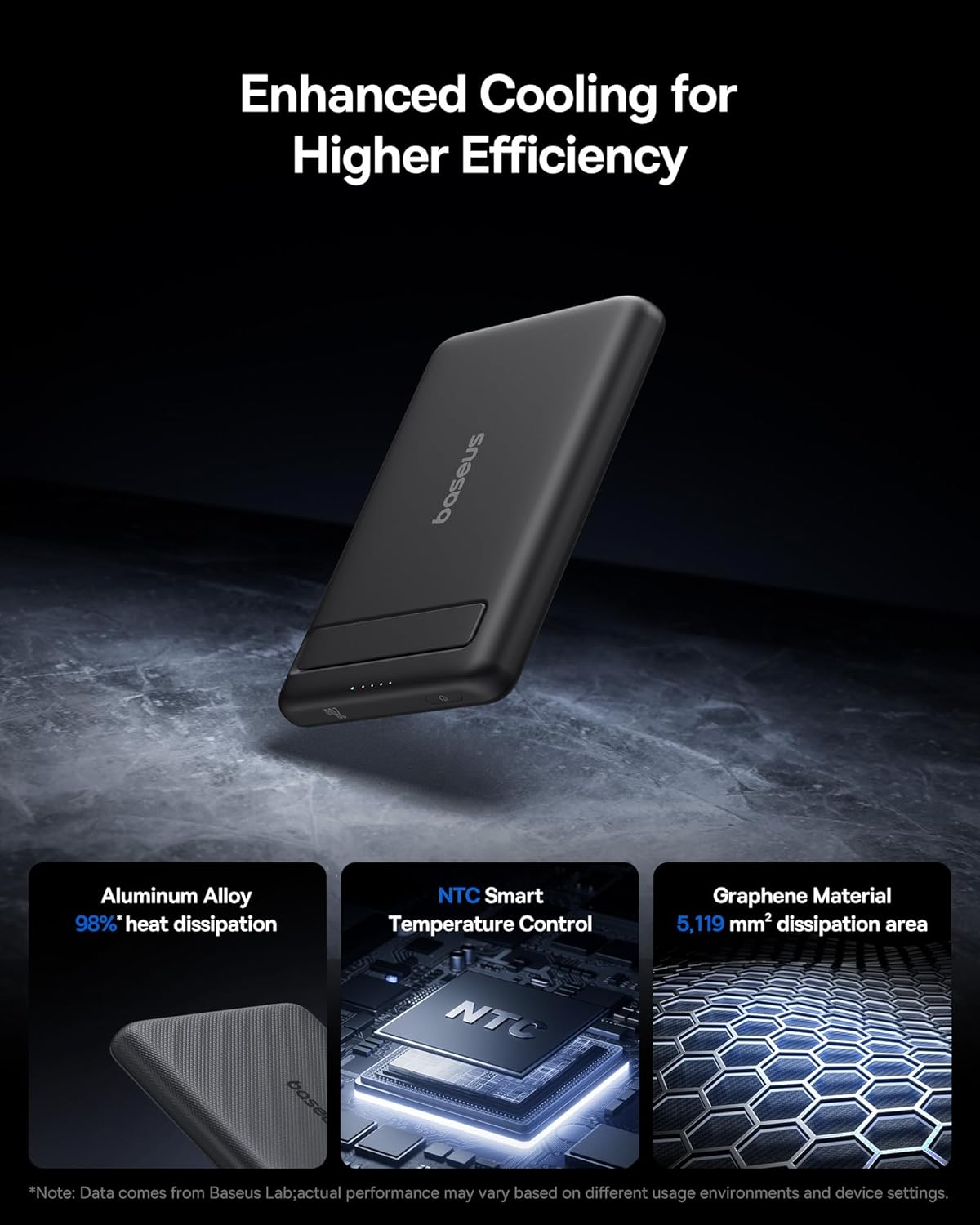
Diagram highlighting the enhanced cooling features of the Baseus Picogo Power Bank, including aluminum alloy, NTC smart temperature control, and graphene material for efficient heat dissipation.
Техникалык тейлөө
To ensure the longevity and optimal performance of your Baseus Picogo Power Bank:
- Clean the device regularly with a soft, dry cloth. Avoid using harsh chemicals or abrasive materials.
- Электр банкын колдонбогондо салкын, кургак жерде сактаңыз.
- Аппаратты түшүрүүдөн же катуу таасирлерден сактаныңыз.
- If the device will not be used for an extended period, charge it to approximately 50% every three months to preserve battery health.
Проблемаларды чечүү
1. Device Not Charging
- Powerbank жетиштүү заряддалганын текшериңиз. LED индикаторлорун текшериңиз.
- For wireless charging, verify that your device is MagSafe compatible or has a MagSafe-compatible case, and that it is correctly aligned with the power bank.
- For wired charging, ensure the USB-C cable is securely connected to both the power bank and your device. Try a different cable if necessary.
- Check for any debris in the charging ports of both the power bank and your device.
2. Жай кубаттоо
- Ensure you are using a compatible fast-charging adapter for the power bank itself.
- For optimal wireless charging speed, ensure proper alignment and that no foreign objects are between the power bank and your device.
- Why Does Charging Slow at 80%? Your phone may slow charging at 80% to protect the battery. This can happen if it gets too warm during charging as part of iOS's thermal control strategy. Charging will resume once the device cools down. Moving your phone to a cooler area may help.
An image explaining the common phenomenon of iPhone charging slowing down at 80% to protect battery health, often due to thermal management.
Техникалык шарттар
| Кубаттуулугу | 5000mAh |
| Материал | Silicone, Aluminium alloy |
| Түс | Кара |
| USB-C киргизүү | 5V=3A, 9V=2.22A |
| USB-C чыгышы | 5V=2.4A, 9V=2.22A, 12V=1.5A |
| Зымсыз чыгуу | 5 Вт / 7.5 Вт / 15 Вт |
| Total Output | 5V=2.4A |
| Өлчөмдөр | 3.4" x 2.3" x 0.5" дюйм |
| Салмагы | 0.3 фунт |
| Батарея түрү | 1 Литий Полимердик батарея |

Image showing the product packaging and a detailed specifications table for the Baseus Picogo Power Bank.
Кепилдик жана колдоо
Baseus сунуштайт 2 жылдык алмаштыруу убадасы for the Picogo Power Bank, reflecting their commitment to quality and customer satisfaction. For any product inquiries, technical support, or warranty claims, please refer to the official Baseus webсайтка же түздөн-түз кардарларды тейлөөгө кайрылыңыз.
You can visit the official Baseus Store on Amazon for more information: Baseus дүкөнү
Расмий продукт Video
Official product video from Baseus Brand Store, showcasing the ultra-mini size, magnetic attachment, kickstand, and fast charging capabilities of the Baseus Picogo Power Bank.