Introduction
Сатып алганыңыз үчүн рахматasing the HOU Keyboard Case. This manual provides detailed instructions for setting up, operating, and maintaining your keyboard case. This product is designed to enhance your iPad experience, offering versatility with its detachable keyboard, 360-degree rotating stand, and multi-touch trackpad. Please read this manual thoroughly before use to ensure optimal performance and longevity of your device.
Бул клавиатура корпусу төмөнкү iPad моделдерине шайкеш келет:
- iPad 11th Generation (A16, 2025 models: A3354, A3355, A3356)
- iPad 10th Generation (2022 models: A2696, A2757, A2777, A3162)
Please verify your iPad model number before installation.
Пакеттин мазмуну
Пакетте бардык буюмдар бар экенин текшериңиз:
- HOU Keyboard Case (with integrated keyboard)
- USB-C заряддоо кабели
- Колдонуучунун Колдонмосу (бул документ)

Сүрөт: бүттүview of the HOU Keyboard Case package contents.
Орнотуу нускамалары
1. Attaching Your iPad to the Case
- Gently align your iPad with the case. The case features reinforced corners and a dust-proof silicone design for full protection.
- Press your iPad firmly into the case until it is securely seated. Ensure all edges are properly covered.

Image: iPad installed in the protective case, ready for use.

Image: Detail of the case's full silicone protection for the iPad.
2. Баскычтопту заряддоо
- Баскычтоптон USB-C кубаттоо портун табыңыз.
- Connect the provided USB-C cable to the keyboard and a power source (e.g., USB wall adapter, computer USB port).
- Заряддоо индикаторунун жарыгы күйөт. Толук кубаттоо адатта 2-3 саатка созулат.
- The keyboard features a 500mAh battery, providing up to 72 hours of continuous use and 90 days of standby time.

Image: Keyboard case with iPad showing battery status and charging details.
3. Bluetooth аркылуу баскычтопту жупташтыруу
- Turn on the keyboard by sliding the power switch. The Bluetooth indicator light will start blinking.
- iPad'иңизден төмөнкүгө өтүңүз Орнотуулар > Bluetooth.
- Bluetooth күйгүзүлгөнүн текшериңиз On.
- Look for "HOU Keyboard" or a similar name in the "Other Devices" list and tap to connect.
- Once paired, the Bluetooth indicator light on the keyboard will stop blinking and remain solid.
Иштөө нускамалары
Баскычтопту колдонуу
- Терип жатат: The keyboard features a 1.3mm key travel and silent scissor switches for a comfortable typing experience.
- Арткы жарык: The 7-color backlight with 3 adjustable brightness levels allows for comfortable typing in low-light conditions. Use the dedicated function keys to adjust brightness and volume.
- Жарлык баскычтары: Utilize the independent shortcut keys for increased efficiency. To view available shortcut keys for an app, press and hold the Cmd ачкыч.

Image: Backlit keyboard in use, demonstrating key press.

Image: Guide to checking app shortcut keys and displaying keyboard battery life via a widget.
Сенсордук панелдин функциялары
The precise multi-touch trackpad supports iOS gestures and offers a 20% larger operating area compared to conventional trackpads, reducing accidental touches.
- Негизги жаңсоолор:
- Tap: Single finger tap for selection.
- Drag: Tap and hold, then move finger to drag items.
- Pinch Zoom: Two fingers pinch in/out to zoom.
- Open Dock: Move cursor to bottom edge.
- Open Control Center: Move cursor to top-right corner.
- Open App Switcher: Swipe up with three fingers.

Image: Visual guide to basic trackpad gestures for iPad.
Тууралоо Viewing Angles and Rotation
- 360° айлануу: The case allows for 360-degree rotation of your iPad, enabling both portrait and landscape orientations. This is ideal for Zoom meetings, presentations, or various work modes.
- Жөнгө салынуучу стенд: The stand offers an adjustable viewing angle from 0° to 155°, providing optimal comfort for different tasks.
- Бөлүнүүчү дизайн: The magnetic detachable design allows you to separate the keyboard from the case. Use the case alone for drawing or video viewing, or combine it with the keyboard for typing and productivity.

Image: Demonstrating the 360-degree rotation and adjustable stand of the keyboard case.

Image: Visual representation of the one-touch 360-degree rotation feature.

Image: The detachable keyboard and case, offering flexible usage options.

Image: Optimal support angles for various activities, ranging from 95 to 156 degrees.
Apple карандаш кармагычы
The case includes a retractable pen holder and a magnetic storage slot for your Apple Pencil (USB-C compatible) or a compatible stylus. Note that charging is not supported in the magnetic slot.
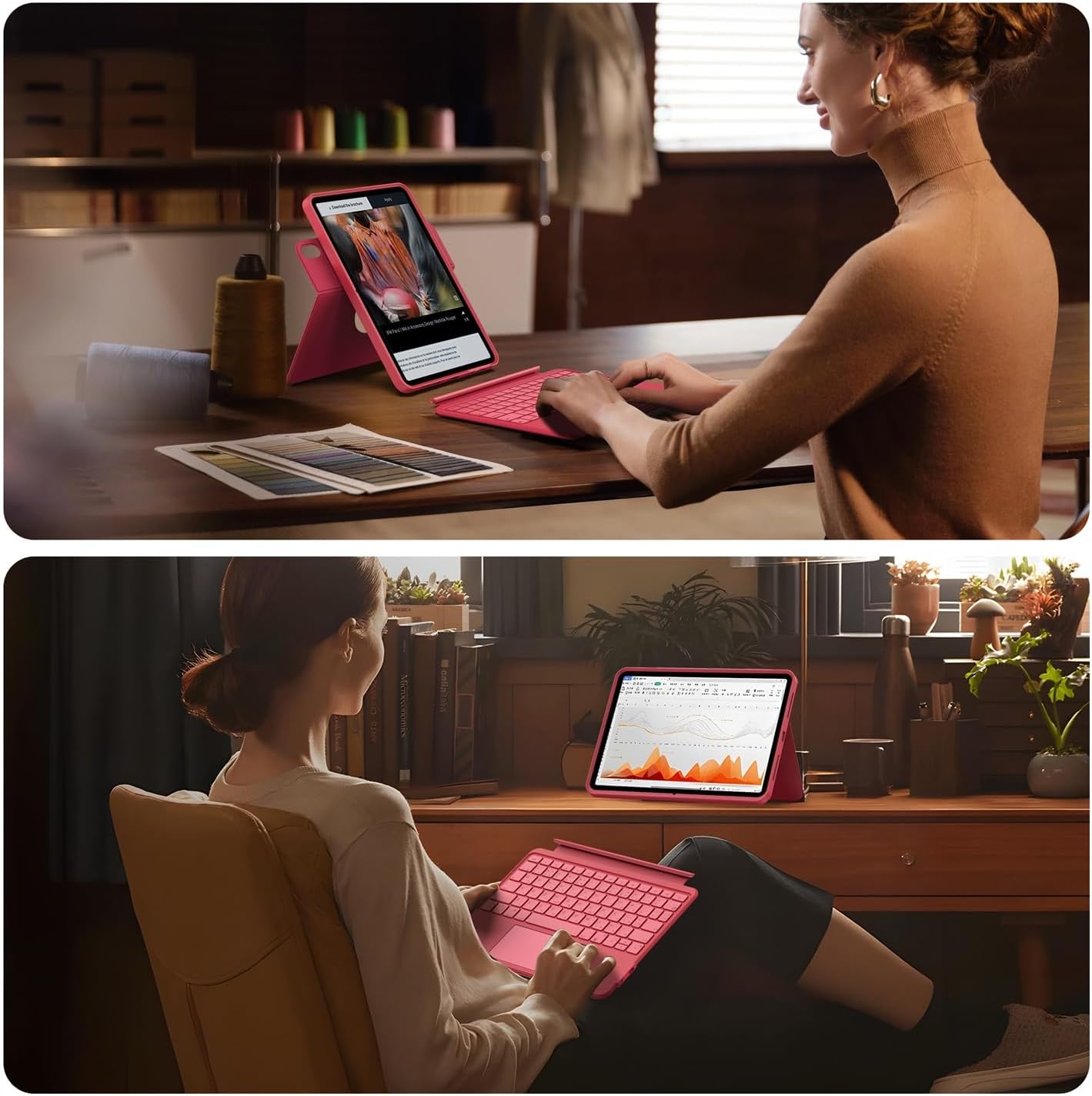
Image: Two pen storage positions on the case: a top magnetic holder and a rear elastic holder.

Image: Secure storage for Apple Pencil or compatible stylus.
Техникалык тейлөө
- Ишти тазалоо: Wipe the silicone case with a soft, damp кездеме. Катуу химиялык заттардан же абразивдүү тазалагычтардан алыс болуңуз.
- Баскычтопту тазалоо: Use a soft, dry cloth to clean the keyboard surface. For dust between keys, use compressed air.
- Батареяга кам көрүү: To prolong battery life, avoid fully discharging the keyboard frequently. Charge it regularly, even if not in constant use.
- Сактагыч: When not in use for extended periods, store the keyboard case in a cool, dry place.
Проблемаларды чечүү
- Bluetooth аркылуу клавиатура туташпай жатат:
- Баскычтоптун күйгүзүлгөнүн жана толук заряддалганын текшериңиз.
- iPad'иңиздин Bluetooth'ун өчүрүп, күйгүзүңүз.
- Аппаратты iPad Bluetooth жөндөөлөрүнөн унутуп, кайра жупташтырыңыз.
- Ensure your iPad's iOS version is 16 or higher.
- Ачкычтар жооп бербейт:
- Баскычтоптун Bluetooth аркылуу туташканын текшериңиз.
- Клавиатуранын батареясын кайра заряддаңыз.
- Сенсордук панель иштебей жатат:
- Баскычтоптун туташып турганын текшериңиз.
- Сенсордук панелдин иштеши үчүн iPad орнотууларын текшериңиз.
- iPad'иңизди өчүрүп күйгүзүңүз.
- iPad not fitting correctly in case:
- Verify your iPad model number against the compatible models listed in the introduction.
Техникалык шарттар
| Бренд | HOU |
| Модель номери | F52 |
| Шайкеш түзмөктөр | iPad 10th Generation (2022), iPad 11th Generation A16 (2025) |
| Keyboard Description | Механикалык |
| Өзгөчөлүктөр | Backlit, Multi-touch Trackpad, 360° Rotating Stand |
| Түс | Кызыл |
| Камтылган компоненттер | iPad A16/10 Keyboard |
| Которуу түрү | Тактиль |
| Минималдуу ОС версиясы | iOS 16 |
| Пакеттин өлчөмдөрү | 29.1 x 20.5 x 2.7 см |
| Элемент Салмагы | 900 г |
| Батарея | 1 литий-иондук батарея (кошулган), 350 мАч |
Кепилдик жана колдоо
For warranty information and customer support, please refer to the documentation included with your purchase or visit the official HOU webсайт. Эгерде сиз бул колдонмодо камтылбаган кандайдыр бир көйгөйлөргө туш болсоңуз, жардам алуу үчүн биздин кардарларды тейлөө тобуна кайрылыңыз.
HOU Official Store: Visit HOU Store on Amazon.co.jp


