1. Киришүү
This manual provides detailed instructions for the safe and efficient use of your DOOGEE Tab A9 Pro+ Android 15 Tablet. Please read this manual thoroughly before operating the device to ensure optimal performance and longevity. The DOOGEE Tab A9 Pro+ is designed for versatile use, offering powerful performance for work, study, and entertainment.
2. Пакеттин мазмуну
Төмөндө тизмеленген нерселердин баары сиздин продукт таңгагыңызда бар экенин текшериңиз:
- 1x DOOGEE Tab A9 Pro+ Tablet
- 1x Type-C USB кабели
- 1x заряддагыч
- 1x таңгак кутусу
- 1x Колдонуучунун колдонмосу
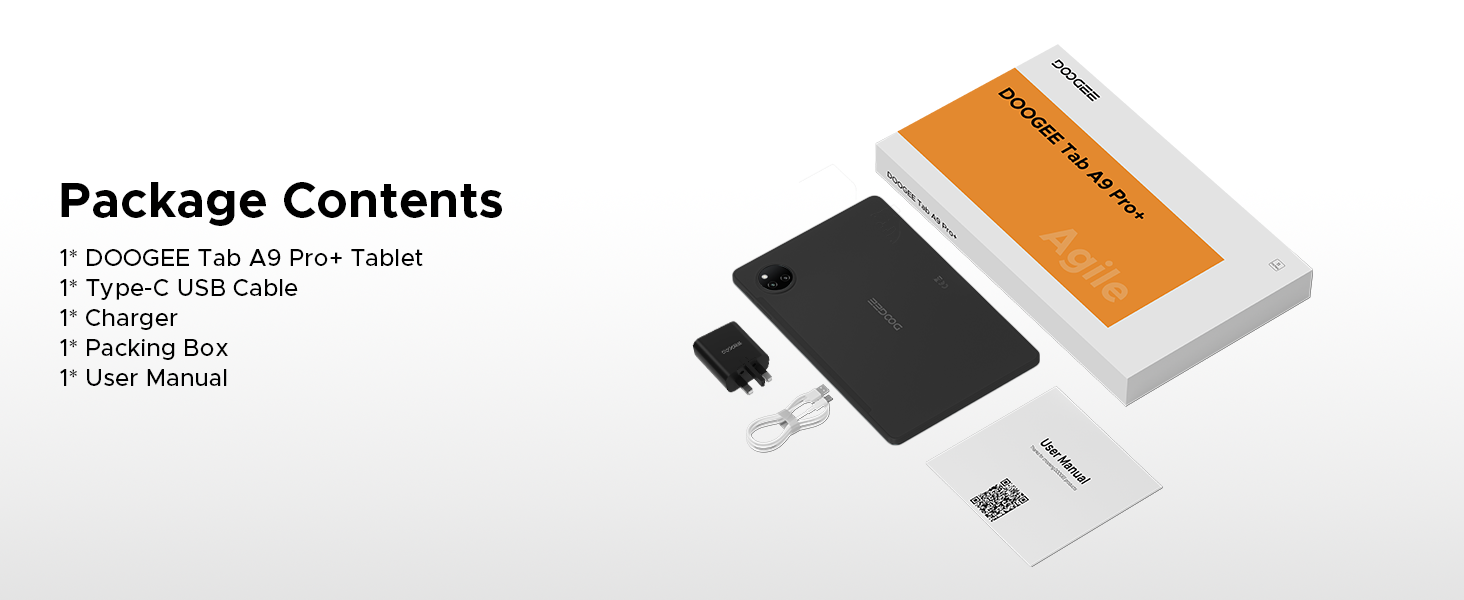
Figure 2.1: Contents of the DOOGEE Tab A9 Pro+ package.
3. Продукт бүтүп калдыview жана өзгөчөлүктөрү
The DOOGEE Tab A9 Pro+ is equipped with advanced features for a superior user experience.
3.1 Дисплей
The tablet features an 11-inch HD IPS display with a 90Hz refresh rate, providing a wide field of view and smooth visuals. It supports Widevine L1 for high-definition streaming content, ensuring a clear and vibrant viewтажрыйбасы.

Figure 3.1: The 11-inch 90Hz HD IPS display of the DOOGEE Tab A9 Pro+.
3.2 Аткаруу жана сактоо
Powered by an Octa-Core Unisoc T7200 processor, the tablet offers efficient performance. It comes with 6GB of physical RAM, expandable up to 30GB with virtual RAM, and 128GB of internal storage, expandable up to 2TB via a TF card (sold separately).

Figure 3.2: ашыкview of RAM and ROM capabilities.

Figure 3.3: The Unisoc T7200 Octa-Core Processor.
3.3 Батареянын иштөө мөөнөтү
The 8580mAh battery provides extended usage times, including up to 24 days standby, 36 hours of music playback, 6.5 hours of video watching, and 7 hours of web browsing. It supports 10W fast charging and 5W reverse charging.

3.4-сүрөт: Батареянын кубаттуулугу жана болжолдуу колдонуу убактысы.
3.4 Операциондук система
The tablet runs on Android 15, offering an intelligent, seamless, and secure user experience with features like split-screen multitasking, advanced privacy controls, and low blue light mode.

Figure 3.5: The Android 15 operating system interface.
3.5 Камералар жана аудио
Equipped with a 13MP main camera and a 5MP front camera for capturing photos and video calls. Dual speakers provide clear audio, and a standard 3.5mm audio jack is included for private listening.

Figure 3.6: Camera specifications and sample сүрөттөр.
Figure 3.7: High-Quality Dual Speakers for immersive audio.
4. Орнотуу колдонмосу
4.1 Алгачкы заряддоо
Before first use, fully charge your tablet using the provided Type-C USB cable and charger. Connect the USB cable to the tablet's charging port and the charger to a power outlet. The charging indicator will show the charging status.
4.2 Күйгүзүү/өчүрүү
- Күйгүзүү үчүн: Экранда DOOGEE логотиби пайда болгонго чейин Кубат баскычын басып, кармап туруңуз.
- Өчүрүү үчүн: Кубат параметрлери менюсу чыкканга чейин Кубат баскычын басып, кармап туруңуз, андан кийин "Өчүрүү" дегенди тандаңыз.
- Кайра баштоо үчүн: Кубат параметрлери менюсу пайда болгонго чейин Кубат баскычын басып, кармап туруңуз, андан кийин "Кайра баштоо" тандаңыз.
4.3 Баштапкы орнотуу устасы
Биринчи күйгүзүлгөндө, планшет сизди баштапкы орнотуу устасы аркылуу жетектейт. Экрандагы көрсөтмөлөрдү аткарыңыз:
- Тилиңизди тандаңыз.
- Wi-Fi тармагына туташыңыз.
- Google аккаунтуңуз менен кириңиз же жаңысын түзүңүз.
- Экран кулпусун (PIN код, үлгү, сырсөз же Face ID) орнотуңуз.
- Review жана шарттарды кабыл алуу.
5. Иштөө нускамалары
5.1 Навигация жана жаңсоолор
The Android 15 operating system uses intuitive gestures for navigation:
- Үй: Экранды ылдый жагынан өйдө сүрүңүз.
- Артка: Экранды сол же оң четинен сүрүңүз.
- Акыркы колдонмолор: Төмөндөн өйдө карай сүрүп, кармап туруңуз.
- Эскертмелер/Ыкчам жөндөөлөр: Экрандын өйдө жагынан ылдый сүрүңүз.
5.2 Колдонмо башкаруу
- Колдонмолорду орнотуу: Google Play дүкөнүнөн тиркемелерди жүктөп алыңыз.
- Колдонмолорду чыгарып салуу: Press and hold an app icon, then drag it to "Uninstall" or go to Settings > Apps.
- Бөлүнгөн экранда көп тапшырмалуулук: Access recent apps, tap the app icon at the top of the window, and select "Split screen". This allows two apps to run simultaneously.
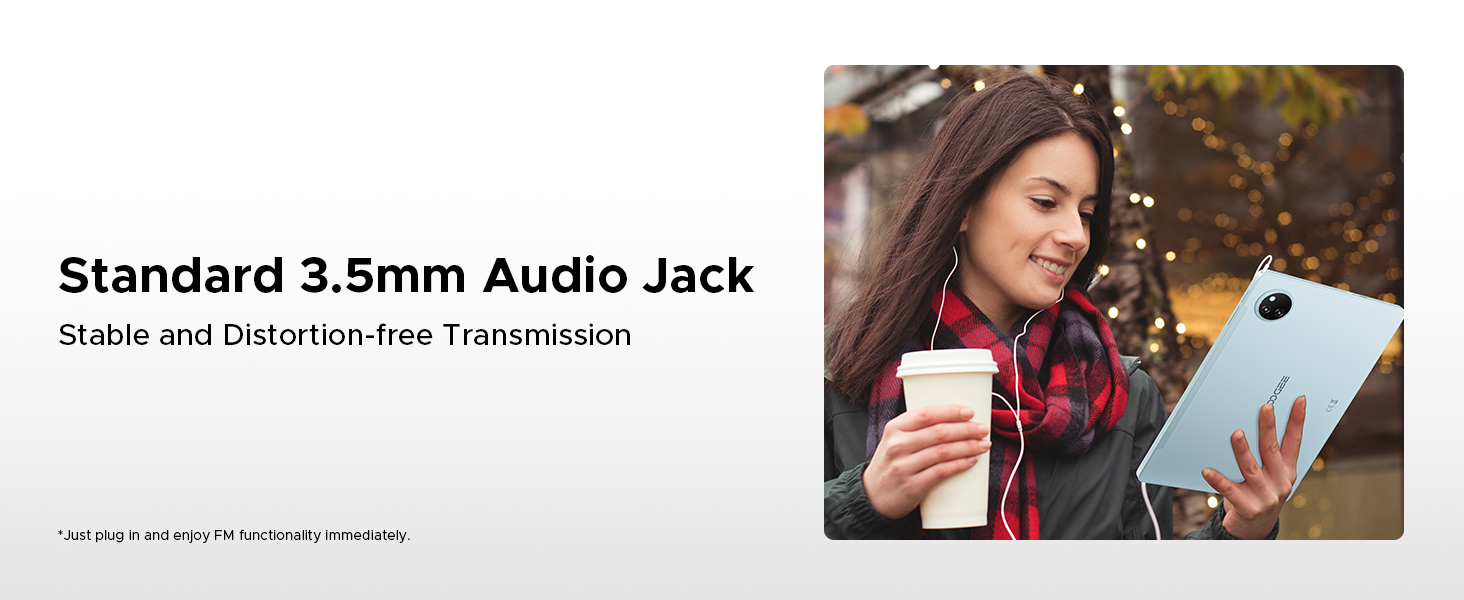
Figure 5.1: Efficient Split-Screen Multitasking.
5.3 Коопсуздук өзгөчөлүктөрү
- Face ID: Set up facial recognition for quick and secure unlocking via Settings > Security > Face Unlock.
- Купуялыкты көзөмөлдөө: Android 15 offers enhanced privacy settings. Manage app permissions and data access in Settings > Privacy.
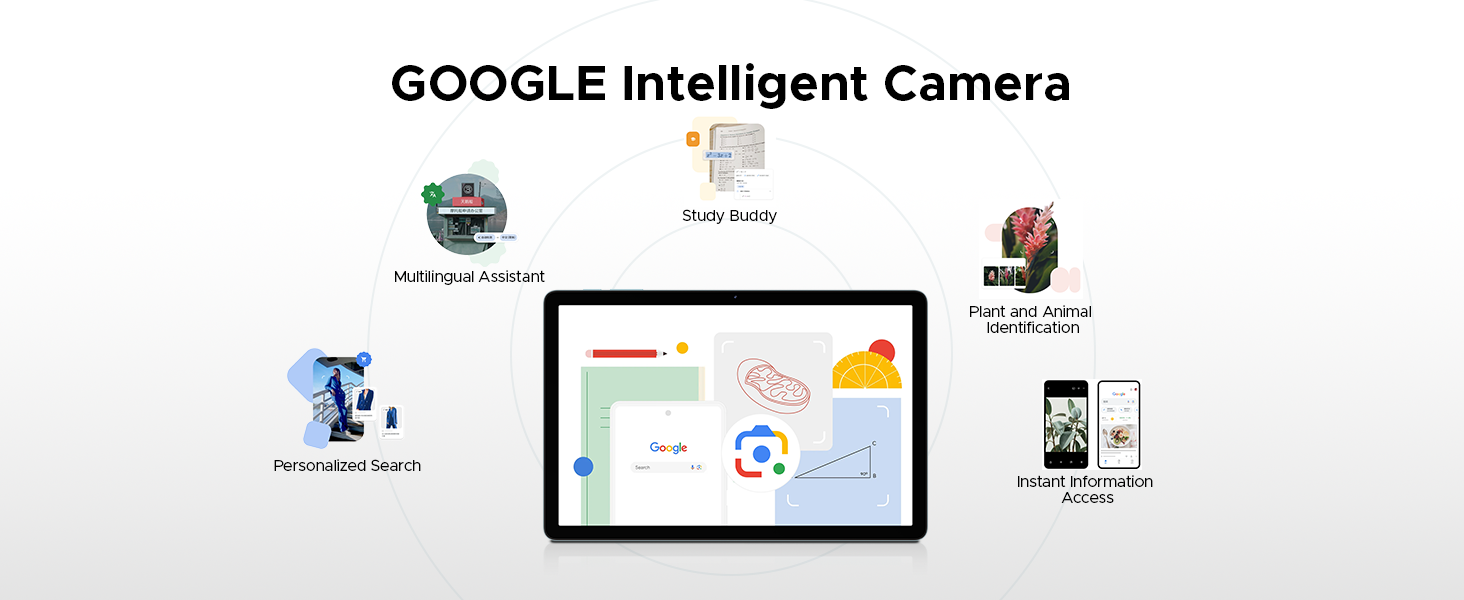
Figure 5.2: Fortified Privacy Shield features.
5.3-сүрөт: Бетти таануу менен кулпуну ачуу.
5.4 Көздүн ыңгайлуу режимдери
The tablet includes features to reduce eye strain:
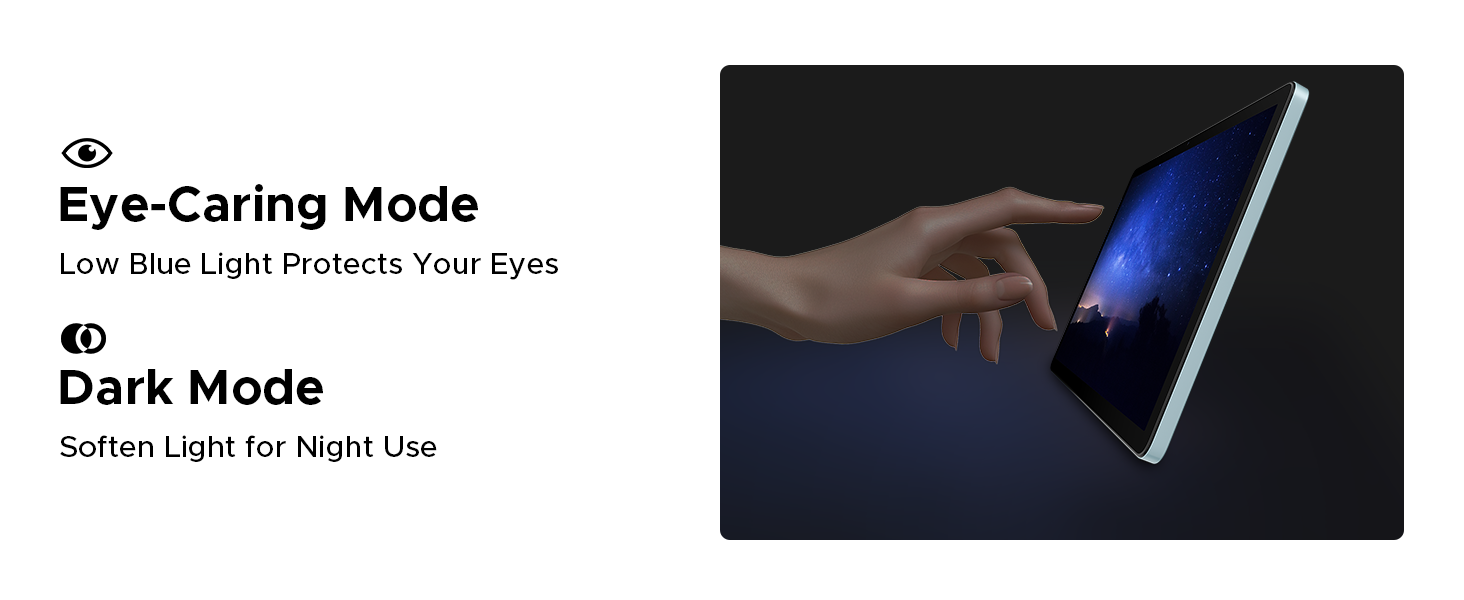
- Төмөн көк жарык режими: Reduces blue light emission for comfortable reading, especially in low light. Activate this in Display Settings.
- Караңгы режим: Softens screen light for night use, reducing glare.
- Анти-термелүү режими: Enhances visual comfort by reducing screen flickering.
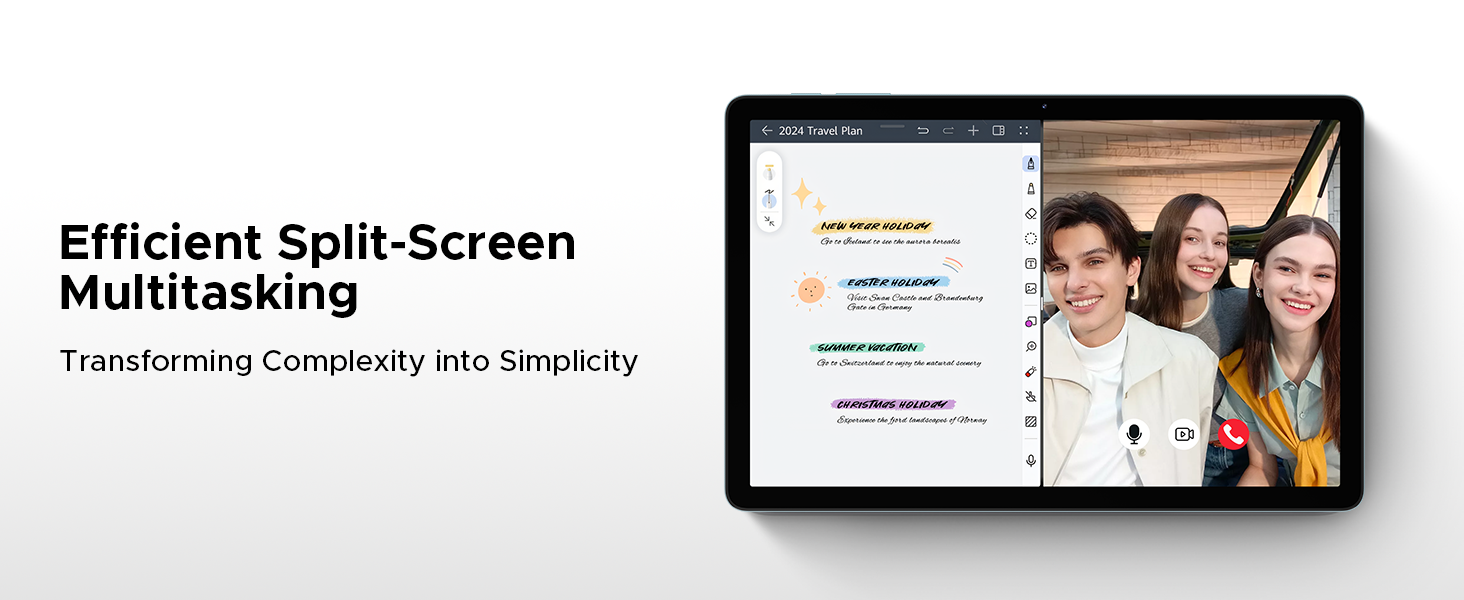
Figure 5.4: Anti-Flicker Mode comparison.
Figure 5.5: Eye-Caring Mode and Dark Mode.
6. Техникалык тейлөө
6.1 Планшетиңизди тазалоо
Планшетті тазалоо үчүн жумшак, мамыксыз чүпүрөктү колдонуңуз. Өжөр тактар үчүн бир аз сүртүңүзampкездемени суу же электроника үчүн арналган экран тазалагыч менен сүртүңүз. Катуу химиялык заттарды, абразивдүү материалдарды же ашыкча нымдуулукту колдонуудан алыс болуңуз.
6.2 Программалык камсыздоо жаңыртуулары
Regularly check for and install software updates to ensure your tablet has the latest features, security patches, and performance improvements. Go to Settings > System > System update to check for updates.
6.3 Батареяга кам көрүү
Батареянын иштөө мөөнөтүн узартуу үчүн:
- Ашыкча температурадан сактаныңыз.
- Батареянын бат-баттан түгөнүп калышына жол бербеңиз.
- Түпнуска заряддагычты жана кабелди колдонуңуз.
- If storing the tablet for a long period, charge it to about 50% before turning it off.
7. Кыйынчылыктарды
This section addresses common issues you might encounter with your DOOGEE Tab A9 Pro+.
| Көйгөй | Мүмкүн болгон себеп / Чечим |
|---|---|
| Планшет күйбөйт. | Battery might be depleted. Connect the charger and wait a few minutes before attempting to power on. If still unresponsive, try holding the power button for 10-15 seconds for a forced restart. |
| Жай иштеши же колдонмолордун иштебей калышы. | Too many apps running in the background. Close unused apps. Clear cache for problematic apps (Settings > Apps > [App Name] > Storage > Clear cache). Consider a factory reset if issues persist (backup data first). |
| Wi-Fi туташуу маселелери. | Ensure Wi-Fi is enabled. Restart your router and the tablet. Forget the network and reconnect. Check if other devices can connect to the same Wi-Fi. |
| Батарея бат эле түгөнөт. | High screen brightness, many background apps, or heavy usage. Reduce screen brightness, close unused apps, disable unnecessary notifications, and limit background data usage. |
| Экран жооп бербей жатат. | Perform a forced restart by holding the power button for 10-15 seconds. Ensure the screen is clean and dry. |
8. Техникалык шарттар
Detailed technical specifications for the DOOGEE Tab A9 Pro+ tablet:
| Өзгөчөлүк | Деталь |
|---|---|
| Бренд | DOOGEE |
| Модель номери | Tab A9+ |
| Операция системасы | Android 15 |
| Дисплей өлчөмү | 11 inches (10.92 inches standing screen display size) |
| Дисплей түрү | IPS HD, 90Hz Refresh Rate |
| Резолюция | 1280*800 |
| Процессор | Unisoc T7200 Octa-Core, 1.6GHz |
| RAM | 6 ГБ (виртуалдык RAM менен 30 ГБ чейин кеңейтилиши мүмкүн) |
| Ички сактагыч | 128 ГБ |
| Кеңейтүүчү сактагыч | Up to 2TB (TF card not included) |
| Батарея сыйымдуулугу | 8580 мАч литий полимери |
| Заряддоо | 10 Вт тез кубаттоо, 5 Вт тескери кубаттоо |
| Башкы камера | 13MP |
| Алдыңкы камера | 5MP |
| Аудио | Кош динамиктер, 3.5 мм аудио уяча |
| Байланыш | 5G WiFi (2.4G/5G), Bluetooth |
| Коопсуздук | Face ID |
| Өлчөмдөр | 24.53 x 16.33 x 0.99 см |
| Салмагы | 644 г |
| Түс | Gray (as per current product variant) |
9. Кепилдик жана колдоо
DOOGEE provides a 2-year after-sales service for the Tab A9 Pro+ tablet, ensuring peace of mind. For technical support, warranty claims, or further assistance, please refer to the contact information provided on the official DOOGEE webсайт же сатып алуу документтери.
Көбүрөөк маалымат алуу үчүн DOOGEE расмий дүкөнүнө баш багыңыз: DOOGEE Store on Amazon UK


