Introduction
This manual provides detailed instructions for the operation, maintenance, and troubleshooting of your TOPTRO TP1 Smart Projector. Please read this manual thoroughly before using the product to ensure proper function and longevity.
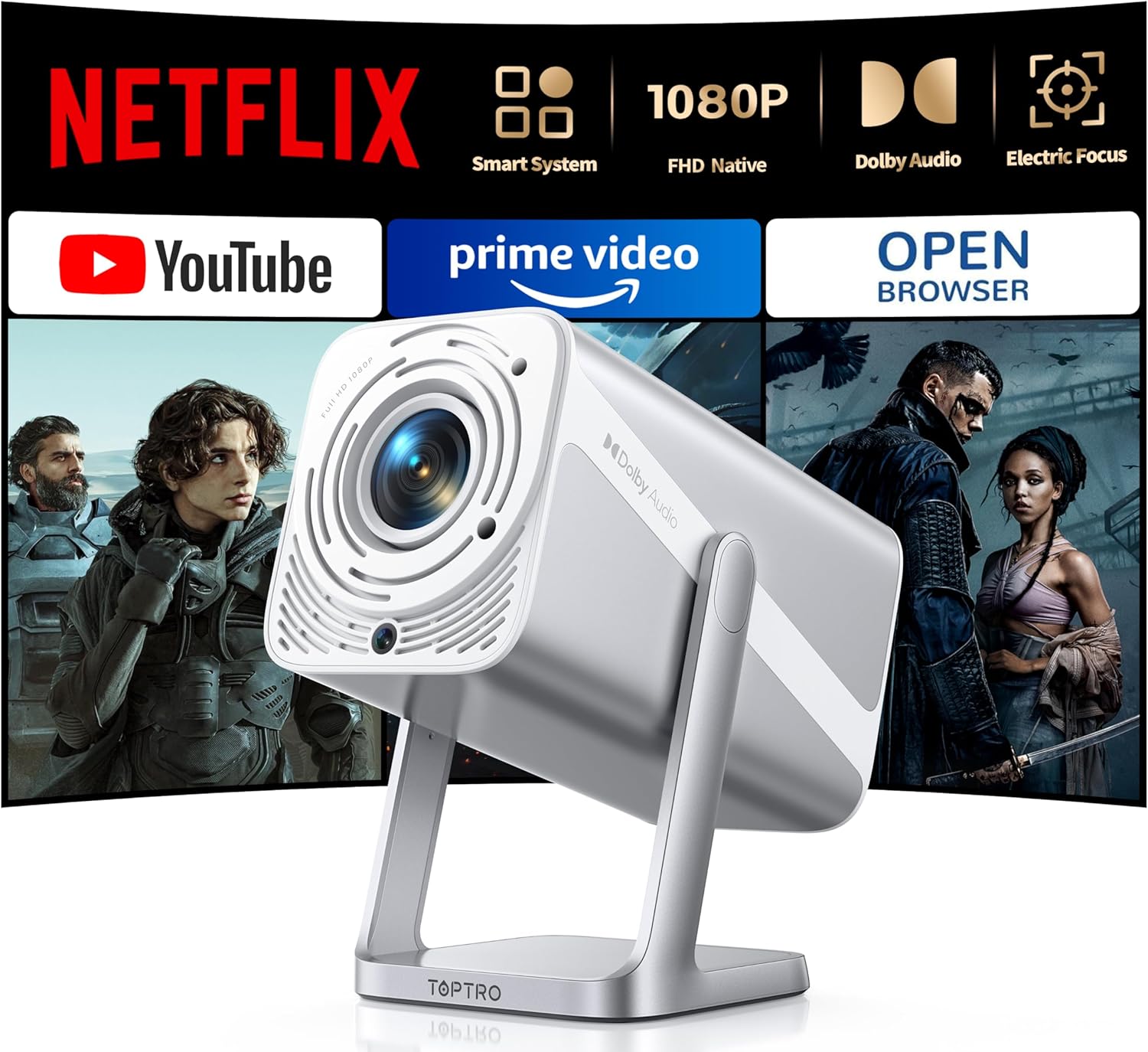
Image: The TOPTRO TP1 Smart Projector, a compact and portable device designed for versatile projection.
Кутуда эмне бар
Таңгакта бардык буюмдар бар экенин текшериңиз:
- Portable mini projector x 1
- Алыстан башкаруу x 1
- Жогорку сапаттуу Cable X 1
- Адаптер х 1
- Колдонуучунун колдонмосу x 1
- Тазалоочу комплект x 1
- X 1
Продукт бүттүview жана өзгөчөлүктөрү
The TOPTRO TP1 Smart Projector is designed for a comprehensive entertainment experience, offering advanced features in a compact form factor.
Негизги өзгөчөлүктөрү:
- Netflix расмий түрдө лицензияланган: Breaks through HDCP restrictions, pre-loaded with Netflix, YouTube, and Prime Video. Supports OTA updates.
- Immersive Dolby Sound: Features Dolby technology and 2x10W speakers for 3D surround sound. Includes HDMI ARC and two-way Bluetooth 5.2.
- Native FHD 1080P & 4K Support: Delivers true native 1080p resolution, up to 600 ANSI lumens brightness, 4K video decoding, and HDR10 support with a 20000:1 contrast ratio.
- Smart Electric Focus & Auto Keystone: Automatic electric focus and 4D/4P keystone correction for clear, rectangular images. Supports 100%-50% digital zoom.
- 360° Adjustable Stand & Short Throw: Integrated 360° rotatable stand for multi-angle projection. Lightweight (2.4lb) with a 1.1:1 throw ratio, projecting 50-200 inches from short distances.
- No-Lag WiFi 6 & Universal Compatibility: Supports WiFi 6 and 2.4G dual-band WiFi for stable connections. Compatible with Miracast, DLNA, AirPlay, HDMI, USB, and 3.5mm Audio Jack interfaces.

Image: The projector's interface displaying pre-installed streaming applications like Netflix, YouTube, and Prime Video, highlighting its official licensing.

Image: A visual comparison demonstrating the superior clarity and detail of the TOPTRO TP1's native 1080P resolution compared to a 720P projector.

Image: An illustration of the projector's immersive Dolby Audio experience, with sound waves emanating from the device and filling a room.

Image: Depiction of the projector's WiFi 6 and two-way Bluetooth 5.2 capabilities, showing seamless connection to external speakers and mobile devices for screen mirroring.

Image: A diagram illustrating the automatic electric focus and auto vertical keystone correction features, ensuring a perfectly clear and rectangular image without manual adjustments.

Image: The projector positioned to project onto a ceiling, demonstrating its 360-degree adjustable stand for flexible viewбурчтар.
Жайгашуу
- Пакеттен чыгаруу: Carefully remove all components from the packaging. Retain the original packaging for future storage or transport.
- Жайгашкан жери: Position the projector on a stable, flat surface. Utilize the 360° adjustable stand to achieve the desired projection angle (e.g., wall, ceiling). Ensure adequate ventilation around the device.
- Кубат туташуу: Connect the provided power adapter to the projector's power input and then to a power outlet.
- Баштапкы күйгүзүү: Аппаратты иштетүү үчүн проектордун же пульттун кубат баскычын басыңыз.
- Автоматтык жөндөөлөр: The projector will automatically perform electric focus and auto vertical keystone correction to optimize the image clarity and shape.
- Тармак туташуусу: Navigate to the network settings and connect to your WiFi 6 or 2.4G network for access to streaming applications and updates.
Иштөө нускамалары
Navigation and Interface:
Use the remote control to navigate the projector's smart interface. The home screen provides access to pre-installed applications such as Netflix, YouTube, and Prime Video. Additional applications can be downloaded via the APP Assistant or OPEN BROWSER.
Тышкы түзмөктөрдү туташтыруу:
- HDMI: Connect devices like TV sticks, Roku, laptops, or gaming consoles (Switch, PS5) using the HDMI cable to the HDMI ARC port.
- USB: Insert USB drives into the USB port for media playback. Note: Some 4K videos may not play over USB due to format compatibility; built-in streaming apps are recommended for 4K content.
- Bluetooth: Utilize two-way Bluetooth 5.2 to pair with mobile devices (iOS/Android) for screen mirroring or connect to external Bluetooth speakers/AirPods for enhanced audio.
- 3.5 мм аудио уячасы: Зымдуу кулакчындарды же тышкы динамиктерди туташтырыңыз.
Экранды чагылдыруу:
The projector supports Miracast, DLNA, and AirPlay for seamless screen mirroring from compatible devices. Access these functions through the projector's application menu.
Сүрөттү тууралоо:
- Электр Фокус: The projector automatically adjusts focus. If manual adjustment is needed, use the remote control.
- Авто вертикалдуу ачкыч ташы: This feature automatically corrects image distortion.
- Digital Zoom: Adjust the screen size from 100% to 50% using the zoom function on the remote control without moving the projector.
Техникалык тейлөө
- Линзаны тазалоо: Use the provided cleaning kit or a soft, lint-free cloth to gently wipe the projector lens. Avoid abrasive materials or harsh chemicals.
- Чаңды тазалоо: Чаңдын топтолушун алдын алуу үчүн проектордун желдеткичтерин үзгүлтүксүз тазалап туруңуз, анткени бул анын иштешине жана иштөө мөөнөтүнө таасир этиши мүмкүн. Жумшак щетканы же кысылган абаны колдонуңуз.
- Сактагыч: Узак мөөнөткө пайдаланылбаганда, проекторду салкын, кургак жерде, эң жакшысы баштапкы таңгагында же коргоочу кутусунда сактаңыз.
- Программалык камсыздоо жаңыртуулары: Ensure the projector's software is kept up-to-date through regular OTA (Over-The-Air) updates to maintain security and stability.
Проблемаларды чечүү
| Маселе | Мүмкүн себеп | Чечим |
|---|---|---|
| Сүрөт чагылдырылган жок | Кубат кабели ажыратылган; Киргизүү булагы тандалган эмес; Линза капкагы күйүк. | Электр кубатына туташууну текшериңиз; Туура киргизүү булагын тандаңыз (HDMI, USB); Линзанын капкагын алып салыңыз. |
| Image blurry or out of focus | Automatic focus issue; Projector too close/far from screen. | Allow auto-focus to complete; Manually adjust focus if needed; Adjust projection distance. |
| Image distorted (trapezoid shape) | Негизги ташты оңдоо керек. | Allow auto keystone correction to complete; Manually adjust keystone if necessary. |
| Үн жок же үнү төмөн | Үнү өтө төмөн; Тышкы аудио түзмөк туура туташкан эмес; Үнү өчүрүлгөн. | Increase volume; Check audio cable connections; Unmute device. |
| Wi-Fi/Bluetooth менен туташуу мүмкүн эмес | Incorrect password; Device out of range; Interference. | Verify password; Move projector closer to router/device; Reduce interference. |
| Netflix/Streaming app issues (black screen, not loading) | Network issues; App cache; App update needed. | Check internet connection; Clear app cache/data; Update app via OTA or APP Assistant. |
For further assistance, please refer to the video tutorials available on YouTube by searching for "@TOPTRO-R" or contact customer support.
Техникалык шарттар
| Өзгөчөлүк | Деталь |
|---|---|
| Бренд | TOPTRO |
| Модель номери | TP1 |
| Display Resolution | Native 1920 x 1080 (FHD), 4K Support |
| Жарыктык | 600 ANSI челинин |
| Контраст катышы | 20000:1 |
| Өзгөчөлүктөр | Netflix Officially Licensed, Dolby Audio, 360° Rotatable Stand, Electric Focus, Auto Keystone, HDR10 |
| Байланыш технологиясы | Wi-Fi 6, USB, Bluetooth 5.2 (Two-way), 3.5mm Audio Jack, HDMI ARC |
| Баяндамачылар | 2 x 10W |
| Проекциянын өлчөмү | 50ден 200 дюймга чейин |
| Ыргытуу катышы | 1.1:1 |
| Digital Zoom | 100%-50% |
| Элемент Салмагы | 2.2 фунт |
| Продукциянын өлчөмдөрү | 4.57 x 4.8 x 9.45 дюйм |
Кепилдик жана колдоо
TOPTRO is committed to providing excellent customer service and product reliability.
- Кепилдик: The TOPTRO TP1 Smart Projector comes with a 3-year repair coverage.
- Кайтаруу саясаты: Enjoy a 2-year hassle-free return policy.
- Техникалык колдоо: Lifetime technical assistance is available.
- Байланыш: For any inquiries or support, please contact service@toptro.com.
- Онлайн ресурстар: Quick start guides and video tutorials are available on YouTube by searching for "@TOPTRO-R". A detailed electronic manual is also available on the TOPTRO official webсайт.

Image: The TOPTRO brand logo, representing quality and customer commitment.


