1. Киришүү
Караны тандаганыңыз үчүн рахматview Smart Watch W40. This manual provides essential information for setting up, operating, and maintaining your new smartwatch. Please read it thoroughly to ensure optimal performance and a seamless user experience.
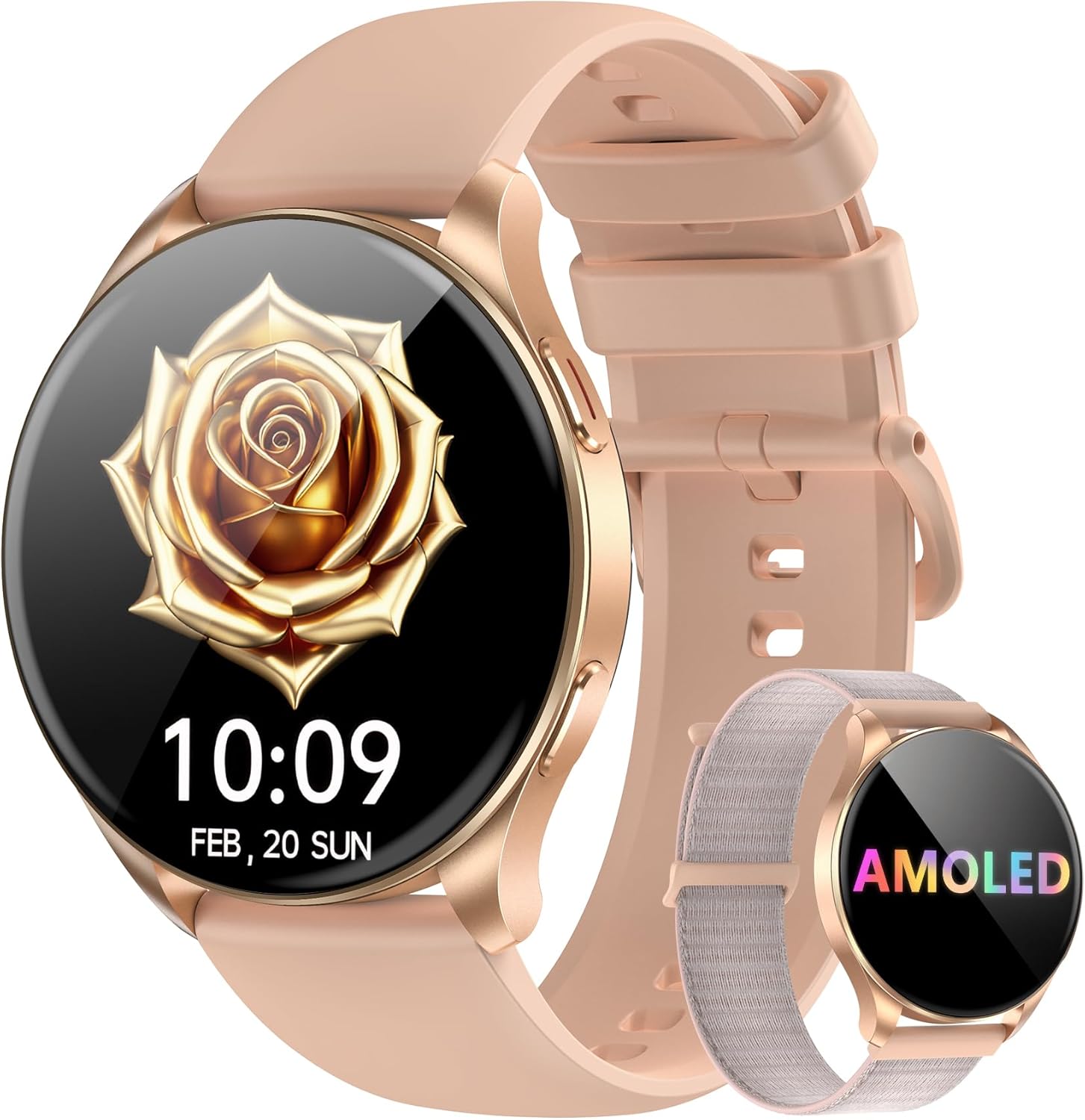
Сүрөт: Караview Smart Watch W40 in Gold Pink, showcasing its round AMOLED display and two interchangeable straps (silicone and nylon braided).
2. Кутуда эмне бар
- Акылдуу саат x1
- Silicon Strap x1
- Nylon Strap x1
- Кубаттоо кабели x1
- Продукт боюнча колдонмо x1
Image: A visual representation of all items included in the Blackview Smart Watch W40 packaging.
3. Орнотуу
3.1 Аппаратты заряддоо
Before first use, fully charge your smartwatch. Connect the magnetic charging cable to the charging points on the back of the watch. Plug the USB end into a standard USB power adapter (not included). A full charge typically takes approximately 2.5 hours.

Image: The smartwatch being charged via its magnetic cable, with indicators for charging time, battery life, and standby time.
3.2 Колдонмону орнотуу жана жупташтыруу
- Колдонмону жүктөп алыңыз: Scan the QR code displayed on the watch screen or in the manual, or search for "Da Fit" in your smartphone's app store (compatible with Android 6.0+ and iOS 9.0+).
- Bluetooth иштетүү: Смартфонуңузда Bluetooth иштетилгенин текшериңиз.
- Түзмөктү жупташтыруу: Open the "Da Fit" app, navigate to the device section, and select "Add a Device." The app will search for your smartwatch. Select 'W40' from the list to pair.
- Уруксаттарды берүү: Follow the on-screen prompts to grant necessary permissions for notifications, health tracking, and calls.

Image: A visual guide demonstrating the process of connecting the smartwatch to the Da Fit application on a smartphone.
4. Иштөө нускамалары
4.1 Негизги навигация
- Сенсордук экран: Менюларды жана функцияларды чабыттоо үчүн солго/оңго, өйдө/ылдый сүрүңүз. Тандоо үчүн таптаңыз.
- Каптал баскычы: Экранды ойготуу, башкы экранга кайтуу же негизги менюга кирүү үчүн басыңыз.
4.2 Calls & Notifications
Once paired via Bluetooth, the smartwatch allows you to make and receive calls directly from your wrist. You will also receive real-time notifications from various apps configured in the "Da Fit" app.

Image: The smartwatch showing its capability to handle Bluetooth calls, receive notifications, and utilize an AI voice assistant.
4.3 Жасалма интеллект үн жардамчысы
Activate the AI Voice Assistant with a simple command to set alarms, check weather, and perform other tasks, enhancing efficiency.
4.4 Саат беттери жана аларды ыңгайлаштыруу
Choose from a wide selection of watch faces or customize them with your own photos via the "Da Fit" app to personalize your device.

Image: Multiple watch face options displayed on the Blackview Smart Watch W40, highlighting customization features.
4.5 Multi-Tools
The watch includes practical tools such as a calculator, flashlight, stopwatch, and world clock to assist with daily needs.
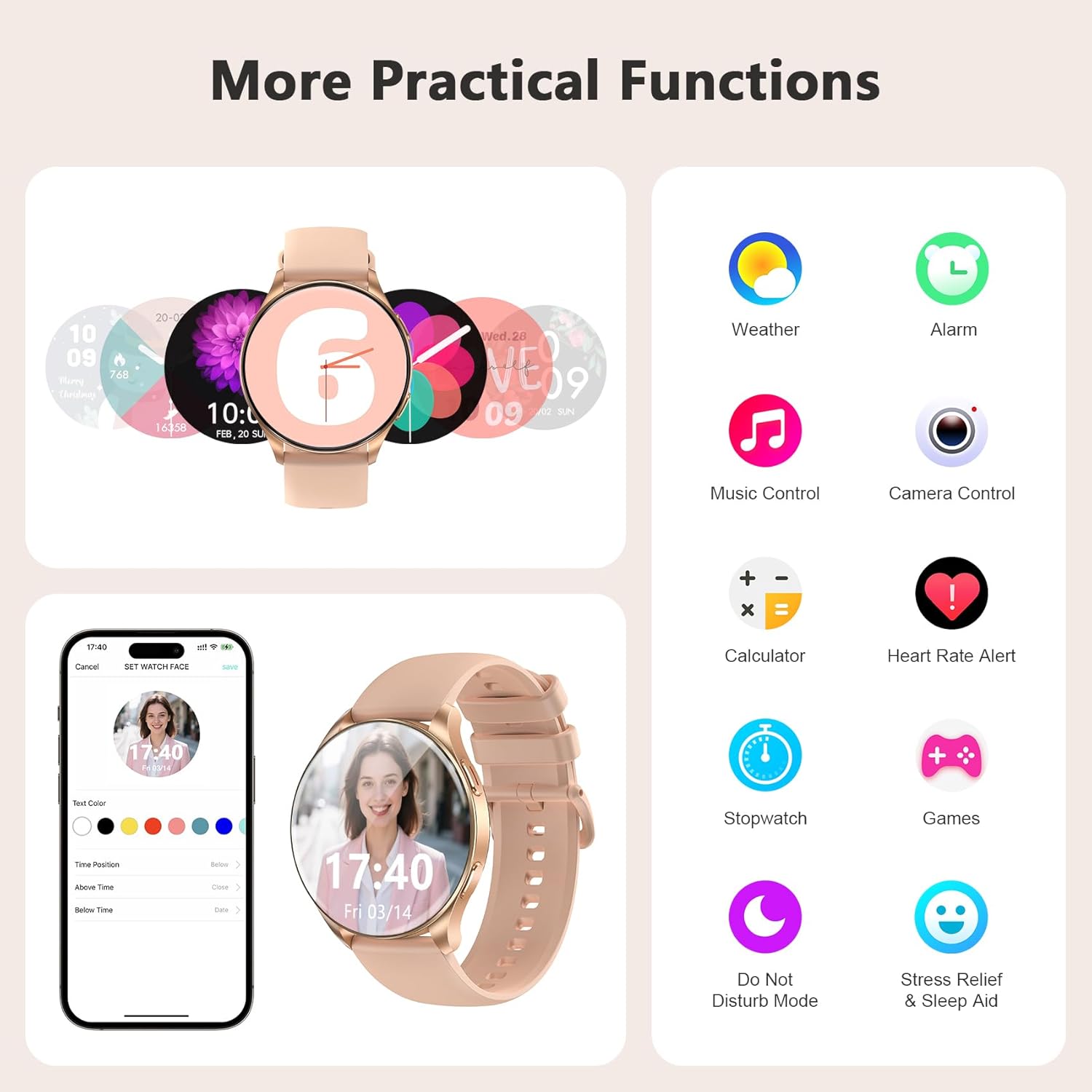
Image: A collage of practical functions available on the smartwatch, including weather, alarm, music control, camera remote, calculator, and more.
5. Ден соолуктун мониторинги
The Blackview Smart Watch W40 offers comprehensive health monitoring features to help you stay informed about your well-being. Note: This product is not a medical device. Test data and results are for reference only.
- Жүрөктүн кагышын көзөмөлдөө: Provides 24/7 real-time heart rate monitoring.
- Кандагы кычкылтектин (SpO2) мониторинги: Accurately tracks blood oxygen saturation levels.
- Стресс мониторинги: Monitors your stress status throughout the day.
- Уйкунун мониторинги: Divides sleep into four stages (deep sleep, light sleep, wakefulness, and REM) and analyzes sleep quality.
- Менструалдык циклге көз салуу: Smart period tracking with AI predictions to help manage menstrual cycles.

Сүрөт: Визуалдык көрүнүшview of the smartwatch's scientific health management capabilities, showing heart rate, blood oxygen, stress, and detailed sleep monitoring.
6. Спорт режимдери
With over 100 sports modes, the smartwatch caters to diverse fitness needs. Connect to GPS via the "Da Fit" app to track steps, calories burned, and exercise duration.
- Активдүүлүккө көз салуу: Records steps, calories, and distance.
- Diverse Modes: Includes running, cycling, mountaineering, yoga, and more.
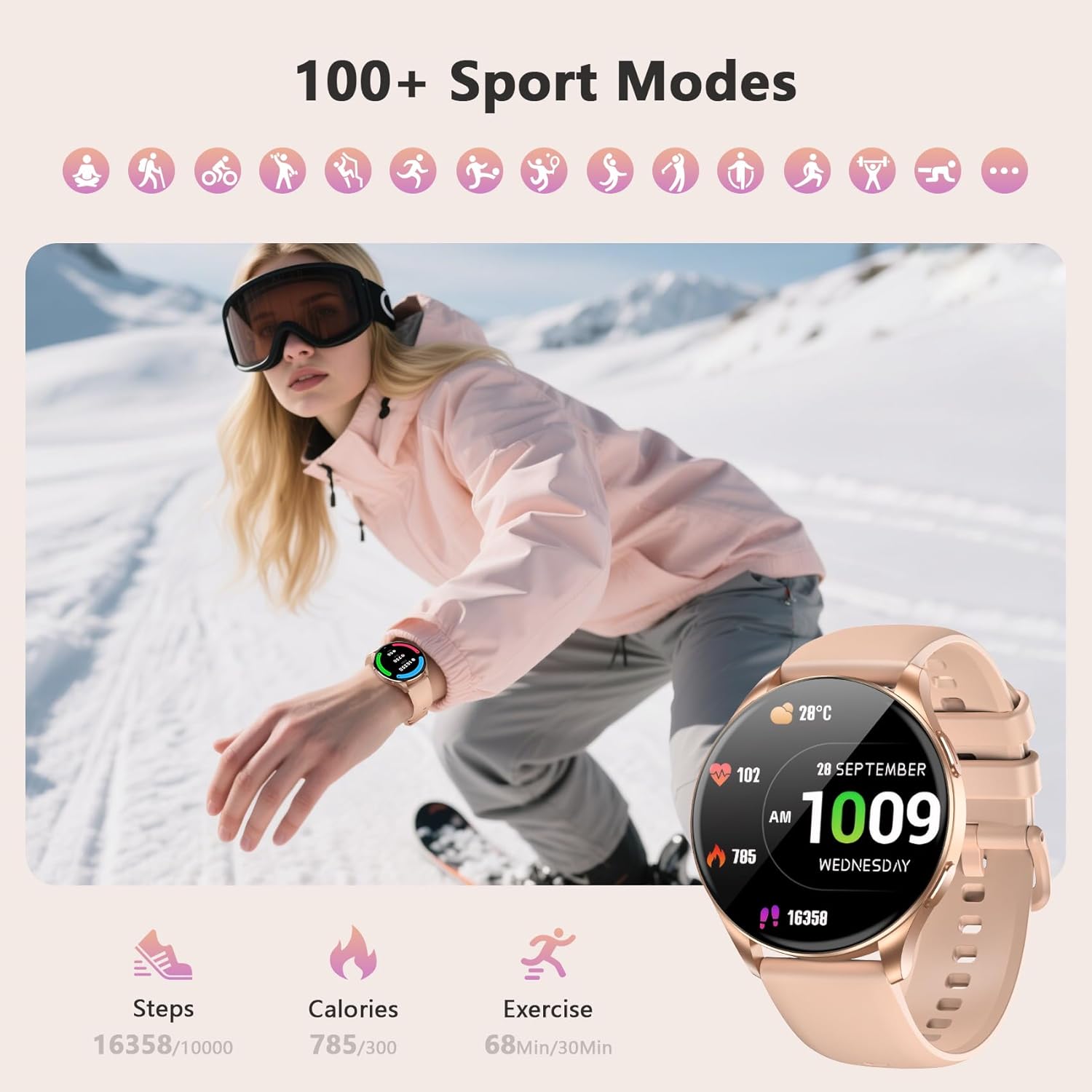
Image: The smartwatch interface showing various sports modes and tracking metrics like steps, calories, and exercise time.
7. Техникалык тейлөө
7.1 Тазалоо
Regularly clean your smartwatch and straps to prevent skin irritation and maintain device hygiene. Use a soft, damp cloth to wipe the screen and body. For silicone straps, mild soap and water can be used. Ensure the watch is completely dry before wearing.
7.2 Сууга туруктуулук
The Blackview Smart Watch W40 is IP68 water-resistant, meaning it can withstand dust, dirt, and sand, and is resistant to submersion up to a maximum depth of 1.5m for up to 30 minutes. It is suitable for daily use, hand washing, and light rain. Avoid hot water, saunas, or diving, as these may compromise the water resistance.
8. Кыйынчылыктарды
- Күйгүзүлбөй жаткан саат: Саат толук заряддалганын текшериңиз.
- Телефон менен жупташтыруу мүмкүн эмес: Check if Bluetooth is enabled on your phone and the watch is within range. Restart both devices and try again.
- Билдирмелер алынган жок: Verify that app permissions are granted in the "Da Fit" app and your phone's settings. Ensure the watch is connected via Bluetooth.
- Туура эмес ден соолук маалыматтары: Сааттын билегиңизге бекем тагылганын, өтө тар же өтө кенен эмес экенин текшериңиз. Сенсорлорду үзгүлтүксүз тазалап туруңуз.
- Батарейканын кыска мөөнөтү: Reduce screen brightness, disable unnecessary notifications, and limit continuous heart rate monitoring.
9. Техникалык шарттар
| Өзгөчөлүк | Спецификация |
|---|---|
| Продукциянын өлчөмдөрү | 7.17 x 3.39 x 0.71 дюйм |
| Элемент Салмагы | 1.92 унция |
| Элемент моделинин номери | W40 |
| Батареялар | 1 AAA батарейка талап кылынат (кошулган) |
| Туруктуу экран дисплей өлчөмү | 1.43 дюйм |
| Эстутум сактоо сыйымдуулугу | 128 MB |
| RAM эстутум орнотулган өлчөмү | 481 KB |
| Операция системасы | iOS, Android |
| Өзгөчө өзгөчөлүк | Дайыма дисплейде |
| Батарея сыйымдуулугу | 380 миллионamp Саат |
| Байланыш технологиясы | Bluetooth |
| Зымсыз байланыш стандарты | Bluetooth |
| Батарея клеткасынын курамы | Литий ион |
| GPS | Смартфон аркылуу GPS |
| Форма | Тегерек |
| Screen Size | 1.43 дюйм |

Image: Detailed dimensions of the smartwatch and its two included straps.
10. Кепилдик жана колдоо
Караview provides a standard manufacturer's warranty for this product. For detailed warranty information, technical support, or service inquiries, please refer to the warranty card included in your package or visit the official Blackview webсайт. Кепилдик дооматтары үчүн сатып алуу дүмүрчөгүңүздү сактаңыз.
11. Расмий продукт Videos
Караview W40 Smartwatch Overview
Видео: толугураакview Каранынview W40 smartwatch, highlighting its key features and design.
Smart Watch Details
Video: A detailed look at the smartwatch's functionalities and user interface.
What I Noticed About This Watch
Video: An in-depth review of the smartwatch's performance and user experience.


