1. Киришүү
This manual provides comprehensive instructions for the assembly, operation, and maintenance of your FLEXISPOT One-Piece Electric Standing Desk. Please read this manual thoroughly before use to ensure proper functionality and safety.
2. Коопсуздук маалыматы
- This desk requires careful assembly using an electric drill (not included).
- 176 фунт (80 кг) максималдуу салмак чегинен ашпаңыз.
- Be cautious when handling the desk as it ships in two separate packages.
- Бийиктикти тууралоодо чырмалышып калбоо үчүн бардык кабелдер туура башкарылгандыгын текшериңиз.
- Иш учурунда балдарды жана үй жаныбарларын столдон алыс кармаңыз.
3. Пакеттин мазмуну
Your FLEXISPOT Electric Standing Desk is shipped in two packages. Please verify all components are present before beginning assembly.
- One-Piece Desktop (48x30 inches)
- Electric Lifting Frame (Legs and Crossbar)
- LED дисплейи жана эс тутумунун алдын ала жөндөөлөрү бар башкаруу панели
- Кубаттуу адаптер жана кабелдер
- Наушник илгич
- Assembly Hardware and Tools (excluding electric drill)
4. Орнотуу жана чогултуу
Assembly typically takes approximately 30-60 minutes. An electric drill is recommended for faster and more secure assembly.
- Компоненттерди таңгактан чыгаруу: Carefully remove all parts from both packages and lay them out on a soft, clean surface to prevent scratches.
- Рамканы чогултуу: Attach the lifting columns to the crossbar according to the provided diagrams. Ensure all screws are tightened securely.
- Иш тактасын тиркөө: Position the one-piece desktop onto the assembled frame. Align the pre-drilled holes and secure the desktop using the provided screws. An electric drill will expedite this step.
- Башкаруу панелин орнотуу: Башкаруу панелин жумушчу столдун астыңкы бетине белгиленген жерге орнотуңуз.
- Электрониканы туташтырыңыз: Connect the motor cables, control panel cable, and power adapter to the control box. Ensure all connections are firm.
- Кабелдик башкаруу: Utilize the integrated cable management basket and included cable ties to organize all wires neatly. This prevents cables from snagging during height adjustments and maintains a clean aesthetic.
- Кулакчын илгичин бекитүү: Secure the headphone hook to the desired location on the desk edge.
Once assembled, plug the desk into a power outlet. The desk is now ready for initial calibration and use.
5. Иштөө нускамалары
The FLEXISPOT Electric Standing Desk features an intuitive control panel for easy height adjustment and memory functions.

Figure 1: Smart Control Panel with LED Display and Memory Presets.
5.1. Бийиктигин тууралоо
- Үстөлдү көтөрүү: басып, кармап туруңуз Жогору жебе button (▲) to raise the desktop.
- Төмөнкү стол: басып, кармап туруңуз Төмөн жебе button (▼) to lower the desktop.
- LED дисплей учурдагы бийиктикти дюйм менен көрсөтөт.
5.2. Memory Presets
The desk features four programmable memory buttons to save your preferred sitting and standing heights.
- Өйдө/Төмөн баскычтары менен үстөлдү каалаган бийиктикке тууралаңыз.
- басыңыз M button (or 'i' button on some models) to activate memory setting mode.
- Immediately press one of the numbered buttons (1, 2, 3 же 4) учурдагы бийиктикти ошол алдын ала коюлганга сактоо үчүн.
- To recall a saved height, simply press the corresponding numbered button. The desk will automatically move to the saved position.
5.3. USB заряддоо порттору
The control panel includes integrated USB-A and USB-C charging ports for convenient device charging.
- Locate the USB-A and USB-C ports on the side of the control panel.
- Connect your compatible devices to charge them directly from the desk.
6. Продукциянын өзгөчөлүктөрү
6.1. One-Piece Solid Desktop
The desk features a seamless, one-piece desktop design, providing a smooth and continuous work surface without unsightly seams or cracks. This design enhances both aesthetics and durability.
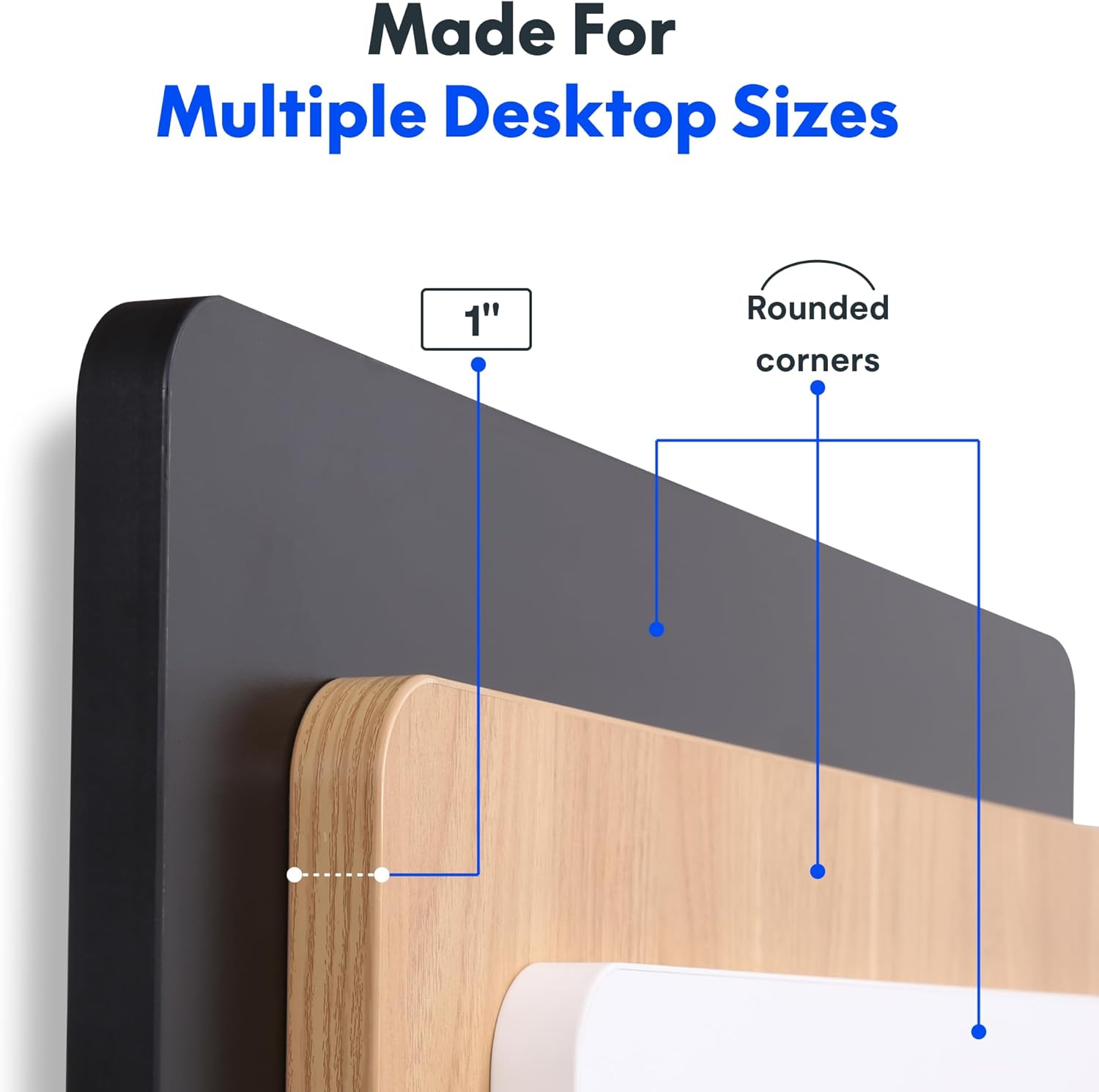
Figure 2: Detail of the 1-inch thick, one-piece desktop with rounded corners.
6.2. 1-Inch Thick Board for Stability
Constructed with a robust 1-inch thick desktop, this desk minimizes wobble and enhances overall firmness, providing a stable platform for all your work activities.

Figure 3: Desktop dimensions and thickness.
6.3. Smooth & Quiet Height Adjustment
The electric lifting system allows for effortless transitions between sitting and standing positions. The motor operates quietly, ensuring your work environment remains undisturbed.

Figure 4: Illustration of the desk's quiet operation, typically below 50 dB.
6.4. Strong Support for Everyday Use
Engineered for durability, the desk supports up to 176 lbs (80 kg), accommodating dual monitors, laptops, and various accessories with ease.
6.5. Integrated Headphone Hook
A convenient headphone hook is included, allowing you to keep your headphones or other items organized and within reach, contributing to a clutter-free workspace.

Figure 5: Headphone hook for convenient storage.
7. Техникалык тейлөө
- Тазалоо: Иш тактасын жана алкакты жумшак менен сүртүңүз, гamp кездеме. Финишке зыян келтирүүчү катаал химиялык заттардан же абразивдүү тазалагычтардан алыс болуңуз.
- Кабель текшерүү: Periodically inspect all cables for wear or damage. Ensure they are securely connected and properly managed.
- Бурама тыгыздыгы: Маал-маалы менен рамкадагы же рабочий туташуулардагы бош бурамаларды текшерип, бекемдеп туруңуз.
8. Кыйынчылыктарды
- Үстөл кыймылдабайт: Check if the power cord is securely plugged into both the desk and the wall outlet. Ensure no objects are obstructing the lifting mechanism.
- Unusual Noises (e.g., Clicking): Verify that the desk's weight limit is not exceeded. Inspect all frame connections for tightness. If the issue persists, contact customer support.
- Height Display Error: Unplug the desk from the power outlet for 10 seconds, then plug it back in. This may reset the control panel.
9. Техникалык шарттар
| Өзгөчөлүк | Деталь |
|---|---|
| Бренд | FLEXISPOT |
| Модел | 48x30 |
| Продукциянын өлчөмдөрү | 30"D x 48"W x 29"H |
| Түс | Black Top + Black Frame |
| Стиль | Заманбап |
| Негизги материал | Эритме болот |
| Жогорку Материал түрү | Инженердик жыгач |
| Аяктоо түрү | Powder капталган |
| Өзгөчө өзгөчөлүк | 1-inch Thick Standing Desk, 48x30" One-Piece Desktop, Headphone Hook |
| Максималдуу салмак боюнча сунуш | 176 фунт (80 кг) |
| Минималдуу бийиктик | 28 дюйм |
| Максималдуу бийиктик | 45.7 дюйм |
| Үстөлдүн калыңдыгы | 1 дюйм |
| Керектүү Ассамблея | Ооба |
| UPC | 840460459167 |
10. Кепилдик жана колдоо
FLEXISPOT offers a limited warranty for this product:
- Frame and Motors: 5 жылдык чектелген кепилдик.
- Electronics and Control Panel: 2 жылдык чектелген кепилдик.
For technical support, warranty claims, or any inquiries, please visit the official FLEXISPOT webсайтка же түздөн-түз кардарларды тейлөөгө кайрылыңыз.
11. Расмий продукт Videos
FLEXISPOT Brand Store
This video from the official FlexiSpot brand store showcases various products, including the electric standing desk, highlighting its features such as smooth height adjustment, integrated storage, and design versatility. It provides a visual overview of the desk's functionality and aesthetic appeal within different work environments.
Flexispot's Factory | INSIDE LOOK!
This video offers an inside look into FlexiSpot's manufacturing facility, demonstrating the precision and automated processes involved in producing their products. It highlights the quality control and technological innovation behind the electric standing desk components, from raw materials to final assembly.


