1. Продукт бүтүп калдыview
The EUQQ Wireless Earbuds (Model YYK-Q10) are designed to provide a high-quality audio experience with advanced features such as Active Noise Cancellation (ANC), Environmental Noise Cancellation (ENC), and Transparency Mode. These earbuds utilize Bluetooth 5.4 technology for stable connectivity and offer an ergonomic design for comfort and IPX7 waterproofing for durability.

Image: EUQQ Wireless Earbuds (Model YYK-Q10) in their charging case, displaying battery levels on an LED screen.
2. Пакеттин мазмуну
- EUQQ Wireless Earbuds (L/R)
- Заряддоо кутусу
- USB-C заряддоо кабели
- S/M/L Ear Tips (Medium pre-installed)
- User Manual
3. Орнотуу жана алгачкы колдонуу
3.1 Кулакчындарды жана кутучаны заряддоо
- Place the earbuds into the charging case. Ensure they are correctly seated, and the charging indicators illuminate.
- Connect the USB-C charging cable to the charging port on the case and the other end to a USB power adapter (not included).
- The LED display on the charging case will show the battery level. A full charge for the earbuds takes approximately 1 hour. The case provides up to 36 hours of total playtime.

Image: The charging case with an LED display indicating battery levels and the total playtime capacity.
3.2 Түзмөк менен жупташтыруу
- Заряддоо кутучасын ачыңыз. Кулакчындар жупташтыруу режимине автоматтык түрдө кирет.
- Түзмөгүңүздө (смартфон, планшет, компьютер) Bluetooth иштетиңиз.
- Издөө available Bluetooth devices and select "YYK-Q10" from the list.
- Once connected, the earbuds will automatically pair with your device for future use after the initial pairing.

Image: A smartphone screen displaying Bluetooth settings, with "YYK-Q10" listed as an available device for connection, alongside the earbuds in their charging case.
3.3 Кулак учтарын тандоо
For optimal sound quality and comfort, choose the ear tips that best fit your ears. The package includes S, M, and L sizes. Experiment to find the most secure and comfortable fit.

Image: A woman wearing the earbuds, illustrating their ergonomic design and highlighting features like 3.8g weight per earbud and IPX7 waterproof rating.
4. Кулакчындарды иштетүү
4.1 Сенсордук башкаруу
Кулакчындар ар кандай функцияларды аткаруу үчүн сенсордук башкаруу элементтерине ээ:
- Ойнотуу/тындыруу: Кулакчындардын бирин эки жолу басыңыз.
- Кийинки трек: Оң кулакчынды 2 секунд басып туруңуз.
- Мурунку трек: Сол кулакчынды 2 секунд басып туруңуз.
- Чалууга жооп берүү/аяктоо: Кулакчындардын бирин эки жолу басыңыз.
- Чакырууну четке кагуу: Кулакчындардын бирин 2 секунд басып туруңуз.
- Үн Жардамчысын жандыруу: Кулакчындардын бирин үч жолу басыңыз.
- Көлөмү: Оң кулакчынды бир жолу таптаңыз.
- Үнүн азайтуу: Сол кулакчынды бир жолу таптаңыз.
4.2 Ызы-чууну башкаруу режимдери
The earbuds offer three noise control modes: Active Noise Cancellation (ANC), Normal Mode, and Transparency Mode.
- Активдүү ызы-чууну жокко чыгаруу (ANC): Имерсивдүү угуу тажрыйбасы үчүн тышкы ызы-чууну азайтат.
- Кадимки режим: Standard audio playback without active noise control.
- Ачыктык режими: Айланаңыздагы үндөрдүн өтүшүнө мүмкүндүк берип, айланаңызды баамдоого мүмкүндүк берет.
To switch between modes, long press the touch button on either earbud.
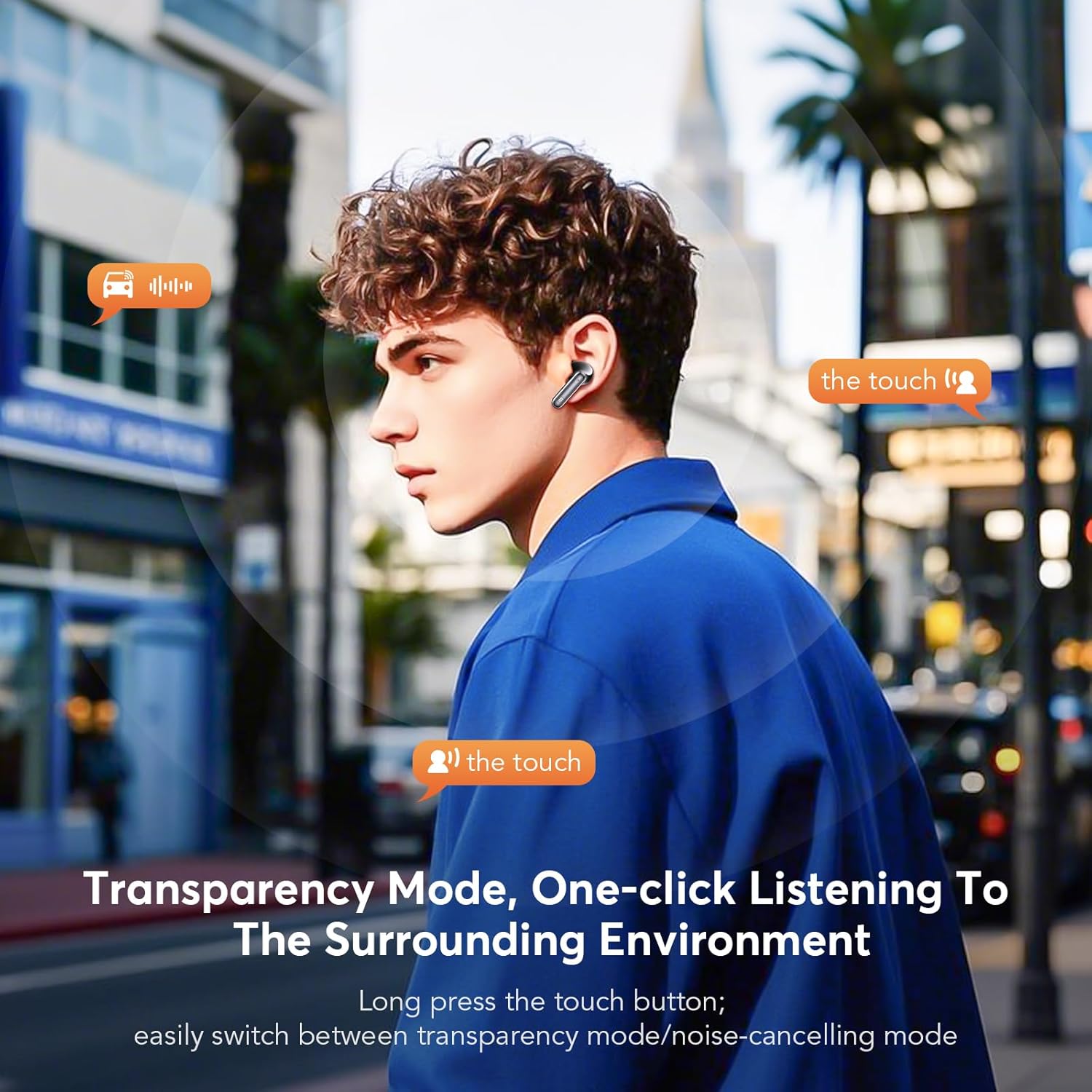
Image: A man demonstrating the touch control for activating Transparency Mode, allowing him to hear his surroundings while wearing the earbuds.

Image: An illustration showing the effectiveness of ANC+ENC noise cancellation, depicting how external noise is reduced and offering options for Noise Reduction, Normal, and Transparency modes.
4.3 Чалууларды жасоо
The earbuds feature CVC 8.0 Environmental Noise Cancellation and multiple microphones for clear call quality, even in noisy environments.
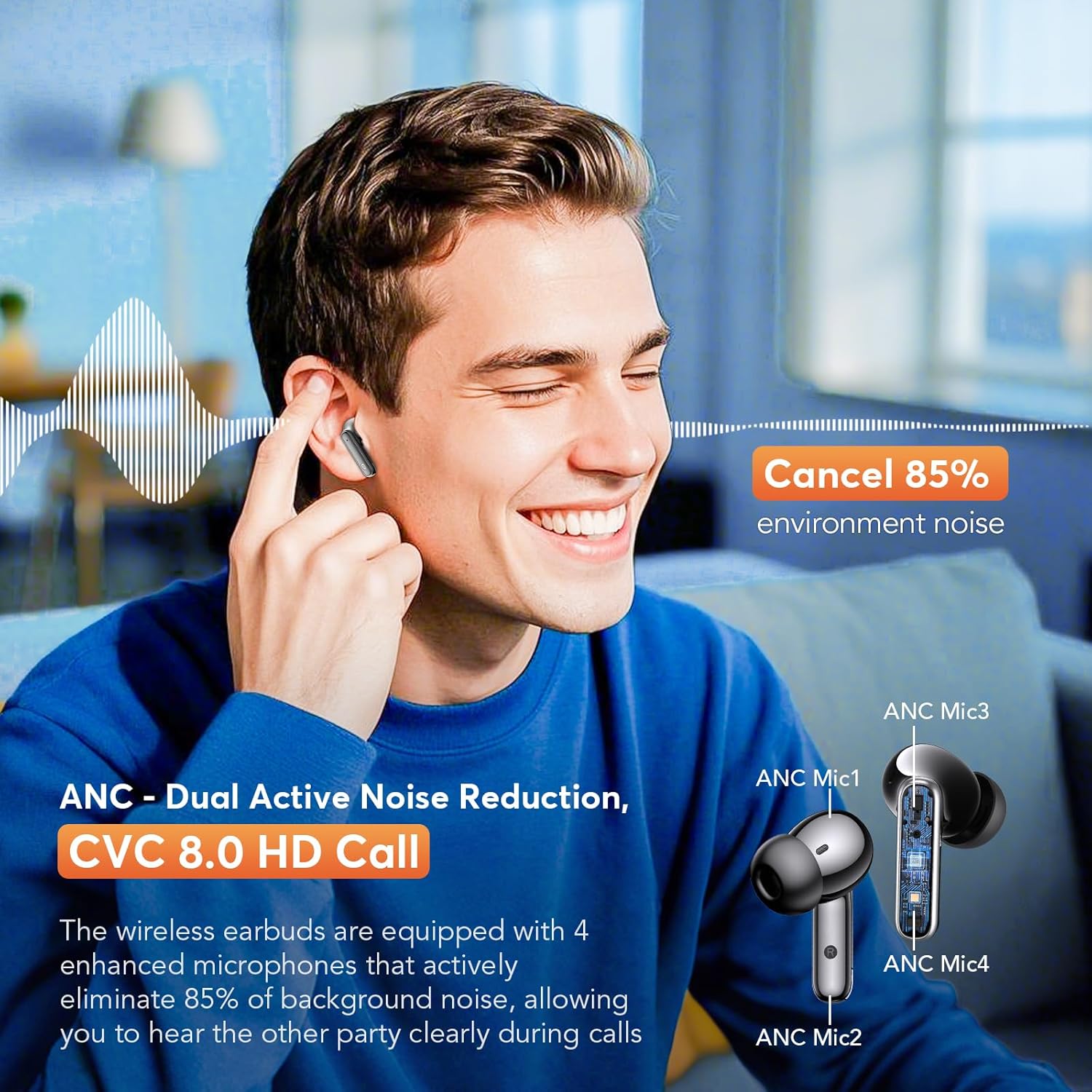
Image: A man smiling while using the earbuds for a call, with an inset diagram highlighting the placement of ANC microphones (ANC Mic1, ANC Mic2, ANC Mic3, ANC Mic4) for dual active noise reduction and CVC 8.0 HD call quality.
5. Техникалык тейлөө
5.1 Тазалоо
Оптималдуу иштешин жана гигиенаны камсыз кылуу үчүн кулакчындарыңызды жана кубаттоочу кутучаңызды үзгүлтүксүз тазалап туруңуз.
- Кулакчындарды жана кубаттоочу кутуну сүртүү үчүн жумшак, кургак, түксүз чүпүрөктү колдонуңуз.
- Кичинекей, жумшак щетка же кебез тампонду колдонуп, кулактын учтары менен динамиктин торлорунан кандайдыр бир кулагын же калдыктарын акырын алып салыңыз.
- Абразивдүү материалдарды, спиртти же химиялык тазалоочу каражаттарды колдонбоңуз.
5.2 Сууга туруктуулук
The earbuds are rated IPX7 waterproof, meaning they can withstand immersion in water up to 1 meter for 30 minutes. This makes them suitable for workouts and rainy conditions. However, the charging case is not waterproof. Ensure earbuds are dry before placing them back into the charging case.
6. Кыйынчылыктарды
- Кулакчындар жупташкан жок: Ensure both earbuds are charged and out of the case. Turn off and on your device's Bluetooth. If issues persist, try resetting the earbuds (refer to manufacturer's webконкреттүү калыбына келтирүү нускамалары үчүн сайт).
- Бир кулакчындан үн чыкпайт: Place both earbuds back into the charging case, close the lid, then open it again. Check if both earbuds are connected to your device.
- Үн сапаты начар: Ensure ear tips provide a good seal. Clean any debris from the speaker mesh. Check your device's audio settings.
- Заряддоо маселелери: Кубаттоочу кабелдин корпуска да, кубат булагына да бекем туташтырылганын текшериңиз. Кубаттоочу порттун таза экенин текшериңиз.
7. Техникалык шарттар
- Модел: YYK-Q10
- Bluetooth версиясы: 5.4
- Bluetooth диапазону: 15 метрге чейин (49 фут)
- Ызы-чууну көзөмөлдөө: Dual Active Noise Cancellation (ANC), Environmental Noise Cancellation (ENC), Transparency Mode
- Айдоочунун көлөмү: 13.0 мм динамикалык айдоочулар
- Чалуу технологиясы: CVC 8.0 HD Call
- Кулакчын ойнотуу убактысы: 6-7 саат (бир заряд)
- Жалпы ойноо убактысы (кутучасы менен): 36 саатка чейин
- Кулакчын кубаттоо убактысы: Болжол менен 1 саат
- Суу өткөрбөйт рейтинги: IPX7 (наушнактар гана)
- Наушник Салмагы: 3.8g (single earbud)
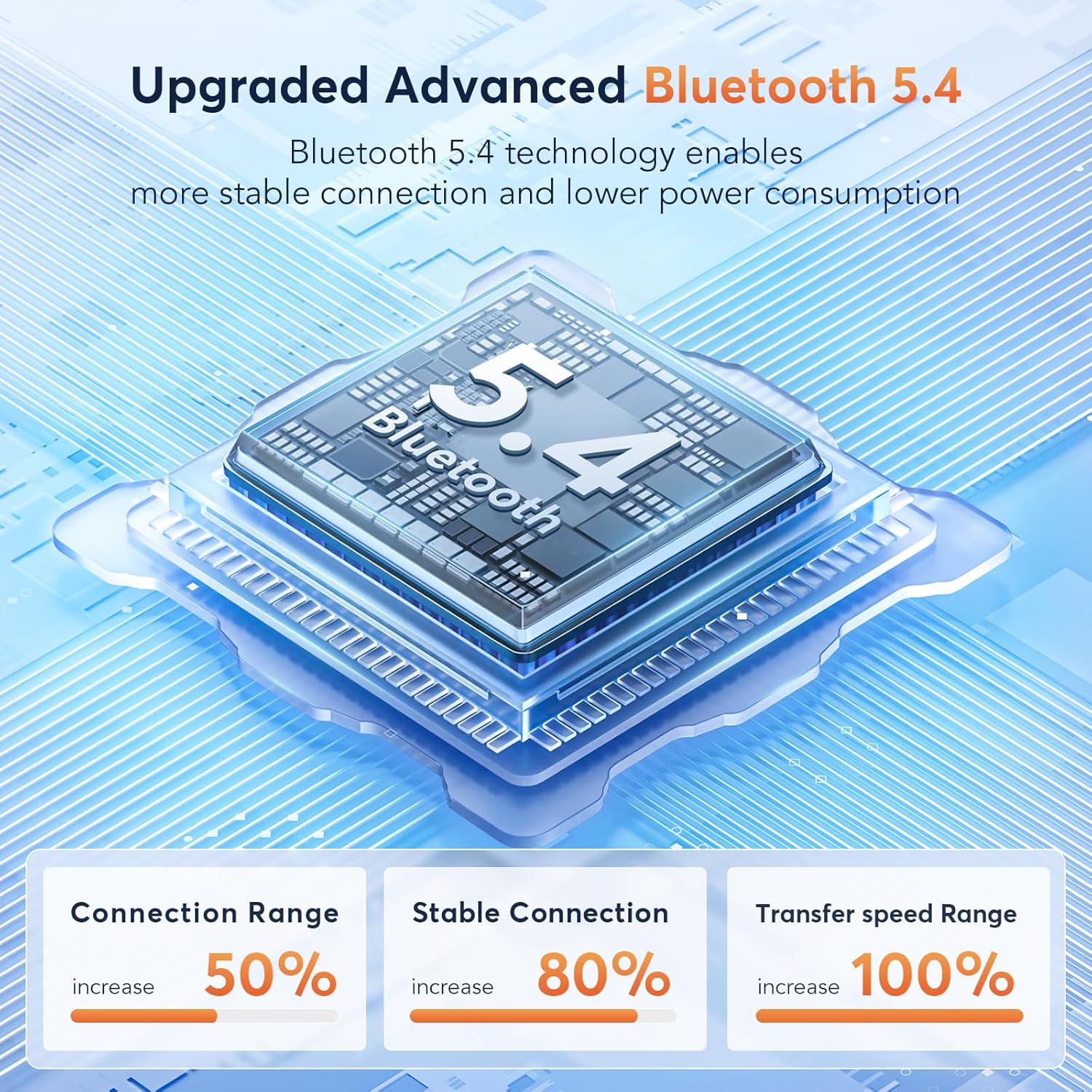
Image: A diagram illustrating the advanced Bluetooth 5.4 technology, highlighting increased connection range, stable connection, and transfer speed range improvements.
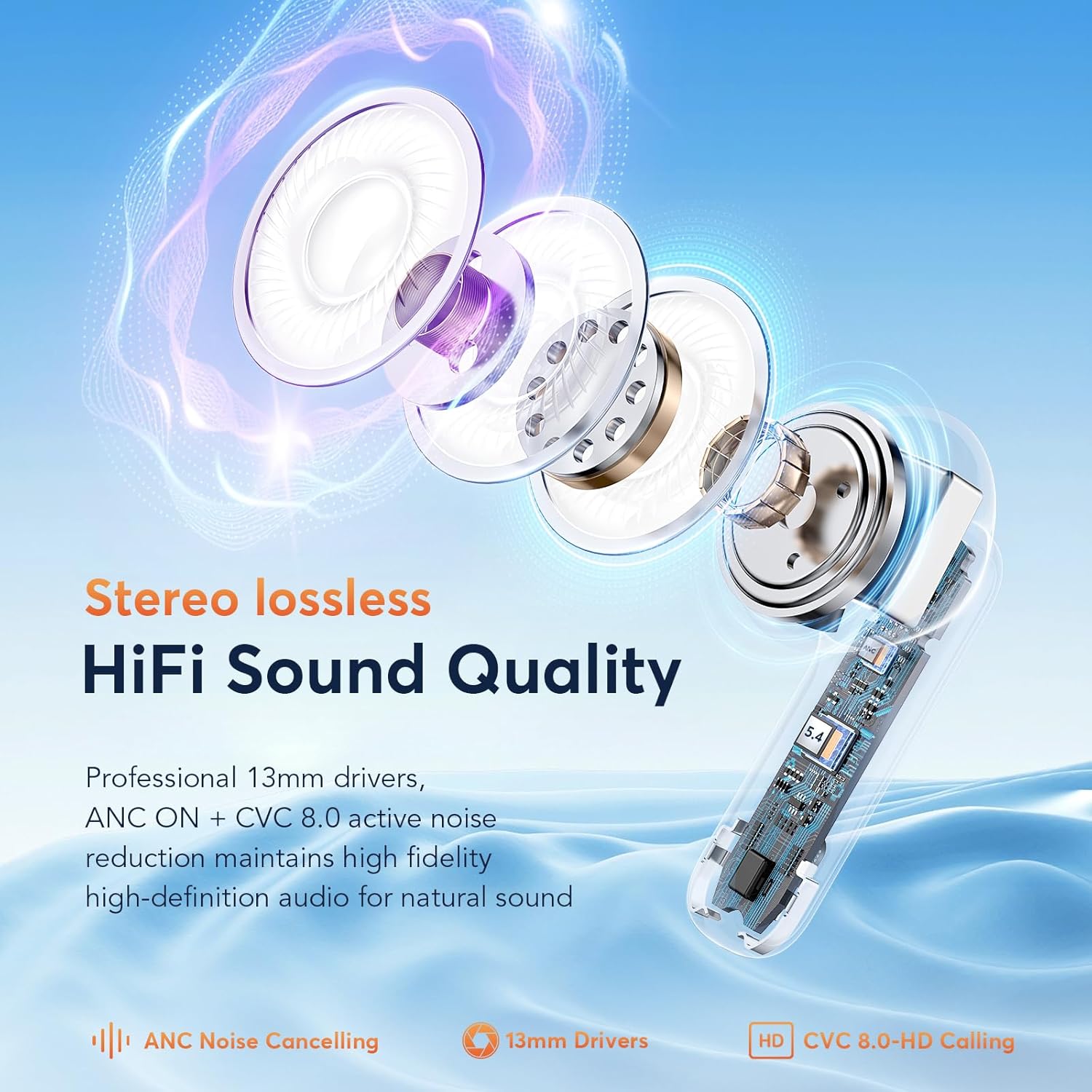
Сүрөт: жарылган view of an earbud, showcasing its internal components including the 13mm drivers, ANC, and CVC 8.0 technology for HiFi sound quality.
8. Кепилдик жана колдоо
For warranty information and customer support, please refer to the documentation included with your purchase or visit the official EUQQ webсайт. Кепилдик дооматтар үчүн сатып алганыңыздын далилин сактаңыз.


