Introduction
This manual provides detailed instructions for the safe and efficient operation of your Kuephom PM24 Portable CD Player with Speakers. Please read this manual thoroughly before using the device and retain it for future reference.
The Kuephom PM24 is a versatile audio device offering multiple playback options including CD, Bluetooth, FM Radio, USB, and TF card. It features built-in stereo speakers, a rechargeable battery for portability, and a remote control for convenient operation.

Image: The Kuephom PM24 Portable CD Player, showcasing its design with an open CD lid, remote control, and an indicator for its rechargeable battery.
Пакеттин мазмуну
Пакетте бардык буюмдар бар экенин текшериңиз:
- Kuephom PM24 Portable CD Player with Speakers x 1
- Заряддоо кабели x 1
- Алыстан башкаруу x 1
- Колдонуучунун колдонмосу x 1
Продукт бүттүview
The PM24 offers a range of features for diverse audio playback. Familiarize yourself with the device's components and capabilities.

Image: A visual representation of the PM24's key features, including CD/MP3 playback, Bluetooth connectivity, USB and TF card support, FM radio, audio input, headphone jack, remote control, rechargeable battery, and sleep timer.
Негизги өзгөчөлүктөрү:
- CD/MP3 Playback: Supports standard audio CDs and MP3 files from CD-R/RW discs.
- Bluetooth байланышы: Шайкеш түзмөктөрдөн зымсыз аудио агымы.
- USB & TF Card Support: Play MP3/WMA audio files directly from USB flash drives or TF cards (up to 32GB).
- FM радиосу: Built-in FM tuner with retractable antenna and programmable presets.
- Көмөкчү киргизүү: Тышкы аудио булактарын 3.5 мм аудио кабели аркылуу туташтырыңыз.
- Гарнитура уячасы: Жеке угуу үчүн.
- Алыстан башкаруу: Full function remote for convenient operation.
- Кайра заряддалуучу батарея: Узак мөөнөттүү колдонуу үчүн көчмө кубаттуулукту камсыз кылат.
- Уйку таймери: Automatically turns off the device after a set period.
- Стерео динамиктер: Integrated speakers for clear audio output.
Жайгашуу
1. Аппаратты заряддоо
Before first use, fully charge the PM24. Connect the provided charging cable to the DC 5V input port on the device and the other end to a standard USB power adapter (not included) or a computer USB port.
- Заряддоо индикатору заряддоо учурунда күйөт.
- Толук кубаттоо, адатта, болжол менен 4 саатты талап кылат.
- The device provides approximately 5-8 hours of playback on a full charge, depending on volume and mode.

Image: Visual representation of the PM24's rechargeable nature, highlighting its play time and charge time.
2. Күйгүзүү/өчүрүү
басып, кармап туруңуз КҮЧ button on the device or remote control to turn the unit on or off.
3. Алыстан башкаруунун батареясын орнотуу
The remote control requires 2 AAA batteries (not included). Open the battery compartment on the back of the remote and insert the batteries, observing the correct polarity (+/-).
Иштөө нускамалары
1. Пультту колдонуу
The remote control allows for convenient operation of all functions from a distance.

Image: A user interacting with the PM24 using the remote control, illustrating various functions accessible from the remote.
- Кубат баскычы: Аппаратты күйгүзөт же өчүрөт.
- Режим баскычы: Switches between CD, Bluetooth, FM, USB, TF, and AUX modes.
- Ойнотуу/тындыруу баскычы: Ойнотууну баштайт же тындырат.
- Мурунку/Кийинки трек баскычтары: Мурунку же кийинки трекке/станцияга өткөрөт.
- Үн +/- баскычтары: Үн деңгээлин тууралайт.
- Кайталоо/Аралаштыруу баскычы: Changes playback repeat modes (e.g., repeat one, repeat all, shuffle).
- Уйку баскычы: Уйку таймерин иштетет жана орнотот.
2. CD ойнотуу
- CD бөлүмүнүн капкагын ачыңыз.
- Carefully place a CD (audio CD or MP3 CD) onto the spindle with the label side facing up.
- CD бөлүктүн капкагын жабыңыз.
- басыңыз РЕЖИМ "CD" режими тандалганга чейин баскычын басыңыз.
- CD автоматтык түрдө ойной баштайт. Эгер ойнотулбаса, баскычын басыңыз ОЙНОО/ТЫНЫТТЫРУ баскычы.

Image: Icons illustrating various CD playback options such as sequential play, random play, repeating a single track, repeating all tracks, and the play memory function.
3. Bluetooth режими
- басыңыз РЕЖИМ button until "BT" (Bluetooth) mode is selected. The display will show "bt" and flash, indicating it's in pairing mode.
- Bluetooth иштетилген түзмөгүңүздө (смартфон, планшет ж.б.) Bluetooth'ду иштетиңиз жана жеткиликтүү түзмөктөрдү издеңиз.
- Select "PM24" from the list of devices.
- Once paired, the "bt" indicator will stop flashing, and you can stream audio wirelessly to the PM24.

Image: A smartphone screen showing a successful Bluetooth connection to the PM24, with the player's display confirming 'bt' mode.
4. FM радио режими
- Extend the telescopic antenna on the back of the unit for optimal reception.
- басыңыз РЕЖИМ "FM" режими тандалганга чейин баскычын басыңыз.
- басып, кармап туруңуз ОЙНОО/ТЫНЫТТЫРУ button to initiate an automatic station scan. The radio will scan and save available stations.
- колдонуу МУРУНКУ/КИЙИНКИ ТРЕК Сакталган станцияларды аралап чыгуу үчүн баскычтар.

Image: A user enjoying FM radio on the PM24, with visual cues indicating different radio frequencies.
5. USB/TF картасын ойнотуу
- Insert a USB flash drive into the USB port or a TF card into the TF card slot. Ensure the card is inserted correctly.
- басыңыз РЕЖИМ button until "USB" or "TF" mode is selected.
- The device will automatically detect and begin playing MP3/WMA audio files from the inserted storage.
- колдонуу МУРУНКУ/КИЙИНКИ ТРЕК buttons to navigate between files.

Сүрөт: Жакын план view of the USB and TF card slots on the PM24, indicating their function for playing media from external storage.
6. Көмөкчү киргизүү (AUX)
- Connect one end of a 3.5mm audio cable (not included) to the AUX IN port on the PM24.
- Connect the other end to the headphone jack or audio output of an external audio device (e.g., smartphone, MP3 player).
- басыңыз РЕЖИМ button until "AUX" mode is selected.
- Control playback and volume from your external audio device.
7. Sleep Timer Function
The sleep timer allows the device to automatically turn off after a set period.
- While the device is playing, press the УЙКУ алыстан башкаруудагы баскыч.
- кайра-кайра басыңыз УЙКУ button to cycle through available timer settings (e.g., 10, 20, 30, 60, 90 minutes).
- The selected time will be displayed. The device will automatically power off once the timer expires.

Image: A visual demonstration of the sleep timer function, showing the PM24 on a nightstand while a person sleeps.
8. Наушниктерди колдонуу
For private listening, connect 3.5mm headphones (not included) to the ЕРФОН ЖЕК on the device. The built-in speakers will automatically mute when headphones are connected.
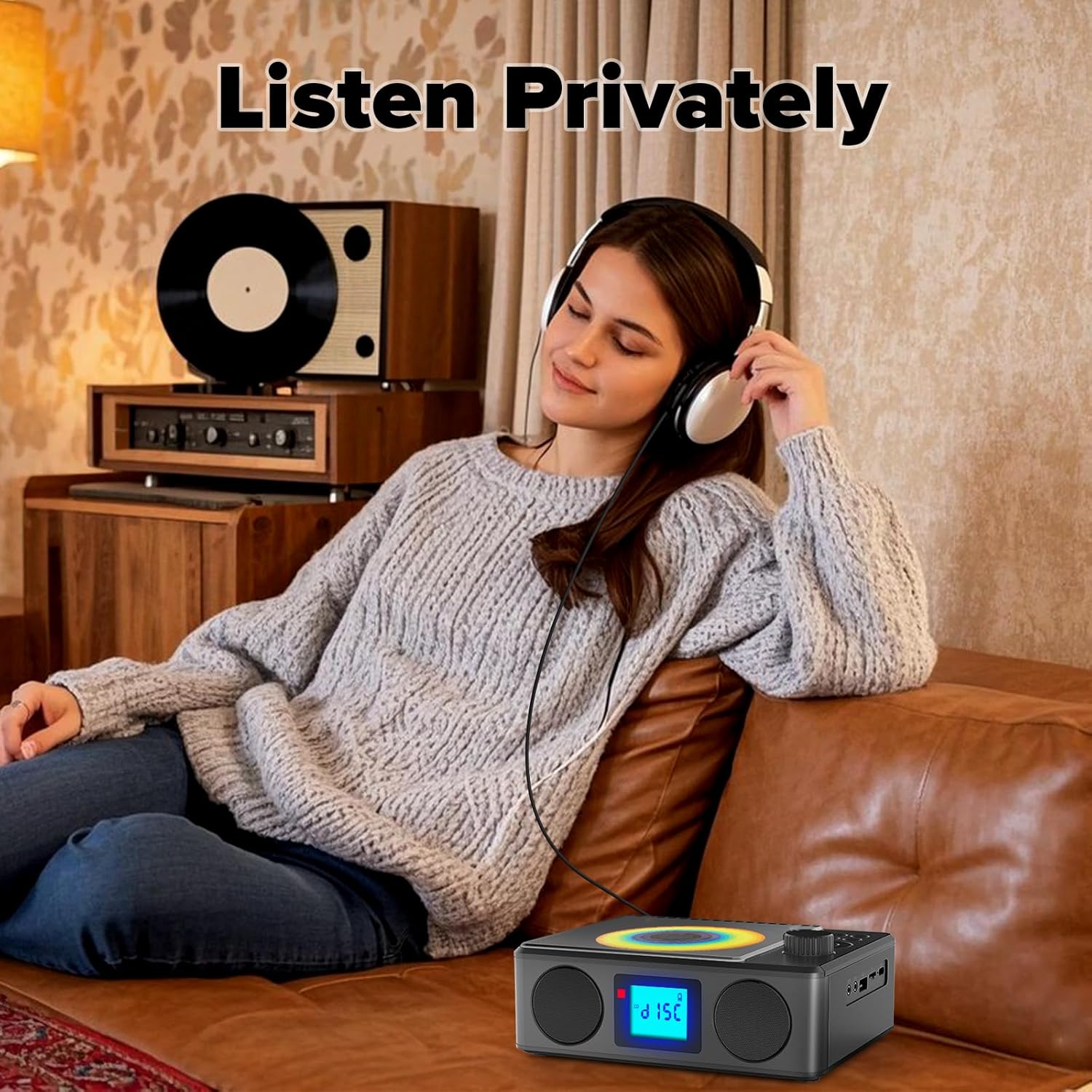
Image: A user enjoying private audio through headphones connected to the PM24.
Техникалык тейлөө
- Тазалоо: Аппараттын сыртын тазалоо үчүн жумшак, кургак чүпүрөктү колдонуңуз. Абразивдүү тазалагычтарды же эриткичтерди колдонбоңуз.
- CD Care: CDлерди четинен кармаңыз. Кир компакт-дисктерди ортосунан сыртка карай сүртүп, жумшак, түксүз чүпүрөк менен тазалаңыз.
- Сактагыч: Узак мөөнөткө колдонулбаганда, аспапты кургак, салкын жерде, тике күндүн нурунан жана өтө температурадан алыс сактаңыз.
- Батарея: Батареянын иштөө мөөнөтүн узартуу үчүн, бат-баттан батарейканы толук зарядсыздандырбаңыз. Аппаратты колдонбосо дагы, үзгүлтүксүз заряддап туруңуз.
Проблемаларды чечүү
| Көйгөй | Мүмкүн себеп | Чечим |
|---|---|---|
| Түзмөк күйбөйт. | Батарея түгөнүп калды. | Connect the charging cable and allow the device to charge. |
| Динамиктерден үн жок. | Үнү өтө төмөн же үнсүз. Кулакчындар туташтырылган. | Үнүн катуулатыңыз. Кулакчындарды ажыратыңыз. |
| CD өткөрүп жиберет же ойнобойт. | CD кир, чийилген же туура эмес салынган. | Clean the CD. Ensure it is placed correctly. Try another CD. |
| Bluetooth жупташуусу болбой жатат. | Device is too far, not in pairing mode, or already paired. | Ensure PM24 is in BT mode and flashing. Move devices closer. Disconnect from other devices. |
| FM радиосун кабыл алуу начар. | Антенна узартылган эмес же сигналдын начар аймагы. | Fully extend the telescopic antenna. Reposition the device for better signal. |
| Пульт иштебей жатат. | Batteries are depleted or inserted incorrectly. Obstruction between remote and device. | Replace batteries, check polarity. Remove obstructions. Ensure remote is pointed at the device. |
Техникалык шарттар
- Модел: PM24
- Бренд: Kuephom
- Продукциянын өлчөмдөрү: 7.5 x 6.3 x 2.5 дюйм (19.05 x 16.00 x 6.35 см)
- Элемент Салмагы: 1.96 фунт (0.89 кг)
- Байланыш технологиясы: Көмөкчү, Bluetooth, USB
- Түсү: Кара
- Динамик түрү: Стерео
- Батареялар: 1 стандарттуу эмес батарея (кошулган)
- Ойнотуу убактысы: 5-8 саат (болжол менен)
- Заряддоо убактысы: 4 саат (болжол менен)
Кепилдик жана колдоо
Kuephom products are designed for reliability and performance. For warranty information or technical support, please refer to the contact details provided on the product packaging or visit the official Kuephom webсайт.
Кепилдик дооматтары үчүн сатып алганыңыздын далилин сактап коюңуз.


