Introduction
This manual provides comprehensive instructions for the Acer Aspire Lite AL15-33P-F38Y/S laptop. It covers initial setup, basic operation, maintenance guidelines, and troubleshooting common issues. Please read this manual thoroughly to ensure proper use and longevity of your device.

Сүрөттүн сүрөттөлүшү: А тарап view of the Acer Aspire Lite laptop, highlighting its approximate thickness of 18mm and weight of 1.52kg, along with the Intel Core 3 processor branding.
1. Баштапкы орнотуу
1.1 Ноутбукту таңгактан чыгаруу
Бардык компоненттерди таңгактан кылдаттык менен алып салыңыз. Төмөнкү нерселердин бар экенин текшериңиз:
- Acer Aspire Lite AL15-33P-F38Y/S Laptop
- AC адаптер жана электр шнуры
- Ыкчам баштоо колдонмосу (эгер камтылган болсо)
1.2 Кубат адаптерин туташтыруу
- Connect the AC adapter to the DC-in port on the laptop.
- Кубат шнурын AC адаптерге, андан кийин розеткага сайыңыз.
- Allow the laptop to charge for at least 30 minutes before first use, or until the battery indicator shows sufficient charge.
1.3 Биринчи жүктөө жана Windows орнотуу
- Ноутбуктун капкагын ачып, кубат баскычын басыңыз.
- Windows 11 Home орнотуусун аяктоо үчүн экрандагы нускамаларды аткарыңыз, анын ичинде тил, аймак, тармак туташуусу жана колдонуучу каттоо эсебин түзүү.
2. Components Overview
2.1 Фронт View

Сүрөттүн сүрөттөлүшү: А фронт view of the Acer Aspire Lite laptop, showcasing its 15.6-inch Full HD IPS display, Intel Core 3 processor, 8GB RAM, and 512GB SSD. The Windows 11 logo is also visible.
2.2 тарап Viewс жана порттор

Сүрөттүн сүрөттөлүшү: This image illustrates the various ports located on the right and left sides of the Acer Aspire Lite laptop. The right side includes a USB 2.0 Type-A port, a headset/speaker jack, and a Kensington lock slot. The left side features an HDMI output port, a USB 3.2 Type-A port (Gen 1), and a USB 3.2 Type-C port (Gen 1) with Power Delivery and display output support.
- Оң жагы: USB 2.0 Type-A port, Headset/Speaker Jack, Kensington Lock Slot.
- Сол жагы: HDMI Output Port, USB 3.2 Type-A port (Gen 1), USB 3.2 Type-C port (Gen 1) with Power Delivery and Display Output.
- Башка порттор: DC-in Jack (for power adapter).
2.3 Баскычтоп жана сенсордук такта
The laptop features a 103-key Japanese keyboard with a dedicated Copilot key. The multi-gesture touchpad allows for intuitive navigation and control.
3. Ноутбукту иштетүү
3.1 Күйгүзүү/өчүрүү жана Уйку режими
- Күйгүзүү: Баскычтопто жайгашкан кубат баскычын басыңыз.
- Өчүрүү: Баштоо баскычын чыкылдатып, андан кийин Кубат > Өчүрүү.
- Уйку режими: Капкагын жабыңыз же "Баштоо" баскычын, андан кийин "Күчүн жана Уйку режимин" чыкылдатыңыз.
3.2 Тармакка туташуу
The Acer Aspire Lite supports Wi-Fi 6 for high-speed wireless connectivity.

Сүрөттүн сүрөттөлүшү: This image highlights the laptop's support for Wi-Fi 6 and Bluetooth 5.0, indicating advanced wireless communication capabilities.
- Тапшырма панелиндеги тармак сөлөкөтүн чыкылдатыңыз.
- Тизмеден каалаган Wi-Fi тармагын тандаңыз.
- Enter the network password if prompted and click Connect.
3.3 Bluetooth түзмөктөрүн колдонуу
The laptop is equipped with Bluetooth 5.0 for connecting wireless peripherals.
- Go to Settings > Bluetooth & devices.
- Bluetooth күйгүзүлгөнүн текшериңиз.
- Click "Add device" and select the Bluetooth device you wish to pair.
3.4 Utilizing Windows 11 and Copilot

Сүрөттүн сүрөттөлүшү: This image displays the Acer Aspire Lite laptop with the Windows 11 logo and the Copilot icon, indicating its integration with the latest Windows operating system and AI assistant.
The laptop comes with Windows 11 Home 64-bit and features a dedicated Copilot key for quick access to the AI assistant. Copilot assists with search, creative tasks, and collaborative work.
3.5 Дисплейдин өзгөчөлүктөрү
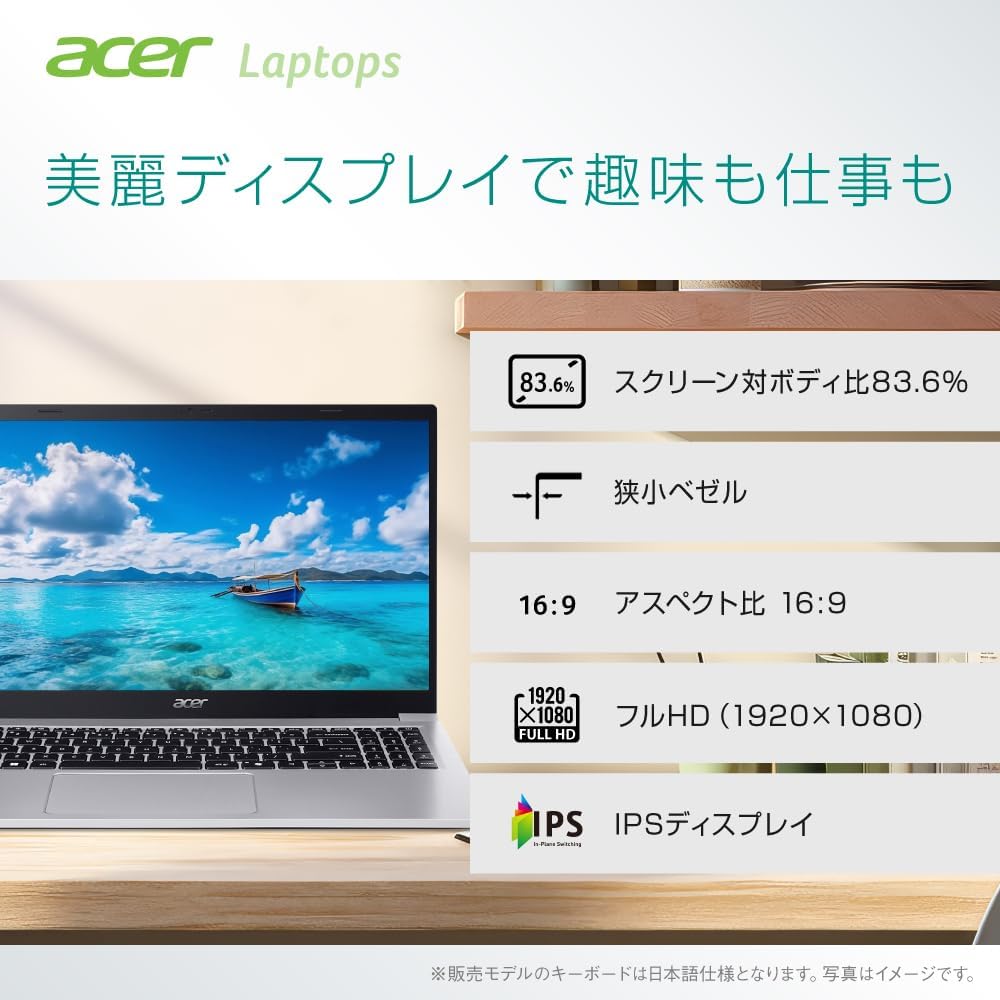
Сүрөттүн сүрөттөлүшү: This image highlights the display features of the Acer Aspire Lite laptop, including an 83.6% screen-to-body ratio, narrow bezels, 16:9 aspect ratio, Full HD (1920x1080) resolution, and an IPS panel for wide viewбурчтар.
- Экрандын өлчөмү: 15.6 дюйм
- Чечим: Толук HD (1920x1080)
- Панелдин түрү: IPS (In-Plane Switching) for wide viewбурчтар
- Аспект катышы: 16:9
- Өзгөчөлүктөрү: Narrow bezels, 83.6% screen-to-body ratio.
3.6 Аудио жана камера

Сүрөттүн сүрөттөлүшү: This image shows the Acer Aspire Lite laptop in a video conference setting, emphasizing its Full HD webcam with a slide cover, dual speakers, dual microphones, and Intel High-Definition Audio compliance for clear audio and video communication.
- Webкамера: Full HD (2 million pixels) with a privacy slide cover.
- Аудио: Dual speakers and dual microphones for clear sound. Intel High-Definition Audio compliant.
4. Техникалык тейлөө
4.1 Ноутбукту тазалоо
- Экранды жана сырткы беттерди тазалоо үчүн жумшак, түксүз чүпүрөктү колдонуңуз.
- Өжөр белгилер үчүн, dampen the cloth with a small amount of water or a screen-safe cleaner. Avoid harsh chemicals.
- Клавиатура баскычтарындагы жана желдеткичтердеги чаңды тазалоо үчүн кысылган абаны колдонуңуз.
4.2 Батареяга кам көрүү
- Батареянын иштөө мөөнөтүн узартуу үчүн, бат-баттан батарейканы толук зарядсыздандырбаңыз.
- Ноутбукту узак убакытка колдонбогондо салкын, кургак жерде сактаңыз.
- The typical battery life is approximately 9 hours, with a standby time of up to 17.5 hours.
4.3 Программалык камсыздоо жаңыртуулары
Оптималдуу иштөөнү жана коопсуздукту камсыз кылуу үчүн Windows жаңыртууларын жана драйвер жаңыртууларын үзгүлтүксүз текшерип жана орнотуп туруңуз.
5. Кыйынчылыктарды
5.1 Ноутбук күйбөйт
- AC адаптери ноутбукка да, иштеген электр розеткасына да бекем туташып турганын текшериңиз.
- Башка аспапка туташтыруу менен электр розеткасынын иштешин текшериңиз.
- If the battery is completely drained, allow it to charge for a while before attempting to power on.
5.2 Экранда дисплей жок
- Ноутбук күйгүзүлгөнүн текшериңиз.
- Try adjusting the display brightness using the keyboard function keys.
- Эгерде тышкы монитор туташкан болсо, аны ажыратып көрүңүз же баскычын басыңыз Windows баскычы + P to cycle through display modes.
5.3 Wi-Fi туташуу маселелери
- Windows жөндөөлөрүндө Wi-Fi иштетилгенин текшериңиз.
- Роутериңизди жана модемиңизди өчүрүп күйгүзүңүз.
- Тармакты унутуп, сырсөздү кайра киргизип, кайра туташыңыз.
6. Техникалык шарттар
| Өзгөчөлүк | Деталь |
|---|---|
| Бренд | Acer |
| Модель аты | Aspire Lite 16 (AL15-33P-F38Y/S) |
| Операция системасы | Windows 11 Home 64-бит |
| Процессор | Intel Core 3 Processor N355 (2.2 GHz, 2 Cores) |
| Эс | 8GB DDR5-4800MHz SDRAM (Max 16GB) |
| Сактагыч | 512 ГБ SSD |
| Графика | Интеграцияланган Intel Graphics |
| Дисплей | 15.6-inch Full HD (1920x1080) IPS, 16:9, Non-glare |
| Баскычтоп | 103-key Japanese keyboard with Copilot key |
| Көрсөтүү түзмөк | Multi-gesture Touchpad |
| USB порттору | 1x USB 3.2 Type-C (Gen 1, 5Gbps, PD/DisplayPort), 1x USB 3.2 Type-A (Gen 1, 5Gbps), 1x USB 2.0 Type-A |
| Video Output | HDMI Чыгаруу Порт |
| Аудио Jack | Headset/Speaker Jack |
| Зымсыз байланыш | Wi-Fi 6 (802.11ax), Bluetooth 5.0 |
| Webcam | Full HD (2 million pixels) with slide cover |
| Батареянын иштөө мөөнөтү | Approx. 9 hours (Standby: 17.5 hours) |
| Өлчөмдөр | Approx. 18mm thickness |
| Салмагы | Болжол менен 1.52 кг |
| Түс | Light Silver |
7. Кепилдик жана колдоо
7.1 Продукциянын кепилдиги
Information regarding your product's warranty period and terms can be found in the documentation included with your purchase or on the official Acer support webсайт.
7.2 Техникалык колдоо
For technical assistance, frequently asked questions, and driver downloads, please visit the official Acer support page:
https://www.acer.com/jp-ja/support/
Support Operating Hours: 10:00 AM - 7:00 PM JST, 365 days a year (excluding company-designated holidays).


