1. Киришүү
This manual provides essential information for the setup, operation, and maintenance of your Thomson Go TV 32-inch Portable Android TV, Model 32HA4M44. Designed for flexible viewing, this HD Ready television features Android TV for access to numerous streaming services, Google Assistant for voice control, and a built-in battery for up to 4 hours of portable use. Its adjustable stand and integrated wheels enhance mobility, allowing you to enjoy entertainment anywhere in your home.

Сүрөт 1: Алдыңкы view of the Thomson Go TV 32-inch Portable Android TV on its stand.
2. Пакеттин мазмуну
Ensure all the following items are included in your product packaging:
- Thomson Go TV 32-inch Unit
- Кубаттуу адаптер
- Электр кабели
- Алыстан башкаруу
- Колдонуучунун Колдонмосу (бул документ)
- Кепилдик картасы
3. Физикалык орнотуу
3.1. Өлчөмдөрү жана жайгаштырылышы
Before setting up, consider the dimensions of your TV for optimal placement.

Figure 2: Diagram illustrating the dimensions of the Thomson Go TV, including its height, width, and depth.
3.2. Adjusting the TV View
The Thomson Go TV offers adjustable tilt, height, and rotation features for a comfortable viewтажрыйбасы.
- Россия: Adjust the screen vertically to reduce glare or optimize viewбурч.
- Бийиктиги: Экранды көз деңгээлине чейин көтөрүңүз же төмөндөтүңүз.
- Айлануу: Swivel the screen horizontally to share content with others in the room.

Figure 3: The TV stand allows for various adjustments to achieve an optimal viewбурч.
3.3. Мобилдүүлүк
The integrated wheels at the base of the stand allow for easy movement of the TV between rooms or locations.
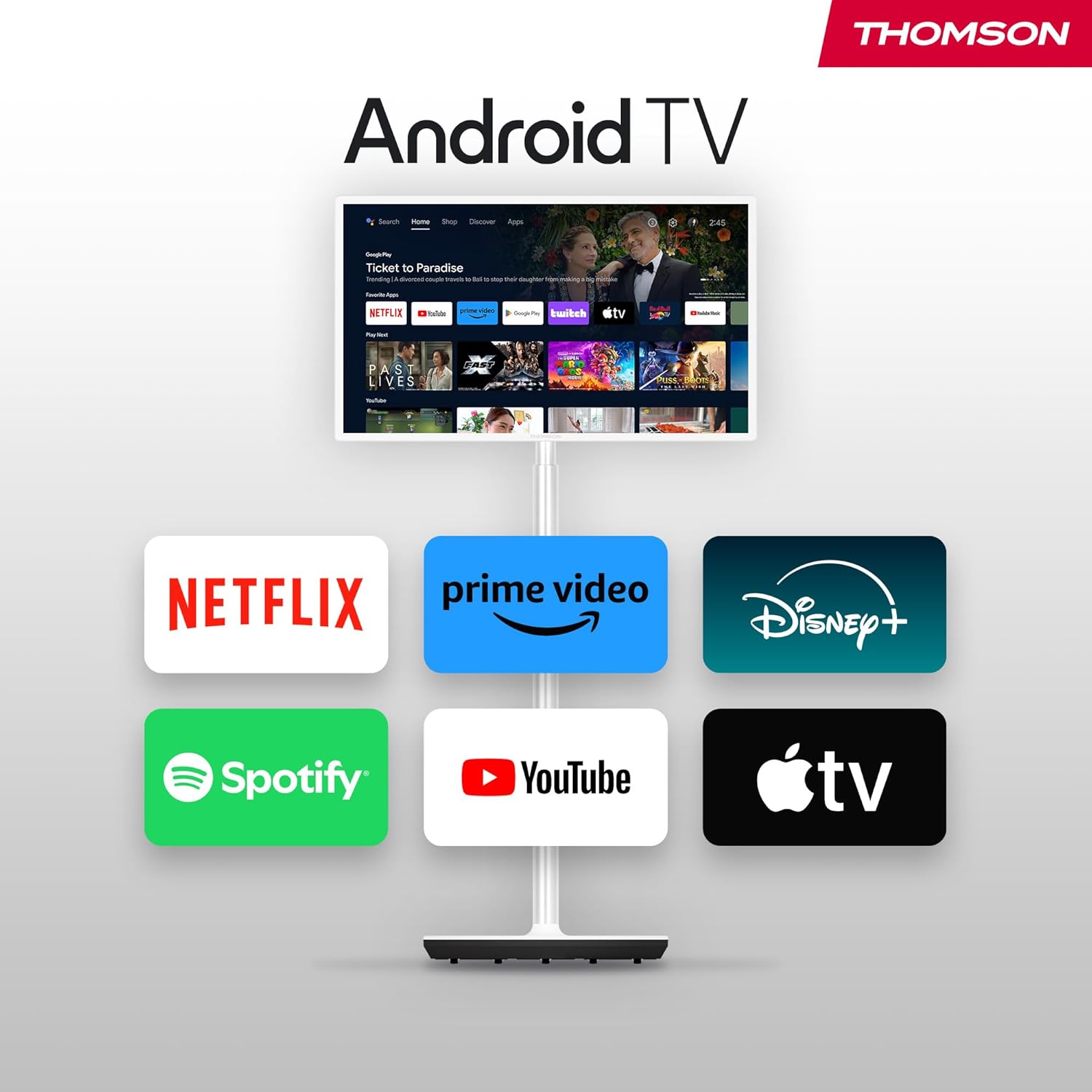
Figure 4: The TV can be easily moved around your home thanks to its wheeled base.
4. Байланыштар
The Thomson Go TV provides various ports for connecting external devices:
- HDMI: Connect high-definition devices such as Blu-ray players, gaming consoles, or set-top boxes.
- USB: Медиа ойнотуу үчүн USB сактагыч түзмөктөрдү туташтырыңыз.
- LAN (Ethernet): Зымдуу интернет байланышы үчүн.
- AV IN: Эски аналогдук түзүлүштөрдү туташтыруу үчүн.
- Антенна: For connecting to a terrestrial antenna for live TV broadcasts.

Figure 5: Rear panel showing available connection ports.
5. Баштапкы күйгүзүү жана орнотуу
To power on your Thomson Go TV, connect the power adapter to the TV and a power outlet. Press the power button on the TV or the remote control. Follow the on-screen instructions for initial setup, including language selection, network connection (Wi-Fi or Ethernet), and Google account login for Android TV features.
6. Operating Your Thomson Go TV
6.1. Android TV интерфейси
Your Thomson Go TV runs on Android TV, providing a user-friendly interface for accessing a wide range of applications and content. The home screen displays your favorite apps, recommended content, and various categories for easy navigation.

Figure 6: The Android TV home screen with various streaming applications.
6.2. Google Жардамчы менен Үн менен башкаруу
The remote control features a dedicated button for Google Assistant, allowing you to control your TV and search for content using voice commands. Simply press the Google Assistant button and speak your command.

Figure 7: The remote control with Google Assistant and direct access buttons.

Figure 8: Using voice commands with Google Assistant on the Thomson Go TV.
6.3. Streaming and Casting
Access popular streaming services like Netflix, Prime Video, YouTube, Disney+, and Spotify directly from the Android TV interface. Utilize Google Cast to stream movies, music, and videos from your smartphone, tablet, or laptop directly to your TV screen.

Figure 9: Content being cast from a mobile device to the Thomson Go TV using Google Cast.
6.4. Батареянын иштеши
The integrated battery provides up to 4 hours of viewing time, allowing for flexible placement without immediate need for a power outlet.
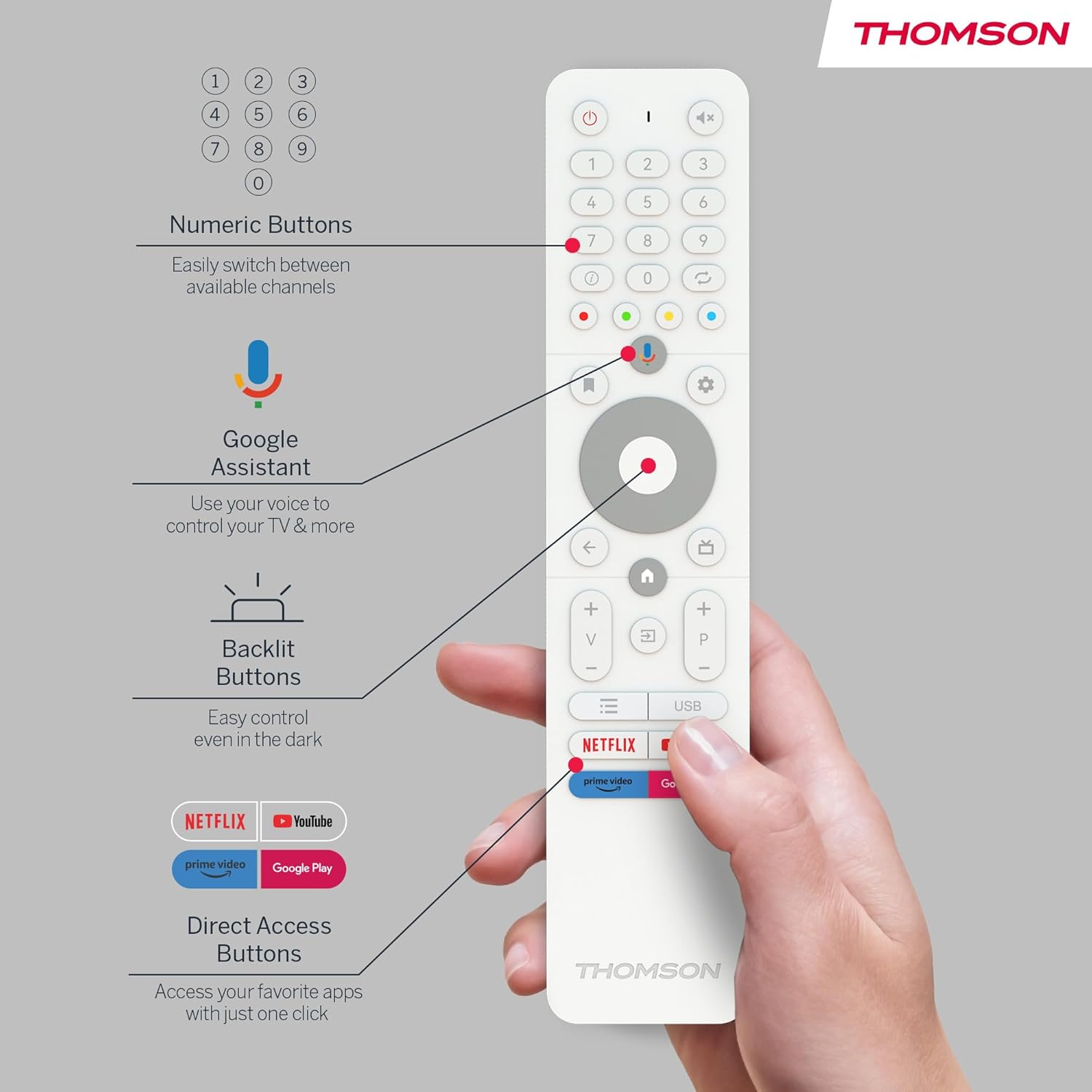
Figure 10: The TV's built-in battery supports portable use for up to 4 hours.
6.5. Аудио өзгөчөлүктөрү
Experience clear audio with Dolby Audio technology and 16W speakers.

Figure 11: Dolby Audio enhances the sound experience on the Thomson Go TV.
6.6. Hotspot Functionality
The TV supports hotspot functionality, allowing it to share its internet connection with other devices.
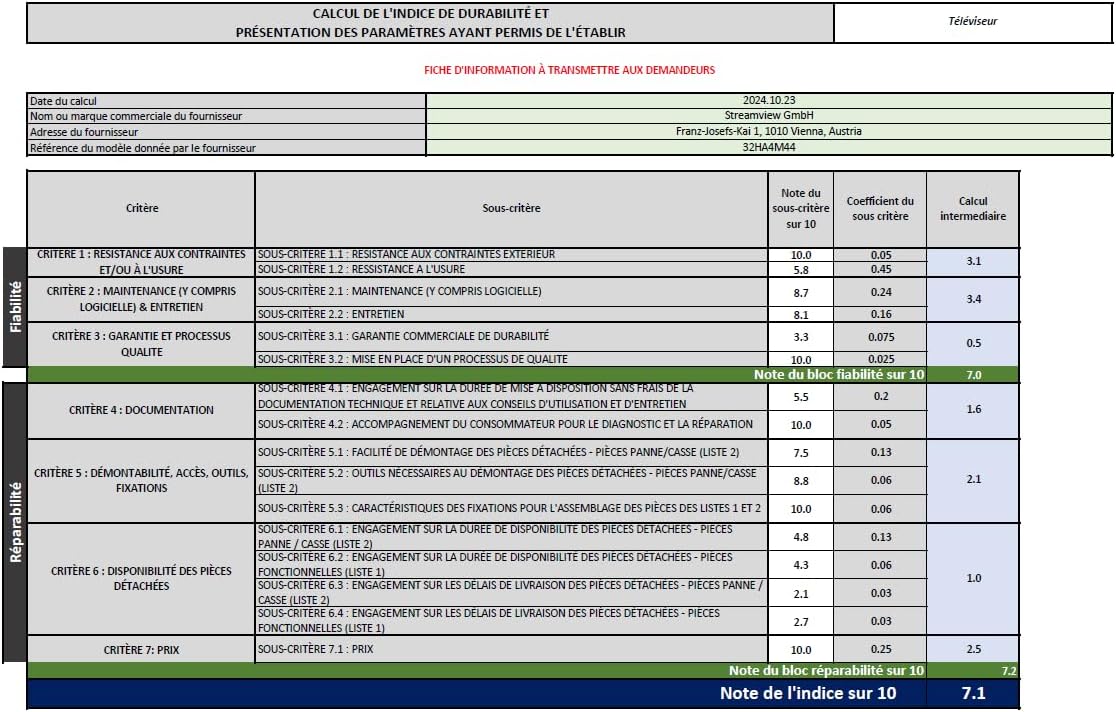
Figure 12: The TV's hotspot feature in use, sharing its internet connection.
7. Техникалык тейлөө жана кам көрүү
To ensure the longevity and optimal performance of your Thomson Go TV, follow these general maintenance guidelines:
- Тазалоо: Use a soft, dry cloth to clean the screen and exterior surfaces. For stubborn marks, slightly dampчүпүрөккө суу же жумшак, абразивдүү эмес экран тазалагыч. Катуу химиялык заттардан алыс болуңуз.
- Вентиляция: Ашыкча ысып кетүүнүн алдын алуу үчүн телевизордун желдетүү тешиктери жабылбагандыгын текшериңиз.
- Сактагыч: When not in use for extended periods, store the TV in a cool, dry place away from direct sunlight and extreme temperatures.
- Батареяга кам көрүү: Батареянын иштөө мөөнөтүн оптималдаштыруу үчүн, аны тез-тез толук зарядсыздандырбаңыз. Аны дайыма колдонбосоңуз да, үзгүлтүксүз кубаттап туруңуз.
8. Кыйынчылыктарды
If you encounter issues with your Thomson Go TV, try the following basic troubleshooting steps:
- Кубат жок: Кубат кабелинин телевизорго да, розеткага да бекем туташтырылганын текшериңиз. Розетканын иштеп турганын текшериңиз.
- Сүрөт/үн жок: Verify that the correct input source is selected. Check all cable connections (HDMI, AV, Antenna).
- Алыстан башкаруу иштебейт: Пульттагы батарейкаларды алмаштырыңыз. Пульт менен сыналгынын IR сенсорунун ортосунда эч кандай тоскоолдуктар жок экенин текшериңиз.
- Тармакка туташуу маселелери: Restart your Wi-Fi router. Reconnect the TV to the Wi-Fi network or try a wired Ethernet connection.
- Колдонмо жооп бербей жатат: Try closing and reopening the application. If the issue persists, restart the TV.
For more complex issues, refer to the online support resources or contact customer service.
9. Техникалык шарттар
| Өзгөчөлүк | Спецификация |
|---|---|
| Бренд | Томсон |
| Модель номери | 32HA4M44 |
| Screen Size | 32 дюйм (81 сантиметр) |
| Дисплей технологиясы | LCD |
| Резолюция | 720p (1366x768) |
| Жаңыртуу ылдамдыгы | 60 Гц |
| Операция системасы | Android TV |
| Өзгөчөлүктөр | Chromecast, Browser, Voice Control (Google Assistant), Hotspot Function |
| Байланыш | HDMI, USB (1 port), Wi-Fi, Ethernet |
| Аудио технологиясы | Dolby Audio |
| Батарея түрү | Литий-ион (кошулган) |
| Батареянын иштөө мөөнөтү | 4 саатка чейин |
| Энергия натыйжалуулугунун рейтинги | E |
| Продукциянын өлчөмдөрү | 6P x 73W x 43H сантиметр |
| Өндүрүүчү | АгымView GmbH |
| Келип чыккан өлкө | Кытай |
For detailed energy information, please visit the EPREL database: https://eprel.ec.europa.eu/qr/2062485
10. Кепилдик жана колдоо
The Thomson Go TV 32HA4M44 comes with a manufacturer's warranty of 3 years. For warranty claims, technical support, or service inquiries, please refer to the contact information provided on your warranty card or visit the official Thomson support webсайт.


