1. Коопсуздук маалыматы
Please read all safety instructions carefully before using your iFFALCON TV. Retain this manual for future reference.
- Электр коопсуздугу: Do not expose the TV to rain or moisture. Ensure the power cord is securely plugged into a grounded outlet. Do not overload electrical outlets.
- Жайгашкан жери: Place the TV on a stable, level surface or mount it securely to a wall. Ensure adequate ventilation around the TV to prevent overheating. Do not block ventilation openings.
- Тазалоо: Тазалоодон мурун сыналгыдан ажыратыңыз. Жумшак, кургак чүпүрөктү колдонуңуз. Суюк тазалагычтарды же аэрозоль тазалагычтарды колдонбоңуз.
- Балдар: Балдардын сыналгыга же стендге чыгуусуна жол бербөө үчүн аларды көзөмөлдөңүз. Чакан бөлүктөрү муунтуу коркунучу болушу мүмкүн.
- Тейлөө: Телевизорду өзүңүз тейлөөгө аракет кылбаңыз. Бардык тейлөөлөрдү квалификациялуу тейлөө кызматкерлерине тапшырыңыз.
2. Кутуда эмне бар
Таңгактан чыгарууда бардык компоненттер бар экенин текшериңиз:
- iFFALCON 85 дюймдук U85 сериясы QD-Mini LED 4K UHD Google Smart TV
- Электр кабели
- Алыстан башкаруу үчүн 2 x AAA батарейкасы
- 6 x Туруучу бурамалар
- Стол стенддери (2 даана)
- 5 х кабелдик клиптер
- Quick Start Guide
- Алыстан сыналгы
3. Орнотуу
3.1 Физикалык орнотуу
Before powering on, ensure the TV is securely placed or mounted.
- Стенд орнотуу: If using the table stands, carefully attach them to the designated slots at the bottom of the TV using the provided stand screws. Ensure they are tightened securely.
- Дубалга орнотуу: If wall mounting, follow the instructions provided with your wall mount kit. Ensure the mount is compatible with VESA standards for the 85U85 model.
- Кубат туташуу: Кубат кабелин телевизордун кубат киресине, андан кийин розеткага туташтырыңыз.
- Тышкы түзмөктөр: Connect any external devices (e.g., cable box, gaming console, Blu-ray player) to the appropriate HDMI or other input ports on the TV.

Image: The iFFALCON 85-Inch U85 Series TV, showcasing анын ичке дизайны жана жандуу дисплей.
3.2 Баштапкы күйгүзүү жана Google TV орнотуу
After connecting power, press the power button on the remote control or TV to turn it on.
- Алыстан башкарууну жупташтыруу: If the remote does not respond, insert the AAA batteries and follow on-screen instructions to pair it via Bluetooth.
- Тил тандоо: Өзүңүзгө жаккан тилди тандаңыз.
- Тармак туташуусу: Select your Wi-Fi network and enter the password. A stable internet connection is required for Google TV features.
- Google аккаунтуна кирүү: Sign in with your Google account to access Google TV features, personalized recommendations, and app downloads.
- Google Assistant Setup: Follow prompts to set up Google Assistant for voice control.

Image: A user interacting with the iFFALCON TV using hands-free voice control, demonstrating the integrated Google TV interface.
4. Сыналгыңызды иштетүү
4.1 Алыстан башкаруу функциялары
The provided remote control allows full navigation and control of your iFFALCON TV.
- Кубат баскычы: Телевизорду күйгүзөт же өчүрөт.
- Навигация аянтчасы: Менюлар аркылуу өтүү үчүн багыт баскычтарын жана тандоо үчүн OK баскычын колдонуңуз.
- Көлөм +/-: Үн деңгээлин тууралайт.
- Канал +/-: Телеканалдарды өзгөртөт.
- Киргизүү: Киргизүү булагын тандайт (HDMI 1, HDMI 2, ж.б.).
- Google Жардамчы баскычы: Activates voice control. Press and speak your command.
- Үй баскычы: Google TV башкы экранына кайтып келет.
- Колдонмонун кыска баскычтары: Популярдуу агымдык кызматтарга тез жетүү.
4.2 Акылдуу функциялар жана Google TV
Your iFFALCON U85 Series TV runs on Google TV, offering a personalized and integrated smart experience.
- Google TV Home Screen: Provides access to movies, shows, and apps from all your subscriptions, organized for easy discovery.
- Үн менен башкаруу: Use Google Assistant or Alexa (via compatible devices) to search for content, control smart home devices, and manage TV settings hands-free.
- App Library: Download and install a wide range of applications from the Google Play Store.
- Chromecast камтылган: Мазмунду шайкеш келген смартфонуңуздан, планшетиңизден же компьютериңизден түз эле телевизорго чыгарыңыз.
4.3 Сүрөт жана үн орнотуулары
Сиздин жекелештирүү viewсыналгынын орнотуулар менюсу аркылуу угуу жана угуу тажрыйбасы.
- Сүрөт режимдери: Select from various preset picture modes (e.g., Standard, Vivid, Movie, Game) or customize settings like brightness, contrast, color, and sharpness.
- Mini LED Precision: The TV features 352 local dimming zones and 1000 nits peak brightness for enhanced contrast and detail.
- Dolby Vision IQ: Automatically adjusts HDR brightness based on the room's ambient light for optimal viewing.
- Үн режимдери: Choose from sound presets (e.g., Standard, Music, Movie, Speech) or adjust equalizer settings.
- Dolby Atmos & DTS Virtual X: Experience immersive spatial audio with the integrated 2.1-channel 50W sound system.

Image: Visual comparison illustrating the superior contrast and detail of Mini LED technology compared to conventional TVs.

Image: Depiction of the immersive audio experience with the TV's 2.1 speaker system and Dolby Atmos technology.
4.4 Оюн функциялары
The iFFALCON U85 Series TV is equipped with features designed for an enhanced gaming experience.
- 144Гц оюн режиминин профессионалы: Provides a high refresh rate for smooth, responsive gameplay.
- 288Гц DLG ылдамдануусу: Further enhances motion clarity for competitive gaming.
- FreeSync Premium Pro: Reduces screen tearing and stuttering for fluid visuals.
- Авто аз күтүү режими (ALLM): Automatically switches to a low-latency mode when a gaming console is detected.
- Оюн тилкеси: Access and adjust key gaming settings quickly during gameplay.
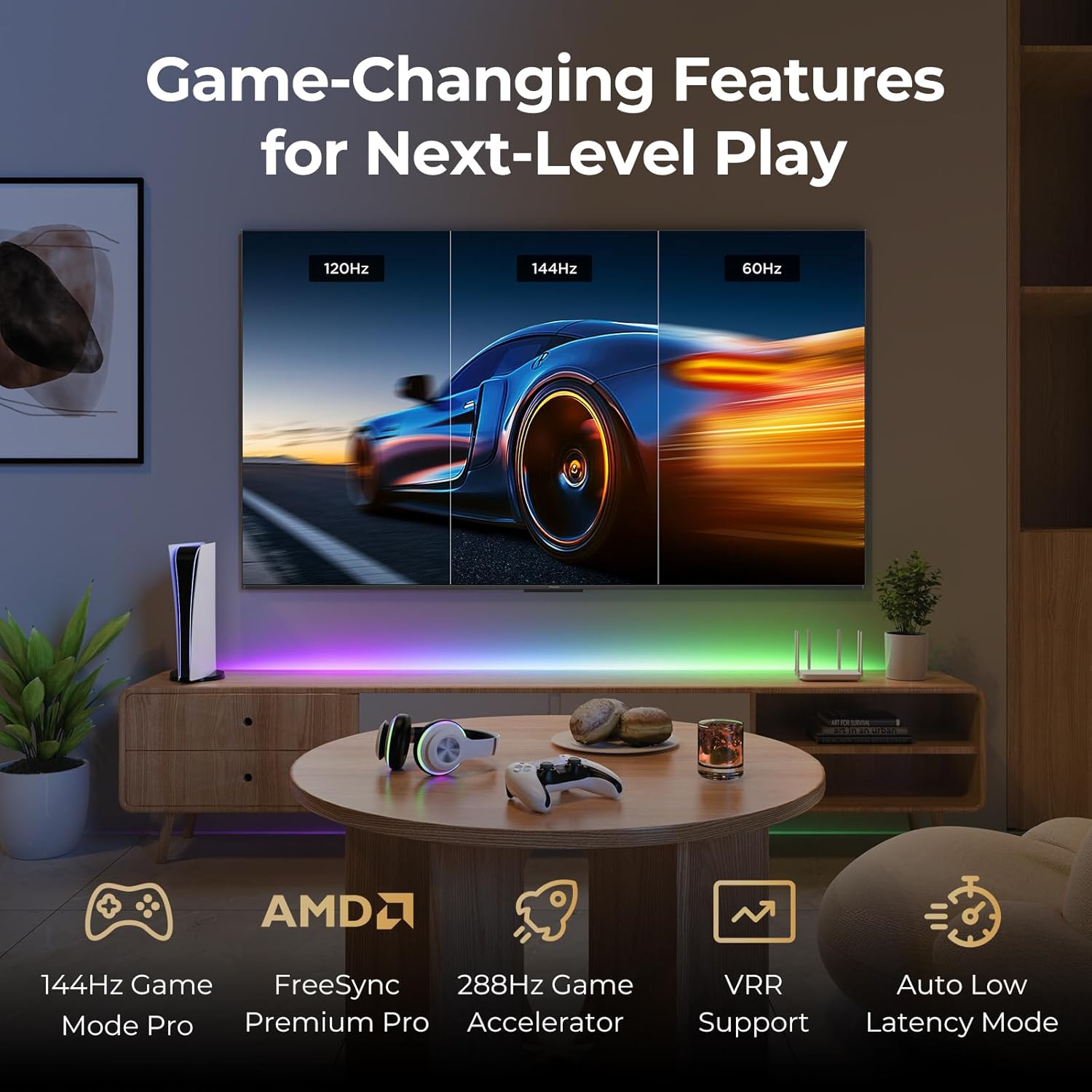
Image: A gaming setup featuring the iFFALCON TV, illustrating its high refresh rate and gaming-specific features for an optimized experience.
5. Техникалык тейлөө
5.1 Телевизорду тазалоо
Телевизорду үзгүлтүксүз тазалоо анын көрүнүшүн жана иштешин сактоого жардам берет.
- Экран: Экранды жумшак, түксүз чүпүрөк менен акырын сүртүңүз. өжөр белгилери үчүн, жеңил гampкездемени суу же экранга арналган тазалоочу эритме менен сүртүңүз (экранга түз чачпаңыз).
- Дене: Use a soft, dry cloth to wipe the TV's frame and back panel. Avoid abrasive materials or harsh chemicals.
- Порттор: Ensure ports are free of dust. Use compressed air if necessary, holding the can upright.
5.2 Программалык камсыздоо жаңыртуулары
Your TV may receive automatic software updates to improve performance and add new features. Ensure your TV is connected to the internet for these updates.
- You can check for updates manually in the TV's settings menu under System > About > System update.
6. Кыйынчылыктарды
If you encounter issues, try these common solutions before contacting support.
- Кубат жок: Кубат кабелинин телевизорго да, розеткага да бекем сайылганын текшериңиз. Розетканы башка түзмөк менен текшериңиз.
- Сүрөт/үн жок: Check the selected input source. Ensure all cables to external devices are connected correctly. Restart the TV and connected devices.
- Пульт иштебейт: Replace the batteries. Ensure there are no obstructions between the remote and the TV. Re-pair the remote if it uses Bluetooth.
- Тармакка туташуу маселелери: Restart your Wi-Fi router. Check TV network settings to ensure correct Wi-Fi password and connection.
- Сүрөттүн сапаты маселелери: Сүрөттүн жөндөөлөрүн тууралаңыз (жарыктык, контраст, түс). Мазмун булагынын жогорку сапатта экенин текшериңиз.
- Заводдун баштапкы абалга келтирүү: If problems persist, a factory reset can resolve many software-related issues. Navigate to Settings > System > About > Reset. Эскертүү: Бул бардык жеке маалыматтарды жана жөндөөлөрдү жок кылат.
7. Техникалык шарттар
| Өзгөчөлүк | Description |
|---|---|
| Бренд | iFFALCON |
| Модель номери | 85U85 |
| Screen Size | 85 дюйм |
| Дисплей технологиясы | QD-Mini LED |
| Резолюция | 4K UHD (3840 x 2160) |
| Жаңыртуу ылдамдыгы | 144 Hz (Native), 288Hz DLG |
| Жогорку жарыктык | 1000 нитке чейин |
| Контраст катышы | 6500:1ге чейин |
| Жергиликтүү караңгылатуу зоналары | 352 |
| Процессор | AiPQ Processor |
| Операция системасы | Google TV |
| Үн жардамчысы | Google жардамчысы, Alexa менен шайкеш келет |
| Аудио системасы | 2.1-channel 50W, Dolby Atmos, DTS Virtual X |
| HDR колдоо | HDR10+, Dolby Vision IQ |
| Оюн функциялары | 144Hz VRR, FreeSync Premium Pro, ALLM, Game Bar |
| Байланыш | Bluetooth, WiFi |
| Продукциянын өлчөмдөрү (D x W x Y) | 15.2 x 74.4 x 45.5 дюйм |
| Элемент Салмагы | 76.7 фунт |
8. Кепилдик жана колдоо
Your iFFALCON U85 Series TV is covered by a manufacturer's warranty. Please refer to the warranty card included with your product for specific terms and conditions.
For technical support, service inquiries, or additional information, please visit the official iFFALCON support website or contact their customer service. Keep your purchase receipt and product serial number handy for warranty claims.
Көбүрөөк маалымат жана колдоо булактарын таба аласыз iFFALCON Store on Amazon.


