1. Киришүү
This manual provides essential information for the setup, operation, and maintenance of your iFFALCON 55-Inch Class U85 Series QD-Mini LED 4K UHD Google Smart TV. Please read this manual thoroughly before using your television to ensure proper and safe operation. Keep this manual for future reference.
The iFFALCON U85 Series TV features advanced display technologies including QD-Mini LED for precise lighting, QLED for vibrant colors, 4K UHD resolution, HDR 1000 nits peak brightness, and a 144Hz native refresh rate. It integrates Google TV for smart entertainment and offers enhanced audio with Dolby Atmos and DTS Virtual X. Gaming is optimized with features like 240Hz DLG and FreeSync Premium Pro.
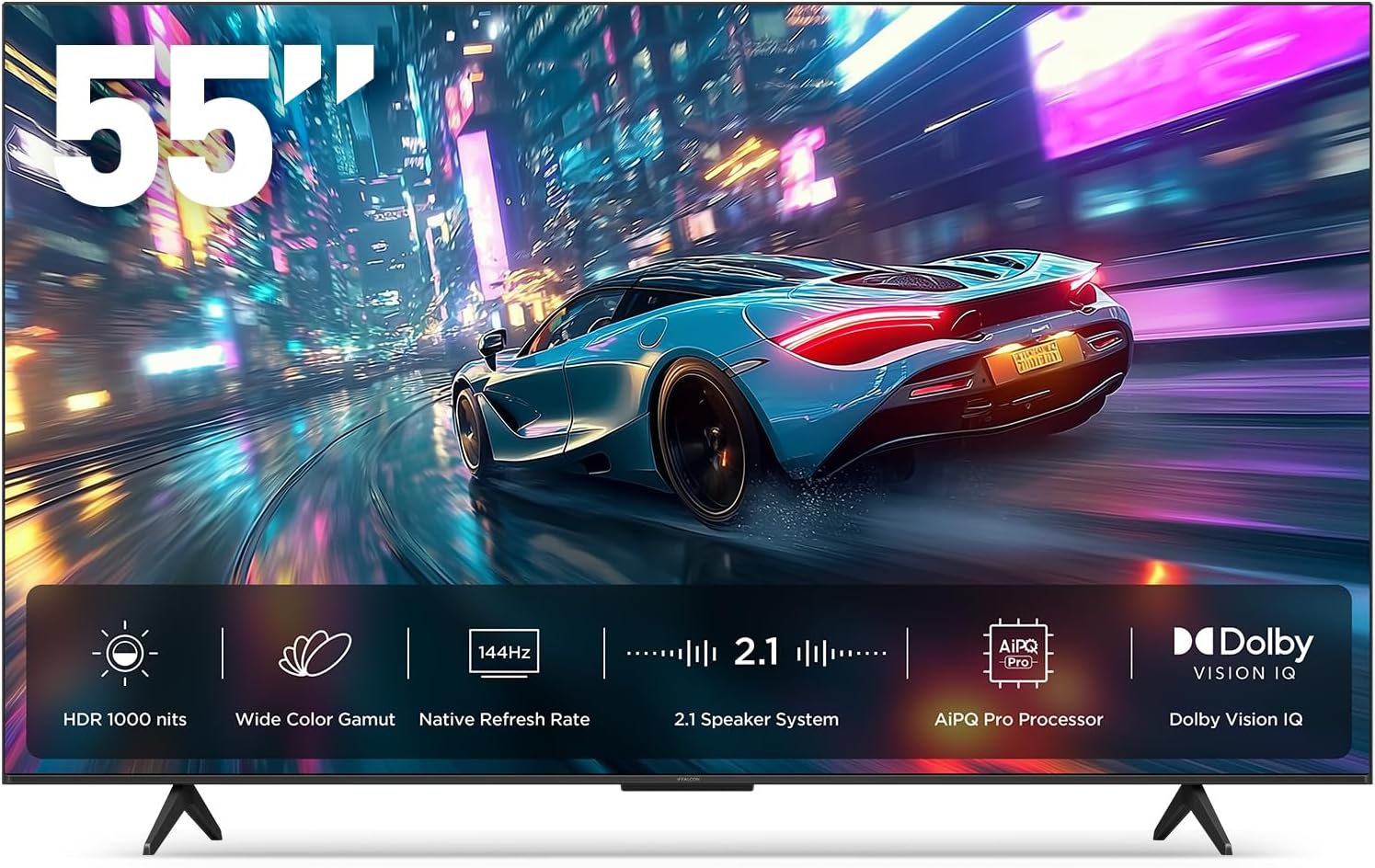
Сүрөт 1.1: Алдыңкы view of the iFFALCON 55-Inch U85 Series TV, showcasing its display with a vibrant image of a car on a city street.
2. Кутуда эмне бар
Carefully unpack your television and ensure all items are present. If any items are missing or damaged, contact your retailer.
- Мини LED сыналгы
- Электр кабели
- Алыстан башкаруу үчүн 2 x AAA батарейкасы
- 6 x Туруучу бурамалар
- Table stands (2 pieces)
- 5 х кабелдик клиптер
- Quick Start Guide
- Алыстан сыналгы
3. Орнотуу
3.1 Физикалык орнотуу
Before proceeding, ensure the TV is placed on a stable, flat surface or securely mounted to a wall. Refer to the Quick Start Guide for detailed instructions on attaching the table stands or mounting the TV to a wall bracket (wall mount sold separately).
3.2 Перифериялык түзүлүштөрдү туташтыруу
Connect your external devices such as cable boxes, gaming consoles, or Blu-ray players to the TV's HDMI ports. Ensure the power cable is securely connected to the TV and a power outlet.
3.3 Баштапкы күйгүзүү жана Google TV орнотуу
- Электр кабелин электр розеткасына сайыңыз.
- Пульттун же сыналгыдагы кубат баскычын басыңыз.
- Follow the on-screen instructions to complete the initial setup, including network connection, Google account sign-in, and channel scanning.
4. Телевизорду иштетүү
4.1 Алыстан башкаруу функциялары
The included remote control allows you to navigate menus, adjust volume, change channels, and access smart features. Familiarize yourself with the button layout for optimal use.
4.2 Smart Features: Google TV, Google Assistant, and Alexa
Your iFFALCON U85 TV is equipped with Google TV, providing access to a wide range of streaming services and apps. Use the built-in Google Assistant or connect to an Alexa-enabled device for hands-free voice control.
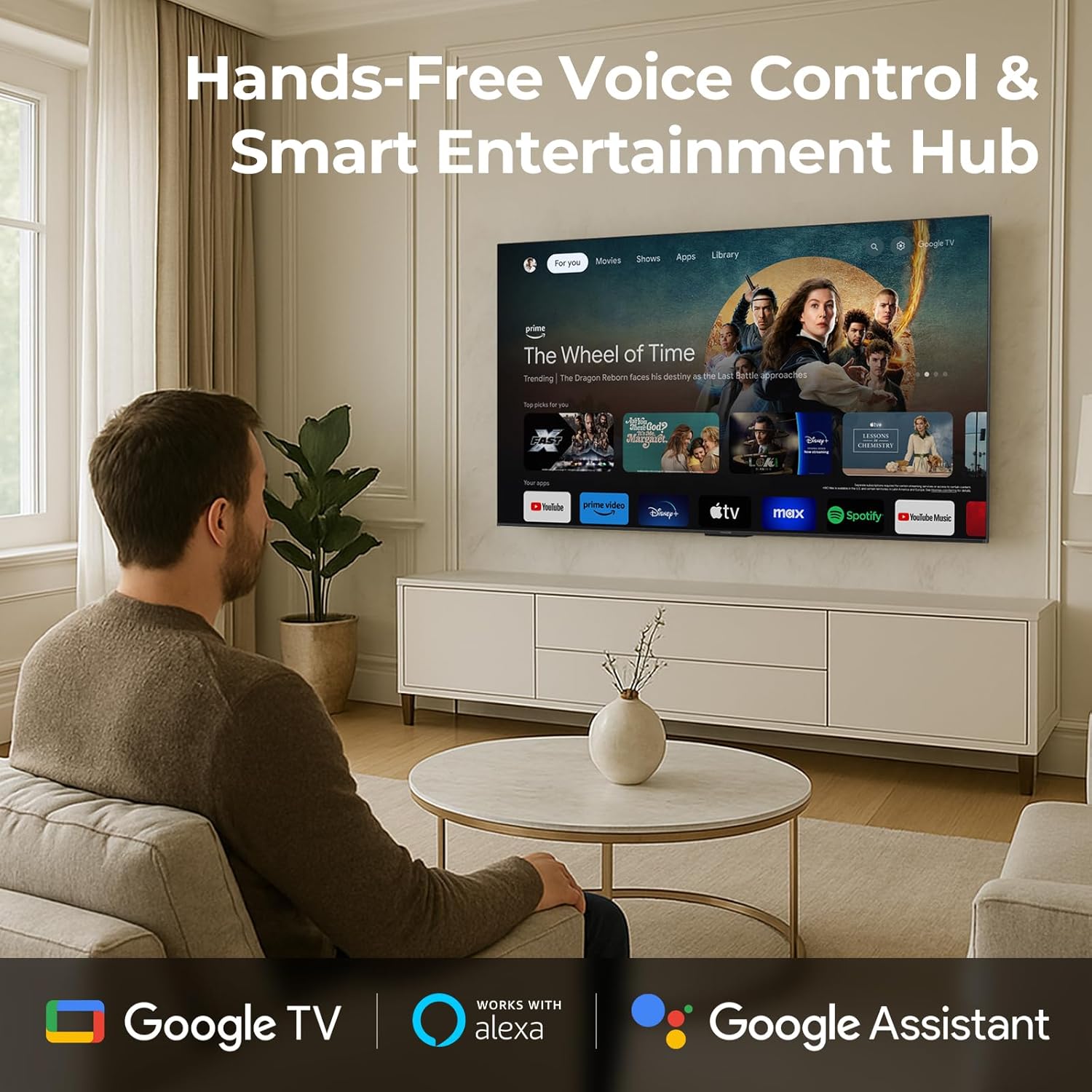
Image 4.1: A man interacting with the iFFALCON TV using voice commands, demonstrating the hands-free control feature.
4.3 Сүрөт орнотуулары жана сапаты
The U85 Series TV offers exceptional picture quality through several advanced technologies:
- QD-Mini LED: Provides precise lighting control with up to 144 local dimming zones and 1000 nits peak brightness for bright highlights and deep blacks.
- QLED Wide Color: Quantum Dot technology delivers a 93% DCI-P3 wide color gamut for true-to-life images.
- AiPQ Processor: Optimizes brightness, contrast, and detail in real-time for enhanced visual performance.
- Dolby Vision IQ: Automatically adjusts HDR brightness based on ambient light conditions.
- 6000:1 Контраст катышы: Achieves deep blacks and vibrant colors with enhanced contrast.

Image 4.2: Visual comparison illustrating how Mini-LED technology enhances bright highlights and deep blacks compared to conventional TVs.
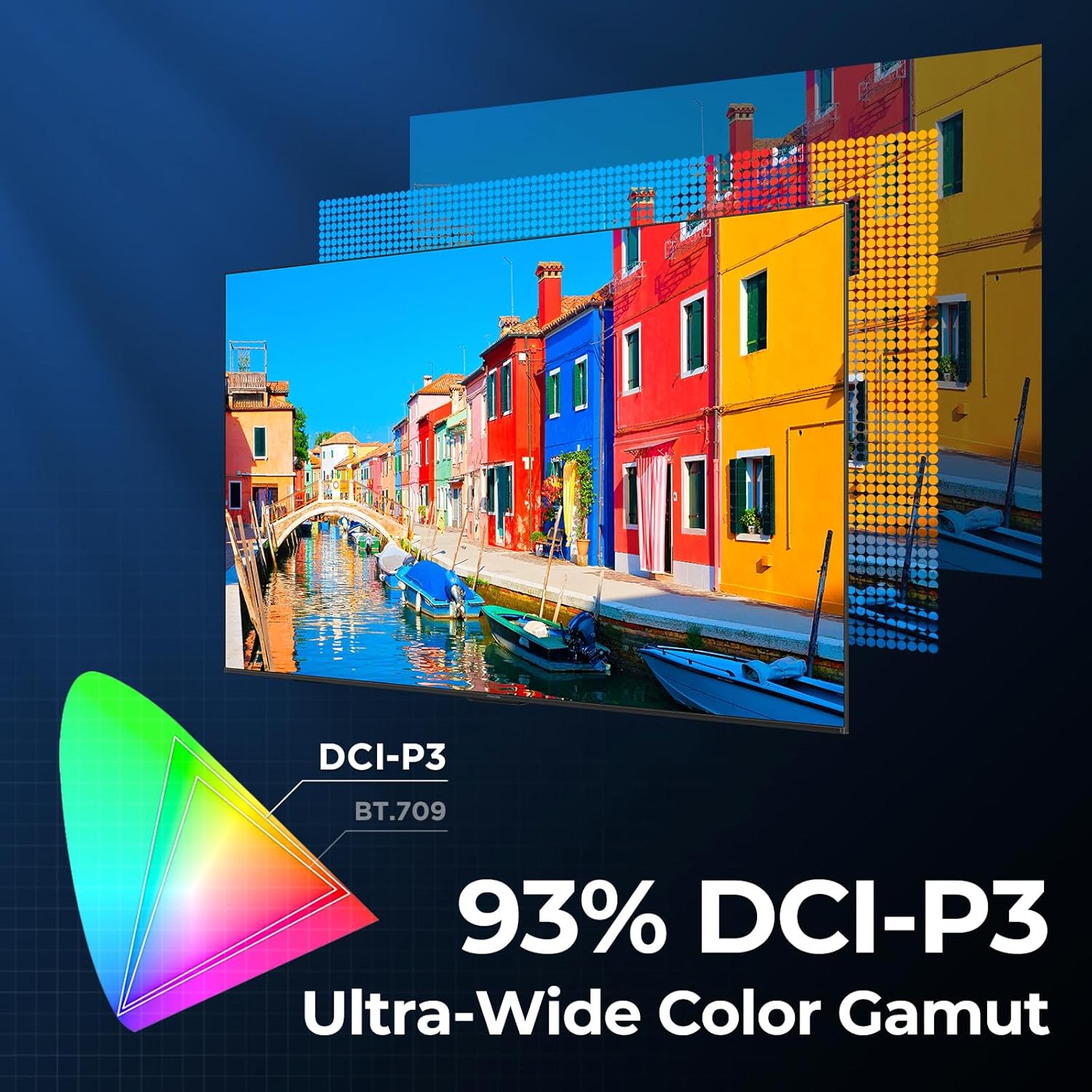
Image 4.3: Diagram showing the 93% DCI-P3 ultra-wide color gamut, indicating the TV's ability to display a broad spectrum of colors.
4.4 Audio Settings and Quality
Experience immersive sound with the TV's integrated audio features:
- 2.1-channel 50W Sound System: Delivers powerful stereo sound with deep bass.
- Dolby Atmos: Provides multi-dimensional audio that flows around and above you.
- DTS виртуалдык X: Creates expansive, room-filling sound with virtual height and surround effects.
- IMAX өркүндөтүлгөн: Optimizes audio and visual performance for a cinematic experience.

Image 4.4: A couple enjoying a movie on the iFFALCON TV, illustrating the immersive audio experience with sound waves emanating from the screen.
4.5 Оюн функциялары
The iFFALCON U85 TV is designed for an optimal gaming experience:
- 4K 144Hz Panel with VRR: Ensures smooth, crystal-clear motion and reduces screen tearing.
- 240Hz DLG Acceleration: Boosts refresh rates for ultra-smooth action.
- FreeSync Premium Pro: Provides tear-free, low-latency HDR gaming.
- Game Mode & Game Bar: Dedicated settings and on-screen overlay for quick adjustments during gameplay.
- ALLM (Авто аз күтүү режими): Automatically switches to a low-latency mode for responsive gameplay.

Image 4.5: A gaming console connected to the iFFALCON TV, highlighting the 144Hz refresh rate and other gaming features.
4.6 Көздүн ыңгайлуулугунун өзгөчөлүктөрү
For extended viewing comfort, the TV incorporates multiple eye-care technologies:
- Төмөн көк жарык: Зыяндуу көк жарыктын бөлүнүп чыгышын азайтат.
- Flicker Reduction: Minimizes screen flicker for a more comfortable viewтажрыйбасы.
5. Техникалык тейлөө
To ensure the longevity and optimal performance of your iFFALCON U85 TV, follow these maintenance guidelines:
- Экранды тазалоо: Экранды жумшак, кургак, түксүз чүпүрөк менен акырын сүртүңүз. өжөр белгилери үчүн, жеңил гampчүпүрөккө суу же атайын экран тазалоочу каражат. Катуу химиялык заттардан же абразивдүү материалдардан алыс болуңуз.
- Рамканы тазалоо: Телевизордун алкагын жана стендин тазалоо үчүн жумшак, кургак чүпүрөктү колдонуңуз.
- Вентиляция: Телевизордун айланасында жетиштүү желдетүүнү камсыз кылыңыз. Вентиляция тешиктерин жаап албаңыз.
- Электр кабели: Электр шнурунун бузулушу бар-жоктугун дайыма текшерип туруңуз. Эгерде бузулса, колдонууну токтотуп, кардарларды колдоо кызматына кайрылыңыз.
- Түздөн-түз күндүн нурунан качуу: Телевизорду күн нуруна же ашыкча ысыкка калтырбаңыз.
6. Кыйынчылыктарды
If you encounter issues with your TV, refer to the following common solutions. If the problem persists, contact customer support.
| Көйгөй | Мүмкүн себеп | Чечим |
|---|---|---|
| Күч жок | Электр зымы туташкан эмес; розетка иштебей жатат | Ensure power cord is securely plugged in; Test outlet with another device |
| Сүрөт жок, бирок үн бар | Туура эмес киргизүү булагы; HDMI кабели бошоп калган | Select correct input source; Reconnect HDMI cable securely |
| Үн жок, бирок сүрөт бар | Volume muted or too low; External audio device issue | Unmute or increase volume; Check connections to external audio devices |
| Пульт иштебей жатат | Батареялар түгөнгөн; Пульт менен телевизордун ортосундагы тоскоолдук | Батареяларды алмаштырыңыз; тоскоолдуктарды алып салыңыз |
| Тармакка туташуу маселелери | Wi-Fi signal weak; Router issue | Move TV closer to router or use Ethernet; Restart router |
7. Техникалык шарттар
| Өзгөчөлүк | Деталь |
|---|---|
| Бренд | iFFALCON |
| Модель номери | 55U85 |
| Screen Size | 55 дюйм |
| Дисплей технологиясы | Мини LED, QLED |
| Резолюция | 4K UHD |
| Жаңыртуу ылдамдыгы | 120 Hz (Native), 144Hz Game Mode Pro, 240Hz DLG |
| Жогорку жарыктык | 1000 нит |
| Контраст катышы | 6000:1 |
| Жергиликтүү караңгылатуу зоналары | 144 |
| Өзгөчөлүктөр | Dynamic Contrast Enhancer, Eye Comfort Mode, Game Mode, Intelligent Voice Recognition, Local Dimming, Dolby Vision IQ, Dolby Atmos, DTS Virtual X, IMAX Enhanced, Google TV, Google Assistant, Alexa Compatibility, FreeSync Premium Pro, ALLM |
| Байланыш технологиясы | Bluetooth, WiFi |
| Продукциянын өлчөмдөрү (D x W x Y) | 10.8" x 48.3" x 30.2" |
| Элемент Салмагы | 27.3 фунт |
| Батареялар талап кылынат | 2 AAA батарейка (алыстан үчүн) |
8. Кепилдик жана колдоо
Your iFFALCON 55-Inch Class U85 Series QD-Mini LED 4K UHD Google Smart TV is covered by a manufacturer's warranty. For specific warranty details and duration, please refer to the warranty card included with your product or visit the official iFFALCON support webсайт.
For technical assistance, troubleshooting beyond this manual, or to inquire about warranty service, please contact iFFALCON customer support. Contact information can typically be found on the manufacturer's webсайтында же Ыкчам баштоо колдонмосунда.
Кепилдик дооматтары үчүн сатып алганыңыздын далилин сактап коюңуз.


