1. Киришүү
Thank you for choosing the 4DRC V32 Foam Remote Control Airplane. This manual provides essential information for the safe and effective operation, maintenance, and troubleshooting of your new aircraft. Please read it thoroughly before first use and retain it for future reference.
The 4DRC V32 is a lightweight and durable foam fighter jet designed for both kids and adults. It features three powerful built-in motors, LED lights for night flying, and various flight modes including 360° flips, stunt rolls, headless mode, and altitude hold. The aircraft comes equipped with three rechargeable batteries for extended flight time.
2. Кутуда эмне бар
Этияттык менен мазмунду таңгактан чыгарып, бардык буюмдардын бар экенин текшериңиз:
- 1 x 4DRC V32 Foam Remote Control Airplane
- 1 x Алыстан башкаруу бергичи
- 3 x 3.7V 350mAh Rechargeable Batteries
- 1 x USB заряддоо кабели
- 4 х запастык пропеллер
- 1 x Instruction Manual
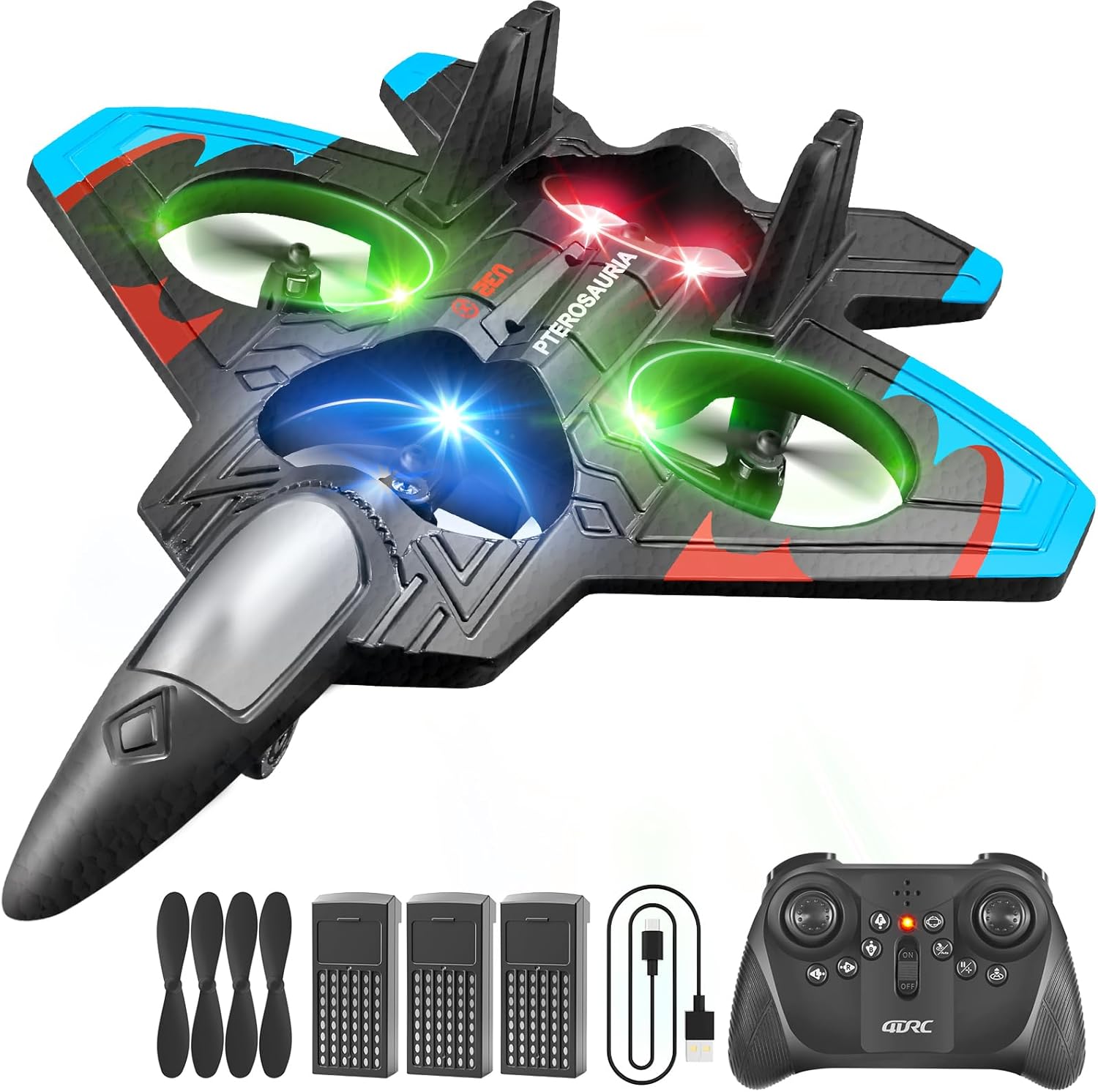
Image: All components included in the 4DRC V32 package.
3. Коопсуздук маалыматы
Коопсуз иштөөнү камсыз кылуу жана жаракат алуунун же бузулуунун алдын алуу үчүн төмөнкү коопсуздук көрсөтмөлөрүн сактаңыз:
- Жашы боюнча сунуш: Бул продукт 8 жаштан жогорку колдонуучулар үчүн сунушталат. Жаш колдонуучулар чоңдордун көзөмөлүндө болушу керек.
- Учуу чөйрөсү: Operate the aircraft in open, clear areas, away from people, animals, buildings, trees, power lines, and water. Avoid flying in strong winds.
- Пропеллердин коопсуздугу: Keep hands, face, and hair away from rotating propellers. The propellers can cause injury.
- Батареянын коопсуздугу: Use only the provided charging cable and batteries. Do not overcharge or short-circuit batteries. Discontinue use if batteries show signs of damage or swelling.
- Таасир тууралуу эскертүү: While the foam material is durable, repeated hard impacts can cause damage. Inspect the aircraft for damage after any crash.
4. Орнотуу жана батареяны орнотуу
The 4DRC V32 remote control airplane requires no assembly. Follow these steps to prepare for flight:
4.1. Алыстан башкаруунун батареясын орнотуу
- Пульттун артындагы батарея бөлүкчөсүн ачыңыз.
- Insert 3 'C' batteries (included), ensuring correct polarity (+/-).
- Батарея отсегин бекем жабыңыз.
4.2. Aircraft Battery Installation & Charging
- Учактын астыңкы бетиндеги батарея бөлүмүн табыңыз.
- Insert one of the 3.7V 350mAh rechargeable batteries into the compartment and connect it to the aircraft's power connector.
- To charge the aircraft batteries, connect a battery to the USB charging cable, then plug the USB cable into a suitable USB power source (e.g., computer, USB wall adapter). The charging indicator will show charging status.
- Each battery provides approximately 20 minutes of flight time, totaling 60 minutes with all three batteries.
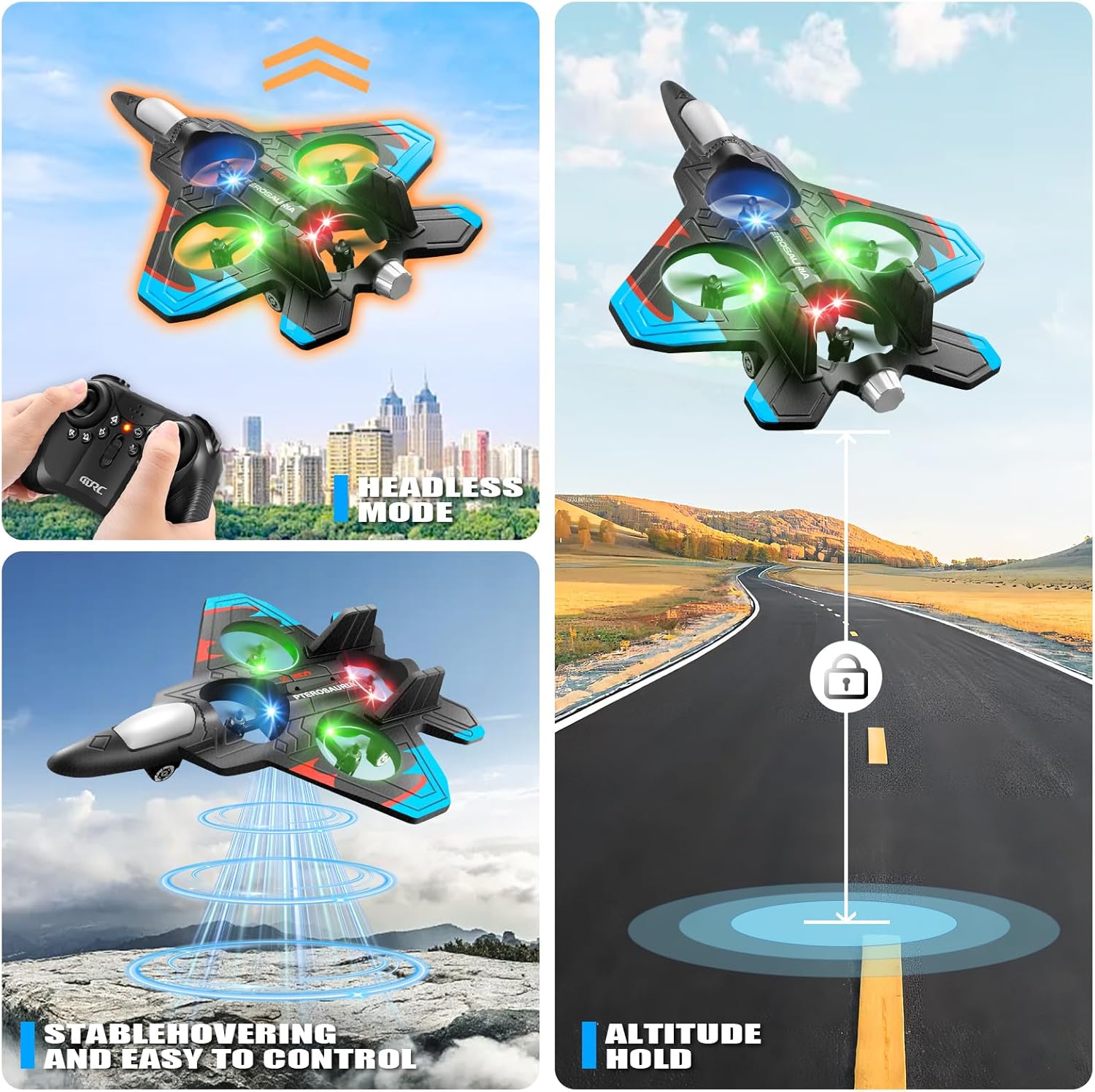
Image: Rechargeable batteries and USB charging cable.
5. Remote Control Overview
Familiarize yourself with the remote control functions before flight:
- Сол джойстик: Дроссельди (өйдө/ылдый) жана солго/оңго айланууну башкарат.
- Оң Джойстик: Controls pitch (forward/backward) and roll (left/right strafe).
- Бир баскычтуу учуп-конуу баскычы: Автоматтык түрдө учууну же конууну баштайт.
- Ылдамдыкты которуштуруу баскычы: Cycles through three speed modes (low, medium, high).
- 360° оодаруу баскычы: Activates the 360-degree flip stunt.
- Башсыз режим баскычы: Engages headless mode, simplifying flight orientation.
- Бийиктикти кармоо: Автоматтык түрдө туруктуу бийиктикти сактайт.

Image: The remote control for the 4DRC V32 airplane.
Video: Demonstration of the 4DRC Remote Control Plane's features and controls.
6. Иштөө нускамалары
6.1. Учуу алдындагы текшерүү
- Ensure both the aircraft and remote control batteries are fully charged.
- Учуу үчүн тоскоолдуктардан жана адамдардан таза, ачык аймакты тандаңыз.
- Verify that all propellers are securely attached and undamaged.
6.2. Pairing the Aircraft and Remote
- Turn on the aircraft. The LED lights will flash.
- Алыстан башкарууну күйгүзүңүз.
- Push the left joystick (throttle) all the way up, then all the way down. The aircraft's LED lights will stop flashing and remain solid, indicating successful pairing.
6.3. Take-off and Basic Flight
- Бир баскычтуу учуу: Place the aircraft on a flat surface. Press the One-Key Take-off button. The aircraft will automatically ascend to a stable hovering height.
- дроссель башкаруу: Use the left joystick to increase (up) or decrease (down) altitude.
- Багыттык көзөмөл: Use the right joystick to move the aircraft forward, backward, left, or right.
- Жөө башкаруу: Use the left joystick left/right to rotate the aircraft horizontally.

Image: The 4DRC V32 airplane in controlled flight.
6.4. Special Flight Features
- 360° Flip & Stunt Roll: While flying, press the 360° Flip button, then move the right joystick in the desired direction to perform an acrobatic flip or roll.
- Башсыз режим: Press the Headless Mode button. In this mode, the aircraft's orientation is relative to the pilot, making it easier to control regardless of which way the front of the aircraft is facing.
- Бийиктикти кармоо: The aircraft automatically maintains its current altitude, allowing for stable hovering.
- Үч ылдамдык параметрлери: Use the Speed Switch button to adjust the flight speed (low for beginners, high for experienced pilots).
- LED жарыктары: The integrated LED lights enhance visibility and provide an exciting visual experience, especially during evening flights.

Image: Visual representation of 3D flips.

Image: Headless Mode and Altitude Hold features.

Image: Three distinct speed modes for varied flight experiences.
Video: Dynamic flight demonstration of the 4DRC RC Plane.
6.5. Конуу
- Бир ачкыч конуу: Press the One-Key Take-off/Landing button again. The aircraft will automatically descend and land gently.
- Кол менен конуу: Slowly lower the left joystick (throttle) to gradually descend the aircraft until it lands.
7. Техникалык тейлөө
Proper maintenance ensures the longevity and performance of your 4DRC V32 airplane:
- Тазалоо: Wipe the aircraft with a soft, dry cloth after use. Avoid using water or harsh chemicals.
- Пропеллерди алмаштыруу: If a propeller is damaged, carefully remove it and replace it with a spare propeller from the package. Ensure the new propeller is securely attached.
- Сактагыч: Store the aircraft and remote control in a cool, dry place, away from direct sunlight and extreme temperatures. Remove batteries from the remote control during long periods of non-use.
8. Кыйынчылыктарды
If you encounter issues with your 4DRC V32, refer to the following common problems and solutions:
| Көйгөй | Мүмкүн себеп | Чечим |
|---|---|---|
| Учак пульттун сигналдарына жооп бербейт. | Not paired, low batteries, out of range. | Ensure proper pairing (Section 6.2). Check and replace remote/aircraft batteries. Fly within range. |
| Учактар туруксуз учат же ылдый кулайт. | Needs calibration, damaged propeller, strong wind. | Perform a one-click calibration (refer to remote control diagram for button). Replace damaged propellers. Fly in calm conditions. |
| Кыска учуу убактысы. | Batteries not fully charged, old batteries. | Ensure batteries are fully charged before each flight. Consider replacing old batteries if performance degrades significantly. |
| Remote control difficult to sync. | Incorrect pairing sequence, interference. | Follow pairing instructions carefully (Section 6.2). Ensure no other 2.4GHz devices are causing interference. |
9. Техникалык шарттар
- Продукциянын өлчөмдөрү: 10 x 2 x 8 дюйм
- Элемент Салмагы: 12.6 унция
- Модель номери: 4D-V32-3BAT
- Өндүрүүчүнүн сунуштаган жашы: 8 жаш жана андан жогору
- Батареялар: 3 x 3.7V 350mAh rechargeable batteries (included for aircraft), 3 x C batteries (included for remote)
- Учуу убактысы: Approximately 20 minutes per aircraft battery
- Башкаруу жыштыгы: 2.4 ГГц
10. Кепилдик жана колдоо
For warranty information, technical support, or any questions not covered in this manual, please contact 4DRC customer service through the retailer's platform or the official 4DRC website. Please have your model number (4D-V32-3BAT) and purchase details ready when contacting support.


