1. Киришүү
This manual provides detailed instructions for the setup, operation, and maintenance of your Dangbei DBOX02 Pro 4K Projector. Please read this manual thoroughly before using the product to ensure proper and safe operation. Keep this manual for future reference.
2. Кутуда эмне бар
Upon opening the packaging, verify that all the following items are included:
- Dangbei DBOX02 Pro Projector
- Кубаттуу адаптер
- Алыстан башкаруу
- AAA батареялары (2)
- Колдонуучунун Колдонмосу (бул документ)
The projector and its accessories are securely packaged to prevent damage during transit. The main product box is protected by air-filled cushioning within an outer shipping box.

2.1-сүрөт: The Dangbei DBOX02 Pro Projector and its packaging, showing the secure internal cushioning.
3. Продукт бүтүп калдыview
The Dangbei DBOX02 Pro is a compact and versatile 4K projector designed for home theater use. It features a sleek, dark grey cubic design with a built-in gimbal stand for flexible positioning.
3.1 Алдыңкы жана үстү View
The front of the projector houses the lens and various sensors for automatic image adjustments. The top surface is smooth and reflective.
3.1-сүрөт: Алды менен үстү view of the Dangbei DBOX02 Pro, highlighting the lens and sleek design.
3.2 Арткы панель жана порттор
The rear panel provides all necessary connectivity options for your home entertainment system:
- HDMI 2.1 (eARC): For connecting audio devices with Audio Return Channel support.
- HDMI2.1: For connecting video sources such as Blu-ray players, gaming consoles, or streaming devices.
- USB 2.0 (x2): For connecting external storage devices or other USB peripherals.
- S/PDIF: Үн системаларына туташуу үчүн санариптик аудио чыгышы.
- LAN: Зымдуу тармакка туташуу үчүн Ethernet порту.
- Аудио Jack: 3.5mm audio output for headphones or external speakers.

3.2-сүрөт: Rear panel of the projector, illustrating the HDMI, USB, S/PDIF, LAN, and Audio ports.
4. Орнотуу
Follow these steps for initial setup of your Dangbei DBOX02 Pro projector.
4.1 Орнотуу
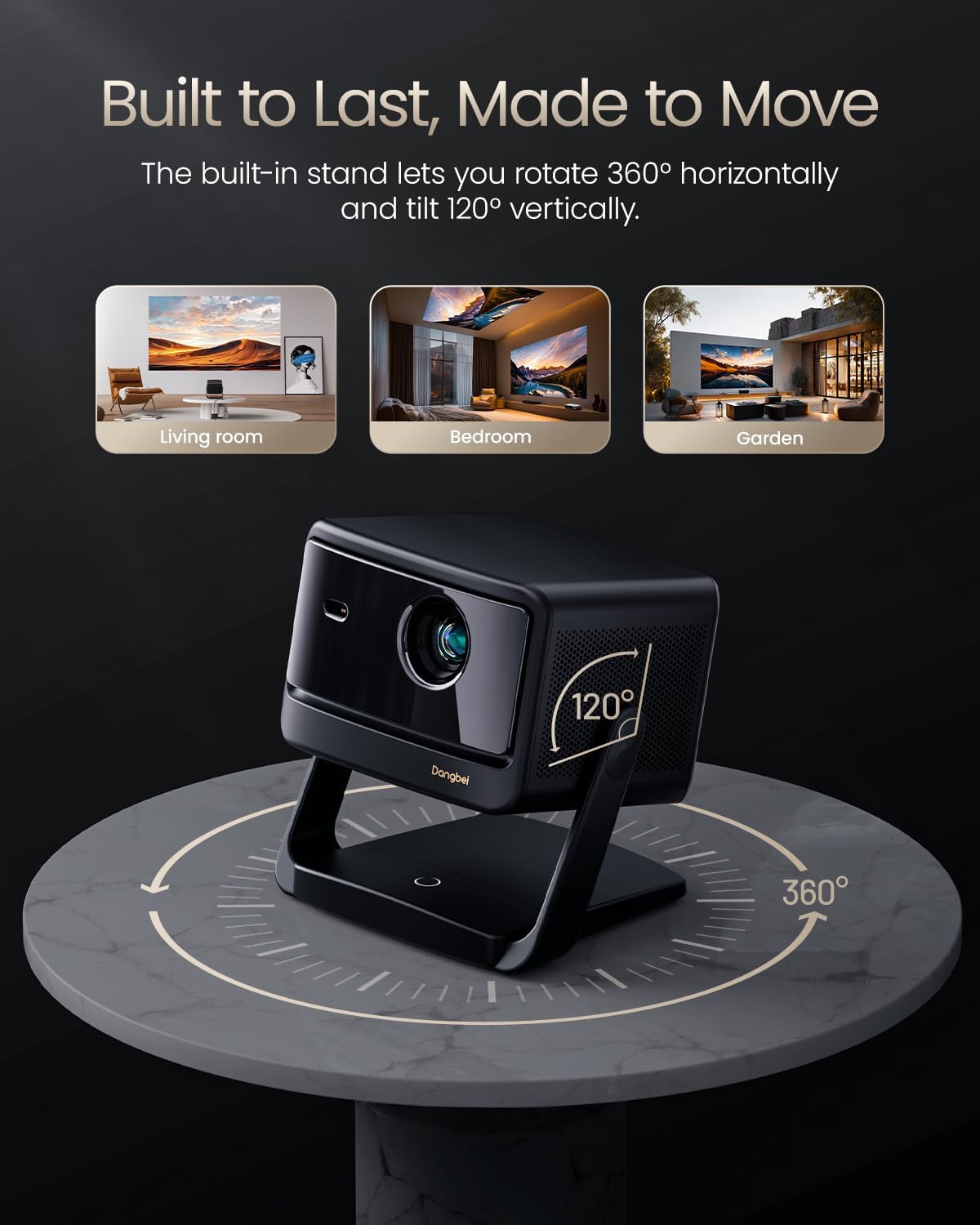
Position the projector on a stable, flat surface. The built-in gimbal stand allows for 360° horizontal rotation and 120° vertical tilt, offering flexibility in placement. Ensure the lens is unobstructed and facing the projection surface (wall or screen).
The DBOX02 Pro can project images from 40 inches up to 300 inches diagonally. For optimal viewing quality, a projection size between 80" and 150" is recommended. The projection distance will vary based on the desired screen size.

4.1-сүрөт: The projector's capability to project a large 300-inch image, demonstrating its suitability for various room sizes.
4.2 Кубат туташтыруу
- Connect the power adapter to the projector's DC-IN port.
- Кубат адаптерин розеткага сайыңыз.
- Аны күйгүзүү үчүн проектордун же пульттун кубат баскычын басыңыз.
4.3 InstanPro AI Image Setup
The DBOX02 Pro features InstanPro AI Image Setup for automatic image optimization:
- Auto Focus: Automatically adjusts the image for sharpness.
- Автоматтык негизги ташты оңдоо: Corrects image distortion to ensure a rectangular picture.
- Screen Fit: Automatically adjusts the image to fit the projection surface.
- Тоскоолдуктан качуу: Detects and adjusts the projection to avoid obstacles in the path.
- Көздү коргоо: Automatically lowers brightness when people or pets are detected nearby (requires manual activation).
- AI Brightness Adjustment: Adjusts brightness based on ambient room lighting.
4.2-сүрөт: Visual representation of the InstanPro AI Image Setup features, showing how the projector automatically optimizes the display.
5. Иштөө нускамалары
5.1 Google TV интерфейси
The projector comes with built-in Google TV, providing access to a wide range of streaming services and applications. Navigate the interface using the remote control.

5.1-сүрөт: The Google TV home screen displayed on the projector, showing various streaming app icons.
5.2 Алыстан башкаруу
The custom remote control offers intuitive navigation and quick access to key functions:
- Кубат баскычы: Short press to manually focus, long press to activate Auto Focus.
- Үн менен башкаруу: Activate "Hey Google" for hands-free operation.
- Үн баскычтары: Аудионун үнүн тууралоо.
- One-Click Wake & Play: Instantly launch Netflix, YouTube, or Prime Video from sleep mode.
- Орнотуулар баскычы: Short press to enter the Projector settings menu.

5.2-сүрөт: The remote control for the DBOX02 Pro, detailing its various buttons and their functions.
5.3 Байланыш
The projector supports both wired and wireless connections:
- Wi-Fi 6: For high-speed wireless internet access and 4K streaming.
- Bluetooth 5.2: For connecting wireless headphones, speakers, or other Bluetooth devices.
- HDMI & USB: Utilize the physical ports on the rear for direct connections to various devices.
6. Өркүндөтүлгөн функциялар
6.1 Cinematic 4K Laser Brilliance
The DBOX02 Pro utilizes advanced laser technology to deliver stunning 4K UHD (3840x2160) resolution with 2000 ISO lumens. It supports HDR10+/HLG for enhanced contrast and a 108% REC-709 wide color gamut for accurate color reproduction.

6.1-сүрөт: A visual comparison demonstrating the superior color and clarity of the DBOX02 Pro's 4K laser projection.
6.2 Dolby Audio & Dual 12W Theater Sound
Experience immersive audio with dual 12W speakers and a 600cc acoustic chamber. The projector supports Dolby Audio and DTS Virtual:X, providing rich bass and clear dialogue for a cinema-quality sound experience.
6.3 3D Ready
The projector is 3D ready, allowing you to enjoy compatible 3D content. Please note that active shutter 3D glasses are required and sold separately for 3D viewing.
7. Техникалык тейлөө
Туура тейлөө проекторуңуздун узак иштөөсүн жана оптималдуу иштешин камсыз кылат.
7.1 Тазалоо
- Объектив: Проектордун линзасын оптикалык беттер үчүн атайын жасалган жумшак, мамыксыз чүпүрөк менен акырын сүртүңүз. Абразивдүү материалдардан же катуу химиялык заттардан алыс болуңуз.
- Сырткы: Сырткы бөлүгүн тазалаңыз casing with a soft, dry cloth. Do not use liquid cleaners directly on the projector.
- Тешиктер: Periodically check the air vents for dust accumulation. As the DBOX02 Pro is a completely enclosed projector, it requires minimal complex maintenance efforts.
7.2 Light Source Life
The DBOX02 Pro uses an ALPD 2.0 laser light source with an estimated lifespan of 30,000 hours, significantly reducing the need for lamp алмаштыруулар.
8. Кыйынчылыктарды
Проекторуңузда көйгөйлөргө туш болсоңуз, төмөнкү жалпы көйгөйлөрдү жана чечимдерди караңыз:
- Сүрөт жок: Ensure the power adapter is securely connected and the projector is turned on. Check the input source selection.
- бүдөмүк сүрөт: Use the auto-focus feature via the remote control. If needed, manually adjust focus in the settings menu. Ensure the projection surface is flat.
- Үн жок: Verify that the volume is not muted and is turned up. Check audio cable connections (if using external speakers). Ensure the correct audio output is selected in the projector settings.
- Алыстан башкаруу жооп бербейт: Check the batteries in the remote control and replace them if necessary. Ensure there are no obstructions between the remote and the projector.
- Туташуу маселелери (Wi-Fi/Bluetooth): Restart the projector and your router/Bluetooth device. Re-enter Wi-Fi passwords or re-pair Bluetooth devices.
For persistent issues not covered here, please contact Dangbei customer support.
9. Техникалык шарттар
| Өзгөчөлүк | Деталь |
|---|---|
| Бренд | Dangbei |
| Модель номери | DBOX02 |
| Display Resolution | 3840 x 2160 (4K UHD) |
| Жарыктык | 2000 ISO люмен |
| Жарык булагы | Лазердик (ALPD 2.0) |
| Байланыш технологиясы | Bluetooth 5.2, HDMI 2.1 (eARC), USB 2.0, LAN, Wi-Fi 6 |
| Өзгөчөлүктөр | Auto Focus, Auto Keystone Correction, Screen Fit, Obstacle Avoidance, Eye Protection, AI Brightness Adjustment |
| Аудио | Dual 12W Speakers, Dolby Audio, DTS Virtual:X |
| Продукциянын өлчөмдөрү | 11.81 x 11.81 x 4.72 дюйм |
| Элемент Салмагы | 7.7 фунт |
| Операция системасы | Google TV |
10. Кепилдик жана колдоо
10.1 Кепилдик маалыматы
The Dangbei DBOX02 Pro comes with a 12 айлык кепилдик кызматы. This warranty covers quality issues under normal use, providing free repair or replacement services.
10.2 Кайтаруу саясаты
Бул продукт а үчүн жарамдуу 30-day return for refund or replacement сатып алган күндөн тартып, сатуучунун кайтарып берүү саясатына ылайык.
10.3 Техникалык колдоо
Dangbei offers өмүр бою техникалык колдоо for the DBOX02 Pro. If you require assistance with setup, troubleshooting, or any other product-related queries, please contact our dedicated support team. Contact details can typically be found on the official Dangbei webсайт же сатып алуу платформасы аркылуу.


