1. Киришүү
The DOOGEE Blade 20 Pro is a robust and high-performance smartphone designed for durability and advanced functionality. It features a large battery, powerful audio, and a versatile camera system, all within a ruggedized body built to withstand challenging environments. This manual provides essential information for setting up, operating, maintaining, and troubleshooting your device.

Сүрөт 1.1: Алдыңкы жана арткы view of the DOOGEE Blade 20 Pro, highlighting its rugged design and key specifications like 11800mAh battery, 125dB speaker, Android 15, 24GB RAM, and 256GB ROM.
2. Пакеттин мазмуну
Продукт кутучаңызда бардык нерселер бар экенин текшериңиз:
- 1 x Blade 20 Pro бекем смартфону
- 1 x Type-C USB кабели
- 1 x 18W кубаттагыч
- 1 x Экранга басылган коргоочу пленка (алдын ала колдонулган)
- 1 x SIM картаны алып салуучу ийне
- 1 x User Manual
- 1 x Кепилдик картасы
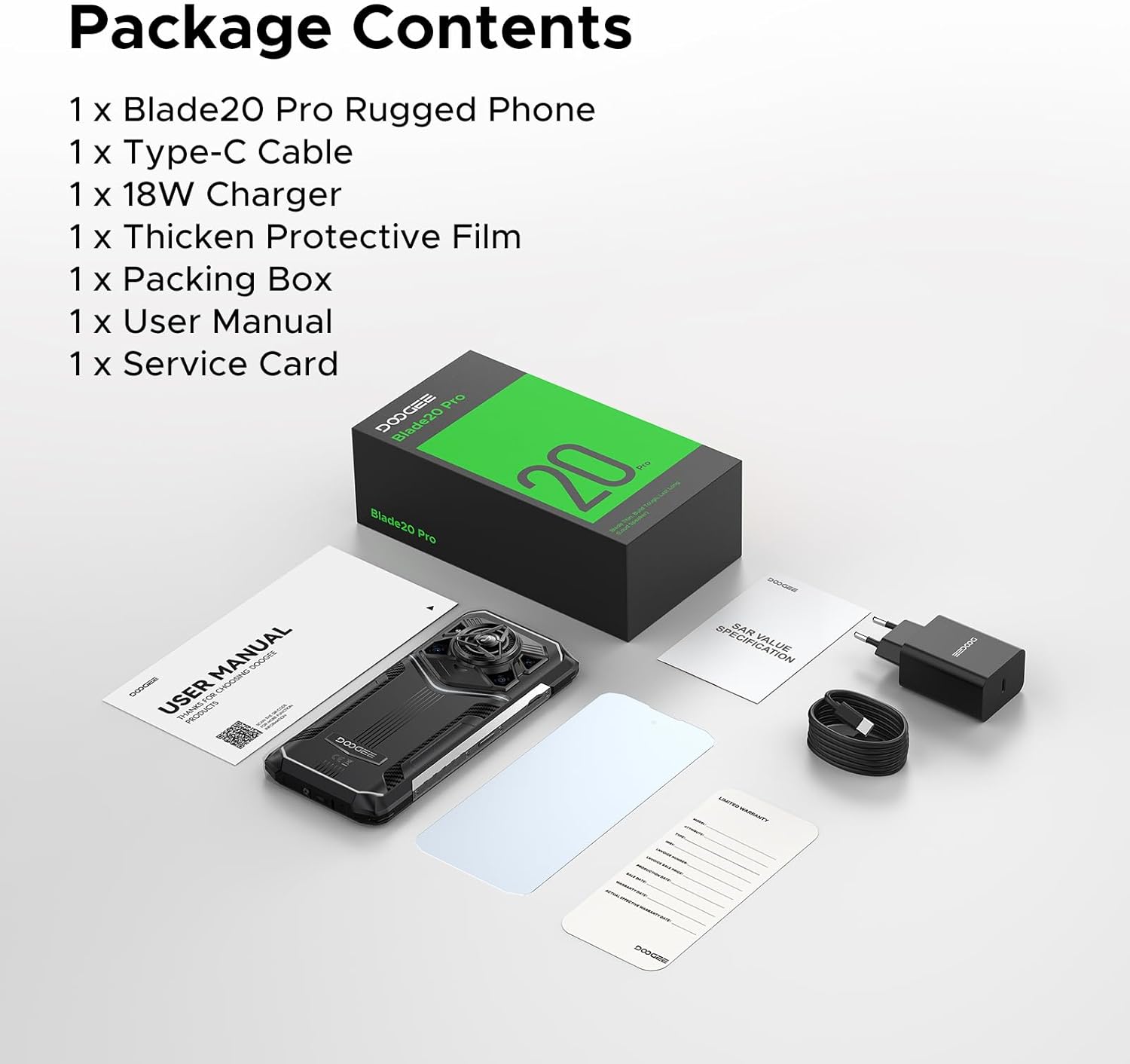
Image 2.1: Contents of the DOOGEE Blade 20 Pro retail package, including the phone, charger, cable, protective film, SIM tool, user manual, and warranty card.
3. Баштапкы орнотуу
3.1. Inserting SIM Cards and Storage Card
- Телефондун капталындагы SIM карта салгычын табыңыз.
- Use the provided SIM card removal needle to eject the tray.
- Place your Nano-SIM cards and/or a microSD card (up to 2TB, purchased separately) into the designated slots on the tray. Ensure correct orientation.
- Лотокту телефонго түзмөктүн корпусу менен тегиз болгонго чейин этияттык менен кайра салыңыз.
3.2. Аппаратты заряддоо
- Type-C USB кабелин телефондун ылдый жагындагы заряддоо портуна туташтырыңыз.
- Connect the other end of the cable to the 18W charger.
- Заряддоо түзүлүштү розеткага сайыңыз.
- Allow the phone to charge fully before first use. The 11800mAh battery supports 18W fast charging.
3.3. Күйгүзүү / Өчүрүү
- Күйгүзүү үчүн: DOOGEE логотиби пайда болгонго чейин Кубат баскычын (адатта оң жагында) басып туруңуз.
- Өчүрүү үчүн: Кубат баскычын басып, кармап туруңуз, андан кийин экрандагы параметрлерден "Өчүрүү" дегенди тандаңыз.
- Кайра баштоо үчүн: Кубат баскычын басып, кармап туруңуз, андан кийин экрандагы параметрлерден "Кайра баштоо" дегенди тандаңыз.
4. Аппаратыңызды иштетүү
4.1. Android 15 операциялык системасы
The Blade 20 Pro runs on Android 15, offering an intuitive user interface, enhanced privacy features, and efficient app management. Explore the various settings and customization options to personalize your experience.
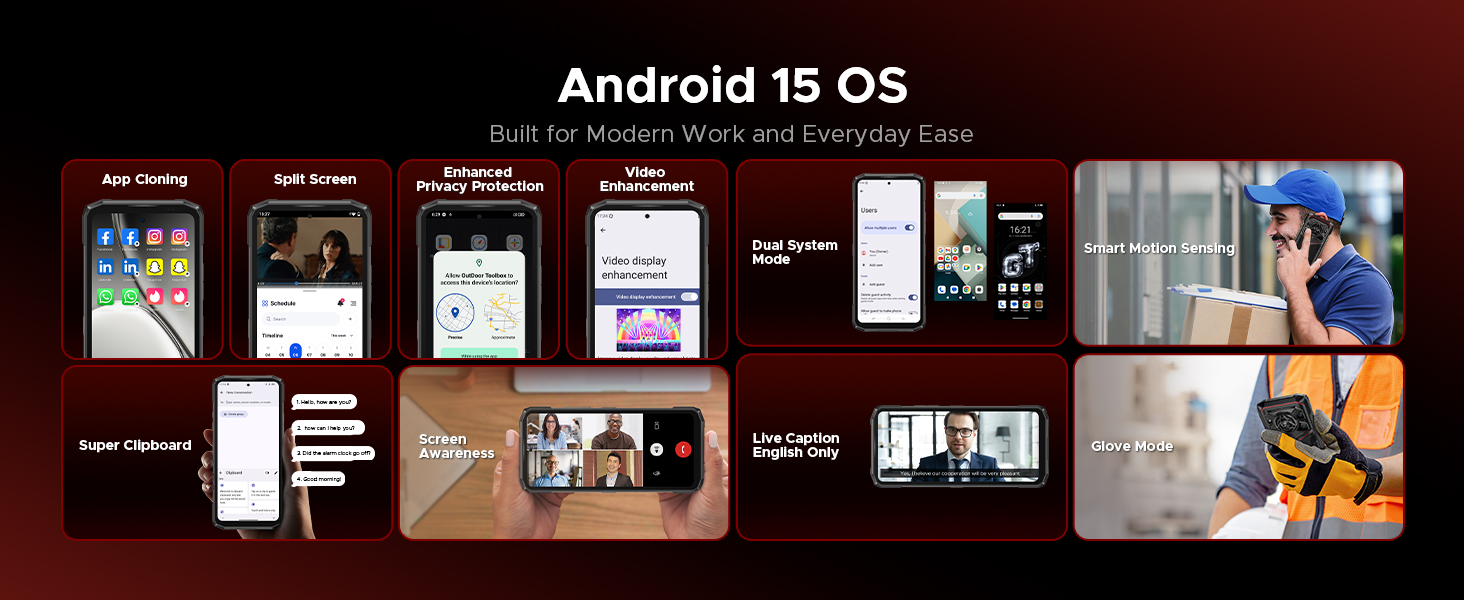
Сүрөт 4.1: Бүттүview of Android 15 OS features, including App Cloning, Split Screen, Enhanced Privacy Protection, Video Enhancement, Dual System Mode, Smart Motion Sensing, Super Clipboard, Screen Awareness, Live Caption, and Glove Mode.
4.2. Дисплей
The device features a 6.6-inch HD+ IPS punch-hole screen with a 90Hz refresh rate for smooth visuals. With 380 nits brightness, the display remains clear even in direct sunlight. Widevine L1 certification allows for streaming high-definition content from platforms like Netflix and Prime Video.
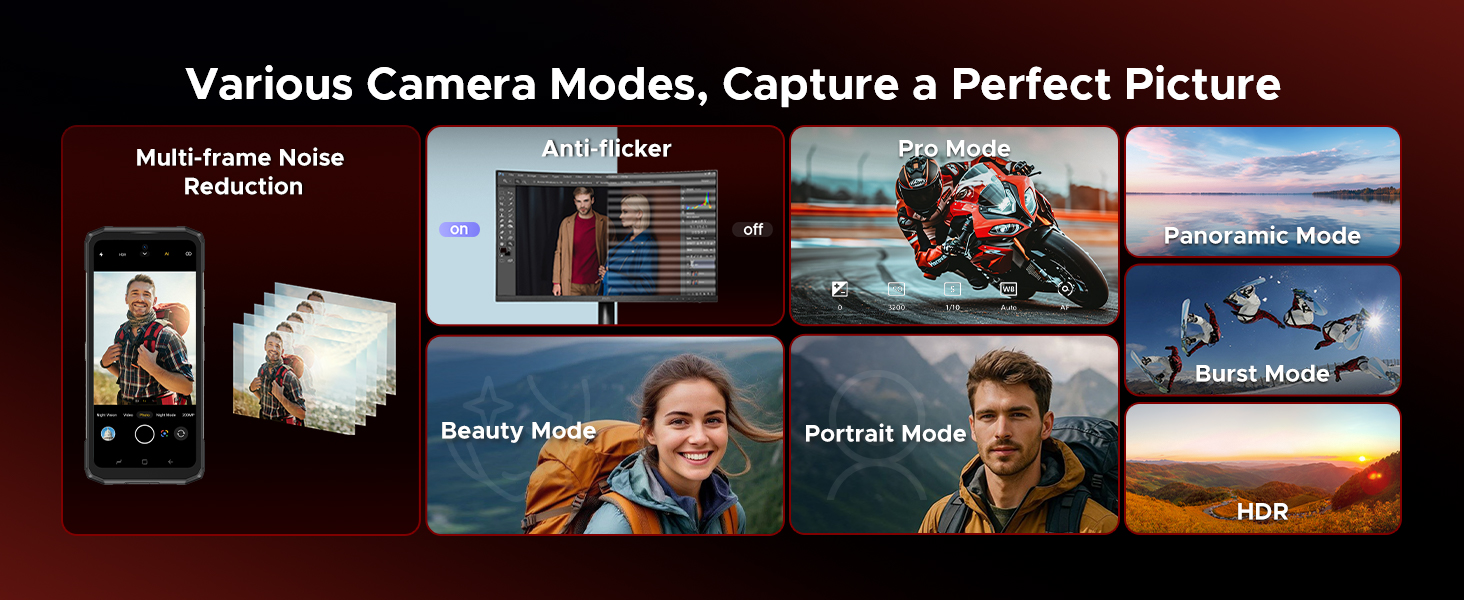
Image 4.2: Details of the 6.6-inch HD+ 90Hz display, showing 84% visual screen ratio, 16.7 million screen colors, 1500:1 screen contrast, 20:9 aspect ratio, and Widevine L1 for HD streaming.
4.3. Камера системасы
Көп тараптуу камера орнотуулары менен көз ирмемдерди тартыңыз:
- 50MP AI негизги камерасы: For crisp and vibrant photos in various lighting conditions.
- 20MP инфракызыл түнкү көрүү камерасы: Allows capturing images in complete darkness.
- 8MP алдыңкы камера: Таза селфи жана видео чалуулар үчүн.
The camera offers various modes including Night Mode, EIS Anti-shake, AI Recognition, Multi-frame Noise Reduction, Anti-flicker, Pro Mode, Panoramic Mode, Burst Mode, Beauty Mode, Portrait Mode, and HDR.
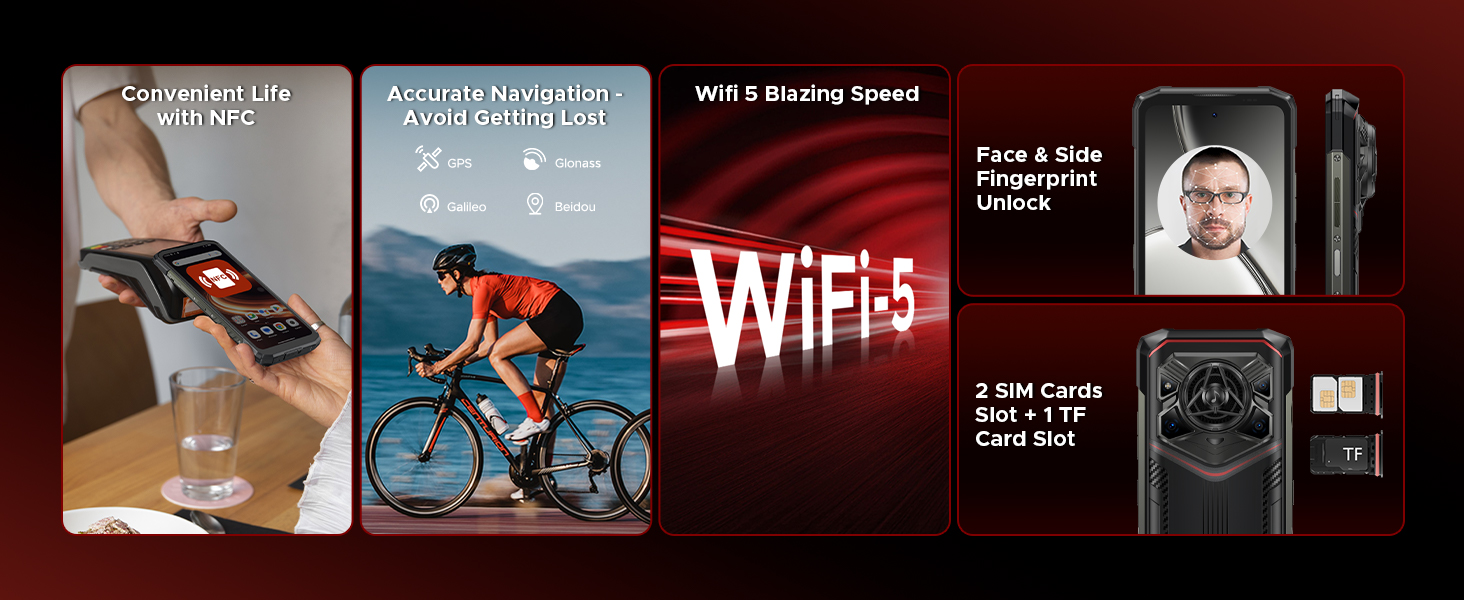
Image 4.3: Illustration of the DOOGEE Blade 20 Pro's camera system, featuring the 50MP main camera, 20MP night vision camera, and 8MP front camera, with example сүрөттөр.
4.4. Аудио
The Blade 20 Pro is equipped with a 36mm large amplitude speaker and 3.5W high power output, delivering an impressive 125dB sound. This ensures clear audio for calls, music, and media playback, even in noisy environments.
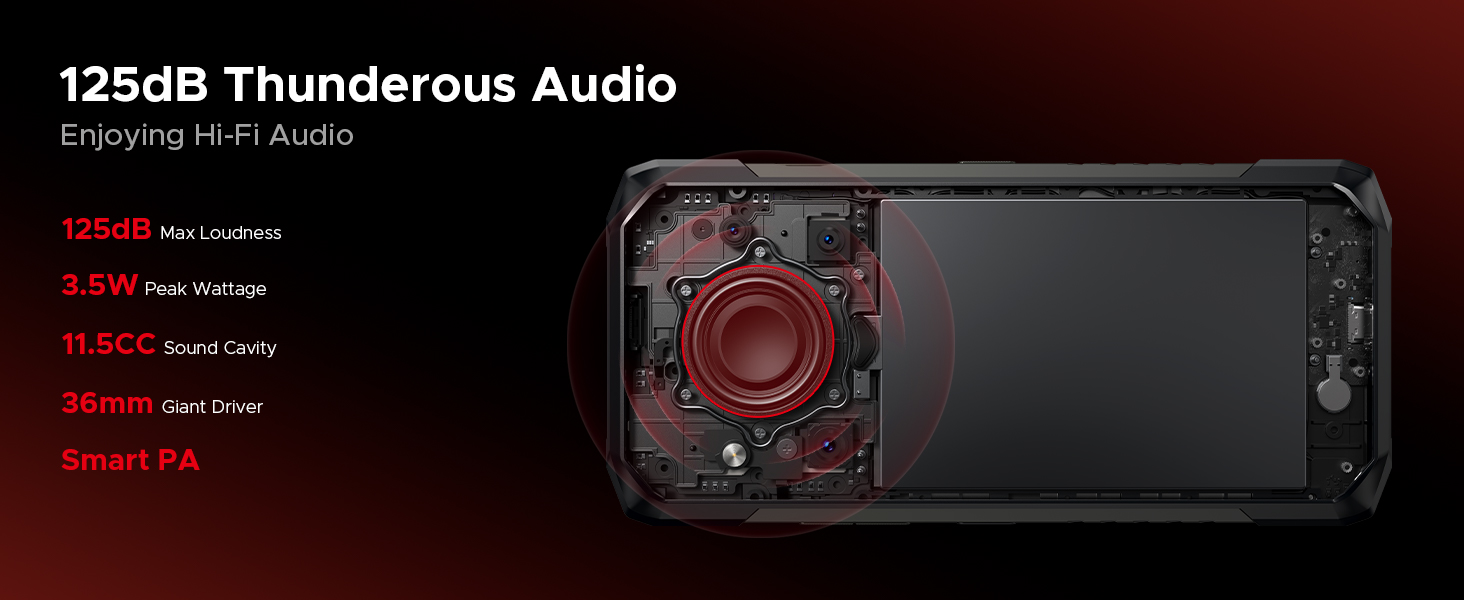
Image 4.4: Diagram showing the internal speaker components and specifications, including 125dB max loudness, 3.5W peak wattage, 11.5CC sound cavity, 36mm giant driver, and Smart PA technology.
4.5. Батарея жана заряддоо
The device features an 11800mAh battery, providing extended usage times. It supports 18W fast charging via Type-C. Additionally, OTG reverse charging allows the phone to act as a power bank for other devices.
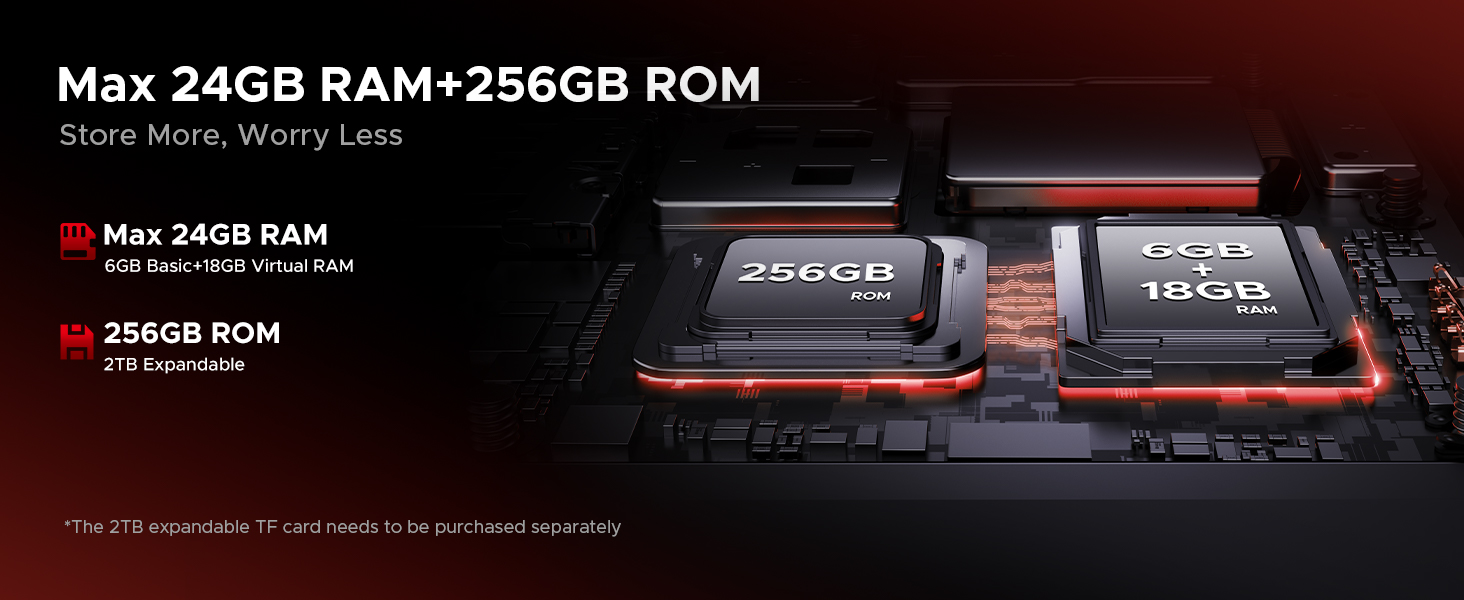
Image 4.5: Information on the 11800mAh Silicon Anode Battery, detailing 18W fast charging, 5W reverse charging, and estimated usage times for standby, calling, video watching, and web серептөө.
4.6. Gemini AI
The Blade 20 Pro integrates Gemini AI, enhancing various functions such as content creation, image analysis, code development, language learning, and smart assistance.

Image 4.6: Visual representation of the Gemini AI features, including Content Creation, Image Analysis, Code Development, Language Learning, Smart Assistant, and Gemini Live.
4.7. Байланыш жана коопсуздук
The device supports dual 4G SIM cards (note: Verizon and AT&T are not supported). It includes NFC for convenient payments, accurate GPS navigation (GPS, Glonass, Galileo, Beidou), and Wi-Fi 5 for fast internet. For security, it offers Face ID and Fingerprint Unlock.
Сүрөт 4.7: Бүттүview of connectivity and security features, including NFC for payments, GPS for navigation, Wi-Fi 5, Face ID and Fingerprint Unlock, and dual SIM card slots plus a TF card slot.
5. Техникалык тейлөө
The DOOGEE Blade 20 Pro is built to be rugged, meeting IP68, IP69K, and MIL-STD-810H standards for water, dust, and shock resistance. To ensure its longevity, follow these maintenance guidelines:
- Тазалоо: жумшак колдонуу, damp cloth to clean the device. Avoid harsh chemicals or abrasive materials. Ensure all ports are dry before charging or connecting accessories.
- Суу таасири: While waterproof, ensure all port covers are securely closed before exposing the phone to water. Do not intentionally submerge the phone beyond specified limits (IP68: 1.5m for 30 mins).
- Температура: Телефонду экстремалдык температурада (-40°C төмөн же 70°Cден жогору) узак убакытка калтырбаңыз.
- Таасири: Although shockproof, avoid unnecessary drops or impacts to prevent potential damage.
- Программалык камсыздоо жаңыртуулары: Regularly update the device software to ensure optimal performance and security.
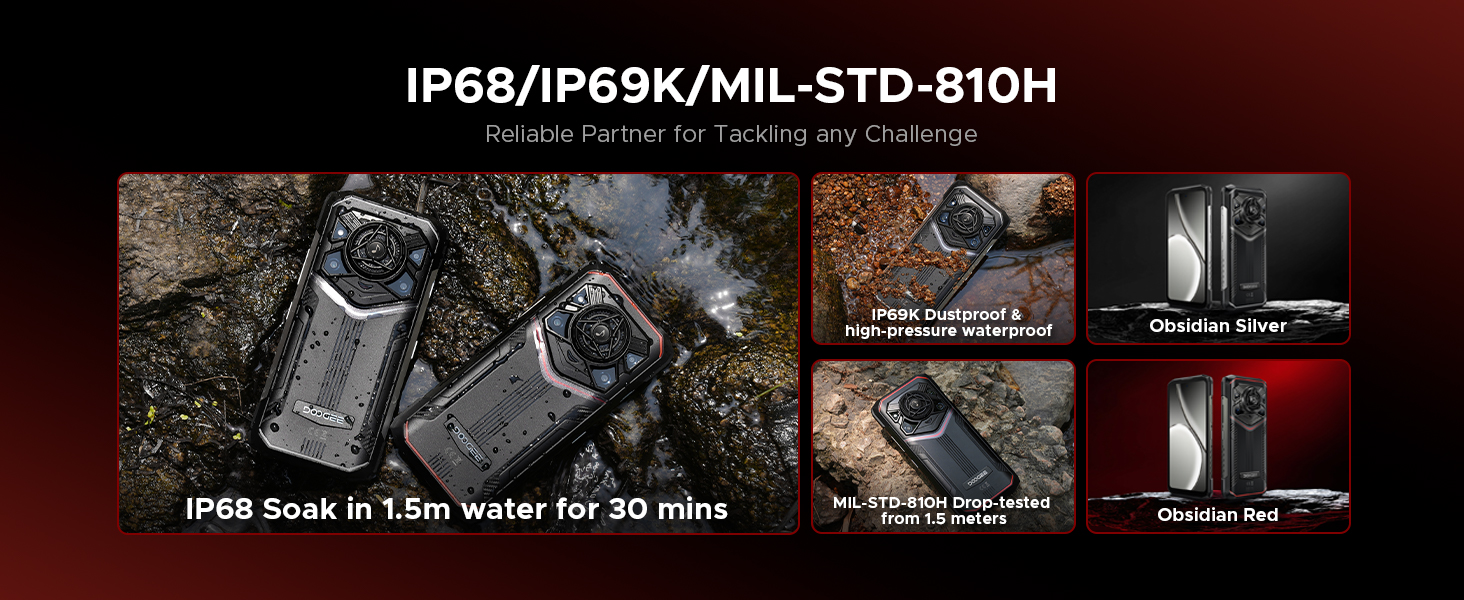
Image 5.1: Visual representation of the phone's durability, highlighting IP68 water immersion, IP69K dustproof and high-pressure waterproof, and MIL-STD-810H drop-tested from 1.5 meters.
6. Кыйынчылыктарды
If you encounter issues with your DOOGEE Blade 20 Pro, refer to the following common solutions:
| Көйгөй | Мүмкүн чечим |
|---|---|
| Түзмөк күйбөйт | Батарея заряддалганын текшериңиз. Заряддагычты туташтырыңыз жана кайра күйгүзүү аракетинен мурун бир нече мүнөт күтүңүз. Эгер жооп бербесе, Кубат баскычын 10-15 секунд кармап туруу менен мажбурлап өчүрүп күйгүзүңүз. |
| Батарея бат эле түгөнөт | Check for background apps consuming power. Adjust screen brightness. Disable unused features like Wi-Fi, Bluetooth, GPS. Reduce screen timeout. |
| Тармакка туташпай жатат | Ensure SIM card is correctly inserted. Check network settings. Verify carrier compatibility (Verizon and AT&T are not supported). Restart the device. |
| Камера иштебей жатат | Restart the camera app or the phone. Clear the camera app's cache and data in settings. Ensure no physical obstruction is blocking the lens. |
| Үн көйгөйлөрү (өтө төмөн/бийик, бурмаланган) | Check volume settings. Ensure speaker is not blocked or dirty. Restart the device. |
| Сенсордук экран жооп бербейт | Restart the device. If the issue persists, ensure the screen is clean and dry. Remove any screen protectors that might interfere. |
Татаалыраак маселелер боюнча DOOGEE расмий колдоо ресурстарына кайрылыңыз же кардарларды тейлөө кызматына кайрылыңыз.
7. Техникалык шарттар
| Өзгөчөлүк | Спецификация |
|---|---|
| Модель аты | Blade 20 Pro |
| Операция системасы | Android 15 |
| Процессор | Unisoc T7200 Octa-Core Processor (12nm) |
| RAM | 24 ГБ (6 ГБ физикалык + 18 ГБ виртуалдык) |
| Ички сактагыч | 256 ГБ |
| Кеңейтүүчү сактагыч | Up to 2 TB via microSD card (purchased separately) |
| Screen Size | 6.6 Inches HD+ IPS Punch-Hole Display |
| Жаңыртуу ылдамдыгы | 90 Гц |
| Башкы камера | 50 депутат |
| Түнкү көрүнүш камерасы | 20 MP Infrared |
| Алдыңкы камера | 8 депутат |
| Батарея сыйымдуулугу | 11800 мАч (литий полимери) |
| Заряддоо | 18 Вт тез кубаттоо, 5 Вт OTG тескери кубаттоо |
| Баяндамачы | 125dB Loudspeaker (36mm driver, 3.5W output) |
| Бышыктык стандарттары | IP68, IP69K, MIL-STD-810H |
| Байланыш | Dual 4G SIM, Wi-Fi 5, Bluetooth, NFC, USB Type-C |
| Навигация | GPS, Глонасс, Галилео, Бейдоу |
| Коопсуздук | Бетти таануу, манжа изи менен ачуу |
| Өлчөмдөр | 3.2 x 0.62 x 6.85 дюйм |
| Салмагы | 1.3 фунт |

Image 7.1: Details of the Unisoc T7200 Octa-Core Processor, highlighting its 12nm processing technology and overall performance.
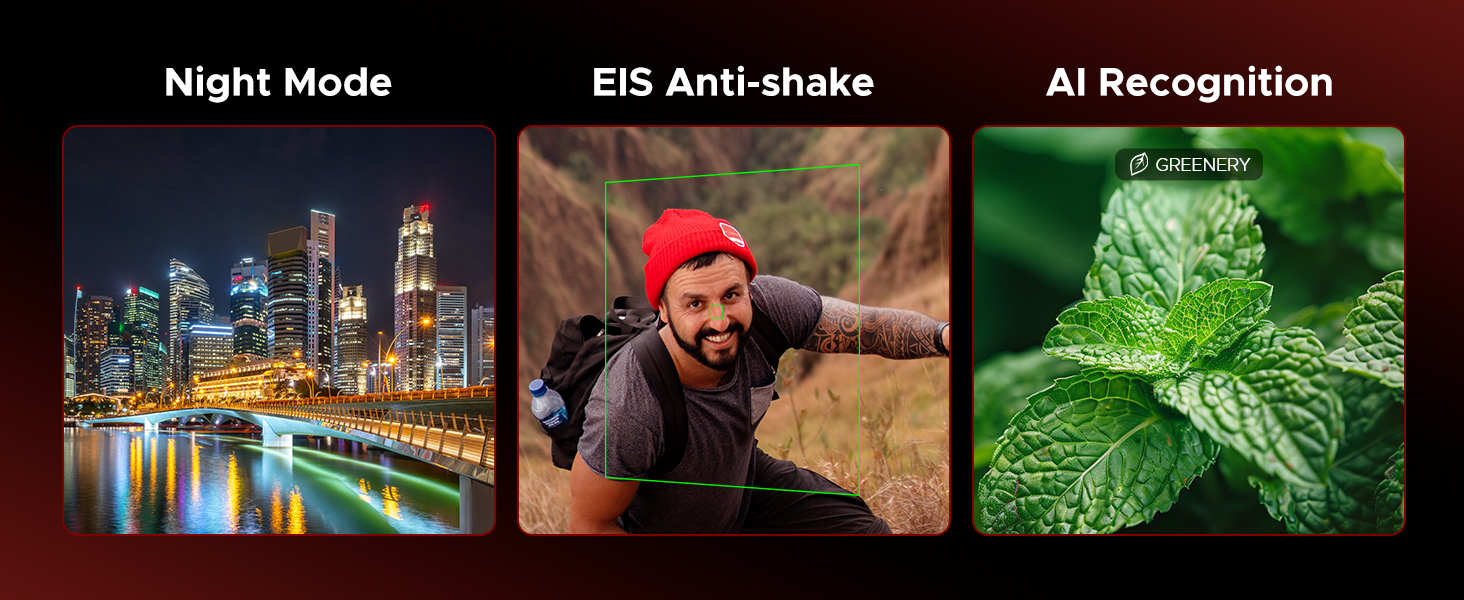
Image 7.2: Illustration of the memory configuration, showing 6GB basic RAM + 18GB virtual RAM for a total of 24GB, and 256GB ROM with 2TB expandability.
8. Кепилдик жана колдоо
Your DOOGEE Blade 20 Pro comes with a warranty. Please refer to the included Warranty Card in your package for detailed information regarding warranty terms, conditions, and duration.
For technical support, service, or further inquiries, please consult the contact information provided on your Warranty Card or visit the official DOOGEE webсайт.


