1. Киришүү
This manual provides detailed instructions for the installation, operation, and maintenance of your NEWFAST U352 AX1800 USB WiFi 6 Adapter. Please read this manual thoroughly before using the product to ensure proper functionality and to maximize its performance. This adapter is designed to provide high-speed wireless connectivity for your desktop or laptop computer running Windows 10 or Windows 11.
2. Коопсуздук маалыматы
- Түзмөктү суудан, оттон, жогорку нымдуулуктан же ысык чөйрөдөн алыс кармаңыз.
- Аппаратты ажыратууга, оңдоого же өзгөртүүгө аракет кылбаңыз.
- Use only with compatible USB ports (USB 3.0 recommended for optimal performance).
- Иштеп жаткан учурда аппараттын айланасында туура желдетүүнү камсыз кылыңыз.
- Балдар жетпеген жерде сактаңыз.
3. Пакеттин мазмуну
Пакетиңизде бардык буюмдар бар экенин текшериңиз:
- 1x NEWFAST AX1800 USB WiFi 6 Adapter
- 1x Колдонуучунун колдонмосу
4. Продукт бүтүп калдыview
The NEWFAST U352 AX1800 USB WiFi 6 Adapter is designed to provide a fast and stable wireless connection for your computer. It features dual-band support, high-gain antennas, and advanced WiFi 6 technologies like MU-MIMO and OFDMA.

4.1-сүрөт: The NEWFAST U352 AX1800 USB WiFi 6 Adapter with its dual adjustable antennas.
Негизги өзгөчөлүктөрү:
- WiFi 6 (802.11ax) технологиясы: Offers faster speeds, lower latency, and increased capacity compared to previous Wi-Fi standards.
- AX1800 Dual Band: Provides speeds up to 1201 Mbps on the 5GHz band and 574 Mbps on the 2.4GHz band.
- USB 3.0 интерфейси: Ensures high-speed data transfer, up to 10 times faster than USB 2.0, to fully utilize the adapter's wireless capabilities.
- MU-MIMO & OFDMA: Enhances network efficiency and reduces latency, especially in environments with multiple devices.
- WPA3 шифрлөө: Supports the latest security protocol for enhanced network protection.
- Adjustable High-Gain Antennas: Improves signal reception and transmission for a wider and more stable connection.
- Driver-Free Installation: Automatic device recognition and configuration for Windows 10/11.

4.2-сүрөт: Illustration of WiFi 6 speeds (1201 Mbps on 5GHz, 600 Mbps on 2.4GHz) and USB 3.0 interface.
The adapter leverages WiFi 6 technology to deliver combined speeds of up to 1800 Mbps (1.8 Gbps). The USB 3.0 interface ensures that the data transfer between the adapter and your computer does not bottleneck the wireless speed.

4.3-сүрөт: Comparison of AX1800 WiFi 6 speed with AC1200 WiFi 5, highlighting OFDMA and MU-MIMO benefits.
With OFDMA and MU-MIMO technologies, the adapter efficiently handles multiple devices simultaneously, reducing network congestion and improving overall performance for activities like gaming, streaming, and video calls.
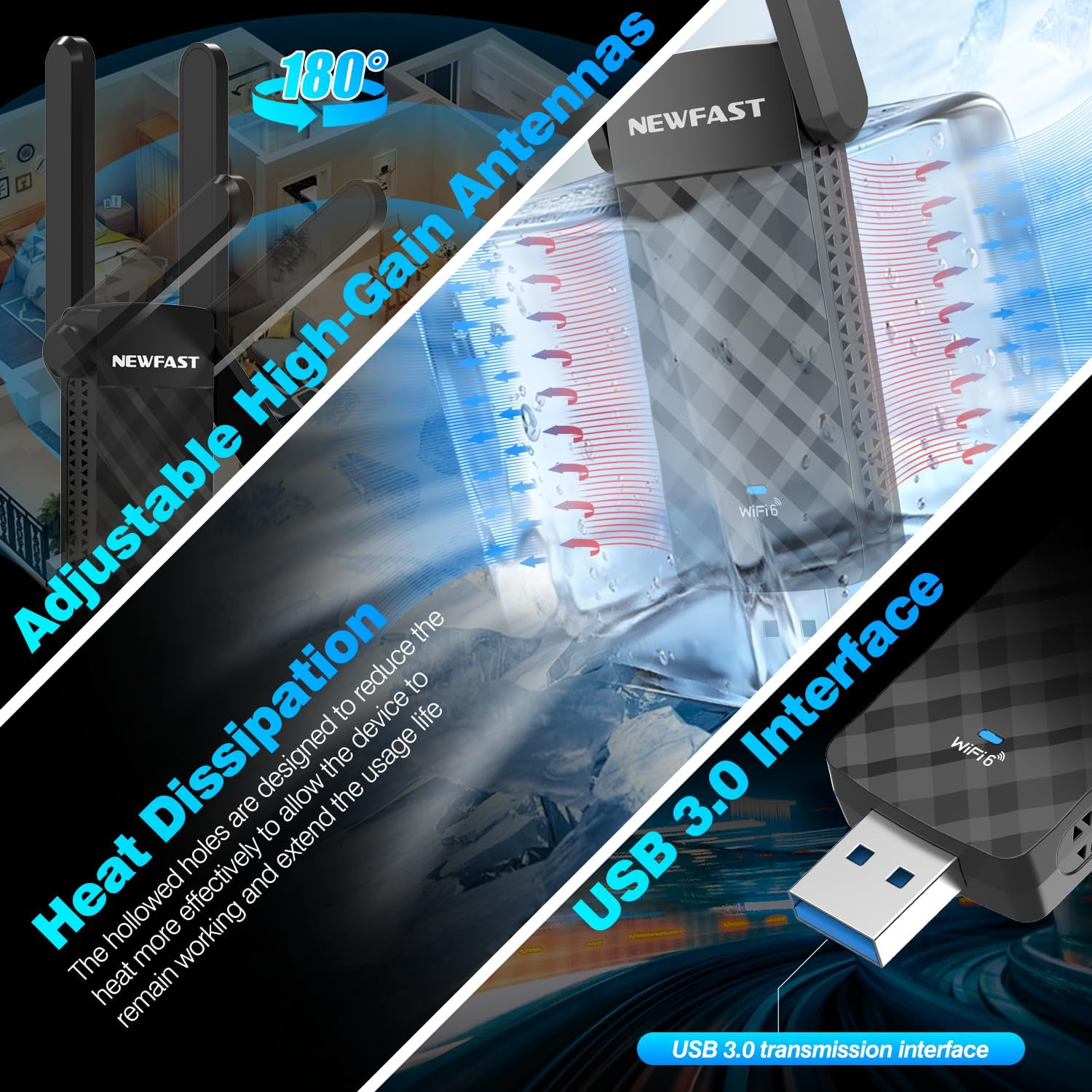
4.4-сүрөт: Details on the adjustable antennas for optimal signal, heat dissipation design, and the USB 3.0 interface.
The dual adjustable antennas allow for flexible positioning to optimize signal reception. The adapter's design also incorporates heat dissipation features to ensure stable and long-term operation.
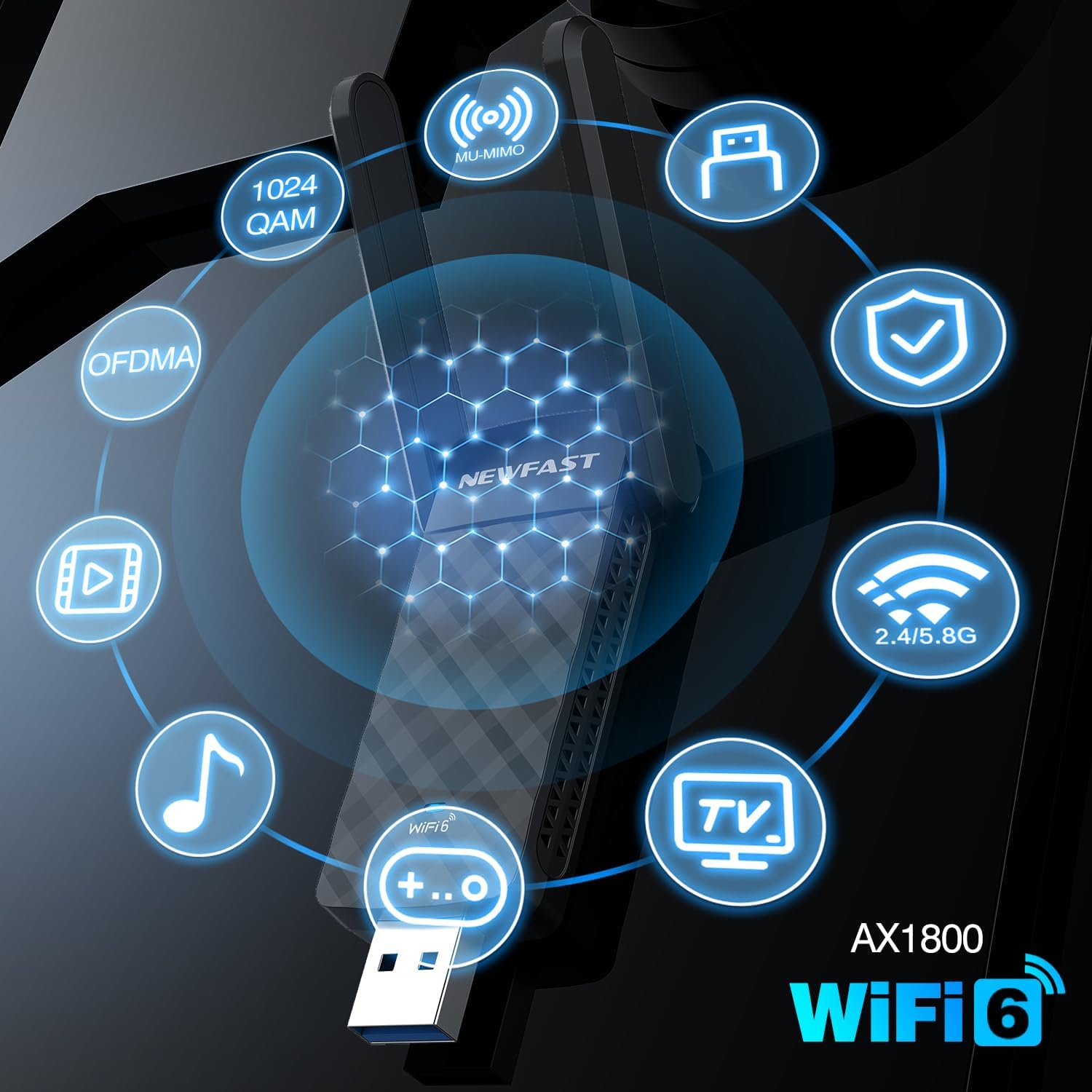
4.5-сүрөт: Visual representation of key AX1800 WiFi 6 features including 1024 QAM, OFDMA, MU-MIMO, WPA3, and dual-band support.
This image summarizes the advanced features of the AX1800 WiFi 6 adapter, including 1024-QAM for higher data rates, OFDMA and MU-MIMO for efficient multi-device communication, WPA3 for enhanced security, and support for both 2.4GHz and 5GHz bands.
5. Орнотуу нускамалары
The NEWFAST U352 AX1800 USB WiFi 6 Adapter offers a simple, driver-free installation process for Windows 10 and Windows 11.
Системалык талаптар:
- Operating System: Windows 10 (32/64-bit) or Windows 11 (64-bit)
- Available USB Port (USB 3.0 recommended)
Орнотуу кадамдары:
- USB адаптерин сайыңыз: Insert the NEWFAST USB WiFi 6 Adapter into an available USB port on your desktop or laptop computer. For optimal performance, use a USB 3.0 port.
- Автоматтык драйверди орнотуу: Windows 10/11 will automatically detect the device and begin installing the necessary drivers. A notification may appear indicating the installation progress.
- WiFi'га туташуу: Once the driver installation is complete (this may take a few moments), you can connect to your desired WiFi network through the standard Windows network settings.
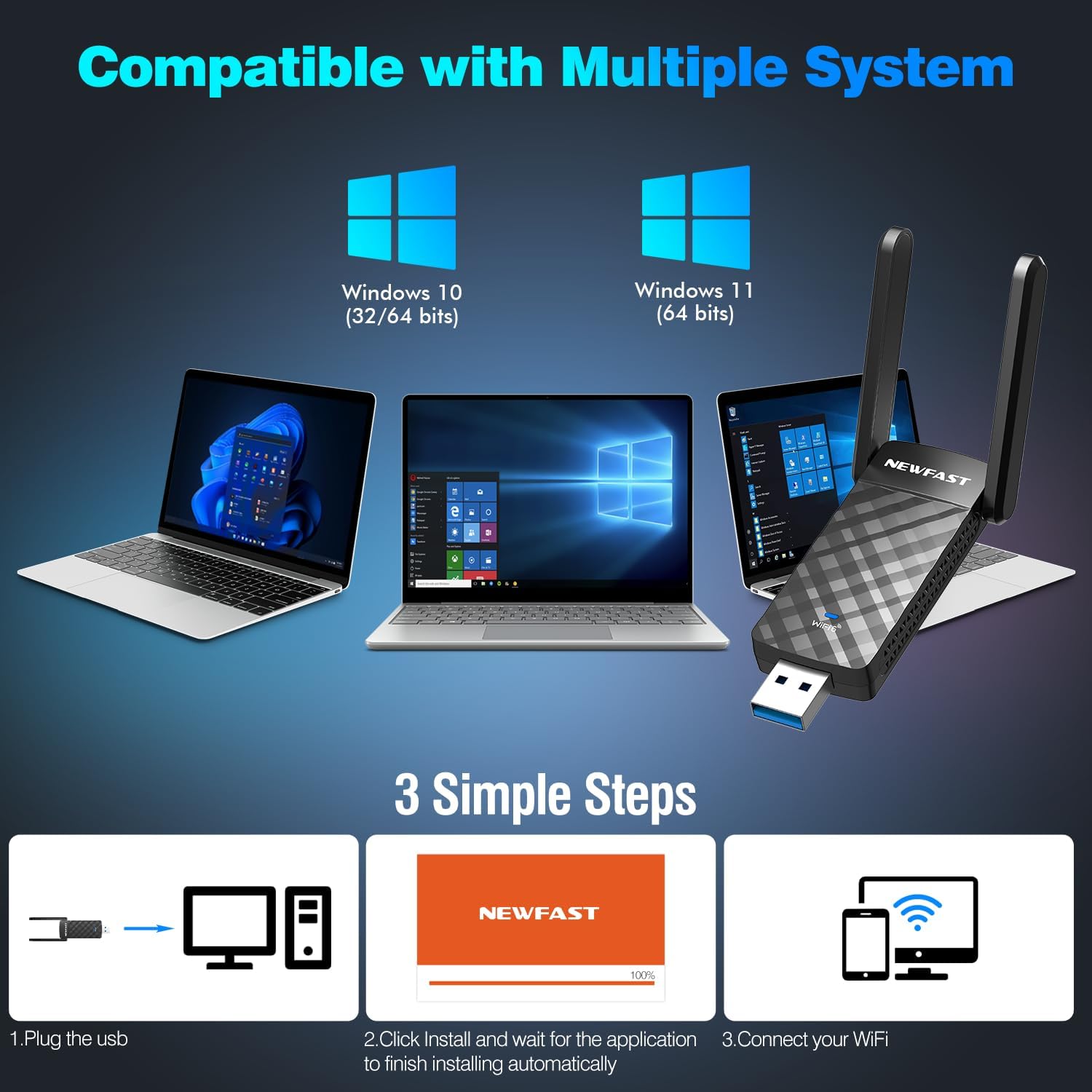
5.1-сүрөт: Visual guide to the three-step installation process: Plug in, install drivers automatically, and connect to WiFi.
This image illustrates the straightforward installation process: 1. Plug the USB adapter into your computer. 2. Allow the system to automatically install the drivers. 3. Connect to your WiFi network.
6. Иштөө нускамалары
Зымсыз тармакка туташуу:
- After successful driver installation, click on the WiFi icon in your Windows taskbar (usually in the bottom-right corner).
- Жеткиликтүү зымсыз тармактардын тизмеси пайда болот. Каалаган тармагыңызды тандаңыз.
- Click "Connect". If the network is secured, you will be prompted to enter the network security key (password).
- Once connected, the WiFi icon will indicate a successful connection.
Soft AP Mode (WiFi Router Function):
The adapter supports Soft AP mode, allowing your computer to function as a wireless hotspot, sharing its internet connection with other devices like smartphones or tablets.
- Компьютериңизде активдүү интернет байланышы бар экенин текшериңиз (мисалы, Ethernet аркылуу).
- Open Windows Settings > Network & Internet > Mobile hotspot.
- Toggle "Mobile hotspot" to "On".
- You can customize the network name (SSID) and password under "Edit".
- Other devices can now connect to this hotspot using the provided credentials.

6.1-сүрөт: Illustration showing the adapter's dual functionality: receiving WiFi (WiFi Card Function) and sending WiFi (WiFi Router Function via Soft AP Mode).
This image demonstrates how the adapter can both receive a WiFi signal to connect your computer to the internet and create a WiFi hotspot (Soft AP mode) to share your computer's internet connection with other wireless devices.
7. Техникалык тейлөө
- Тазалоо: Адаптерди тазалоо үчүн жумшак, кургак чүпүрөктү колдонуңуз. Суюк тазалагычтарды же аэрозолдорду колдонбоңуз.
- Сактагыч: When not in use for extended periods, store the adapter in a cool, dry place.
- Программалык камсыздоонун жаңыртуулары: Periodically check the NEWFAST official website for any available firmware or driver updates to ensure optimal performance and security.
- Физикалык коргоо: Адаптерди түшүрүп алуудан же катуу соккуга кабылтуудан алыс болуңуз.
8. Кыйынчылыктарды
Жалпы маселелер жана чечимдер:
- No WiFi Networks Detected:
- Адаптердин USB портуна бекем сайылганын текшериңиз.
- Verify that WiFi is enabled in your computer's settings.
- Компьютериңизди өчүрүп күйгүзүңүз.
- Check if the adapter's drivers are correctly installed in Device Manager.
- Жай туташуу ылдамдыгы:
- Ensure you are connected to a WiFi 6 compatible router.
- Try connecting to the 5GHz band if available, as it generally offers higher speeds.
- Move closer to your wireless router to improve signal strength.
- Ensure the adapter is plugged into a USB 3.0 port.
- Башка электрондук шаймандардын кийлигишүүсүн текшериңиз.
- Тез-тез өчүрүүлөр:
- Роутериңиздин микропрограммасын жана адаптериңиздин драйверлерин жаңыртыңыз.
- Adjust the position of the adapter's antennas for better signal.
- Ensure there are no physical obstructions between the adapter and the router.
- Башка USB портун колдонуп көрүңүз.
- Driver Installation Failure:
- Ensure your operating system is Windows 10 or Windows 11.
- Temporarily disable antivirus software during installation if it interferes.
- Башка USB портун колдонуп көрүңүз.
- Manually download drivers from the NEWFAST support website if automatic installation fails.
9. Техникалык шарттар
| Өзгөчөлүк | Деталь |
|---|---|
| Модел | U352 AX1800 |
| Зымсыз стандарт | IEEE 802.11ax (WiFi 6) |
| Маалыматтарды өткөрүү ылдамдыгы | Up to 1800 Mbps (1201 Mbps at 5GHz, 574 Mbps at 2.4GHz) |
| Жыштык тилкелери | 2.4 ГГц, 5 ГГц |
| Интерфейс | USB 3.0 (backward compatible with USB 2.0, USB 1.1) |
| Антенналар | Dual High-Gain Adjustable Antennas |
| Зымсыз коопсуздук | WPA3, WPA2, WPA |
| Колдоого алынган технологиялар | MU-MIMO, OFDMA, 1024-QAM |
| Шайкеш операциялык системалар | Windows 11, Windows 10 |
| Продукциянын өлчөмдөрү | 3.08 x 0.41 x 1.45 дюйм |
| Элемент Салмагы | 1.6 унция |
10. Кепилдик жана колдоо
NEWFAST products are designed for reliability and performance. For warranty information and technical support, please refer to the warranty card included with your product or visit the official NEWFAST website. Our support team is available to assist you with any questions or issues you may encounter.
Официалдуу Webсайт: NEWFAST Store on Amazon (Өнүмдүн таңгагын же расмий текшериңиз website for direct support contact information.)


