Introduction
This manual provides comprehensive instructions for the setup, operation, and maintenance of your ZEBRONICS Glassy 10 Wireless Mouse. Designed for comfort and efficiency, this mouse features dual-mode connectivity (2.4GHz and Bluetooth), adjustable DPI up to 1600, silent operation, and convenient Type-C charging. Please read this manual thoroughly before using the product to ensure optimal performance and longevity.
Пакеттин мазмуну
- Mouse - 1 unit
- Nano Receiver - 1 unit
- Кубаттоочу кабель - 1 даана
- Quick user Guide - 1 unit
Орнотуу нускамалары
1. Чычканды заряддоо
The ZEBRONICS Glassy 10 mouse features a built-in rechargeable battery and Type-C charging. Connect the provided Type-C charging cable to the mouse's charging port and to a USB power source (e.g., computer, wall adapter). The LED indicator will show charging status and turn off when fully charged.

2. Күйгүзүү/өчүрүү жана режимди тандоо
Locate the Mode/Power switch on the underside of the mouse. Slide the switch to turn the mouse ON or OFF, and to select between 2.4GHz wireless mode and Bluetooth mode.
3. Connecting via 2.4GHz Wireless Mode
- Take out the USB Nano Receiver from its storage slot on the underside of the mouse.
- Plug the USB Nano Receiver into an available USB port on your computer or laptop.
- Slide the Mode/Power switch on the mouse to the 2.4GHz position.
- Чычкан түзмөгүңүзгө автоматтык түрдө туташуу керек.
4. Connecting via Bluetooth Mode
- Slide the Mode/Power switch on the mouse to the Bluetooth position.
- The mouse will enter pairing mode (an indicator light may flash).
- Компьютериңизде же түзмөгүңүздө Bluetooth жөндөөлөрүн ачыңыз.
- Издөө new devices and select "ZEB-Glassy 10" (or similar) from the list.
- Confirm pairing on your device. The mouse will connect once paired.

Иштөө нускамалары
1. Mouse Buttons
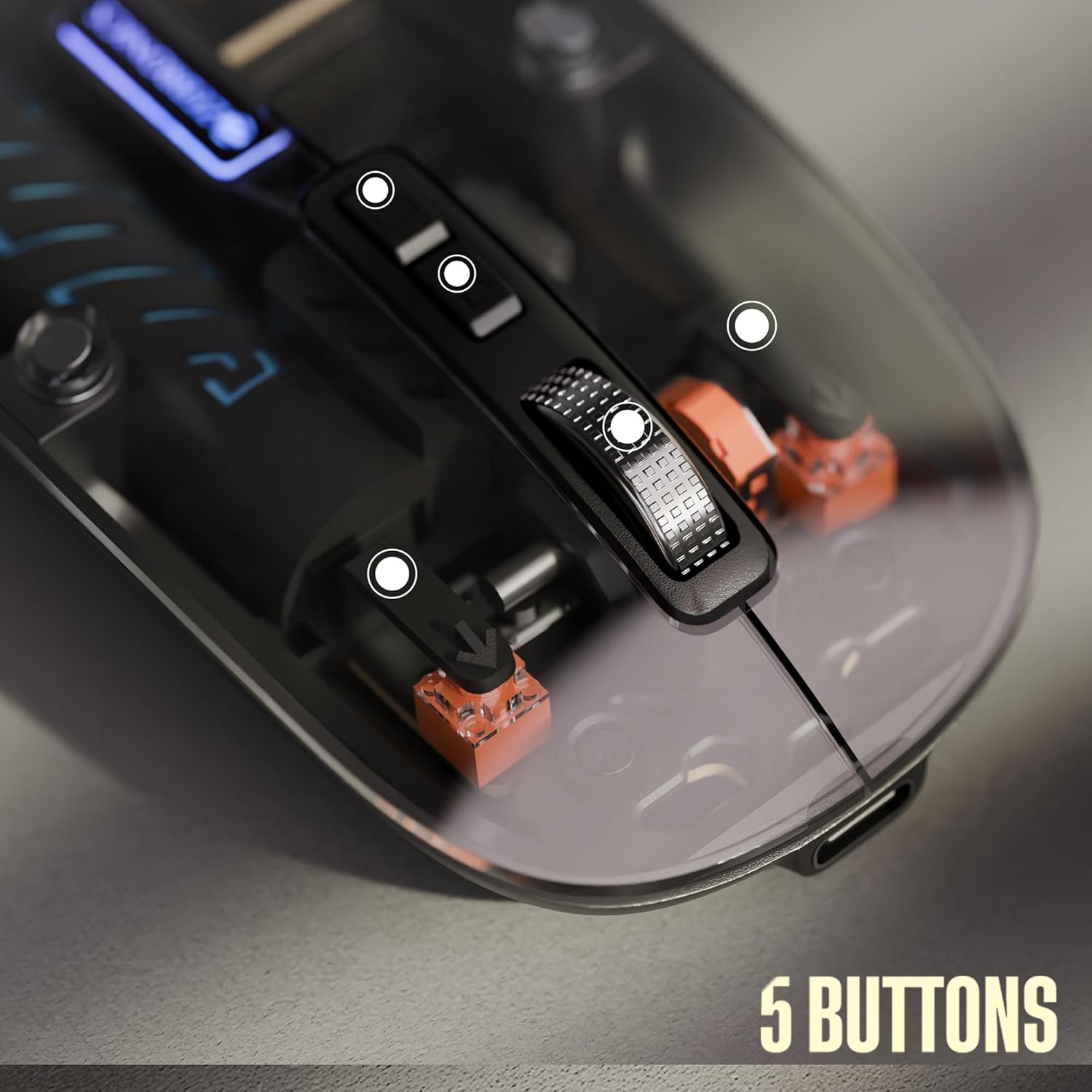
The ZEBRONICS Glassy 10 mouse is equipped with 5 buttons for enhanced functionality:
- Сол чыкылдатуу: Стандарттык тандоо жана активдештирүү.
- Оң чыкылдатуу: Context menu access.
- Middle Scroll Wheel: Документтерди жылдыруу үчүн жана web pages. Can also be clicked for additional functions depending on software.
- DPI Control Button: Чычкандын сезгичтигин (DPI) тууралайт.
- Dedicated Desktop Button: Provides quick access to the desktop or other programmed functions.

2. DPI тууралоо
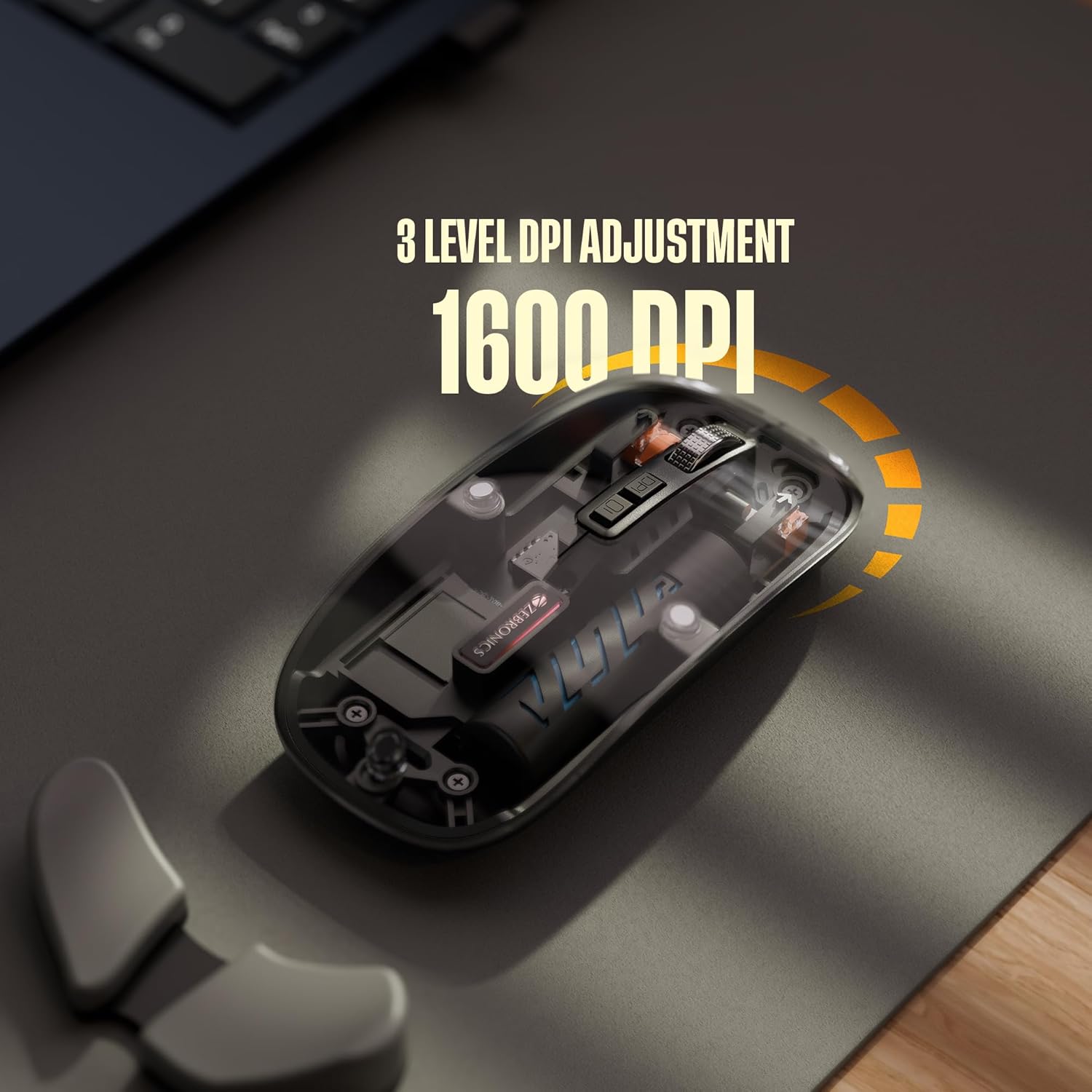
The mouse features 3 levels of DPI adjustment, up to 1600 DPI. Press the DPI control button to cycle through the available sensitivity settings. A higher DPI setting results in faster cursor movement across the screen with less physical mouse movement.
3. Үнсүз иштөө
The ZEBRONICS Glassy 10 mouse is designed for silent operation, minimizing click sounds. This feature is beneficial in quiet environments, ensuring a less disruptive user experience.

4. Беттик шайкештик
The mouse is ergonomically designed to function effectively on various surfaces, including mouse pads, plain tables, and wooden surfaces, providing consistent tracking performance.
Техникалык тейлөө
- Тазалоо: Чычканды тазалоо үчүн жумшак, кургак чүпүрөктү колдонуңуз. Катуу химиялык заттарды же абразивдүү материалдарды колдонуудан алыс болуңуз.
- Сактагыч: When not in use, store the mouse in a cool, dry place. If storing for an extended period, ensure the mouse is turned off to preserve battery life.
- Батареяга кам көрүү: Recharge the battery regularly. Avoid completely draining the battery frequently to prolong its lifespan.
Проблемаларды чечүү
| Көйгөй | Мүмкүн чечим |
|---|---|
| Чычкан жооп бербей жатат |
|
| Артта калуу же үзгүлтүктүү байланыш |
|
| Cursor movement is too fast/slow |
|
| Заряддоо маселеси |
|
Техникалык шарттар
| Өзгөчөлүк | Деталь |
|---|---|
| Бренд | ЗЕБРОНИКА |
| Модел | Glassy 10 |
| Байланыш технологиясы | Dual Mode (2.4GHz Wireless, Bluetooth) |
| DPI деңгээли | Up to 1600 DPI (3-level adjustable) |
| Buttons | 5 (Left, Right, Scroll Wheel, DPI, Dedicated Desktop) |
| Операция | Silent Click |
| Заряддоо | Type-C, Built-in Rechargeable Battery |
| Операциялык системанын шайкештиги | Mac OS (and generally Windows, Linux compatible) |
| Өлчөмдөрү (LxWxH) | 11.3 x 5.7 x 0.1 см |
| Элемент Салмагы | 70 г |
Кепилдик жана колдоо
For warranty information and technical support, please refer to the warranty card included in your package or visit the official ZEBRONICS webсайт. Сатып алуу квитанциясын кепилдик дооматтары үчүн сатып алуунун далили катары сактаңыз.
Өндүрүүчү: Zebronics India Private Limited компаниясы
Дарек: No.13/7, Smith Road, Royapettah, Chennai - 600 002, India


