1. Киришүү
The BLUETTI AC50B is a versatile and portable solar generator designed to provide reliable power for various applications, including campинг, жол жүрүүлөр жана авариялык электр энергиясыtages. Featuring a 448Wh LiFePO4 battery and 700W AC output (with 1000W Power Lifting capability), it offers a safe, stable, and long-lasting power solution. This manual provides essential information on the setup, operation, maintenance, and troubleshooting of your AC50B unit.

Figure 1: BLUETTI AC50B Solar Generator Overview
2. Коопсуздук нускамалары
Please read and understand all safety instructions before operating the BLUETTI AC50B. Failure to follow these instructions may result in electric shock, fire, or serious injury.
- Агрегатты демонтаждабаңыз, оңдоого же өзгөртүүгө болбойт. Туура эмес кайра монтаждоо өрт же электр шокуна алып келиши мүмкүн.
- Түзмөктү отко же түз ысыкка дуушар кылбаңыз.
- Do not use or store the unit in high-temperature environments or near heat sources.
- Do not use or store the unit in wet conditions or near water.
- Ашыкча ысып кетүүнүн алдын алуу үчүн колдонуу учурунда туура желдетүүнү камсыз кылыңыз.
- Балдар жана үй жаныбарлары жетпеген жерде сактаңыз.
- Түпнуска же сертификатталган кубаттоочу кабелдерди жана аксессуарларды гана колдонуңуз.
- Аппаратты түшүрүүдөн же катуу соккулардан сактаныңыз.
3. Пакеттин мазмуну
Баардык буюмдар пакетиңизге камтылганын текшериңиз:
- BLUETTI AC50B электр станциясы
- AC кубаттоочу кабель
- Күн кубаттоо кабели
- Унаа заряддоо кабели
- Колдонуучунун Колдонмосу (бул документ)
4. Продукттун өзгөчөлүктөрү жана компоненттери
The BLUETTI AC50B is engineered for efficiency and convenience, offering multiple power outputs and advanced battery management.

Figure 2: BLUETTI AC50B with its various ports
4.1. Негизги өзгөчөлүктөрү
- Жогорку кубаттуулугу: 448Wh LiFePO4 battery for extended power.
- Күчтүү чыгаруу: 2 x 700W AC outlets (1000W Power Lifting mode for resistive loads).
- Ар тараптуу порттор: Includes 1 x 15W USB-A port, 2 x 65W USB-C ports, and 1 x 12V/10A car port.
- Тез кубаттоо: 0-80% in 45 minutes via 580W AC input (Turbo Charging Mode).
- Узак өмүрү: LiFePO4 batteries offer 3500+ cycles, providing an almost 10-year lifespan.
- Өркүндөтүлгөн коопсуздук: BLUETTI AI-BMS (Battery Management System) prevents overcharging, short circuits, and ensures optimal performance.
- Портативдик дизайн: Салмагы болгону 14.8 фунт, бул аны ташуу үчүн ыңгайлуу.
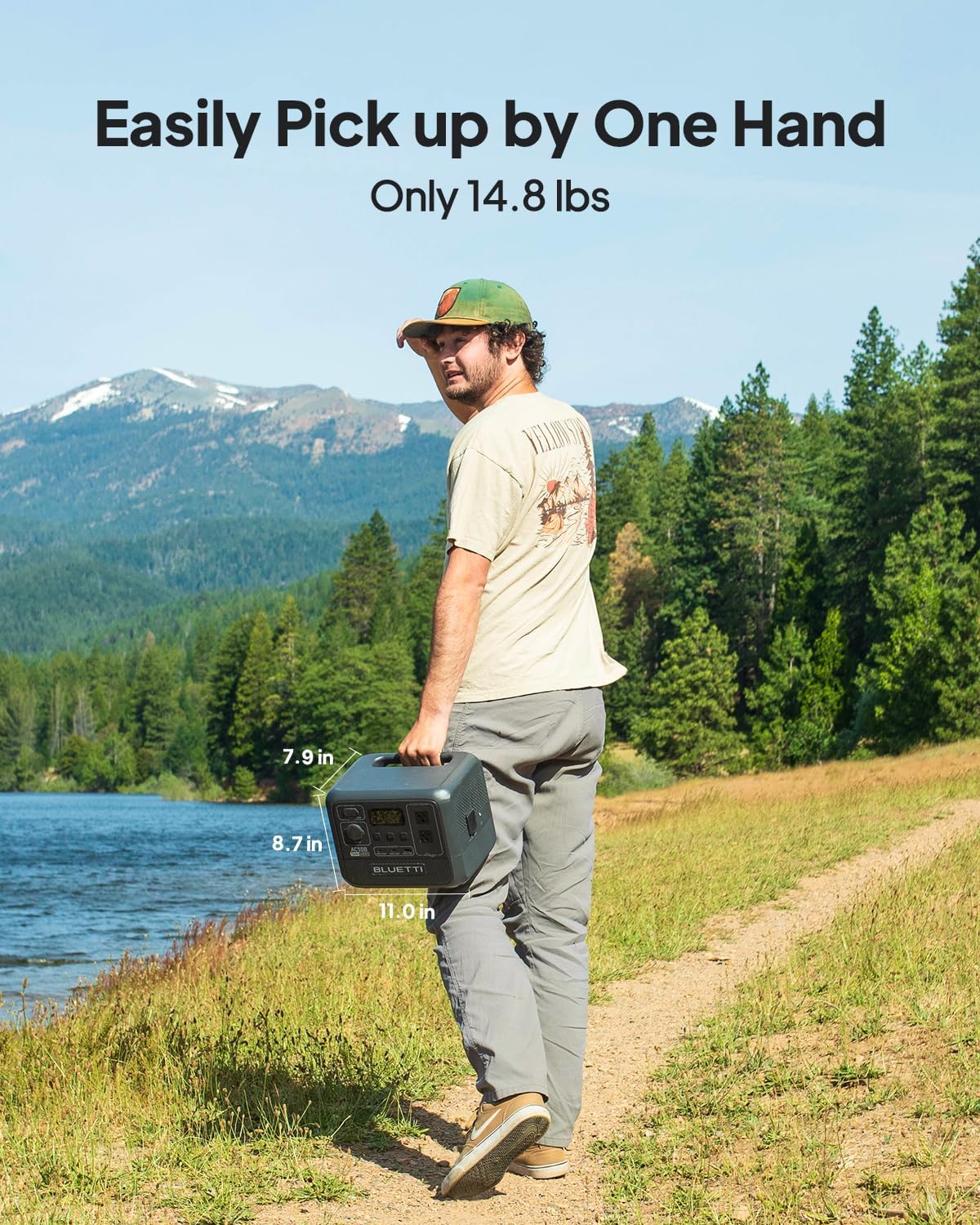
Figure 3: The BLUETTI AC50B is lightweight and easy to carry.
4.2. Components Overview
The front panel of the AC50B features a clear LCD display and various input/output ports:
- LCD дисплей: Батареянын деңгээлин, кириш/чыгыш ват көрсөтөтtage, and operational status.
- DC/PV Input Port: For charging via solar panels or DC adapter.
- AC чыгаруу розеткалары: Standard AC outlets for powering electronics.
- USB-A жана USB-C порттору: Мобилдик түзмөктөрдү, ноутбуктарды жана башка USB аркылуу иштеген гаджеттерди кубаттоо үчүн.
- DC чыгаруу порту: 12V/10A car port for compatible devices.
- Кубат баскычы: Агрегатты күйгүзүү/өчүрүү үчүн.
5. Орнотуу
Follow these steps to set up your BLUETTI AC50B for the first time:
- Таңылганын ачуу: Carefully remove the AC50B and all accessories from the packaging.
- Текшерүү: Check the unit and accessories for any signs of damage. If damaged, do not use and contact customer support.
- Баштапкы төлөм: It is recommended to fully charge the AC50B before first use. Connect the AC charging cable to a wall outlet and the unit. The LCD display will show charging status.
6. Иштөө нускамалары
6.1. Күйгүзүү/өчүрүү
Press and hold the main power button for a few seconds to turn the unit on or off. The LCD display will illuminate upon activation.
6.2. AC50B кубаттоо
The AC50B supports multiple charging methods:
- AC дубал розетка: Connect the AC charging cable to the AC input port and a standard wall outlet. The unit can charge from 0-80% in approximately 45 minutes using Turbo Charging Mode (activated via BLUETTI App).
- Күн панелдери: Connect compatible solar panels (optional, up to 200W) to the DC/PV input port using the solar charging cable. A full charge can be achieved in about 3 hours with optimal sunlight.
- Унаа заряддоо: Use the car charging cable to connect the unit to your vehicle's 12V cigarette lighter port.

Figure 4: Fast AC Charging of the BLUETTI AC50B
6.3. Чыгууларды колдонуу
Once the AC50B is powered on, you can activate specific output groups:
- AC чыгаруу: Press the 'AC' button to enable the AC outlets. Plug in your devices (e.g., laptops, small appliances). Ensure total wattage does not exceed 700W (or 1000W in Power Lifting mode for resistive loads).
- DC чыгаруу: Press the 'DC' button to enable the 12V car port.
- USB чыгышы: The USB-A and USB-C ports are typically always active when the unit is on.

Figure 5: The AC50B provides power for various devices on short trips.
6.4. BLUETTI тиркемесин башкаруу
Download the official BLUETTI App to remotely monitor and control your AC50B via Bluetooth. The app allows you to:
- View real-time power consumption.
- Check battery status and remaining runtime.
- Activate Turbo Charging Mode.
- Perform firmware updates (OTA).
7. Техникалык тейлөө
Proper maintenance ensures the longevity and optimal performance of your AC50B.
7.1. Батареяга кам көрүү
- үзгүлтүксүз колдонуу: For optimal battery health, use and recharge the unit at least once every 3-6 months.
- Сактагыч: Store the unit in a cool, dry place away from direct sunlight and extreme temperatures. For long-term storage, maintain a charge level between 50% and 80%.
- Заряддоо адаттары: Using 'Silent Charging' mode (lower wattage) can extend the battery's overall lifespan compared to frequent 'Turbo Charging'.

Figure 6: LiFePO4 batteries and BLUETTI AI-BMS ensure reliability and long life.
7.2. Тазалоо
Аппараттын сыртын жумшак, кургак чүпүрөк менен сүртүңүз. Абразивдүү тазалагычтарды же эриткичтерди колдонбоңуз.
8. Кыйынчылыктарды
If you encounter issues with your BLUETTI AC50B, try the following steps:
- Түзмөк күйбөй жатат: Ensure the battery is not completely depleted. Try connecting to an AC outlet for a few minutes.
- Чыгуу күчү жок: Check if the specific output group (AC/DC) is enabled. Ensure the connected device's power consumption does not exceed the unit's rated output.
- кубаттоо маселелери: Verify that all charging cables are securely connected. Check the power source (wall outlet, solar panel, car port) is functioning correctly.
- Ашыкча жүктөн коргоо: If the unit shuts down due to overload, disconnect some devices and restart the unit.
- Колдонмо туташуусу: Ensure Bluetooth is enabled on your smartphone and the AC50B is within range. Restart the app and the AC50B if connection issues persist.
Узакка созулган көйгөйлөр үчүн, Кепилдик жана колдоо бөлүмүн караңыз.
9. Техникалык шарттар
| Спецификация | Деталь |
|---|---|
| Модель аты | BLUETTI AC50B |
| Батарея түрү | LiFePO4 |
| Кубаттуулугу | 448Wh |
| AC Output | 2 x 700W (1000W кубаттуулуктагы көтөргүч) |
| USB-A чыгаруу | 1 x 15W |
| USB-C чыгышы | 2 x 65W |
| Car Port Output | 1 x 12V/10A |
| AC Input (Max) | 580 Вт |
| Күн киргизүү (макс.) | 200 Вт |
| Өлчөмдөрү (L x W x Y) | 11" x 7.9" x 8.7" |
| Элемент Салмагы | 14.8 фунт |
| Өмүр | 80% кубаттуулукка 3500+ цикл |
10. Кепилдик жана колдоо
BLUETTI stands behind the quality of its products.
- Кепилдик: The BLUETTI AC50B comes with a 5-year warranty. Please retain your proof of purchase for warranty claims.
- Кардарларды колдоо: For any questions, technical assistance, or warranty inquiries, please contact BLUETTI customer service through their official website or the contact information provided in your purchase documentation. BLUETTI has widespread sales and after-service networks to assist you.


