1. Киришүү
This manual provides essential instructions for the setup, operation, and maintenance of your TATTMUSE Portable Thermal Printer. This device offers convenient, inkless printing for various documents, making it ideal for mobile and office use. Please read this manual thoroughly to ensure proper use and to maximize the lifespan of your printer.
2. Пакеттин мазмуну
Upon unboxing, please verify that all items listed below are present in your package:
- TATTMUSE Portable Thermal Printer
- Ташуу кутусу
- 4 Rolls of Thermal Paper (1 roll letter size pre-installed, plus 4.33", 3.14", 2.08" size rolls)
- USB-C Cable
- USB-A кабели
- Колдонуучунун колдонмосу (бул документ)

Image 2.1: Contents of the TATTMUSE Portable Thermal Printer package, including the printer, carrying case, various thermal paper rolls, and cables.
3. Орнотуу
3.1 Принтерди заряддоо
The printer features a built-in 2600mAh rechargeable battery. Before first use, fully charge the printer using the provided USB-C or USB-A cable and a compatible power adapter (not included). The charging indicator light will provide status updates.
3.2 Термикалык кагазды жүктөө
The printer supports thermal roll paper, folded paper, and single sheets. It has a built-in paper bin. To load paper:
- Кагаз бөлүктүн капкагын ачыңыз.
- Insert the thermal paper roll or folded stack, ensuring the printable side faces the print head.
- Капкагын бекем жабыңыз.

Image 3.1: Demonstrates the process of loading thermal paper into the printer's paper compartment.
3.3 Түзмөктөргө туташуу
Your TATTMUSE Portable Thermal Printer offers both Bluetooth and USB connectivity.
3.3.1 Bluetooth Connection (for Mobile Devices)
The printer is compatible with iPhone, Android phones, iPads, and tablets via Bluetooth.
- Принтер күйгүзүлгөнүн текшериңиз.
- Мобилдик түзмөгүңүздө Bluetooth'ду иштетиңиз.
- Издөө available devices and select the TATTMUSE printer.
- Жупташтыруу үчүн экрандагы бардык көрсөтмөлөрдү аткарыңыз.
- Download the official TATTMUSE printing application from your device's app store for optimal functionality.
3.3.2 USB Connection (for Laptops and Computers)
For Windows, macOS, Chrome OS, and Linux systems, connect the printer using the provided USB-C cable.
- Connect one end of the USB-C cable to the printer and the other to your computer.
- Маанилүү: You must download and install the appropriate printer driver from the official TATTMUSE webсиздин операциялык системаңыз үчүн сайт.

Image 3.2: Illustrates the printer's compatibility with various operating systems and devices via Bluetooth and USB-C connections.
4. Иштөө нускамалары
4.1 Документтерди басып чыгаруу
Once connected, you can print various document types, including Word, TXT, PDF, Excel, and JPG files.
- Via Bluetooth (Mobile App): Open the TATTMUSE app, select the document or image you wish to print, adjust settings as needed, and initiate the print command.
- Via USB (Computer): After driver installation, the printer will appear as an available printer in your computer's print dialogue. Select the TATTMUSE printer and proceed with your print job as usual.
4.2 Multi-Size Printing
The printer supports multiple thermal paper sizes to accommodate diverse printing needs:
- 8.5" x 11" US Letter
- A4
- 4.33'' (110mm) width
- 3.14'' (80mm) width
- 2.08'' (53mm) width

Image 4.1: Displays the printer's capability to handle different file formats (Word, TXT, PDF, Excel, JPG) and various thermal paper types (folded, single sheet, rolls) for printing contracts, bills, notes, images, and to-do lists.
5. Кагаз спецификациялары
The TATTMUSE Portable Thermal Printer exclusively uses thermal paper. It is not compatible with standard inkjet or laser printer paper.
- Included Paper: The package includes 4 rolls of 8.5" x 11" US Letter size thermal paper.
- Шайкештик: Ensure any third-party thermal paper is compatible with the printer's specifications and dimensions.
- Inkless Technology: The printer utilizes advanced thermal technology, eliminating the need for ink, toner, or ribbons.

Image 5.1: Shows the dimensions of the US Letter thermal paper, measuring 8.5 inches by 256 inches (roll length).
6. Техникалык тейлөө
Proper maintenance ensures optimal performance and longevity of your thermal printer.
- Тазалоо: Periodically wipe the exterior of the printer with a soft, dry cloth. For the print head, use a specialized thermal printer cleaning pen or isopropyl alcohol on a cotton swab, ensuring the printer is off and cooled down.
- Сактагыч: Store the printer in a cool, dry place away from direct sunlight and extreme temperatures. Store thermal paper in its original packaging to protect it from light and heat, which can degrade its print quality over time.
- Inkless Advantage: As an inkless printer, you will not encounter issues related to ink clogging, smudging, or cartridge replacement.
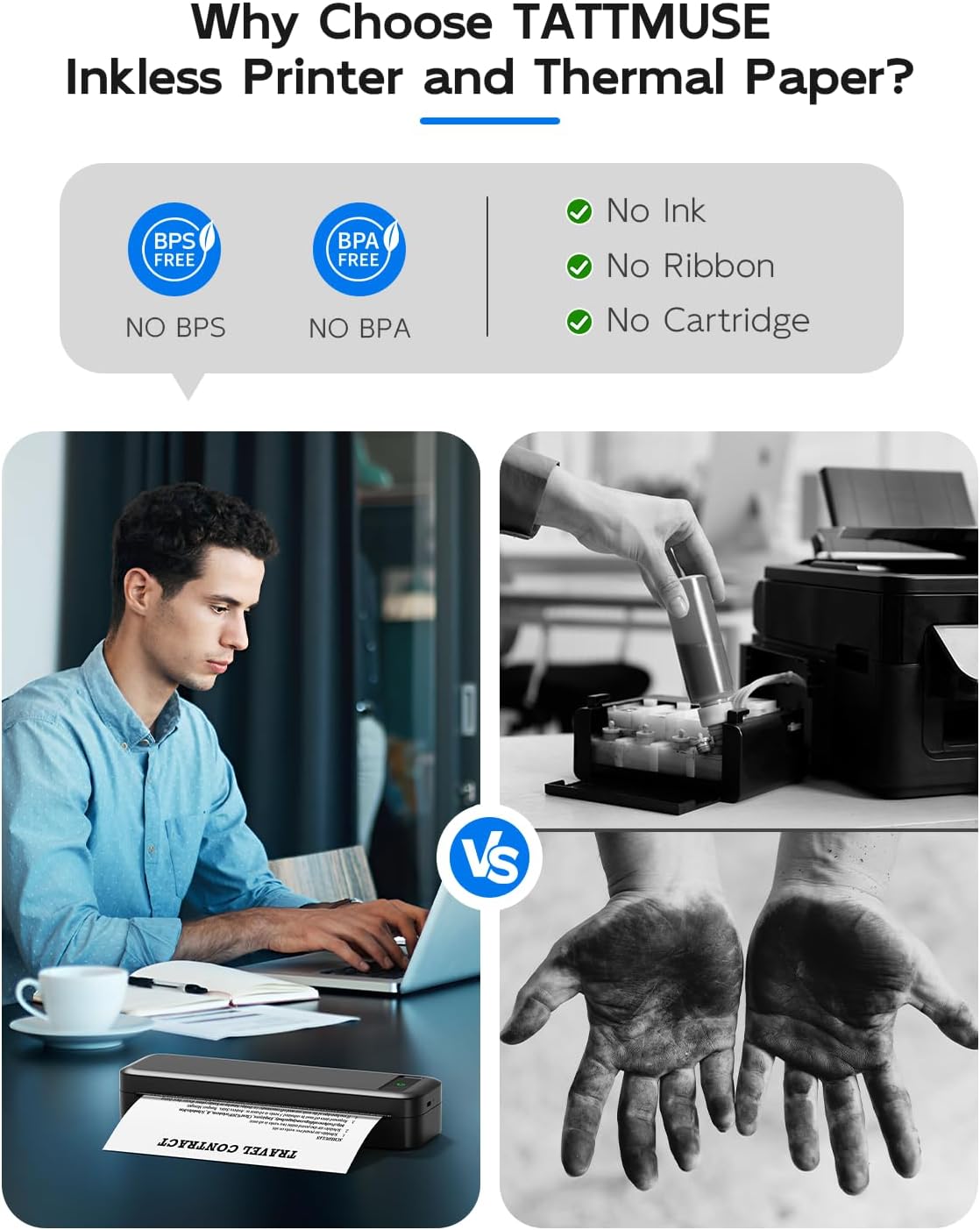
Image 6.1: Illustrates the benefits of an inkless thermal printer, highlighting the absence of ink, ribbon, or cartridge requirements compared to traditional printers.
7. Кыйынчылыктарды
If you encounter issues with your TATTMUSE Portable Thermal Printer, refer to the following common solutions:
- Принтер күйбөй жатат: Ensure the battery is charged. Connect the printer to a power source and allow it to charge for at least 30 minutes before attempting to power it on again.
- Басып чыгаруу жок:
- Check if thermal paper is loaded correctly and the printable side is facing the print head.
- Ensure the paper compartment cover is fully closed.
- Verify that the printer is properly connected to your device (Bluetooth paired or USB cable securely attached).
- Начар басып чыгаруу сапаты:
- Ensure you are using genuine thermal paper.
- Басып чыгаруучу башты "Техникалык тейлөө" бөлүмүндө сүрөттөлгөндөй тазалаңыз.
- Check if the thermal paper is old or has been exposed to heat/light, which can degrade its quality.
- Bluetooth туташуу маселелери:
- Ensure Bluetooth is enabled on both the printer and your mobile device.
- Unpair and re-pair the printer from your device's Bluetooth settings.
- Принтерди да, мобилдик түзмөгүңүздү да өчүрүп-күйгүзүңүз.
- USB Connection Not Recognized:
- Verify that the correct printer driver for your operating system has been installed from the official TATTMUSE webсайт.
- Компьютериңиздеги башка USB портун колдонуп көрүңүз.
- USB кабели бузулбагандыгын текшериңиз.
8. Техникалык шарттар
| Өзгөчөлүк | Спецификация |
|---|---|
| Модел | Портативдик термикалык принтер |
| Басма технологиясы | Түз жылуулук |
| Байланыш | Bluetooth, USB-C |
| Батарея | 2600 мАч кайра заряддалуучу литий-иондук |
| Sheets per Charge | Approximately 160 sheets (8.5" x 11") |
| Салмагы | Болжол менен 1.5 фунт (0.68 кг) |
| Колдоого алынган кагаз өлчөмдөрү | 8.5" x 11" US Letter, A4, 4.33" (110mm), 3.14" (80mm), 2.08" (53mm) |
| Колдоого алынган операциялык системалар | iOS, Android, iPadOS, macOS, Windows, Chrome OS, Linux |

Image 8.1: Highlights key performance specifications including the 2600mAh battery, 30 hours standby time, lightweight design, and capacity for 160 sheets of continuous printing.
9. Кепилдик жана колдоо
Specific warranty details for the TATTMUSE Portable Thermal Printer are not provided within this document. For information regarding warranty coverage, technical support, or service, please refer to the product packaging, the official TATTMUSE website, or contact TATTMUSE customer service directly.


