1. Киришүү
This manual provides detailed instructions for the installation, operation, and maintenance of your HEATIT ET-85W Black Touchscreen Programmable Thermostat. This thermostat is designed for electric radiant floor heating systems, offering advanced control and energy efficiency.
The HEATIT ET-85W thermostat allows for remote management via the Warmme app, voice control through Alexa and Google Assistant, and features intelligent 7-day programming with Adaptive Learning technology. It is compatible with various electric radiant floor heating systems and includes dual sensing capabilities for both room and floor temperatures.

Image 1.1: The HEATIT ET-85W thermostat alongside its smartphone application interface, demonstrating remote control capabilities.
2. Продукциянын өзгөчөлүктөрү
The HEATIT ET-85W thermostat is equipped with several features to enhance comfort and energy management:
- Smart & Voice Control: Manage your heating system remotely using the Warmme app (iOS/Android) or voice commands via Alexa and Google Assistant.
- Intelligent 7-Day Programming: Customize heating schedules for each day of the week, or use 5+1+1 day programming, with Adaptive Learning technology to optimize energy use.
- Жалпы шайкештик: Designed for most electric radiant floor heating systems (tile, wood, laminate) with a wide voltage диапазону (85V-265V).
- Кош сенсор: Monitors both room and floor temperatures, with a floor temperature limit of 95°F (35°C) for material protection.
- Жагымдуу дизайн: Modern touchscreen interface that integrates seamlessly into contemporary home decor.
- Коопсуздук жана ыңгайлуулук: Includes Child Lock, Vacation Mode, and Open Window Detection features.
- Жогорку кубаттуулугу: Supports up to 16A load.

Сүрөт 2.1: Бүттүview of key features such as Child Lock, Anti-frozen function, APP Remote control, and Holiday Mode, designed for electric underfloor heating systems.
3. Орнотуу
Маанилүү: Installation should be performed by a qualified electrician in accordance with local electrical codes. Ensure power is disconnected before beginning installation.
3.1. Монтаждоо кадамдары
- Gently press your fingers under the side of the front part of the thermostat and pull it toward you to separate the display module from the backplate.
- Connect the thermostat wiring according to the wiring instructions provided in Section 3.2.
- Mount the backplate to the wall or socket by screwing it through the designated holes on each side.
- Carefully put the display module back onto the mounted backplate until it clicks into place.

Image 3.1: Visual guide for the physical installation of the thermostat, from separating components to final assembly.
3.2. Электр зымдары боюнча нускамалар
Refer to the wiring diagram below for proper connection. Ensure all connections are secure and comply with electrical safety standards. For installations in bathrooms or wet locations, it is recommended to use a floor sensor, a room-out sensor, or both. A room-out sensor is used to detect the temperature in the entire room and is sold separately.
Сунуш: To prolong the lifetime of the thermostat, keep the maximum load around 90% of 16A.

Image 3.2: Detailed wiring diagram illustrating connections for power (N1, L1, N, L), floor sensor (S1, S2), and room-out sensor (COM, S1).
4. Операция
4.1. Thermostat Symbols and Controls
Familiarize yourself with the symbols and controls on your thermostat's touchscreen for effective operation.

Image 4.1: Explanation of thermostat symbols, including buttons for confirmation, parameter selection, and icons for WiFi, heating, modes, and sensor types.
4.2. Баштоо устасы
When the unit is activated for the first time, the startup wizard will guide you through initial settings:
- Саат жөндөөлөрү: Set the day, hour, and minute. If connected to Wi-Fi, the thermostat will automatically update time.
- Сенсор тандоо: Choose from five options for temperature sensing:
- Floor sensor only (default)
- Room sensor only (built-in)
- Room sensor and floor sensor (with floor temperature limit)
- External room sensor only
- External room sensor and floor sensor (with floor temperature limit)
- Floor Temperature Limit: If using a floor sensor, set the maximum floor temperature to protect your flooring material.
- Home or Office Mode: Select the environment type for optimized default settings.
4.3. Программалоо графиктери
The thermostat offers flexible programming options to suit your lifestyle:
- 7 күндүк программалоо: Each day from Monday to Sunday can be set individually.
- 5+1+1 күндүк программалоо: Monday to Friday share the same schedule, while Saturday and Sunday can be set individually.
Default parameters for Home and Office modes are pre-set but can be customized.

Image 4.2: Illustration of the programmable schedule interface, detailing options for daily and weekly temperature adjustments.
4.4. Башкаруу режимдери
The thermostat supports multiple operating modes to tailor your comfort:
- Авто режим: Программаланган графикти аткарат.
- Кол режими: Графикти жокко чыгарып, туруктуу температураны орнотууга мүмкүндүк берет.
- Майрам режими: Maintains a set temperature for an extended period, ideal for energy saving when away.
- Балдар кулпусу: Орнотууларга уруксатсыз өзгөртүүлөрдөн сактайт.
- Anti-Frozen: Activates heating if the temperature drops below a set minimum to prevent freezing.
- Ачык терезени аныктоо: Automatically pauses heating if a sudden temperature drop (indicating an open window) is detected, saving energy.
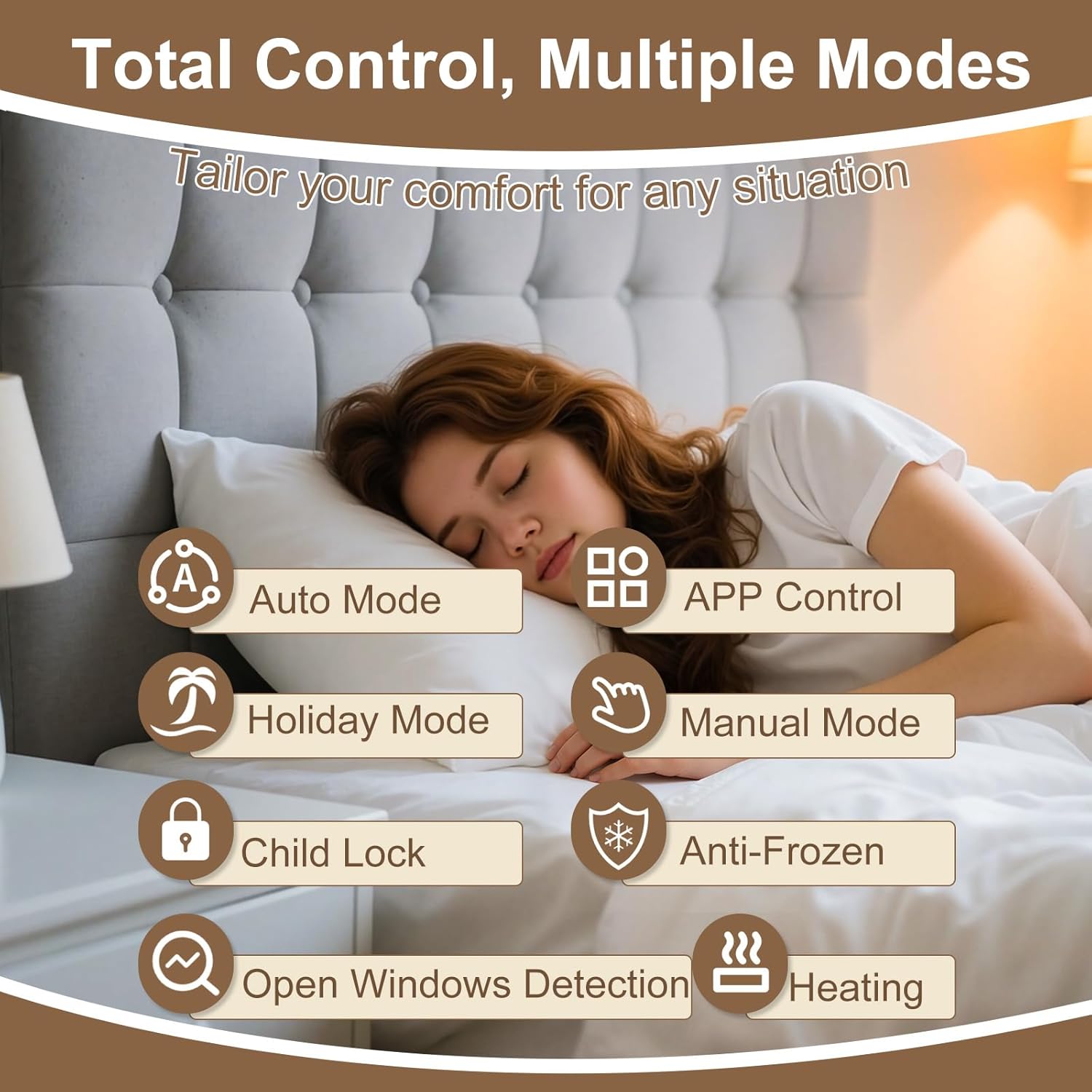
Image 4.3: Visual representation of the various control modes and functions for comprehensive temperature management.
4.5. Smart & Voice Control
Connect your thermostat to your home Wi-Fi network to unlock smart control features:
- Warmme App: Download the Warmme app (available on iOS and Android) to remotely manage your thermostat, adjust settings, monitor temperature, and view energy usage reports from anywhere.
- Үн жардамчылары: Integrate with Amazon Alexa and Google Assistant for convenient hands-free temperature adjustments.

Image 4.4: Demonstrates voice control capabilities with popular smart home assistants, allowing users to manage temperature hands-free.

Сүрөт 4.5: Бүттүview of the smartphone app's interface for manual control, remote adjustments, and personalized programming.
5. Техникалык тейлөө
The HEATIT ET-85W thermostat requires minimal maintenance. Follow these guidelines to ensure optimal performance:
- Тазалоо: Gently wipe the touchscreen with a soft, dry cloth. Avoid using abrasive cleaners or solvents, as these can damage the screen and finish.
- Программалык камсыздоо жаңыртуулары: Ensure your Warmme app is up to date to receive the latest features and performance improvements. The thermostat's firmware may also receive updates via Wi-Fi.
- Сенсорго кам көрүү: Ensure the floor sensor and any external room sensors are free from obstructions and debris to maintain accurate temperature readings.
6. Кыйынчылыктарды
If you encounter issues with your HEATIT ET-85W thermostat, consider the following common solutions:
- Кубат жок/Дисплей өчүк: Check the circuit breaker for your heating system. Ensure the thermostat is properly connected to the power supply as per the wiring instructions.
- Температураны туура эмес окуу: Verify that the selected sensor (room, floor, or both) is appropriate for your setup and is not obstructed. Ensure the floor sensor is correctly installed beneath the flooring.
- Wi-Fi туташуу маселелери: Ensure your home Wi-Fi network is active and the thermostat is within range. Re-enter Wi-Fi credentials in the Warmme app if necessary. The thermostat supports 2.4 GHz Wi-Fi networks.
- Термостат жооп бербей жатат: Термостатты өчүрүп-күйгүзүп көрүңүз, автоматтык өчүргүчтү бир нече мүнөткө өчүрүп, андан кийин кайра күйгүзүңүз.
- Programming Not Working: Double-check your programmed schedules in the app or on the thermostat. Ensure the thermostat is in Auto Mode to follow the schedule.
- Floor Overheating/Underheating: Verify the floor temperature limit setting. If set too low, it may prevent adequate heating; if too high, it may cause overheating.
For persistent issues, refer to the detailed troubleshooting section in the full product manual or contact customer support.
7. Техникалык шарттар
| Өзгөчөлүк | Деталь |
|---|---|
| Бренд | ЖЫЛУУ |
| Модель номери | ET-85W BLACK |
| Controller Type | Сенсордук экран, Amazon Alexa, Google Жардамчысы |
| Өзгөчө өзгөчөлүк | Programmable, Smart & Voice Control |
| Түс | Кара |
| Температураны көзөмөлдөө түрү | Digital, Programmable, Smart/Remote |
| Байланыш технологиясы | Wi-Fi (2.4 GHz) |
| Камтылган компоненттер | Floor Sensor |
| Power Source | Электр зымдары |
| Тtage | 85V-265V (AC) |
| Max Load | 16A |
| Дисплей түрү | Сенсордук экран |
| Башкаруу ыкмасы | Колдонмо, Үн |
| Монтаж түрү | Floor Mount (intended for wall installation to control floor heating) |
| Пакеттин өлчөмдөрү | 6.46 x 4.88 x 2.6 дюйм |
| Элемент Салмагы | 12 унция |
8. Кепилдик жана колдоо
The HEATIT ET-85W Touchscreen Programmable Thermostat is backed by a 4 жылдык чектелген кепилдик. Бул кепилдик нормалдуу колдонуудагы материалдардагы жана жасалгадагы кемчиликтерди камтыйт.
For warranty claims, technical assistance, or any questions regarding your thermostat, please contact HEATIT customer support. Refer to the product packaging or the official HEATIT webакыркы байланыш маалыматы үчүн сайт.


