1. Киришүү
This manual provides detailed instructions for the setup, operation, and maintenance of your GEEKOM Air12 Lite Mini PC. Please read this manual thoroughly before using the device to ensure proper functionality and longevity.
The GEEKOM Air12 Lite is a compact and efficient mini PC powered by the Intel 12th Gen Twin Lake N150 processor. It offers robust performance for various tasks, from office productivity to media streaming, and supports dual 4K displays. Its versatile connectivity, including multiple USB ports and a 9-pin serial interface, makes it suitable for both modern and legacy equipment.
2. Пакеттин мазмуну
Төмөндө тизмеленген нерселердин баары пакетиңизде бар экенин текшериңиз:
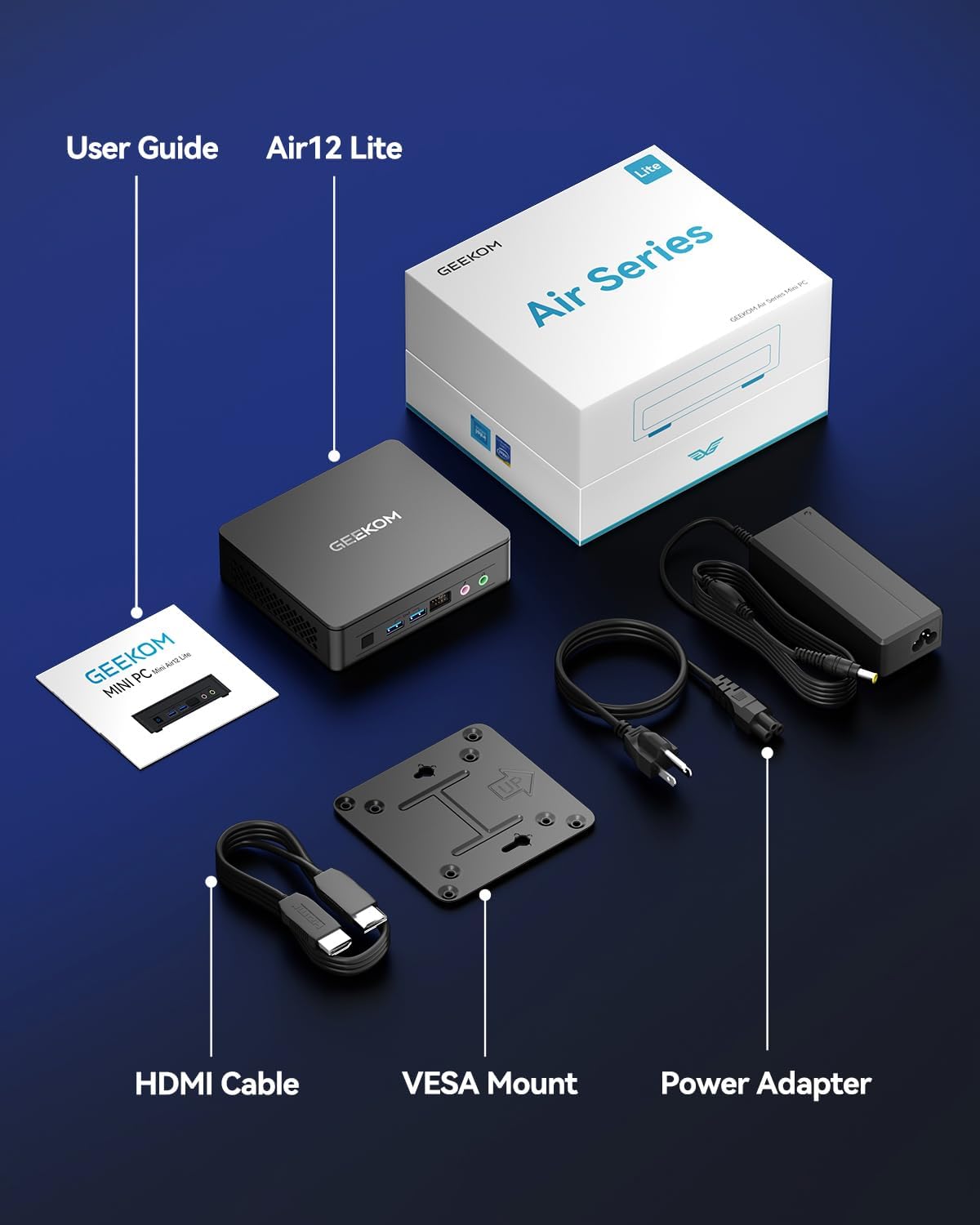
- 1 x GEEKOM Mini Air12 Lite
- 1 x Колдонуучунун колдонмосу
- 1 x HDMI кабели
- 1 x VESA орнотуучусу
- 1 х кубат адаптери
3. Продукт бүтүп калдыview
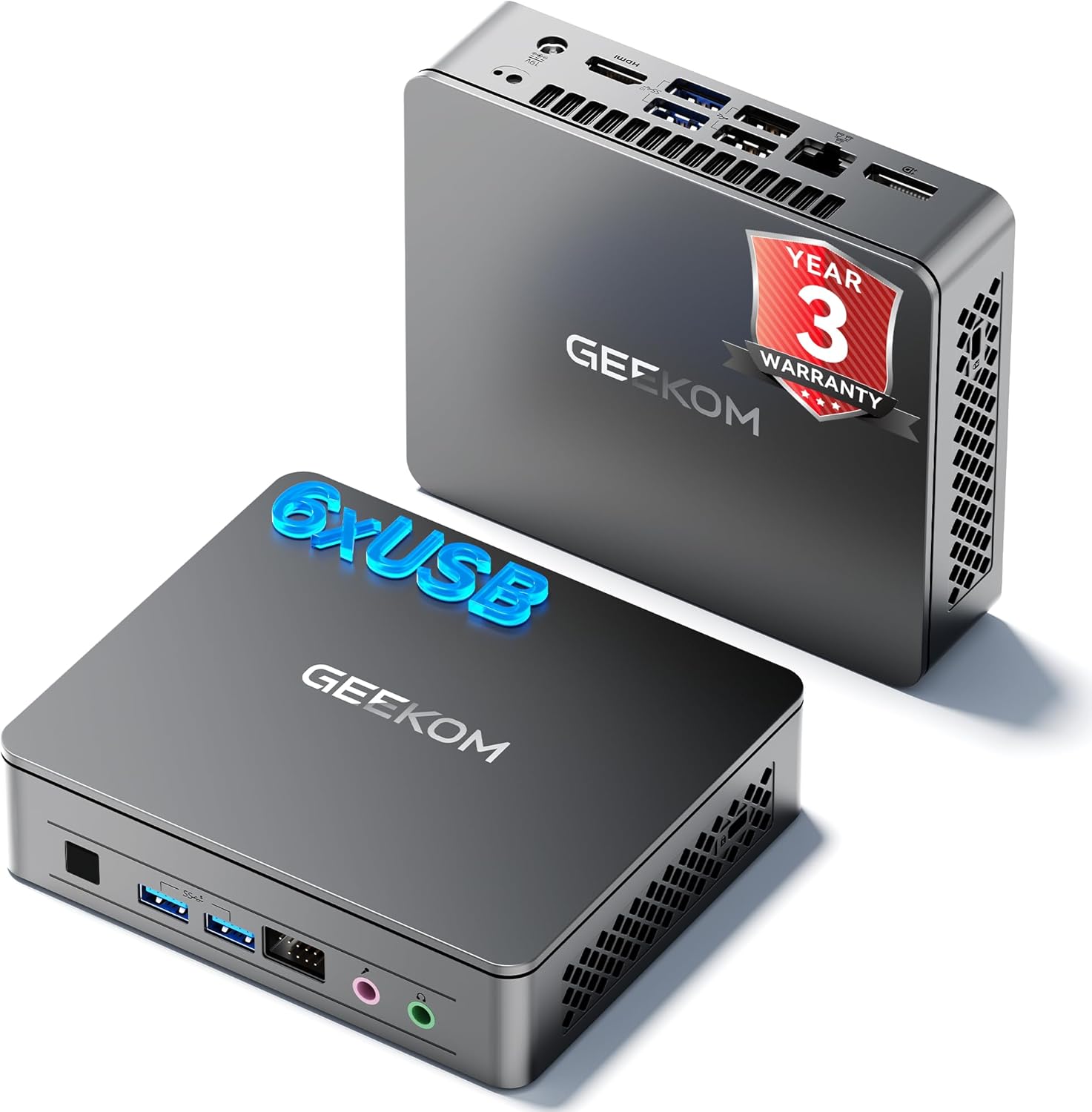
3.1 алдыңкы панели
- Кубат баскычы: Аппаратты күйгүзүү же өчүрүү үчүн басыңыз.
- USB 3.2 муундагы 1-типтеги А порту (x2): USB түзмөктөрүн туташтыруу үчүн.
- 3.5 мм гарнитура уячасы: Аудио чыгаруу үчүн.
- 3.5mm Microphone Jack: Аудио киргизүү үчүн.
- Front 9-pin Expansion Jack: For specialized peripheral connections.
3.2 Арткы панель
- Power Input (DC IN): Кубат адаптерин бул жерге туташтырыңыз.
- HDMI 2.0 порту: Дисплейге туташуу үчүн.
- DisplayPort 1.4 (DP1.4): For connecting to a second display.
- USB 3.2 муундагы 2-типтеги А порту (x2): Жогорку ылдамдыктагы USB түзмөктөр үчүн.
- USB 2.0 Type-A Port (x2): Стандарттык USB түзмөктөр үчүн.
- RJ45 Ethernet порту: Зымдуу тармак туташуусу үчүн.
3.3 Каптал панели
- SD картаны окугуч: SD эстутум карталарын окуу үчүн.
- Kensington Lock Slot: Түзмөктү бекитүү үчүн.

4. Орнотуу нускамалары
- Дисплейди туташтыруу: Connect your monitor(s) to the HDMI and/or DisplayPort on the rear panel using the provided HDMI cable or a compatible DisplayPort cable.
- Перифериялык түзүлүштөрдү туташтыруу: Connect your keyboard, mouse, and other USB devices to the available USB ports.
- Тармакка туташуу (милдеттүү эмес): For a wired internet connection, connect an Ethernet cable to the RJ45 port. Alternatively, the device supports Wi-Fi.
- Туташуу кубаты: Plug the power adapter into the DC IN port on the rear panel, then plug the adapter into a power outlet.
- Күйгүзүү: Mini PCти күйгүзүү үчүн алдыңкы панелдеги кубат баскычын басыңыз.
- Баштапкы орнотуу: Follow the on-screen instructions to complete the operating system setup (e.g., Windows 11).
4.1 VESA орнотуусун орнотуу
The GEEKOM Air12 Lite includes a VESA mount for attaching the Mini PC to the back of a compatible monitor or to a wall, saving desk space.
- Attach the VESA mount bracket to the back of your monitor using the provided screws, aligning with the VESA mounting holes.
- Slide the Mini PC onto the bracket until it clicks securely into place.
5. Иштөө нускамалары
5.1 Күйгүзүү/өчүрүү
- Күйгүзүү үчүн: Кубат баскычын бир жолу басыңыз.
- Жабуу: From the operating system, select "Shut down". Alternatively, press and hold the power button for 5 seconds to force a shutdown (use only when necessary).
- Уйку режими: Briefly press the power button to put the PC into sleep mode. Press again to wake it up.
5.2 Кош дисплейди орнотуу
The Air12 Lite supports connecting two 4K displays simultaneously via its HDMI 2.0 and DisplayPort 1.4 outputs. This allows for an extended desktop experience.
- Connect your primary monitor to the HDMI port.
- Connect your secondary monitor to the DisplayPort.
- Once both monitors are connected and powered on, the operating system should automatically detect them.
- Adjust display settings (resolution, orientation, extension/duplication) through your operating system's display settings.

5.3 Операциялык системанын шайкештиги
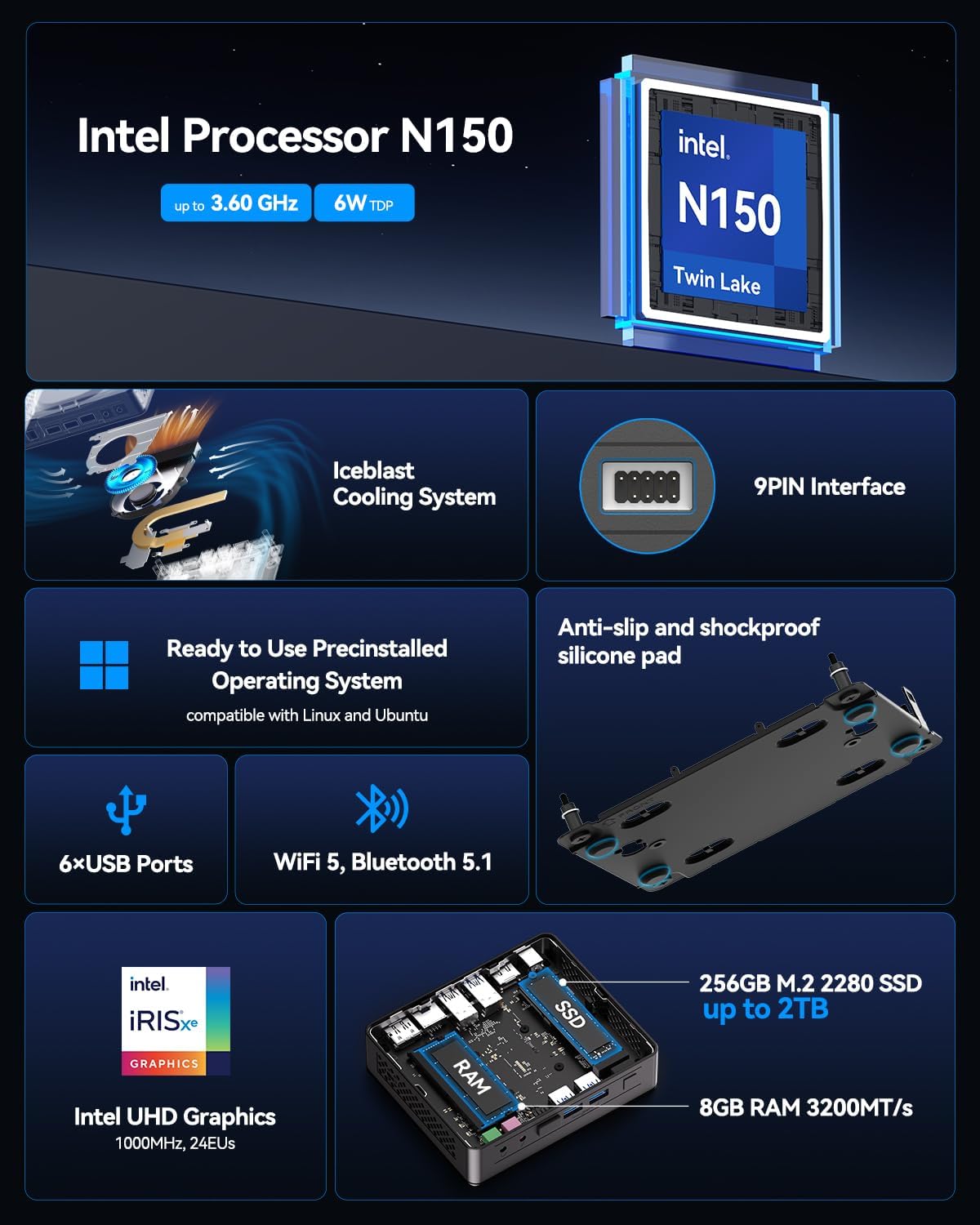
The GEEKOM Air12 Lite comes with Windows pre-installed and is fully compatible with Ubuntu and other Linux distributions.
6. Техникалык тейлөө
6.1 Тазалоо
- Тазалоодон мурун аппараттын өчүрүлгөнүн жана розеткадан ажыратылганын текшериңиз.
- Use a soft, dry cloth to wipe the exterior of the Mini PC.
- өжөр белгилери үчүн, жеңил гampчүпүрөктү суу же жумшак, абразивдүү тазалагыч менен жууп салыңыз.
- Суюктуктарды түз эле аппаратка же кандайдыр бир тешиктерге чачуудан алыс болуңуз.
- Use compressed air to gently clear dust from ventilation grilles.
6.2 Муздатуу системасы
The Air12 Lite features GEEKOM's Iceblast cooling system. To ensure optimal performance and longevity:
- Ensure proper airflow around the device. Do not block ventilation openings.
- Мини-компьютерди жакшы желдетилген жерде иштетиңиз.
- Regularly check and clean dust from the vents to prevent overheating.

6.3 Component Upgrades
The Air12 Lite supports tool-free upgrades for certain components. Refer to the detailed exploded view for component locations.

7. Кыйынчылыктарды
- Кубат жок:
- Кубат адаптери Мини компьютерге жана иштеген электр розеткасына бекем туташып турганын текшериңиз.
- Башка аспапка сайып, розетка иштеп жатканын текшериңиз.
- Башка электр розеткасын колдонуп көрүңүз.
- Дисплей жок:
- Check that the HDMI/DisplayPort cable is securely connected to both the Mini PC and the monitor.
- Ensure the monitor is powered on and set to the correct input source (HDMI/DisplayPort).
- Try connecting to a different monitor or using a different cable.
- Жай аткаруу:
- Фондо иштеп жаткан керексиз тиркемелерди жабыңыз.
- Check for available operating system updates and install them.
- Ensure the Mini PC has adequate ventilation and is not overheating.
- Run a disk cleanup or defragmentation tool (if applicable to your storage type).
- Перифериялык түзмөк аныкталган жок:
- Перифериялык түзмөк туура портко туура туташкандыгын текшериңиз.
- Перифериялык түзүлүштү башка USB портуна туташтырууга аракет кылыңыз.
- Update or reinstall the drivers for the peripheral.
8. Техникалык шарттар
| Өзгөчөлүк | Спецификация |
|---|---|
| Процессор | Intel 12th Gen Twin Lake N150 (4 Cores / 4 Threads, up to 3.6GHz, 6MB Cache) |
| Графика | Intel UHD графикасы (интегралдык) |
| RAM | 8GB DDR4 3200MHz SDRAM |
| Сактагыч | 256GB M.2 2280 SSD (PCIE x 4) |
| Операция системасы | Windows (Pre-installed), compatible with Ubuntu/Linux |
| Video Output | 1x HDMI 2.0, 1x DisplayPort 1.4 (Supports Dual 4K@60Hz) |
| USB порттору | 2x USB 3.2 Gen 1 Type-A (Front), 2x USB 3.2 Gen 2 Type-A (Rear), 2x USB 2.0 Type-A (Rear) |
| Башка порттор | 1x 9-pin Serial Interface, 1x RJ45 Ethernet, 1x 3.5mm Headphone Jack, 1x 3.5mm Microphone Jack, 1x SD Card Reader |
| Зымсыз байланыш | 802.11ax (Wi-Fi), Bluetooth 5.1 |
| Өлчөмдөрү (LxWxH) | Болжол менен 5.3 x 4.5 x 1.4 дюйм (13.5 x 11.5 x 3.5 см) |
| Салмагы | Болжол менен 2.81 фунт (1.27 кг) |
9. Кепилдик жана колдоо
GEEKOM provides a 3 жылдык кепилдик for the Air12 Lite Mini PC from the date of purchase. This warranty covers failures caused by design or craftsmanship.
9.1 Кардарларды колдоо
For technical assistance, warranty claims, or any other inquiries, please contact GEEKOM customer service:
- Электрондук почта: shirley.li@geekom.tw
- Онлайн: Visit the official GEEKOM website or your Amazon order page to find seller contact options.
When contacting support, please provide your product model (Air12 Lite) and purchase details to expedite assistance.


