1. Киришүү
This manual provides essential instructions for the setup, operation, and maintenance of your Saiyin Sound Bar DS6401PB. Please read this manual thoroughly before using the product to ensure proper functionality and to prevent damage.

Image 1.1: The Saiyin Sound Bar DS6401PB positioned below a television.
2. Пакеттин мазмуну
Төмөндө тизмеленген нерселердин баары пакетиңизде бар экенин текшериңиз. Эгерде кандайдыр бир нерселер жок болсо же бузулса, кардарларды колдоо менен байланышыңыз.
- Two Tower Speakers (forming the sound bar)
- Алыстан башкаруу
- Tower Speaker Base (for vertical setup)
- Кубаттуу адаптер
- Оптикалык кабель
- 3.5 мм аудио кабель
- Дубалга орнотуу комплекти
- Колдонуучунун Колдонмосу (бул документ)
- Quick Start Guide
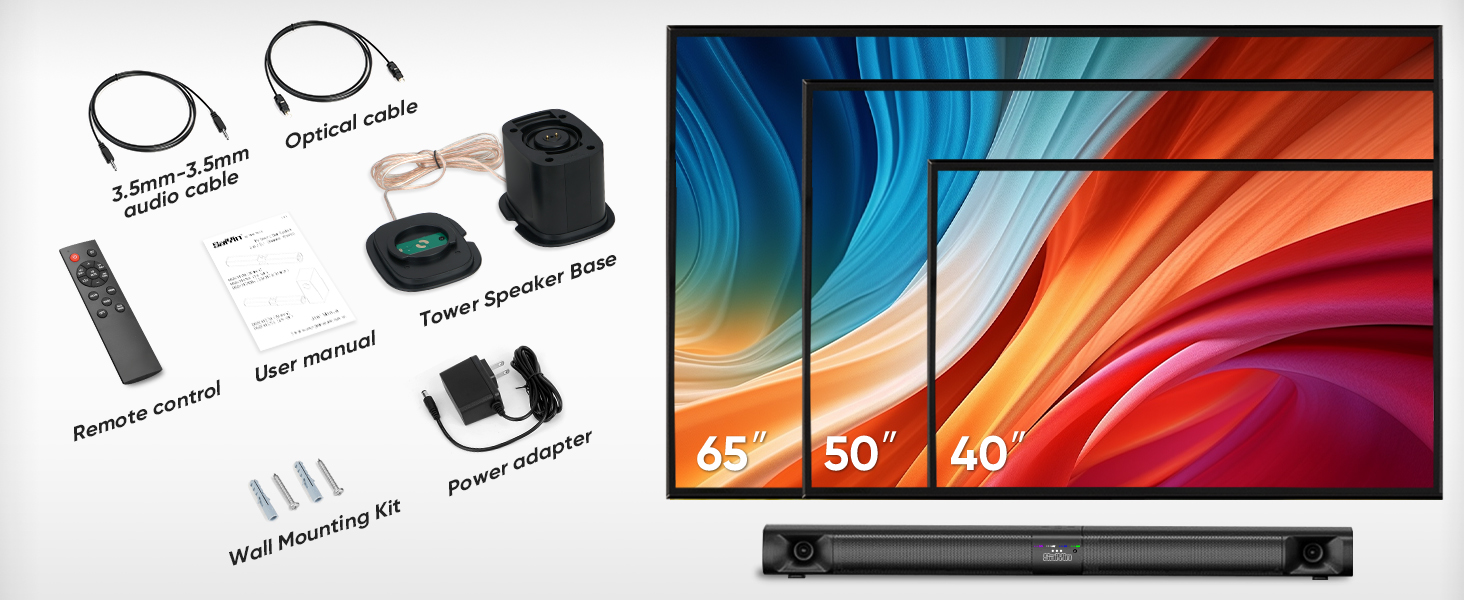
Image 2.1: All components included in the Saiyin Sound Bar DS6401PB package.
3. Продукт бүтүп калдыview
3.1. Өзгөчөлүктөрү
- Бөлүнүүчү дизайн: The 31-inch sound bar can be used as a single horizontal unit or split into two vertical tower speakers.
- Аудио компоненттери: Features dual silk horn tweeters for clear high frequencies and four low-frequency drivers for extended bass response down to 65Hz.
- Байланыш: Supports Bluetooth 5.3 for wireless audio, and wired connections via TV ARC, Optical, and AUX. Includes an extra subwoofer interface.
- Үн режимдери: Three optimized sound modes (News, Movie, Music) for various audio content.
- Жайгаштыруу параметрлери: Suitable for desktop placement or wall mounting.
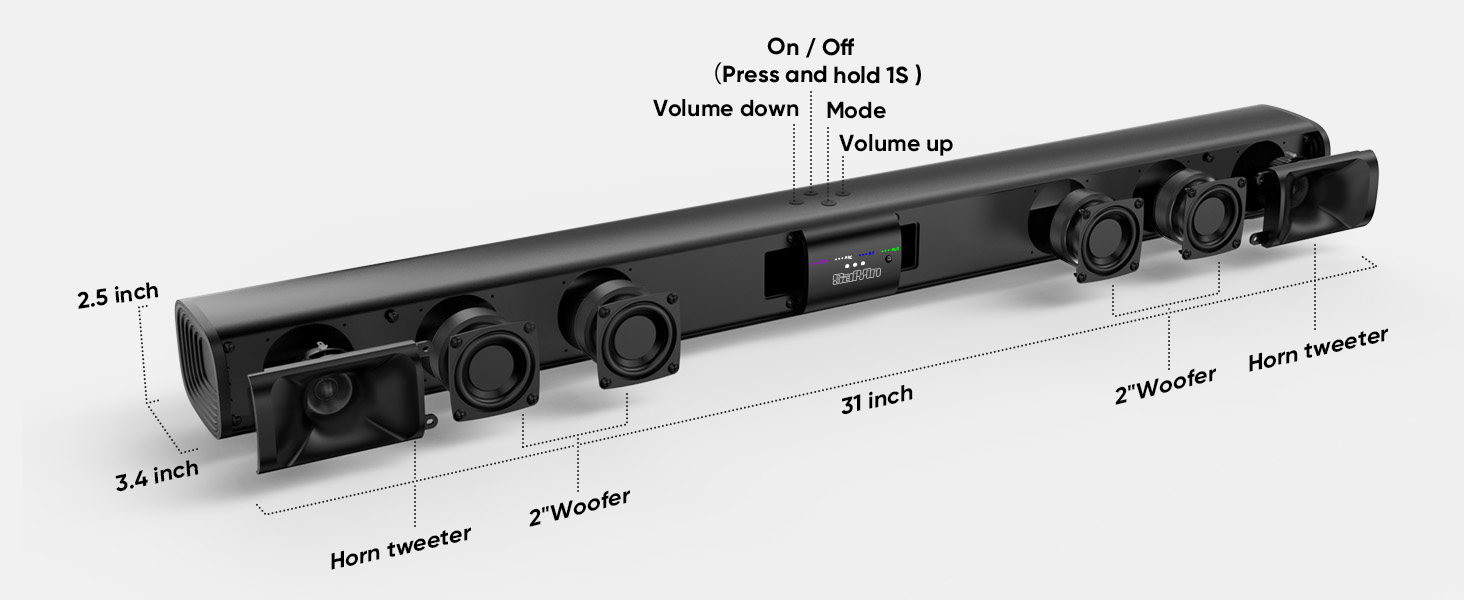
Сүрөт 3.1: Жарылып кеткен view illustrating the internal components and control buttons of the sound bar.
3.2. Башкаруу каражаттары жана көрсөткүчтөр
The sound bar features intuitive controls and LED indicators for easy operation.
- Кубат баскычы: Күйгүзүү/өчүрүү үчүн 1 секунд басып, кармап туруңуз.
- Үн баскычтары: Үндү жогору же ылдый тууралаңыз.
- Режим баскычы: Cycle through input modes (Optical, ARC, Bluetooth, AUX).
- LED көрсөткүчтөрү: Display the active input mode (OPT, ARC, BT, AUX).
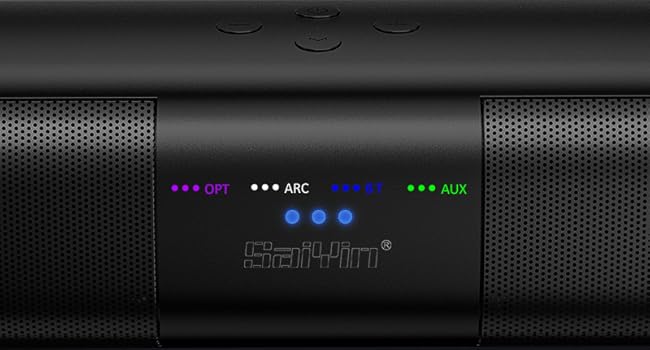
Сүрөт 3.2: Детальдуу view of the LED indicators showing active input modes (OPT, ARC, BT, AUX).
3.3. Арткы панелдин туташуулары
The rear panel provides various ports for connecting to your audio sources.
- ARC: HDMI ARC input for TV connection.
- ОПТИКАЛЫК: Оптикалык аудио киргизүү.
- ЧЫГУУ: Port for connecting an external powered subwoofer.
- DC IN: Кубат киргизүү.
- AUX: 3.5 мм көмөкчү киргизүү.
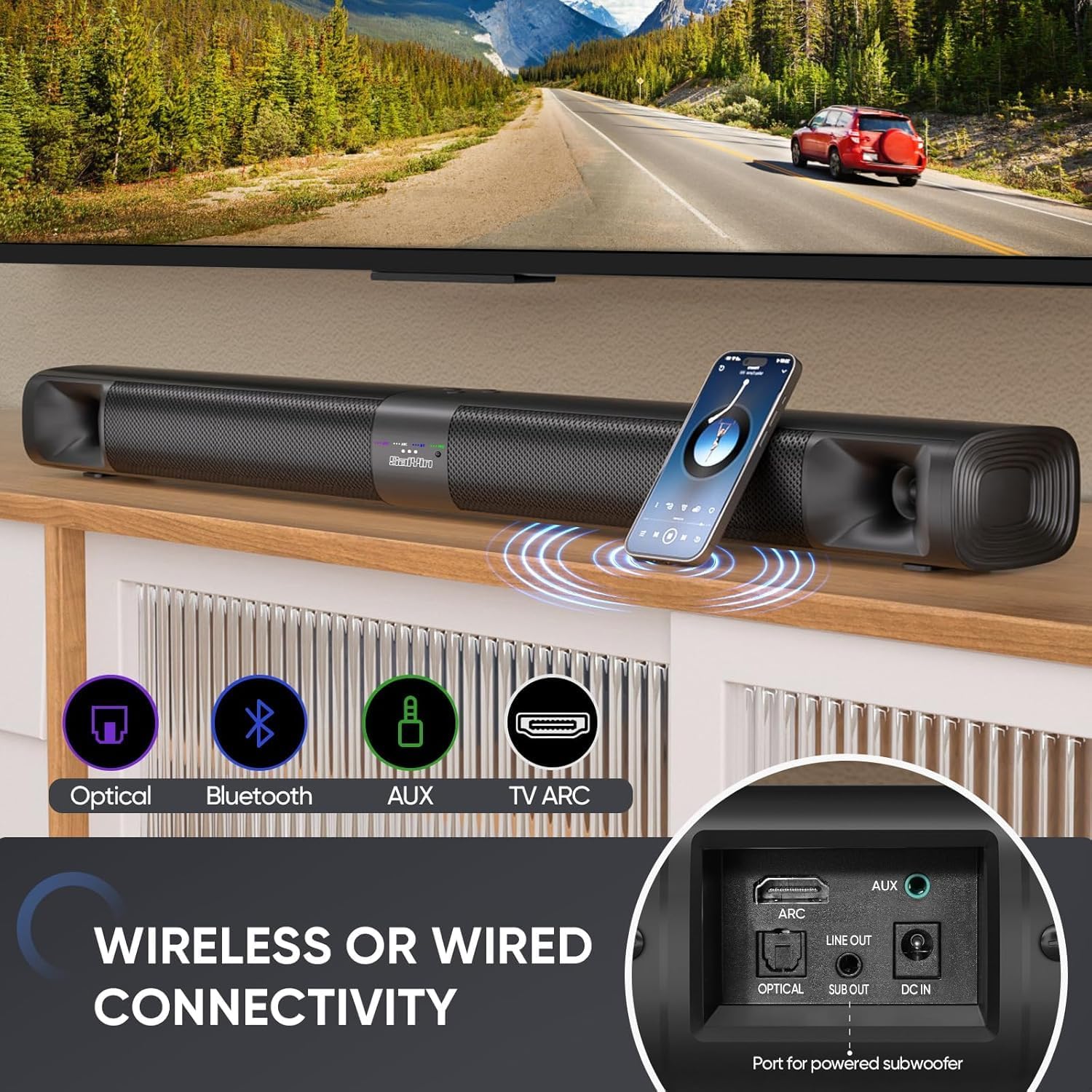
Сүрөт 3.3: Бүттүview of the sound bar's connectivity ports, including Optical, Bluetooth, AUX, and TV ARC.
4. Орнотуу
4.1. Assembly and Placement
The Saiyin Sound Bar DS6401PB offers flexible placement options: as a single horizontal sound bar or as two vertical tower speakers.
4.1.1. Detachable Assembly
To convert between the single sound bar and tower speaker configurations:
- Ажыратуу: Gently twist and pull the two halves of the sound bar apart.
- Assembling Tower Speakers: Attach each half to its respective tower speaker base. Ensure the 'A' and 'B' markings align. Rotate until securely locked.
- Assembling Sound Bar: Align the two halves of the sound bar, ensuring the 'A' and 'B' markings align. Twist and merge them into one unit.
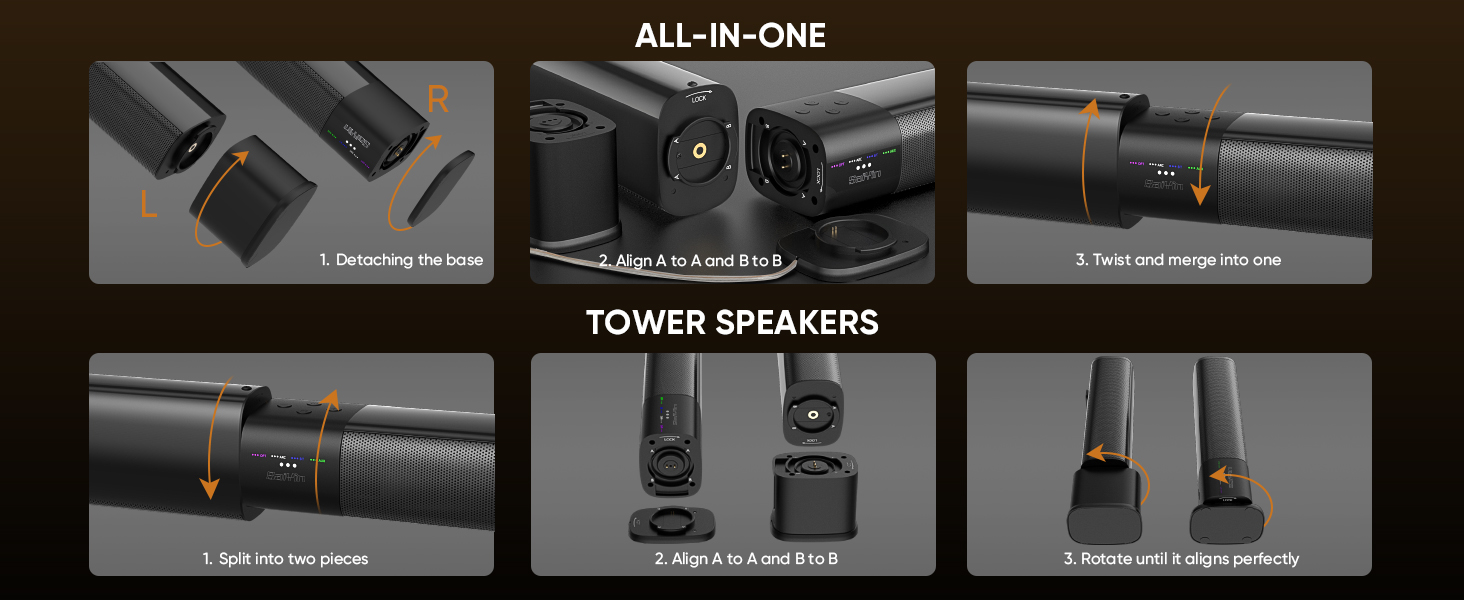
Image 4.1: Visual guide for converting the sound bar between its single unit and tower speaker configurations.
4.1.2. Жайгаштыруу параметрлери
Choose the placement that best suits your environment and audio preference.
- Desktop Placement (Sound Bar): Place the assembled sound bar horizontally on a stable surface below your TV.
- Wall Mount (Sound Bar): Use the provided wall mounting kit to secure the sound bar horizontally to a wall.
- Desktop Placement (Tower Speakers): Place the two assembled tower speakers vertically on either side of your TV or monitor. The widened base provides stability.
- Wall Mount (Tower Speakers): Use the provided wall mounting kit to secure the two tower speakers vertically to a wall on either side of your TV.
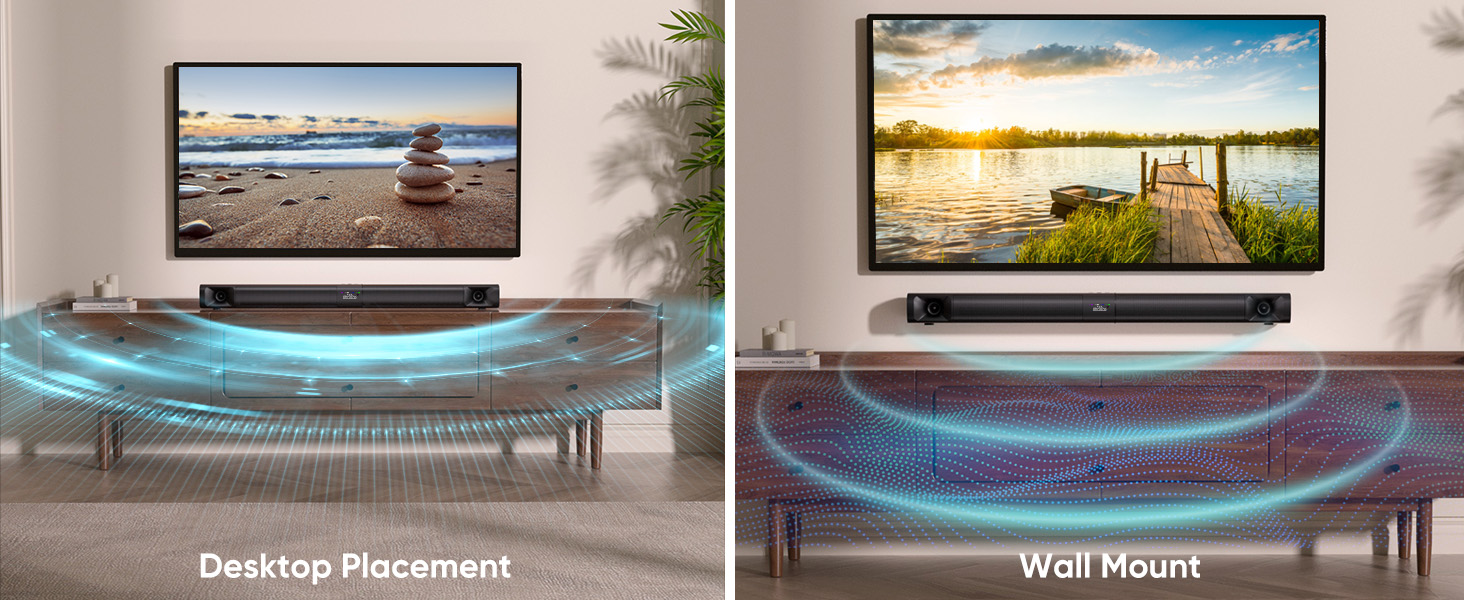
Image 4.2: Illustrates the sound bar in both desktop and wall-mounted horizontal positions.
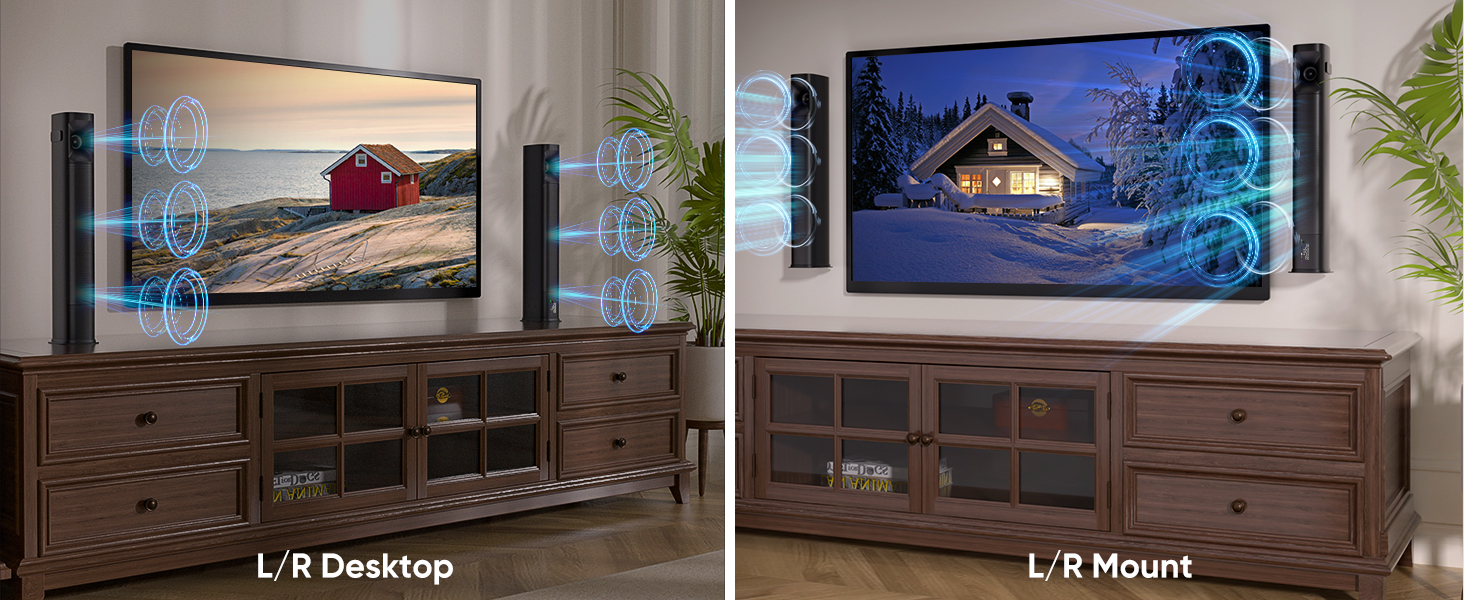
Image 4.3: Illustrates the tower speakers in both desktop and wall-mounted vertical positions.
4.2. Connecting to Audio Sources
Connect the sound bar to your TV or other devices using one of the available methods.
4.2.1. Optical Cable Connection
For high-quality digital audio, use the optical cable.
- Connect one end of the optical cable to the OPTICAL port on the sound bar.
- Экинчи учун сыналгыңыздагы Оптикалык санарип аудио чыгыш портуна туташтырыңыз.
- On your TV, navigate to Settings > Sound Output > Optical.
- Adjust TV audio settings: Go to Settings > Sound > Expert Settings > Digital Output Audio Format жана тандаңыз PCM/Stereo Sound.
- To avoid silent or noisy output, disable Dolby/DTS on your TV and streaming apps (e.g., Netflix, Amazon Prime Video, Hulu).
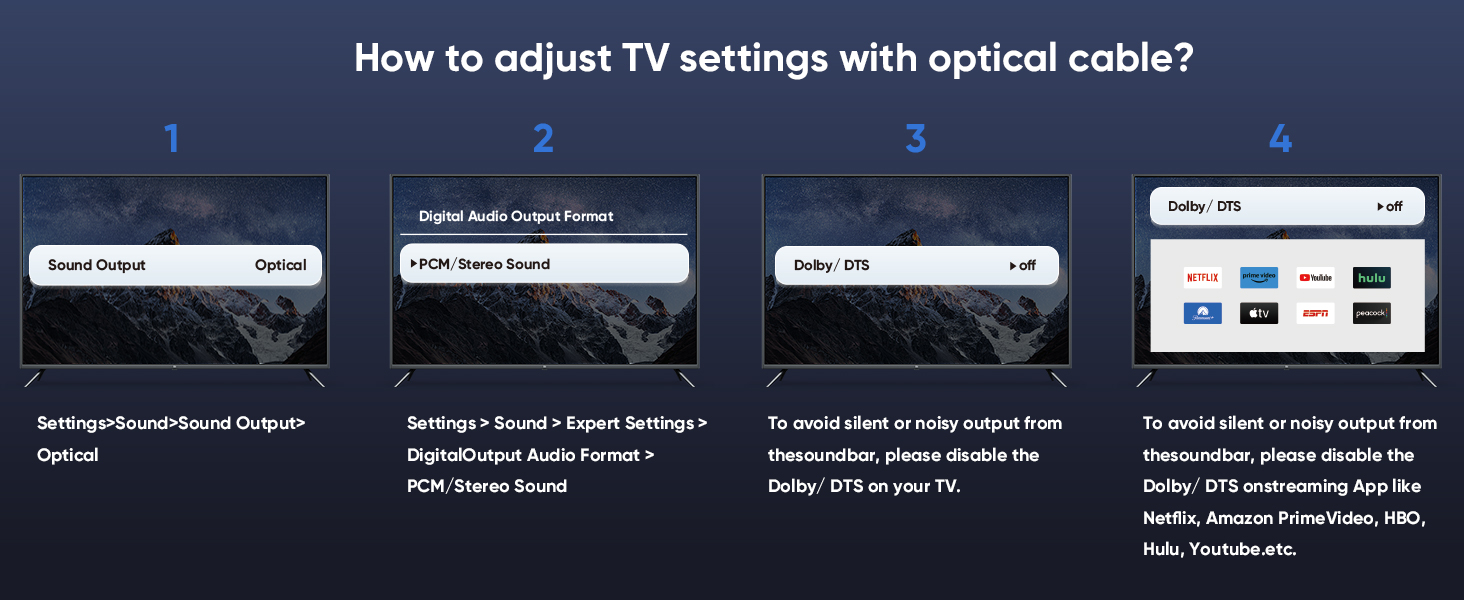
Image 4.4: Step-by-step guide for configuring TV audio settings when using an optical cable.
4.2.2. TV ARC Connection
Use an HDMI cable (not included) for TV ARC connection.
- Connect one end of an HDMI cable to the ARC port on the sound bar.
- Экинчи учун телевизоруңуздагы HDMI ARC портуна туташтырыңыз.
- Select the ARC input on the sound bar using the remote or control panel.
4.2.3. AUX туташуу
For analog audio devices, use the 3.5mm audio cable.
- Connect one end of the 3.5mm audio cable to the AUX port on the sound bar.
- Экинчи учун түзмөгүңүздөгү 3.5 мм аудио чыгаруу портуна туташтырыңыз.
- Select the AUX input on the sound bar.
4.2.4. Bluetooth туташуусу
Шайкеш түзүлүштөрдөн зымсыз аудио агымы үчүн.
- Turn on the sound bar and select Bluetooth mode (BT). The BT indicator will flash.
- Мобилдик түзмөгүңүздө Bluetooth'ду иштетиңиз (смартфон, планшет ж.б.).
- Издөө "Saiyin DS6401PB" in the list of available devices and select it to pair.
- Once paired, the BT indicator will stop flashing and remain solid.
4.2.5. Сабвуфер туташуу
To enhance bass, connect an external powered subwoofer (not included) to the SUB OUT port on the sound bar.
4.3. Күйгүзүү
After connecting your audio source and power adapter:
- Connect the power adapter to the DC IN port on the sound bar.
- Кубат адаптерин розеткага сайыңыз.
- Press and hold the power button on the sound bar or remote control for 1 second to turn it on.
5. Иштөө нускамалары
5.1. Пультту колдонуу
The included remote control allows full functionality of the sound bar.
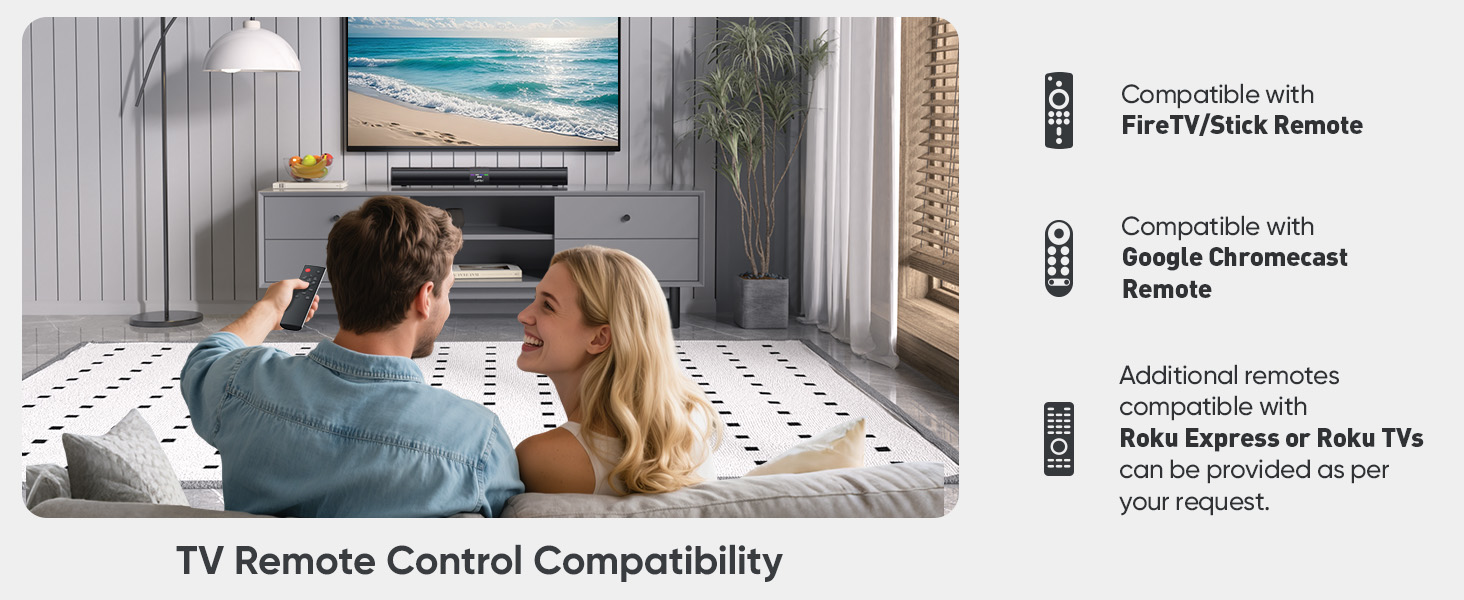
Image 5.1: The sound bar's remote control and its compatibility with FireTV/Stick, Google Chromecast, and Roku remotes.
5.2. Selecting Sound Modes
Optimize your audio experience by choosing one of the three preset sound modes.
- Жаңылыктар режими: Enhances vocal clarity for dialogue-heavy content.
- Кино режими: Provides a dynamic and immersive soundstage for films.
- Музыка режими: Delivers balanced audio reproduction for music listening.
Press the corresponding button on the remote control to switch between modes.
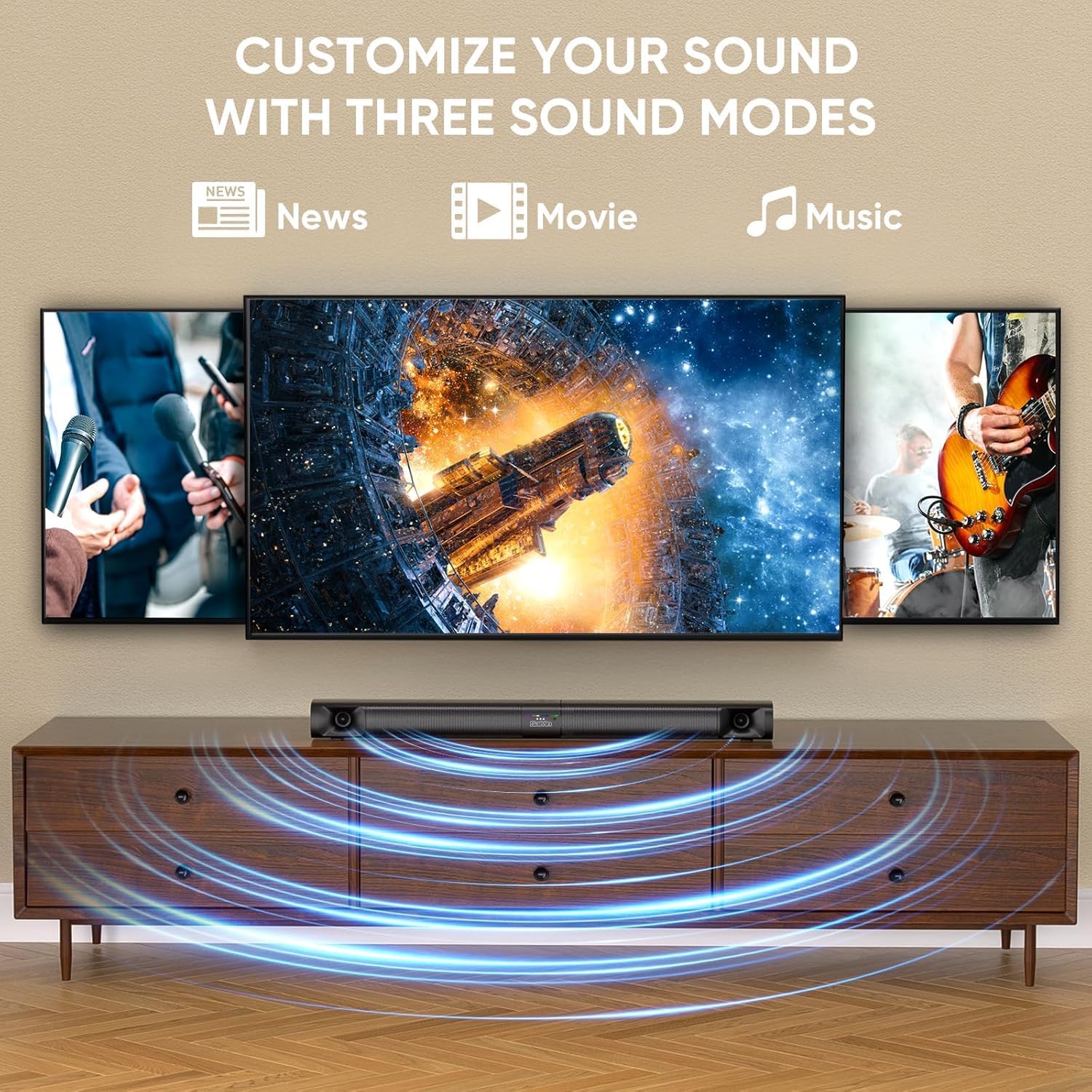
Image 5.2: Visual representation of the three customizable sound modes: News, Movie, and Music.
6. Техникалык тейлөө
Саундбарыңыздын узак мөөнөттүү иштешин жана оптималдуу иштешин камсыз кылуу үчүн, төмөнкү техникалык тейлөө көрсөтмөлөрүн аткарыңыз:
- Тазалоо: Үн тилкесинин бетин тазалоо үчүн жумшак, кургак чүпүрөктү колдонуңуз. Суюк тазалоочу каражаттарды же абразивдүү материалдарды колдонбоңуз.
- Вентиляция: Ашыкча ысып кетүүнүн алдын алуу үчүн үн тилкесинин желдеткич тешиктери бүтөлүп калбагандыгын текшериңиз.
- Сактагыч: Үн тилкесин узак убакытка сактасаңыз, аны кубаттан ажыратып, салкын, кургак жерде сактаңыз.
- Нымдуулуктан качыңыз: Үн тилкесин суудан жана жогорку нымдуулуктан алыс кармаңыз.
7. Кыйынчылыктарды
Эгерде сиз үн тактаңыз менен көйгөйлөргө туш болсоңуз, төмөнкү кеңири таралган көйгөйлөрдү жана чечимдерди караңыз.
| Көйгөй | Мүмкүн себеп | Чечим |
|---|---|---|
| Үн жок |
|
|
| Bluetooth ажыратуу |
|
|
| Пульт иштебейт |
|
|
| Distorted Sound |
|
|
8. Техникалык шарттар
| Өзгөчөлүк | Спецификация |
|---|---|
| Модель аты | Saiyin Soundbar DS6401PB |
| Динамик түрү | Soundbar (Detachable) |
| Байланыш технологиясы | Bluetooth 5.3, TV ARC, Optical, AUX |
| Аудио чыгаруу режими | Стерео (2.0 канал) |
| Динамиктин максималдуу чыгаруу күчү | 90 Ватт |
| Frequency Response | Down to 65Hz (low-frequency drivers) |
| Башкаруу ыкмасы | Алыстан башкаруу, блоктун баскычтары |
| Монтаж түрү | Wall Mount, Desktop |
| Продукциянын өлчөмдөрү (үн тилкеси) | 31 дюйм (узундугу) x 3.4 дюйм (тереңдиги) x 2.5 дюйм (бийиктиги) |
| Элемент Салмагы | 5.02 фунт |
| Өндүрүүчү | Shenzhen Saiyin Electronics Co.,Ltd. |
9. Кепилдик жана колдоо
9.1. Кепилдик маалыматы
The Saiyin Sound Bar DS6401PB comes with a 12 айлык кепилдик сатып алынган күндөн тартып. Бул кепилдик кадимки колдонуудагы өндүрүштүк кемчиликтерди жана чеберчиликти камтыйт. Ал туура эмес колдонуудан, кырсыктардан, уруксатсыз өзгөртүүлөрдөн же туура эмес орнотуудан келип чыккан зыянды камтыбайт.
9.2. Кардарларды колдоо кызматы
For technical assistance, warranty claims, or any questions regarding your Saiyin Sound Bar DS6401PB, please contact our customer support team. Refer to the contact information provided in your quick start guide or on the official Saiyin webсайт.


