Introduction
The WOSPORTS 4K Night Vision Goggles (Model NV400) are designed for enhanced visibility in low-light conditions and total darkness. Featuring advanced optical and digital zoom capabilities, adjustable infrared illumination, and high-resolution recording, this device is suitable for various outdoor activities including camping, wildlife observation, and surveillance.
Пакеттин мазмуну
Төмөндө тизмеленген нерселердин баары пакетиңизге камтылганын текшериңиз:
- 1 x WOSPORTS 4K Night Vision Goggles
- 1 x User Manual
- 1 x сактоо кутучасы
- 1 x Тазалоочу чүпүрөк
- 1 х Моюн боосу
- 1 x USB-C маалымат кабели
- 1 x 32GB SD карта
- 1 x Card Ejector Tool

Image: WOSPORTS 4K Night Vision Goggles shown with all standard accessories, including the carrying case, neck strap, USB-C cable, cleaning cloth, and 32GB SD card.
Продукт өзгөчөлүктөрү
Optical & Digital Zoom
The goggles feature a 10X optical zoom for clear magnification without image degradation, complemented by an 8X digital zoom for extended reach. This dual-zoom system allows for detailed observation of distant subjects up to 1315 feet (400 meters).

Image: Visual representation of 10X optical zoom, showing a clear, magnified view of a subject.
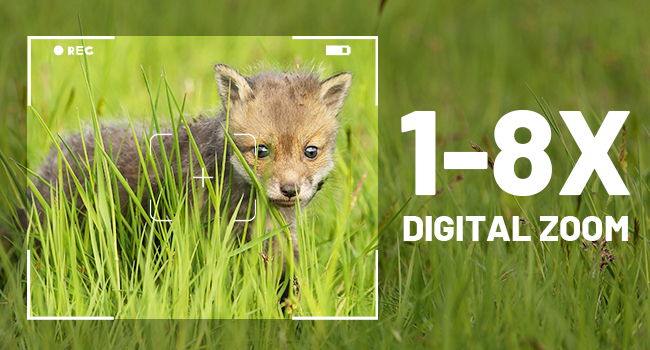
Image: Visual representation of 8X digital zoom, showing further magnification of a subject.
Infrared Night Vision
Equipped with an advanced 7-level adjustable infrared illuminator, the goggles provide clear visibility in low-light conditions and total darkness. The full optical system ensures optimal light gathering for superior night vision performance.
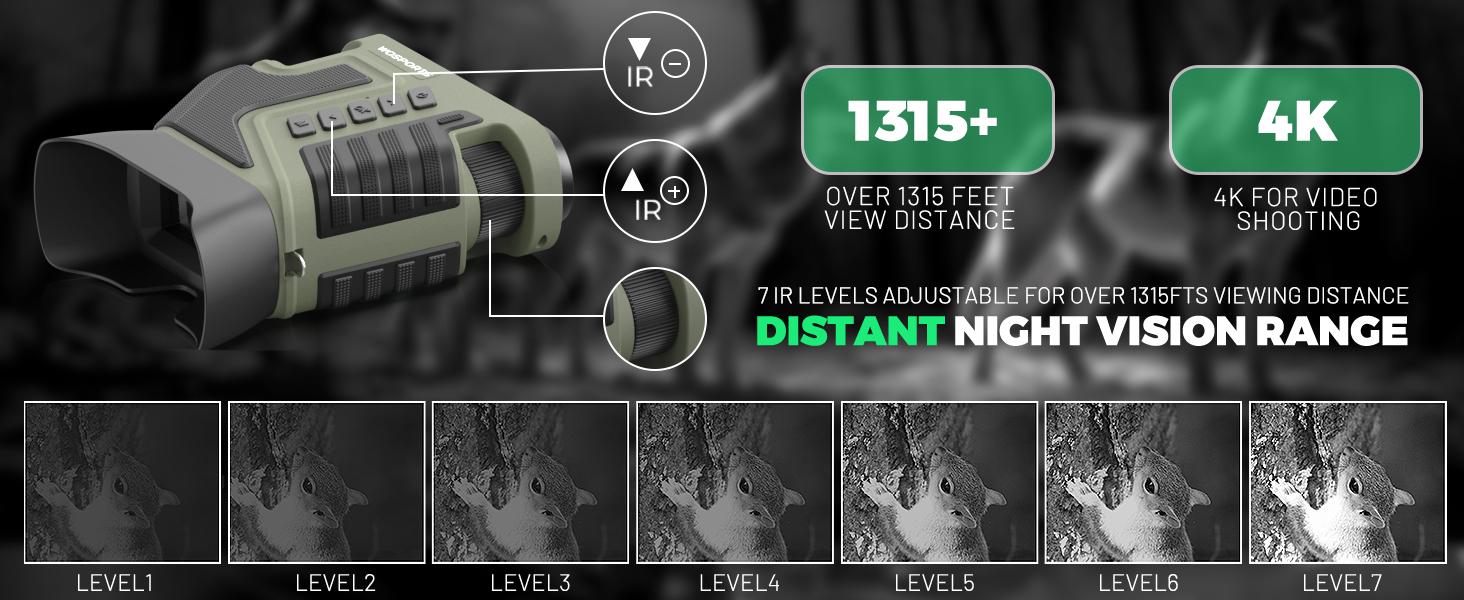
Image: Diagram illustrating the effect of different IR illumination levels on visibility in darkness, from human eye perception to Level 7.
4K Video & Photo Capture
Capture detailed 4K UHD videos (3840×2160@10FPS) and high-resolution photos. Instant playback is available on the integrated 3-inch HD screen. The device supports up to 256GB storage with the included 32GB TF card.

Image: The goggles' screen displaying options for 4K video recording and 16MP photo capture.
Узак мөөнөттүү Батарея
Powered by a 5000mAh lithium-ion battery, the goggles offer up to 20 hours of operation on a full charge. USB-C fast charging ensures quick power replenishment.
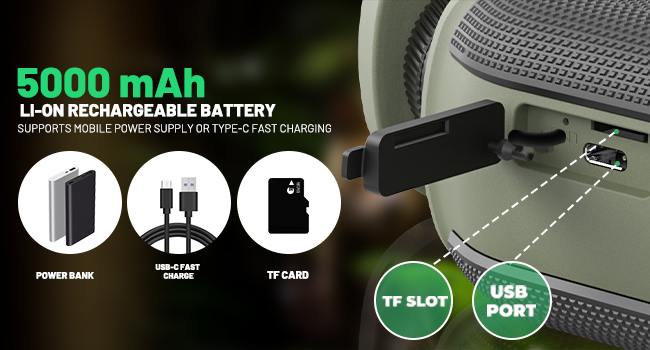
Image: Illustration of the 5000mAh rechargeable battery and the USB-C port for fast charging.
Durable & Weather-Resistant Design
The goggles feature an ergonomic, low-leakage eyepiece design for comfortable and discreet use. With IPX-rated waterproofing, the device is built to withstand various outdoor conditions.
Баштоо
1. Батареяны кубаттоо
Connect the provided USB-C data cable to the goggles' charging port and plug the other end into a compatible USB power source. The battery indicator on the screen will show charging status. Ensure the battery is fully charged before first use for optimal performance.
2. SD картаны киргизүү
Locate the SD card slot on the side of the goggles. Gently insert the provided 32GB TF card into the slot until it clicks into place. Ensure the card is inserted correctly to avoid damage. The device supports up to 256GB TF cards.
3. Моюн боосун бекитүү
Thread the included neck strap through the lanyard holes on the goggles. Securely fasten the strap to prevent accidental drops and allow for hands-free carrying.
Көз айнекти иштетүү
Күйгүзүү/өчүрүү
To power on the goggles, long-press the power button located on the top panel. The 3-inch HD screen will illuminate. To power off, long-press the power button again until the screen shuts down.
Adjusting Focus and Zoom
Rotate the objective adjustment wheel (manual focus) to achieve a sharp image. Use the 'Up' and 'Down' buttons to adjust the 8X digital zoom for closer inspection of subjects.
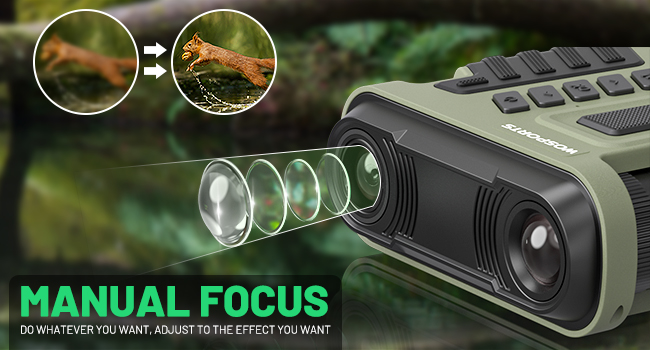
Image: Illustration demonstrating the manual focus adjustment wheel on the goggles.
Infrared (IR) Adjustment
Press the dedicated IR buttons to cycle through 7 levels of infrared illumination. Adjust the IR level based on ambient light conditions for optimal visibility in darkness.
Day and Night Modes
The goggles automatically adapt to ambient light. For daytime use, IR is off. For night use, activate IR. The device provides clear viewing in both conditions.
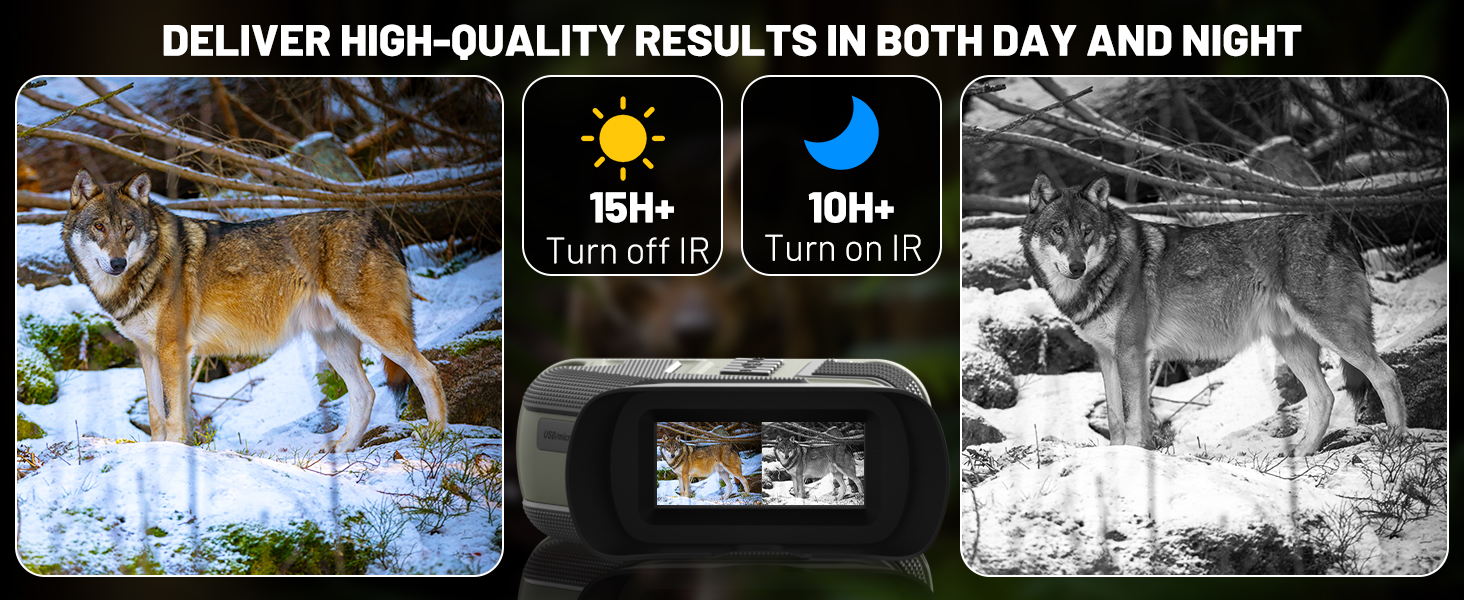
Image: Side-by-side comparison showing clear vision in daylight (IR off) and night (IR on).
Сүрөттөрдү жана видеолорду тартуу
Use the mode button to switch between photo and video capture. Press the dedicated capture button to take a photo or start/stop video recording.
Ойнотуу жана File Transfer
Кайра ойнотуу менюсуна кириңизview captured photos and videos directly on the 3-inch HD screen. Connect the goggles to a computer via the USB-C cable or remove the SD card to transfer files.

Image: A user transferring media files from the night vision goggles to a laptop using a USB-C cable.
Маанилүү коопсуздук маалыматы
- Avoid direct exposure of the lens to strong light sources, especially sunlight, as this may damage internal components.
- While IPX-rated waterproof, avoid submerging the device in water for extended periods.
- Keep the device away from extreme temperatures and high humidity.
- Аппаратты өз алдынча бөлүүгө же оңдоого аракет кылбаңыз. Жардам алуу үчүн кардарларды колдоо бөлүмүнө кайрылыңыз.
Техникалык тейлөө жана кам көрүү
- Use the provided cleaning cloth to gently wipe the lenses and screen. Avoid abrasive materials.
- Store the goggles in the protective storage box when not in use to prevent dust and scratches.
- Ensure the device is dry before storing it.
Проблемаларды чечүү
- бүдөмүк сүрөт: Adjust the manual focus wheel (objective adjustment) and ensure the digital zoom is not excessively high, which can reduce clarity.
- Кубат жок: Ensure the battery is fully charged. Check the USB-C cable connection during charging.
- Жаздырууга мүмкүн эмес: Verify that an SD card is properly inserted and has sufficient free space.
Продукт спецификациялары
| Өзгөчөлүк | Спецификация |
|---|---|
| Бренд | WOSPORTS |
| Модел | NV400 |
| Оптикалык масштаб | 10X |
| Digital Zoom | 8X |
| Инфракызыл диапазон | 1315 фут (400 м) чейин |
| Video Resolution | 4K UHD (3840×2160@10FPS) |
| Сүрөттүн резолюциясы | 16 МП чейин |
| Экранды көрсөтүү | 3 дюймдук HD |
| Батарея сыйымдуулугу | 5000mAh литий-иону |
| Батареянын иштөө мөөнөтү | Up to 20 hours (IR off), 10 hours (IR on) |
| Сактагыч | 32GB TF card included, supports up to 256GB |
| Гидроизоляция | IPX-rated |
| Салмагы | 1.34 фунт (609 грамм) |
Кепилдик жана Кардарларды колдоо
Your WOSPORTS 4K Night Vision Goggles are backed by a 1-year warranty. For any product inquiries, technical assistance, or warranty claims, please contact WOSPORTS customer service. Responsive support is available to ensure your satisfaction.
Расмий продукт Videos
Wosports Night Vision Goggles Usage Guidelines
Video: A detailed guide on how to use the WOSPORTS Night Vision Goggles, covering basic operations and features.
Wosports NV400 NIGHT VISION BINOCULARS
Видео: Бүттүview of the WOSPORTS NV400 Night Vision Binoculars, highlighting its design and functionalities.


