1. Киришүү
The Ugoos SK2 TV Box is a high-performance streaming media player designed to transform your television into a smart entertainment hub. Running on Android 12.0 with Google TV, it offers seamless access to a vast library of movies, TV shows, and applications. Equipped with a Realtek RTD1325 ARM Cortex-A55 Quad-Core CPU, 4GB RAM, and 32GB ROM, the SK2 ensures smooth 4K HDR playback and efficient multitasking. Its advanced connectivity options, including WiFi 6 and Bluetooth 5.2, provide a stable and fast streaming experience.
2. Пакеттин мазмуну
Please verify that all items are present in the box:
- Ugoos SK2 TV Box
- BT + IR Remote Control
- 12V/1A Power Adapter (US Plug)
- HDMI кабели
- English User Manual

Figure 2.1: Ugoos SK2 TV Box and its accompanying remote control.
3. Продукт бүтүп калдыview
The Ugoos SK2 TV Box features a compact design with essential ports for connectivity.
3.1 Алды жана каптал Views

3.1-сүрөт: Каптал view of the Ugoos SK2 TV Box, showing the USB-C, Reset button, and USB 2.0 (5V===) port.
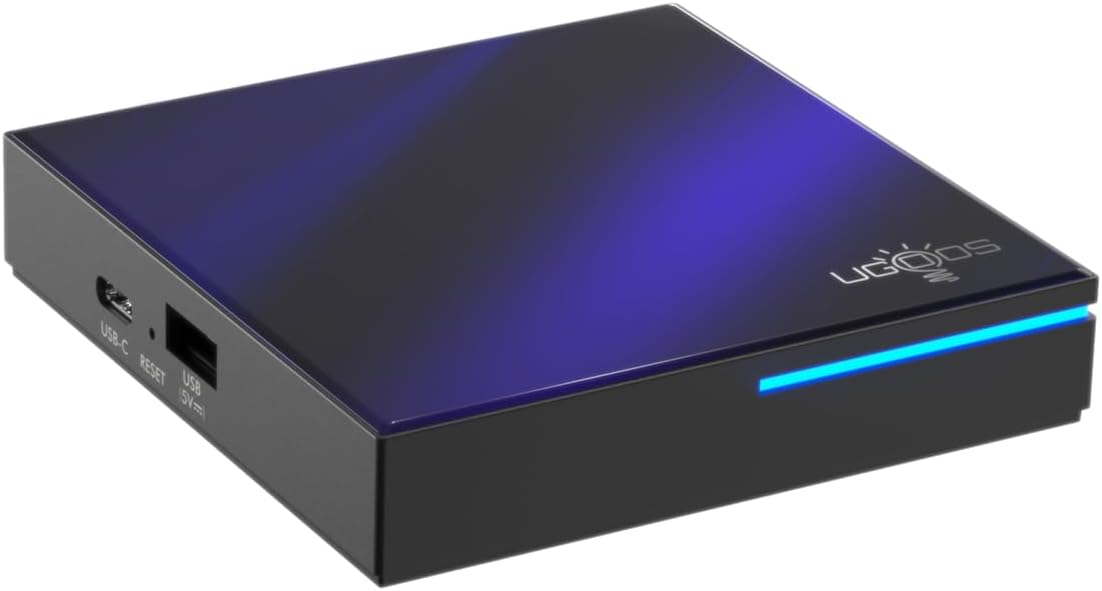
3.2-сүрөт: алдыңкы жана каптал view highlighting the indicator light strip, which illuminates when the device is powered on.
3.2 Арткы View (Порттор)
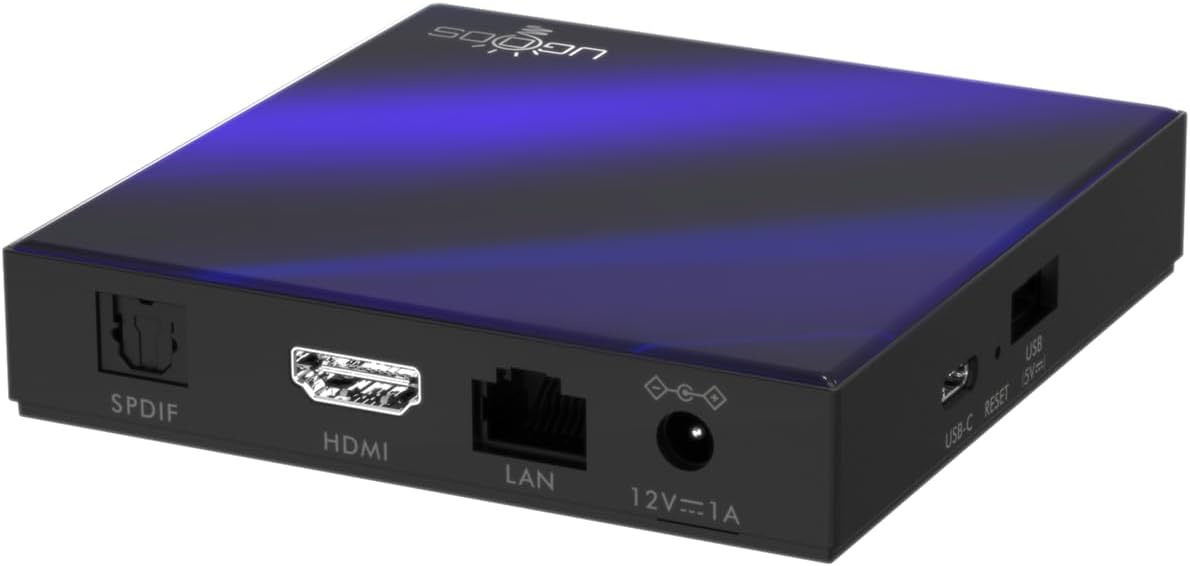
3.3-сүрөт: Арткы view of the Ugoos SK2 TV Box, displaying the SPDIF, HDMI, LAN (Ethernet), and 12V/1A Power input ports.
3.1-видео: Кутучаны ачуу жана бүтүрүүview of the Ugoos SK2 ATV Box, showcasing its design and available ports.
4. Орнотуу колдонмосу
Follow these steps to set up your Ugoos SK2 TV Box:
- Сыналгыга туташуу: Connect one end of the provided HDMI cable to the HDMI port on the Ugoos SK2 TV Box and the other end to an available HDMI input on your television.
- Туташуу кубаты: Plug the 12V/1A power adapter into the DC IN port on the TV Box and then plug the adapter into a wall outlet. The indicator light on the front of the device will illuminate.
- Алыскы батареяларды салыңыз: Open the battery compartment on the back of the BT + IR Remote Control and insert two AAA batteries (not included), ensuring correct polarity.
- Күйгүзүү: Power on your television and select the correct HDMI input source corresponding to where the TV Box is connected. The Ugoos SK2 TV Box should automatically power on.
- Баштапкы орнотуу: Follow the on-screen instructions to complete the initial setup, including language selection, region/country, and network connection (Wi-Fi or Ethernet).
- Алыстан башкарууну жупташтыруу: During the initial setup, you may be prompted to pair the remote control. Press and hold the 'Home' and 'Back' buttons simultaneously for 5 seconds until the indicator light on the remote flashes, indicating successful pairing.
- Тармакка туташуу: For optimal performance, connect the device to your home network. You can use either the built-in WiFi 6 (2.4/5/6Ghz) or connect an Ethernet cable to the LAN port for a wired connection.
5. Иштөө нускамалары
The Ugoos SK2 TV Box runs on Google TV, providing a user-friendly interface for content discovery and streaming.
5.1 Навигация жана колдонмолор
Use the remote control to navigate through the Google TV interface. The home screen provides personalized recommendations, quick access to installed apps like YouTube, Netflix, Prime Video, and Disney+, and a search function powered by Google Assistant.
5.2 Үн менен башкаруу (Google Жардамчысы)
Press the Google Assistant button on your remote to activate voice control. You can use voice commands to search for content, control playback, get answers, and manage smart home devices.
5.3 Casting Content (Chromecast built-in)
The device features Chromecast built-in, allowing you to cast movies, shows, photos, and more directly from your phone or tablet to your TV.
5.4 4K HDR Playback
The Ugoos SK2 supports 4K 60fps resolution, H.265, AV1, and 4K HDR content, including Dolby Vision and HDR10+. This ensures a vibrant and detailed viewing experience with smooth playback.
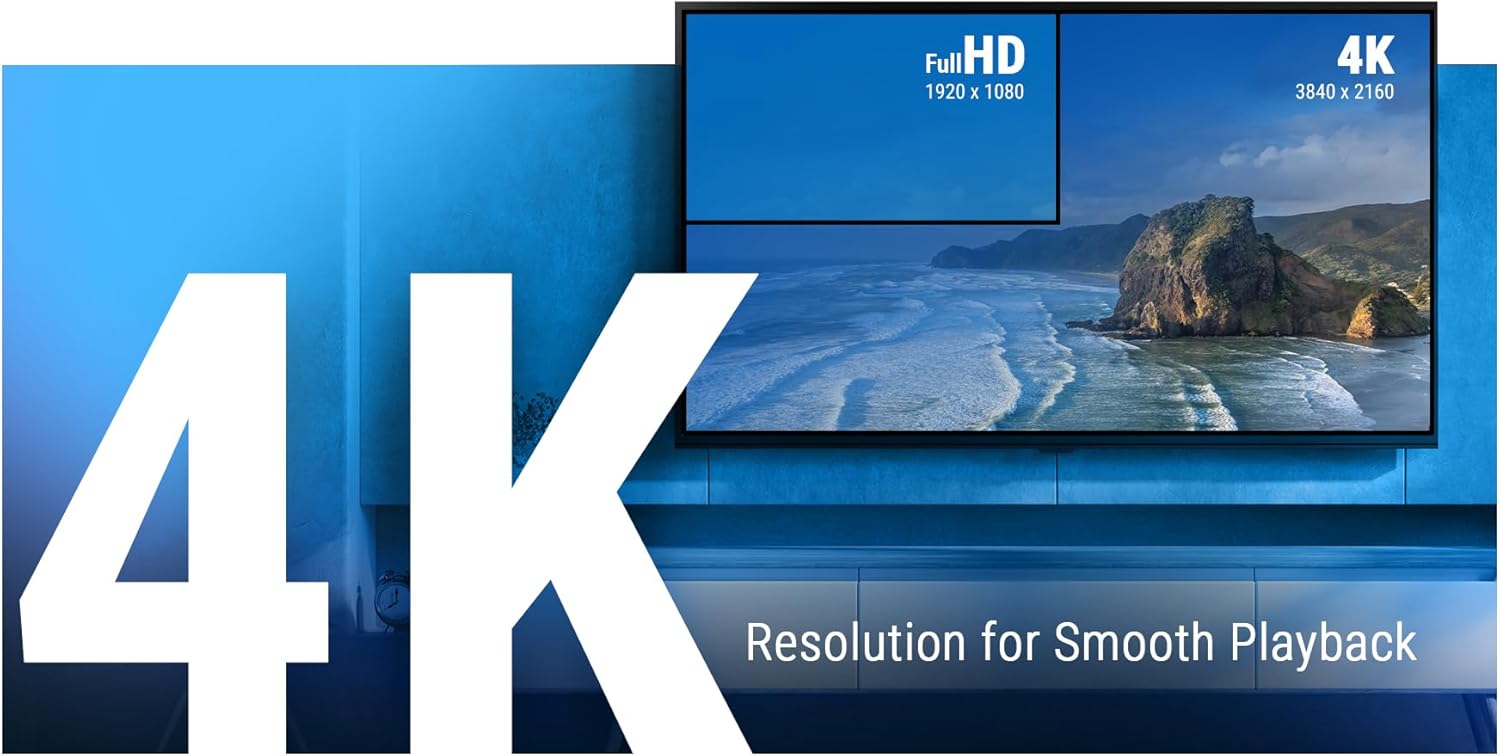
Figure 5.1: The Ugoos SK2 supports 4K resolution for smooth and high-quality video playback.

Figure 5.2: The device supports advanced video technologies like AV1, HDR10+, and Dolby Vision for enhanced visual fidelity.

Figure 5.3: The Automatic Frame Rate (AFR) system ensures optimal resolution and frequency matching for smooth video playback.
6. Техникалык тейлөө
To ensure the longevity and optimal performance of your Ugoos SK2 TV Box, follow these maintenance guidelines:
- Тазалоо: Аппараттын сыртын тазалоо үчүн жумшак, кургак чүпүрөктү колдонуңуз. Суюк тазалагычтарды же абразивдүү материалдарды колдонуудан алыс болуңуз.
- Вентиляция: Ашыкча ысып кетүүнүн алдын алуу үчүн аппаратты жакшы желдетилген жерге жайгаштырыңыз. Вентиляция тешиктерин жаппаңыз.
- Программалык камсыздоо жаңыртуулары: Periodically check for and install software updates to ensure you have the latest features and security patches. This can usually be done through the device's settings menu.
- Сактагычты башкаруу: While the device has 32GB of internal storage, regularly manage your installed apps and media to prevent performance degradation due to full storage.
7. Кыйынчылыктарды
If you encounter issues with your Ugoos SK2 TV Box, refer to the following common problems and solutions:
- Кубат жок:
- Кубат адаптери аспапка да, иштеген электр розеткасына да бекем туташып турганын текшериңиз.
- Башка аспапка туташтыруу менен электр розеткасынын иштешин текшериңиз.
- Сүрөт жок/сигнал:
- HDMI кабелинин телевизор кутучасына да, телевизорго да бекем туташтырылганын текшериңиз.
- Сыналгыңыз туура HDMI киргизүү булагына коюлганын текшериңиз.
- Сыналгыңыздагы башка HDMI кабелин же HDMI портун колдонуп көрүңүз.
- Алыстан башкаруу жооп бербейт:
- Пульттун батареяларын текшерип, алмаштырыңыз.
- Re-pair the remote control by pressing and holding the 'Home' and 'Back' buttons simultaneously for 5 seconds.
- Wi-Fi туташуу маселелери:
- Wi-Fi роутериңиз күйүп турганын жана туура иштеп жатканын текшериңиз.
- Move the TV Box closer to the router or consider using an Ethernet connection.
- Restart both the TV Box and your Wi-Fi router.
- Колдонмонун катып калуусу/бузулуусу:
- Көйгөйлүү тиркемени жаап, кайра ачыңыз.
- Clear the app's cache and data through the device settings.
- Аппараттын программалык камсыздоосу жаңыртылганын текшериңиз.
For persistent issues, consider performing a factory reset (refer to the device settings for this option). Note that a factory reset will erase all personal data and installed applications.
8. Техникалык шарттар
Detailed technical specifications for the Ugoos SK2 TV Box:
| Өзгөчөлүк | Description |
|---|---|
| Модель аты | SK2 |
| Бренд | Ugoos |
| Операция системасы | Android 12.0 (Google TV) |
| Процессор (SOC) | Realtek RTD1325, ARM Cortex-A55 Quad-Core CPU |
| GPU | Мали-G57 MC1 |
| RAM | 4 ГБ DDR4 |
| Ички сактагыч | 32 ГБ eMMC |
| Зымсыз байланыш | WiFi 6 (2.4/5/6Ghz, IEEE 802.11 a/b/g/n/ac/ax 2x2 MIMO) |
| Bluetooth | Bluetooth 5.2 |
| Video Output | HDMI (4K 60fps, HDR, AV1, VP9, H.265) |
| Аудио колдоо | Dolby Vision-Atmos |
| Ethernet | 100M LAN порту |
| USB порттору | USB-C, USB 2.0 |
| Башка порттор | SPDIF, Reset |
| Power Input | 12V/1A |
| Өлчөмдөр | 3.78 x 3.78 x 0.75 дюйм |
| Элемент Салмагы | 1.35 фунт |
| Өзгөчөлүктөр | Chromecast орнотулган, Google Жардамчысы |

Figure 8.1: ашыкview of the Ugoos SK2's core technical specifications.

Figure 8.2: Comparison illustrating the improved data transfer speed of Bluetooth 5.2 supported by the Ugoos SK2.
9. Коопсуздук маалыматы
Түзмөккө зыян келтирбөө же өзүңүзгө жаракат келтирбөө үчүн төмөнкү коопсуздук чараларын окуп чыгып, аткарыңыз:
- Берилген кубат адаптерин гана колдонуңуз.
- Аппаратты сууга, нымдуулукка же экстремалдык температурага тийгизбеңиз.
- Аппаратты жылуулук булактарынын жанына же тике күн нуруна коюудан алыс болуңуз.
- Аппаратты ажыратууга же өзгөртүүгө аракет кылбаңыз.
- Аппаратты жана аксессуарларды балдар жетпеген жерде сактаңыз.
10. Кепилдик жана колдоо
The Ugoos SK2 TV Box is covered by a standard manufacturer's warranty. Please refer to the warranty card included in your package or contact Ugoos customer support for detailed information regarding warranty terms, service, and technical assistance.
For further support, visit the official Ugoos webсайтка же кардарларды тейлөө тобуна кайрылыңыз.