1. Киришүү
Thank you for choosing the AULA S99 Pro Wireless Keyboard. This manual provides detailed instructions to help you set up, operate, and maintain your keyboard, ensuring an optimal user experience. The AULA S99 Pro is a versatile gaming keyboard designed for multi-device compatibility and customizable features.
2. Негизги өзгөчөлүктөрү
- Dedicated Knob & Display Screen: Supports volume and light adjustments, allowing seamless switching between dynamic RGB-backlit gaming mode and silent typing office mode. The LED screen provides real-time monitoring of battery level, connection status, and system compatibility.
- Көп түзмөк байланышы: Offers three connectivity modes: Bluetooth 5.0, 2.4GHz wireless, and USB wired mode. Connects up to 5 devices simultaneously with easy switching via FN+ key combinations.
- Custom Keyboard: All keys support macro customization for programming complex actions. Equipped with a dual-mode rotary knob for easy adjustment of volume, audio, and lighting effects.
- Cool RGB Backlit Keyboard: Features 16.8 million RGB light colors with 16 pre-set lighting effects. Lighting brightness and speed are adjustable via the knob or FN+key combinations. Macro software allows for unique lighting setups.
- 99 Keys Membrane Keyboard: Compatible with Windows, Mac, Android, iOS, Xbox, PS4, and PS5 devices. Two-stage brackets adjust keyboard height for ergonomic and stable typing.
3. Пакеттин мазмуну
Кутудан чыгарылганда бардык буюмдар бар экенин текшериңиз:
- AULA S99 Pro Wireless Keyboard
- USB кабели
- User Manual
- 1 AA батарейкасы (алдын ала орнотулган)
4. Орнотуу
4.1. Байланыш режимдери
The AULA S99 Pro supports three connection methods:
- 2.4 ГГц зымсыз режими: Insert the USB dongle (located in the keyboard's back compartment) into your device's USB port. Switch the keyboard to 2.4G mode using the dedicated switch or FN+ key combination.
- Bluetooth 5.0 режими: Activate Bluetooth on your device. On the keyboard, press FN+1, FN+2, or FN+3 to select a Bluetooth channel. The display screen will show BT1, BT2, or BT3. Издөө "AULA-S99" on your device's Bluetooth settings and pair.
- USB зымдуу режими: Connect the provided USB-C cable to the keyboard's Type-C port and the other end to your device's USB port. The keyboard will automatically switch to wired mode.

1-сүрөт: Үч режимдүү туташуу параметрлери
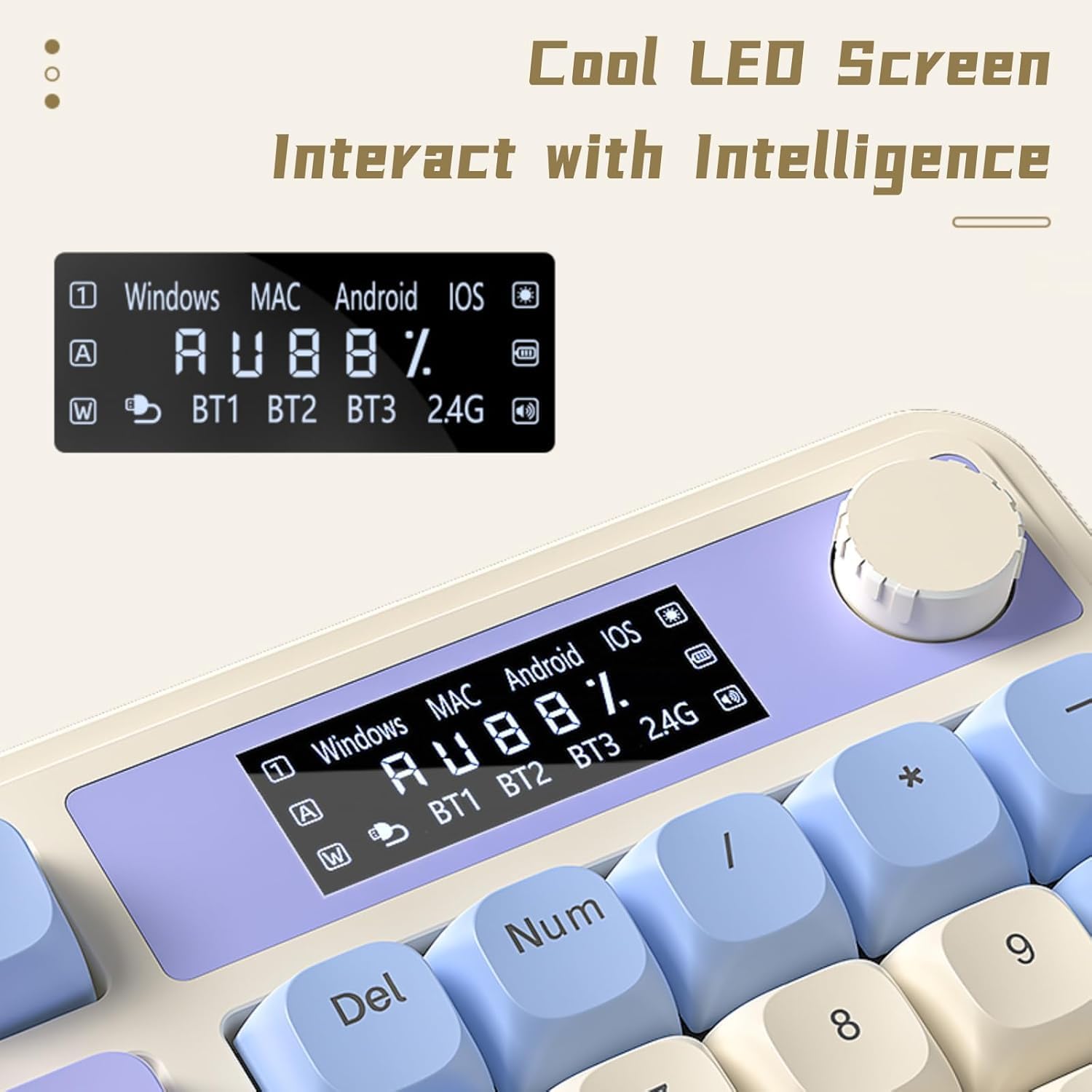
Figure 2: Connectivity Ports and Dongle Storage
4.2. Жөнгө салынуучу буттар
Клавиатурада эки S барtage adjustable feet on the underside. Flip them out to adjust the typing angle according to your ergonomic preference for comfortable and stable use.

3-сүрөт: Жөнгө салынуучу клавиатура буттары
5. Иштөө нускамалары
5.1. Dedicated Knob & Display Screen
The multi-functional knob and LED display screen provide quick access to various settings:
- Айлантуу баскычы: Adjusts volume or lighting brightness/speed depending on the active mode.
- Баскыч баскычы: Toggles lighting effects or sound on/off.
- Узак басуу баскычы: Switches between Gaming Mode (dynamic RGB) and Office Mode (silent typing).
- Дисплей экраны: Shows real-time battery level, connection status (BT1/BT2/BT3/2.4G), and system compatibility (Windows/MAC/Android/iOS).

Figure 4: Multi-function Digital Dial

Figure 5: Cool LED Screen Interface
5.2. RGB арткы жарыкты башкаруу
The keyboard features 16.8 million RGB colors and 16 pre-set lighting effects. Use the FN+ key combinations or the dedicated knob to customize:
- Change Lighting Effects: Press FN + Page Up/Page Down to cycle through different lighting modes.
- Жарыктыкты жөндөө: Rotate the knob or use FN + Up/Down arrow keys.
- Ылдамдыкты жөндөө: Use FN + Left/Right arrow keys to change the speed of dynamic lighting effects.
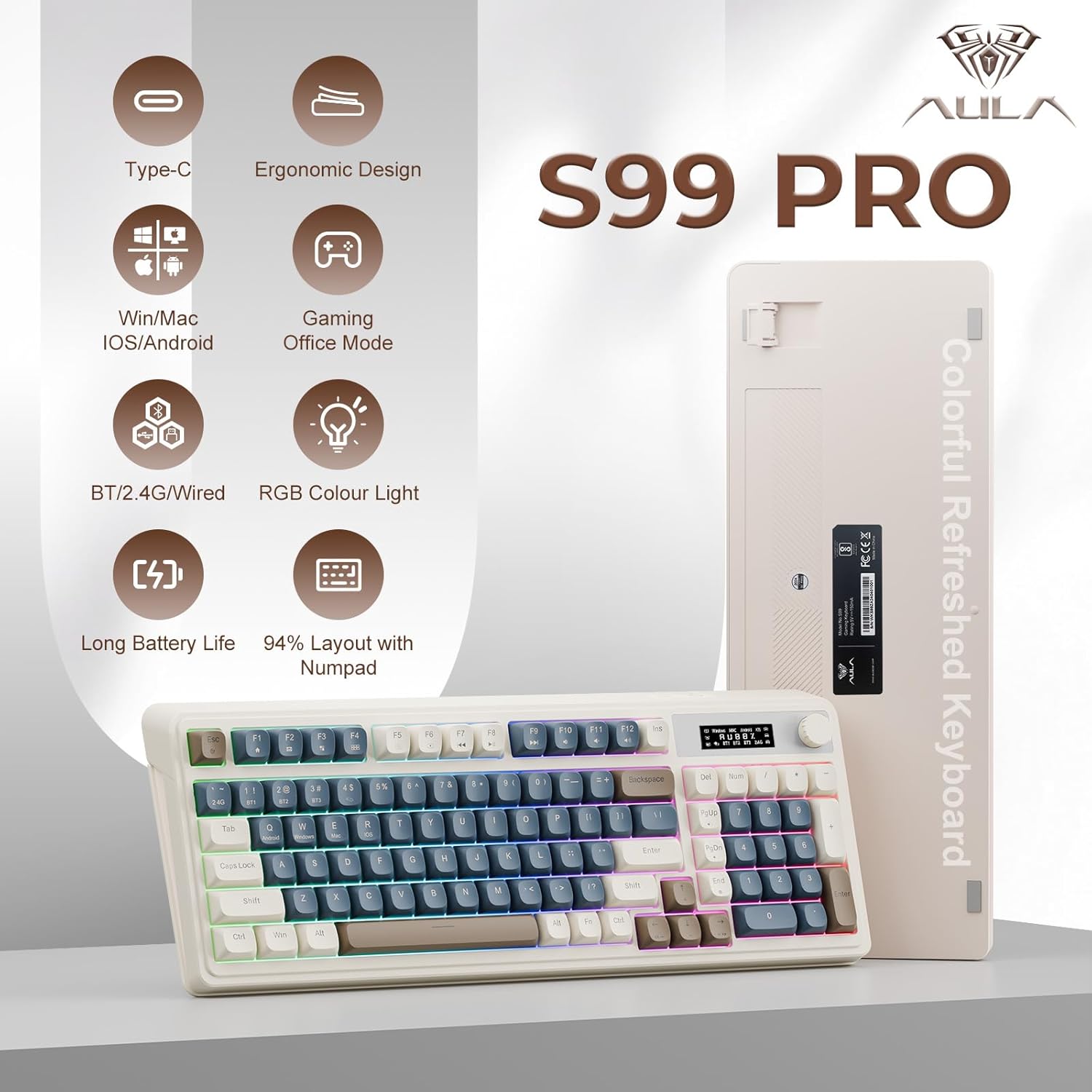
Figure 6: 16.8 Million RGB Backlight
5.3. Macro Customization
All keys on the AULA S99 Pro support macro customization. Use the accompanying software (downloadable from aulastar.com) to record and edit macros, programming complex actions into a single key. This is particularly useful for gaming and specific productivity tasks. Ensure the keyboard is in wired mode when running the driver for customization.

Figure 7: Unique Settings and Macro Customization Software
5.4. Системанын шайкештиги
The keyboard is designed for broad compatibility:
- Windows: Full functionality.
- Mac: Full functionality.
- Android: Full functionality.
- iOS: Full functionality.
- Gaming Consoles (Xbox, PS4, PS5): Compatible for seamless use.
Switch between operating systems using FN+Q (Android), FN+W (Windows), FN+E (Mac), FN+R (iOS).
6. Техникалык тейлөө
To ensure the longevity and optimal performance of your AULA S99 Pro keyboard, follow these maintenance guidelines:
- Тазалоо: Бир аз жумшак, түксүз кездемени колдонуңуз dampened with water or a mild cleaning solution to wipe the keycaps and keyboard surface. Avoid excessive moisture.
- Чаңды тазалоо: Баскыч капкактарынын ортосундагы чаңды жана калдыктарды тазалоо үчүн кысылган абаны колдонуңуз.
- Сактагыч: Клавиатураны күн нурунан жана экстремалдык температурадан алыс, салкын, кургак жерде сактаңыз.
- Төгүлгөндөн сактаныңыз: Ички бөлүктөргө зыян келтирбөө үчүн клавиатурадан суюктуктарды алыс кармаңыз.
7. Кыйынчылыктарды
Эгер клавиатураңызда көйгөйлөргө туш болсоңуз, төмөнкү жалпы чечимдерди караңыз:
- Баскычтоп жооп бербей жатат: Ensure the keyboard is charged. Check the connection mode (wired, 2.4GHz, Bluetooth) and ensure it matches your device. Try reconnecting or re-pairing.
- Катталбай жаткан ачкычтар: Clean the affected keys. Ensure the keyboard is not in sleep mode (press any key to wake).
- Bluetooth байланышы көйгөйлөрү: Ensure your device's Bluetooth is on and the keyboard is in pairing mode. Remove previous pairings and try again. Ensure no other devices are interfering.
- 2.4GHz wireless issues: Ensure the USB dongle is securely inserted. Try a different USB port.
- RGB жарыктандыруу иштебейт: Check brightness settings via the knob or FN+key combinations. Ensure the keyboard is not in office mode (long press knob to switch).
- Кечигүү же кечигүү менен киргизүү: Ensure the keyboard is fully charged. For wireless modes, ensure you are within range of your device. Try switching to wired mode to rule out wireless interference.
8. Техникалык шарттар
| Өзгөчөлүк | Деталь |
|---|---|
| Продукциянын өлчөмдөрү | 16.23 x 7.28 x 2.03 дюйм |
| Элемент Салмагы | 2.38 фунт |
| Өндүрүүчү | AULA |
| Элемент моделинин номери | S99Pro |
| Батареялар | 1 AA батарейка талап кылынат (кошулган) |
| Шайкеш түзмөктөр | Оюн консолу, ноутбук, компьютер, смартфон, планшет |
| Байланыш технологиясы | Bluetooth, USB-C, Wi-Fi (2.4GHz) |
| Keyboard Description | Мембрана |
| Өзгөчө өзгөчөлүк | Backlit, Ergonomic, Rechargeable, Silent, Quiet |
| Баскычтоптун арткы жарыктандыруу түсүн колдоо | RGB (16.8 миллион түстөр) |
| Стиль | ретро |
9. Кепилдик жана колдоо
Кепилдик жөнүндө маалымат, техникалык колдоо же кошумча жардам алуу үчүн, расмий AULAга кайрылыңыз website or contact AULA customer service. Keep your purchase receipt for warranty claims.
10. Расмий продукт Videos
AULA 99 Keys RGB Gaming Keyboard with Media Knob
Бул видеодо толук маалымат берилетview of the AULA 99 Keys RGB Gaming Keyboard, highlighting its RGB lighting features and the functionality of the media knob. It demonstrates the keyboard's design and key features in action.


